
More project photos (2)
The problem
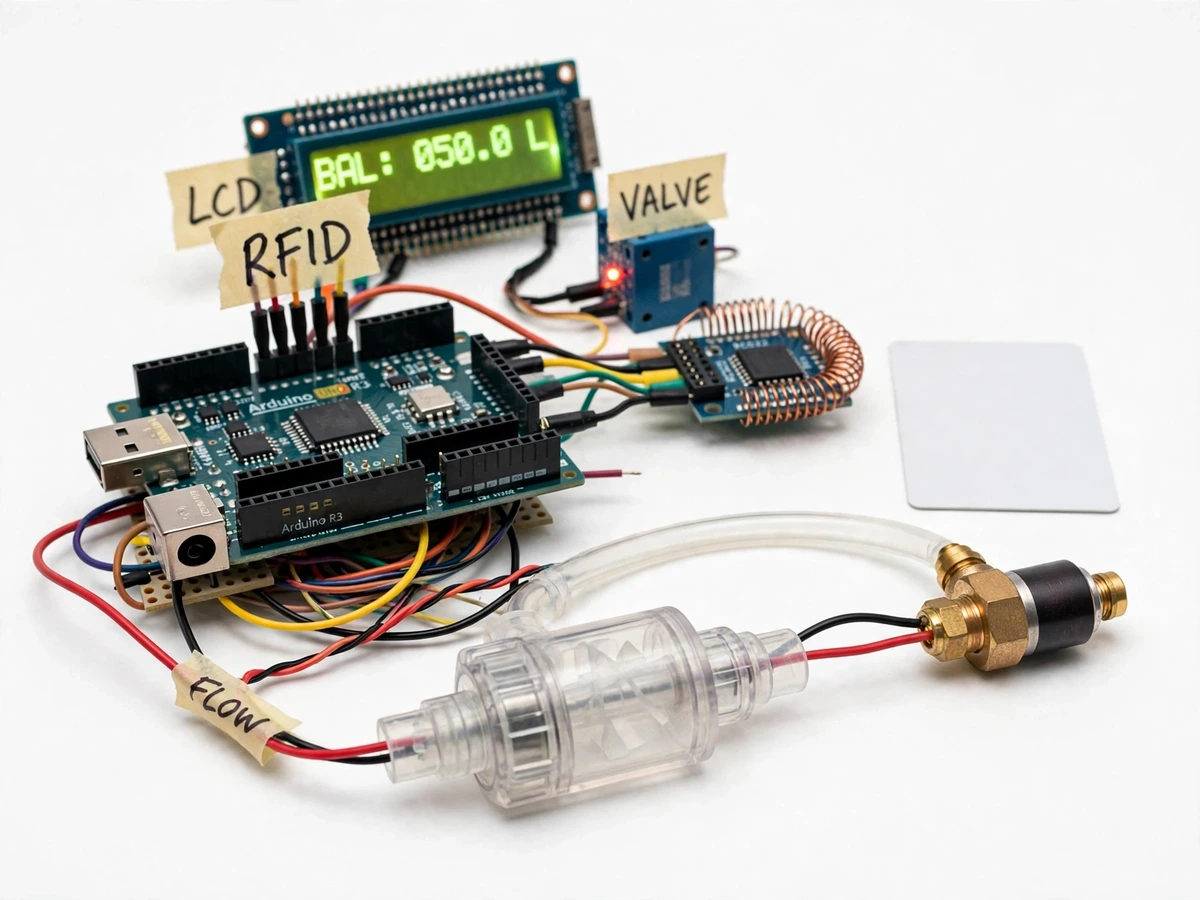
Municipal water supply in many Indian towns still runs on flat monthly charges, so there is no incentive to fix leaks or use water sparingly — and utilities cannot easily bill per litre without expensive metering infrastructure. Prepaid electricity meters solved the analogous problem for power: credit is purchased in advance, consumption is measured, and supply stops when credit is exhausted. This project transfers that idea to water in a bench-scale embedded build. An Arduino counts pulses from a hall-effect flow sensor, deducts litres from a credit balance stored on an RFID card, and drives a solenoid valve through a relay to cut supply at zero balance. Everything is visible and explainable: pulse-to-litre conversion, card authentication, relay actuation and the LCD readout — which makes the design unusually easy to defend in a viva compared with black-box metering products.
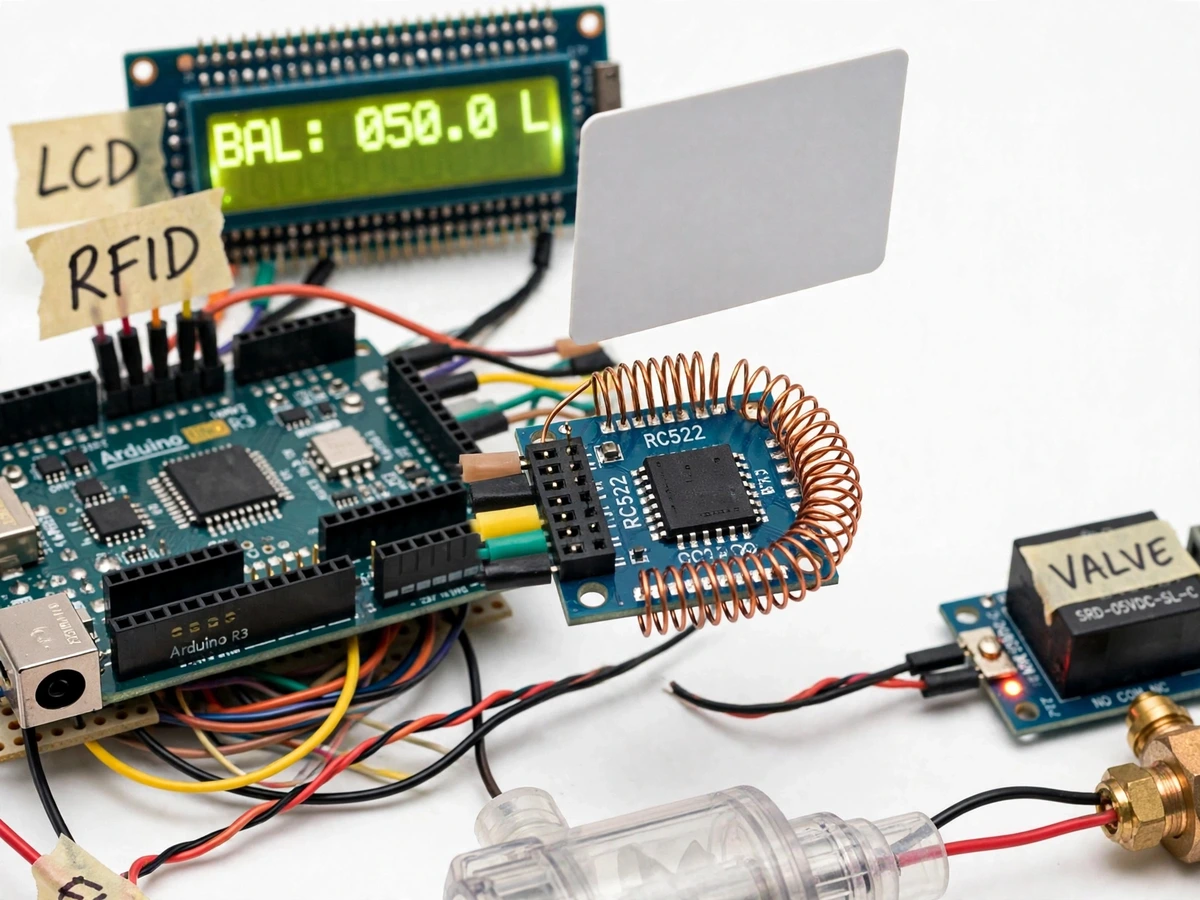
Taps the MIFARE card to start the session; water flows while credit remains.
Follow the working sequence
How it works
- On power-up the Arduino initializes the RC522 reader, the 16x2 LCD and the relay output; the normally-closed solenoid valve stays shut until a valid user card is presented.
- The user taps their MIFARE card on the reader. The firmware authenticates the card's sector key, reads the stored litre balance and shows it on the LCD.
- If the balance is above zero, the Arduino energizes the relay, the 12V solenoid valve opens, and water flows through the YF-S201 sensor in the line.
- Water spins the sensor's hall-effect rotor and pulses arrive on the Arduino's external interrupt pin. Flow rate (L/min) is computed from pulse frequency divided by approximately 7.5, per the manufacturer's datasheet.
- For every litre consumed the firmware decrements the balance, refreshes the LCD, and writes the updated balance back to the card at approximately 1-litre intervals.
- When the balance reaches zero the relay drops out, the valve closes, the LCD shows the exhausted message and the buzzer sounds. Supply stays off until an admin-card recharge tap.
- In recharge mode the admin card writes fresh credit (50 litres by default) into the user card's data block; unknown or wrong-sector cards are rejected with an invalid-card message.
Tech stack:
- Arduino Uno (ATmega328P)
- YF-S201 hall-effect flow sensor
- RC522 13.56 MHz RFID reader (SPI)
- 12V DC normally-closed solenoid valve
- 5V opto-isolated relay module
- 16x2 LCD with I2C backpack
- MIFARE Classic 1K RFID cards
- Arduino IDE (C++ firmware)
| Parameter | Value |
|---|---|
| Controller | Arduino Uno, ATmega328P at 16 MHz |
| Flow sensor | YF-S201 hall-effect, pulse output |
| Flow-to-pulse relation | Frequency (Hz) approximately 7.5 × flow (L/min), per manufacturer datasheet |
| Flow accuracy | ±10% typical (manufacturer datasheet figure, not a measured claim) |
| Sensor flow range | Approximately 1–30 L/min (datasheet) |
| Sensor supply | 5–24 V DC (datasheet) |
| RFID reader | RC522, 13.56 MHz, SPI interface, read range approximately 5 cm |
| RFID cards | MIFARE Classic 1K: 1024 bytes across 16 sectors |
| Solenoid valve | 12 V DC, normally closed, brass body, approx. ½ in. thread |
| Relay module | 5 V single channel, opto-isolated, 10 A contacts (datasheet) |
| Display | 16×2 character LCD via I2C (PCF8574 backpack) |
| Balance resolution | 0.1 L (design target) |
| Write-back interval | Approximately every 1 L of consumed water |
| Power | 12 V DC adapter for the valve; Arduino via USB or barrel jack |
Project features
- [Prepaid credit on RFID card] The remaining litre balance is stored in a data block on a MIFARE Classic card; tapping the card on the RC522 reader loads the balance into the Arduino and starts the session.
- [Solenoid valve cutoff at zero balance] A 12V normally-closed brass solenoid valve sits in the water line, switched through an opto-isolated 5V relay; the Arduino drops the relay the moment credit hits zero, stopping flow automatically.
- [Hall-effect flow measurement] The YF-S201 sensor's rotor generates pulses counted on the Arduino's external interrupt; flow in litres per minute is derived from the pulse frequency using the manufacturer's datasheet relation.
- [Live LCD readout] A 16x2 LCD (I2C) shows remaining balance, current flow rate and valve state, plus plain-language messages for card errors, recharge and credit exhaustion.
- [Admin-card recharge] A second, admin-type RFID card writes fresh credit onto a user card in recharge mode, so the demo can be re-topped-up without a computer.
- [Low-balance buzzer alerts] The buzzer sounds a short warning when balance falls to 5 litres or below and a longer tone when credit is exhausted and the valve closes.
- [Adjustable calibration constant] Pulses-per-litre is a firmware constant set by a simple bucket calibration procedure, so the meter can be tuned to the actual test rig.
- Optional add-on: a membrane keypad can be wired in for manual credit entry instead of the admin card.
- Future scope (not part of this build): tamper detection, RTC/SD-card usage logging, and GSM-based recharge SMS.
What is included
- Assembled and bench-tested prepaid water meter prototype
- Arduino firmware (C++ source, interrupt-based pulse counting, RFID authentication, valve control)
- Circuit and wiring diagram
- Component list with sourcing notes
- Bucket calibration procedure for pulses-per-litre
- Project report PDF (background, design, methodology, results)
- PPT presentation for final review
- Viva Q&A preparation document (flow sensing, RFID auth, relay driving, calibration)
Limitations & prerequisites
- Flow accuracy is ±10% per the YF-S201 datasheet — this is an indicative prepaid demo, not a billing-grade meter.
- Bench demonstration only: it is not certified for domestic mains plumbing and must run on a low-pressure test supply.
- MIFARE Classic cards have publicly documented security weaknesses, so on-card credit is demonstration-grade, not fraud-proof billing.
- A power cut mid-session can lose the pulses counted since the last write-back, up to approximately 1 litre of credit.
- The 12V solenoid coil heats under continuous duty and is not intended for all-day operation.
- The firmware handles one flow sensor and one valve; multi-line metering would need a larger controller or multiplexing.
Frequently Asked Questions
How does the prepaid part actually work?
Credit is stored as a litre balance in a data block on a MIFARE RFID card. Tapping the card loads the balance into the Arduino, which opens the solenoid valve and deducts water as it flows. When the balance hits zero, the valve closes and supply stops until an admin-card recharge tap adds more credit.
How accurate is the water measurement?
The YF-S201 sensor is specified at ±10% typical accuracy in its manufacturer datasheet, and the page states that figure honestly — no measured claim is made. A bucket calibration procedure tunes the pulses-per-litre constant to the actual rig so the demo reads sensibly.
Can I connect it to my home water line?
No. This build is a bench-level demonstration on a low-pressure test supply; it is not certified for domestic mains plumbing. The demo shows the full prepaid logic without mains pressure risks.
Can someone cheat by copying the RFID card?
MIFARE Classic cards have publicly documented cloning weaknesses, which the report and viva notes discuss openly. The card sector is key-authenticated so casual misuse is blocked, but this is a teaching prototype — real billing systems use secure elements, listed under future scope.
Is this project suitable for a final-year project?
Yes — for Electrical, Electronics and IoT programs. It combines sensors, RFID, relay-driven actuation and interrupt-based firmware in one coherent system, and every design choice is documented for the viva.
Components & software requirements
- Arduino Uno (ATmega328P)
- YF-S201 hall-effect flow sensor
- RC522 13.56 MHz RFID reader (SPI)
- 12V DC normally-closed solenoid valve
- 5V opto-isolated relay module
- 16x2 LCD with I2C backpack
- MIFARE Classic 1K RFID cards
- Arduino IDE (C++ firmware)
Delivery information
Built-to-order project. Delivery timeline is shared after order confirmation based on current queue.
Support terms
Complete documentation, setup guide, and viva preparation included. Support for setup and explanation provided.
Download free synopsis (PDF)
Enter your name and email — the synopsis PDF downloads immediately. We may send occasional project updates; no spam, unsubscribe anytime.