
More project photos (3)
Watch it work
The problem
A door key is easy to lose, hard to share, and impossible to change without changing the lock. A keypad code is easier to share, but anyone who has seen it can use it again. A web-controlled lock answers a narrower problem: one door, one authorised user, and a clear record of whether that door is locked or open right now. This project builds that lock at tabletop scale. An ESP8266 connects to Wi-Fi and serves a small web page, an Arduino handles the lock output, and a magnetic lock holds the door shut until an unlock command releases it. The user logs in on a phone browser, sees the current door status, and taps lock or unlock. The demonstration is deliberately simple: no fingerprint reader, no RFID card, and no one-time code, so the viva can focus on the one mechanism that matters, which is a web command reliably becoming a physical lock action.
How it works
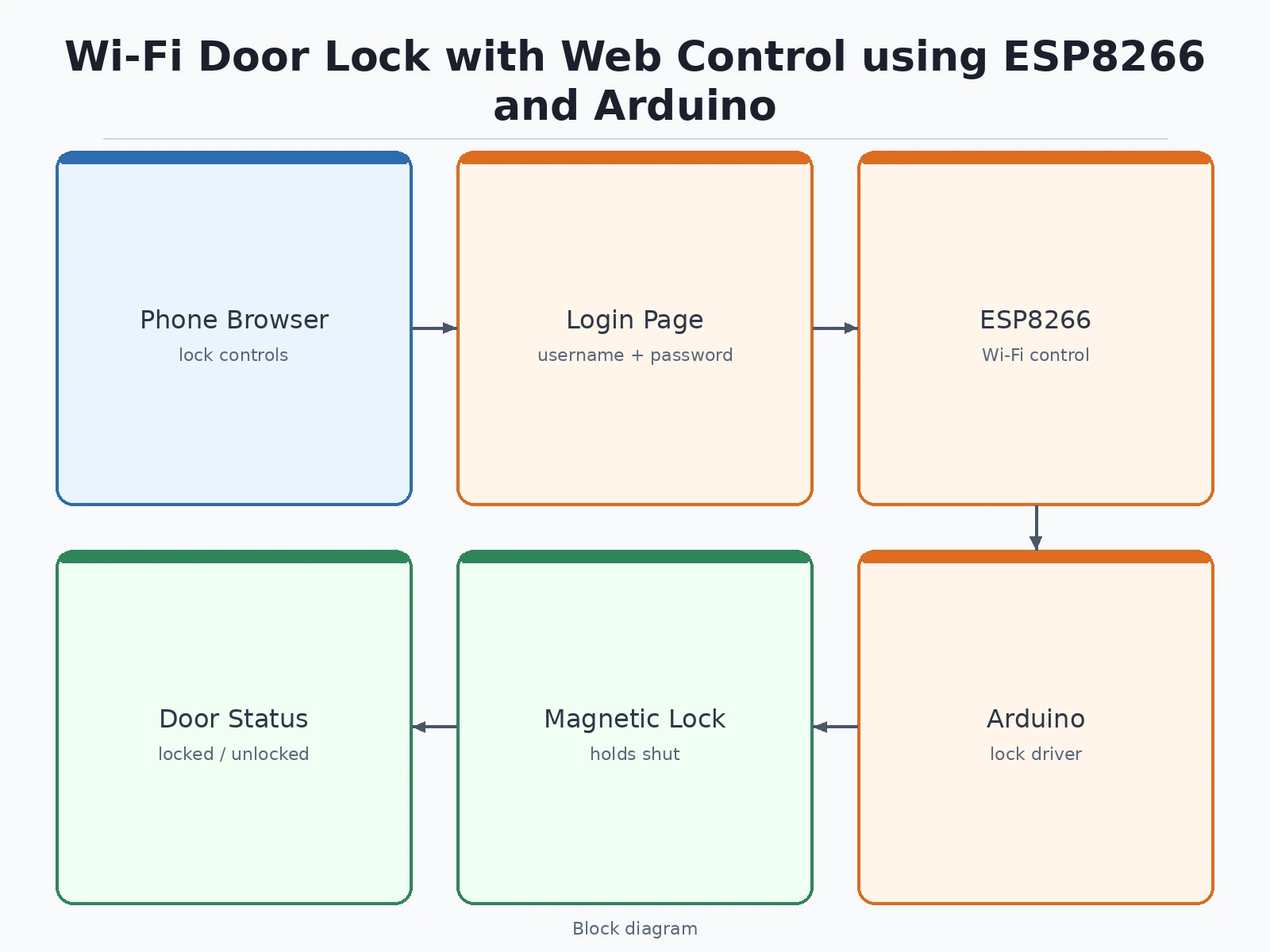
- The ESP8266 connects to the local Wi-Fi network and serves the door lock web page.
- The user opens the page on a phone browser and logs in with the configured username and password.
- The page shows the current door status and presents lock and unlock controls.
- Tapping unlock sends a command from the browser to the ESP8266 over Wi-Fi.
- The ESP8266 passes the command to the Arduino, which cuts the drive to the magnetic lock.
- The magnetic lock releases, the door can be opened, and the page updates the door status.
- Tapping lock restores the drive to the magnetic lock, the door is held shut again, and the page updates the status.
Tech stack:
- ESP8266 Wi-Fi module · web server
- Arduino controller board · lock driver
- Electromagnetic door lock · magnetic holding
- Relay driver for the lock supply
- Web login page · lock and unlock controls
- Live door status display
- Local Wi-Fi network control
- 12 V lock power supply
| Parameter | Value |
|---|---|
| Control | Web page over local Wi-Fi (design target) |
| Controller | ESP8266 for Wi-Fi and web serving plus Arduino for lock driving (design target) |
| Lock type | Electromagnetic lock · holds shut while powered (design target) |
| Access method | Username and password login on the web page (design target) |
| Status shown | Locked and unlocked and door open and door closed (design target) |
| Power | 12 V supply for the magnetic lock (design target) |
| App required | None · any phone browser (design target) |
| Not included | Fingerprint reader · RFID reader · one-time code access (not in this build) |
Project features
- [Web login page] A browser login page with username and password fields gates the lock controls, so the lock and unlock buttons are not open to anyone who finds the page address. Implemented in the base prototype.
- [Lock and unlock from a phone] Lock and unlock commands are sent from a phone browser over Wi-Fi, and the magnetic lock responds without touching the door hardware. Implemented in the base prototype.
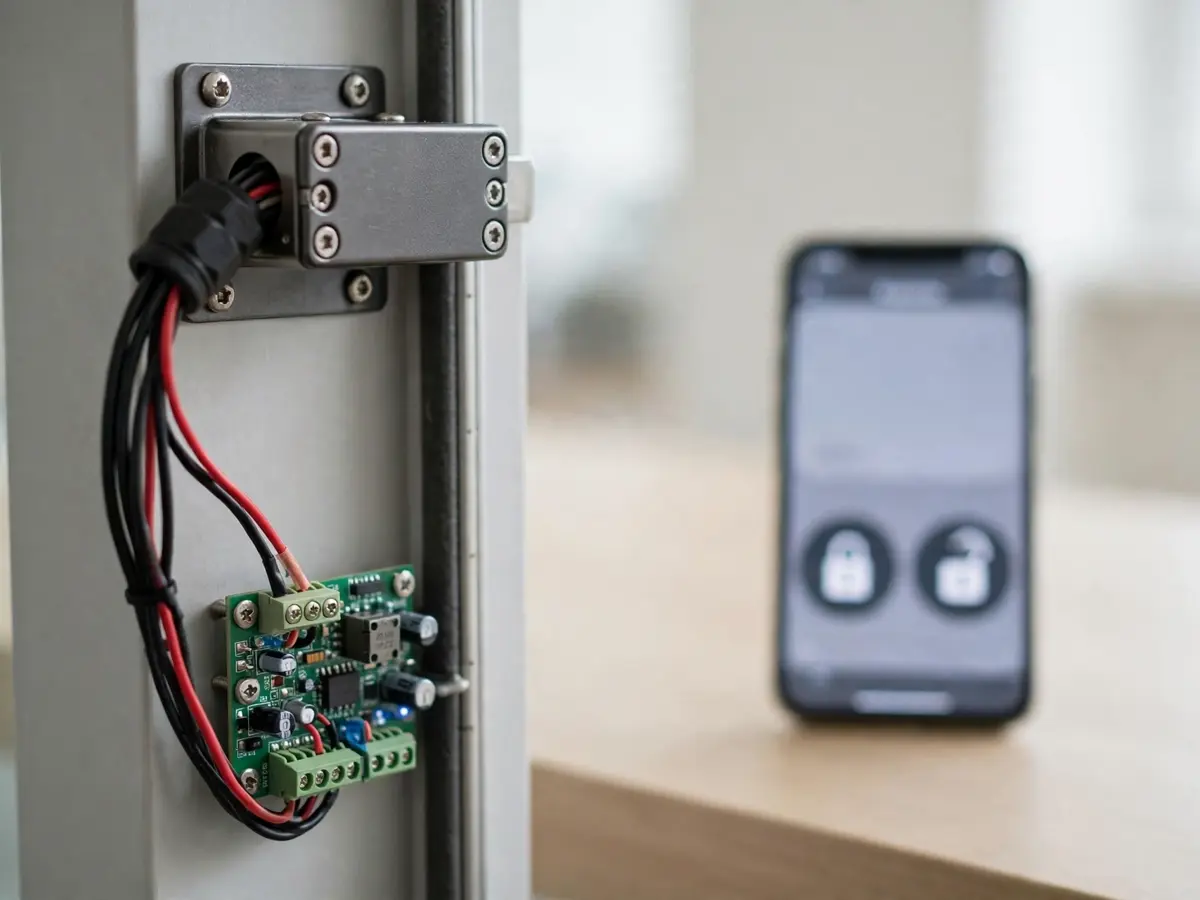
- [Magnetic lock] An electromagnetic lock holds the door shut while powered and releases when the unlock command cuts its drive, which is the physical action the demonstration shows. Implemented in the base prototype.
- [Live door status] The web page shows the current door command status, including locked, unlocked, open, and closed states, so the user can see what the lock did after each tap. Implemented in the base prototype.
- [ESP8266 Wi-Fi control] The ESP8266 hosts the control page and passes commands to the lock driver over the local network, with no separate app to install. Implemented in the base prototype.
- [Arduino lock driver] An Arduino board drives the lock output and reads back the lock state, keeping the web layer separate from the hardware layer. Implemented in the base prototype.
- [Repeatable lock cycle] The demonstration repeats the full cycle, locked to unlocked to locked again, so the result is a repeatable behaviour, not a single lucky tap. Implemented in the base prototype.
What is included
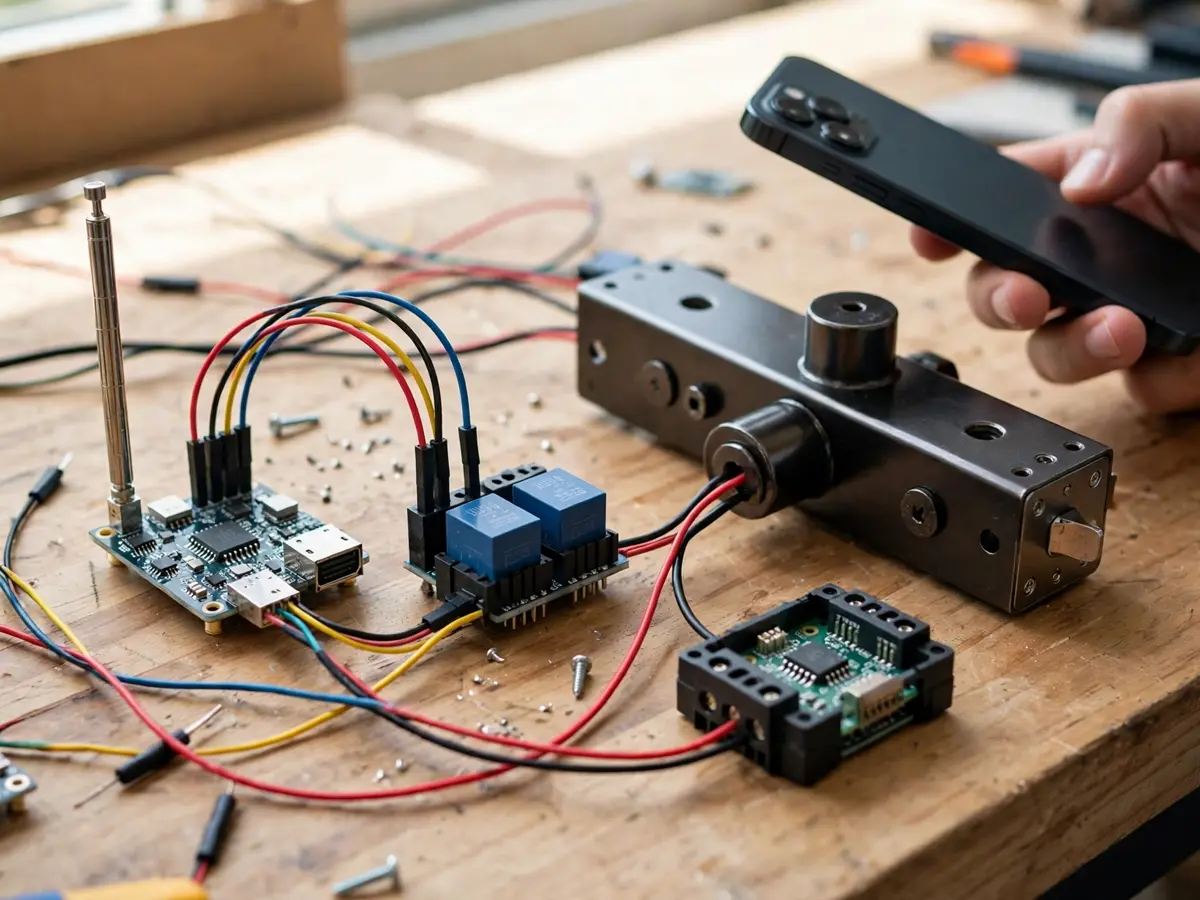
- Working prototype: ESP8266 board, Arduino board, relay driver, electromagnetic lock, and door model, wired and tested
- Firmware for the ESP8266 web server and the Arduino lock driver
- Web login page with lock and unlock controls and live door status
- Circuit and wiring documentation with labelled connections for every wire
- Component list with the exact parts used in the build
- Demonstration procedure, including the locked to unlocked to locked cycle and how to show the status change after each command
- Project report PDF (background, Wi-Fi control theory, magnetic lock operation, methodology, limitations)
- PPT presentation for final review
- Viva Q&A preparation document (ESP8266 web serving, magnetic lock holding force and power, login security limits, Wi-Fi failure behaviour)
Limitations & prerequisites
- The lock is demonstrated on a local Wi-Fi network: the page is reachable from devices on that network, and the build does not include internet remote access, a cloud account, or a public server.
- A magnetic lock holds only while it has power: if the 12 V supply fails, the lock releases, so this build is not a fail-secure lock and must not be presented as one.
- The login is a simple username and password on a local page: it has no account system, no password recovery, and no protection against someone on the same network guessing a weak password, so the report must state that limit plainly.
- The build has no fingerprint reader, no RFID reader, and no one-time code: anyone who wants those access methods needs a different build, and this page never claims them.
- Wi-Fi range and router behaviour limit the demonstration: if the phone leaves the network or the router drops the connection, commands cannot reach the lock until the network returns.
- The prototype is a tabletop demonstration: it is not a certified door security product, it carries no security certification, and it must not be fitted as the sole lock on a real entrance.
Frequently Asked Questions
How does the lock open without a key?
The ESP8266 serves a web page on the local Wi-Fi network. After logging in, the user taps unlock, the command travels over Wi-Fi to the controller, and the Arduino cuts power to the electromagnetic lock, so the door can be opened. Tapping lock restores power and holds the door shut again.
Is this project suitable for a final-year project?
Yes, for Electronics, Electrical, and IoT students, because it combines embedded control, Wi-Fi networking, web serving, and a physical actuator into one demonstration with a result that is easy to verify in a viva: a tap on a phone visibly releases and re-engages a real lock.
Can I open the door from anywhere on the internet?
No, not in this build. The demonstration works on the local Wi-Fi network only. Internet remote access would need a cloud service, port forwarding, and stronger authentication, none of which are included, and the report states that boundary explicitly.
What happens if the power goes out?
The magnetic lock releases when its 12 V supply is lost, because it holds only while powered. That is a real limitation of this lock type, and the viva should discuss it honestly rather than presenting the build as fail-secure.
Can fingerprint or RFID access be added?
Yes, as a different build, by adding a fingerprint module or an RFID reader and extending the firmware and the login logic. Those methods are not in this build, and adding them changes the parts, the wiring, and the access logic, so they are a scope change, not a free addition.
Components & software requirements
- ESP8266 Wi-Fi module · web server
- Arduino controller board · lock driver
- Electromagnetic door lock · magnetic holding
- Relay driver for the lock supply
- Web login page · lock and unlock controls
- Live door status display
- Local Wi-Fi network control
- 12 V lock power supply
Delivery information
Built-to-order project. Delivery timeline is shared after order confirmation based on current queue.
Support terms
Complete documentation, setup guide, and viva preparation included. Support for setup and explanation provided.
Download free synopsis (PDF)
Enter your name and WhatsApp number — the synopsis PDF downloads immediately. We may send occasional project updates on WhatsApp; no spam.