
More project photos (2)
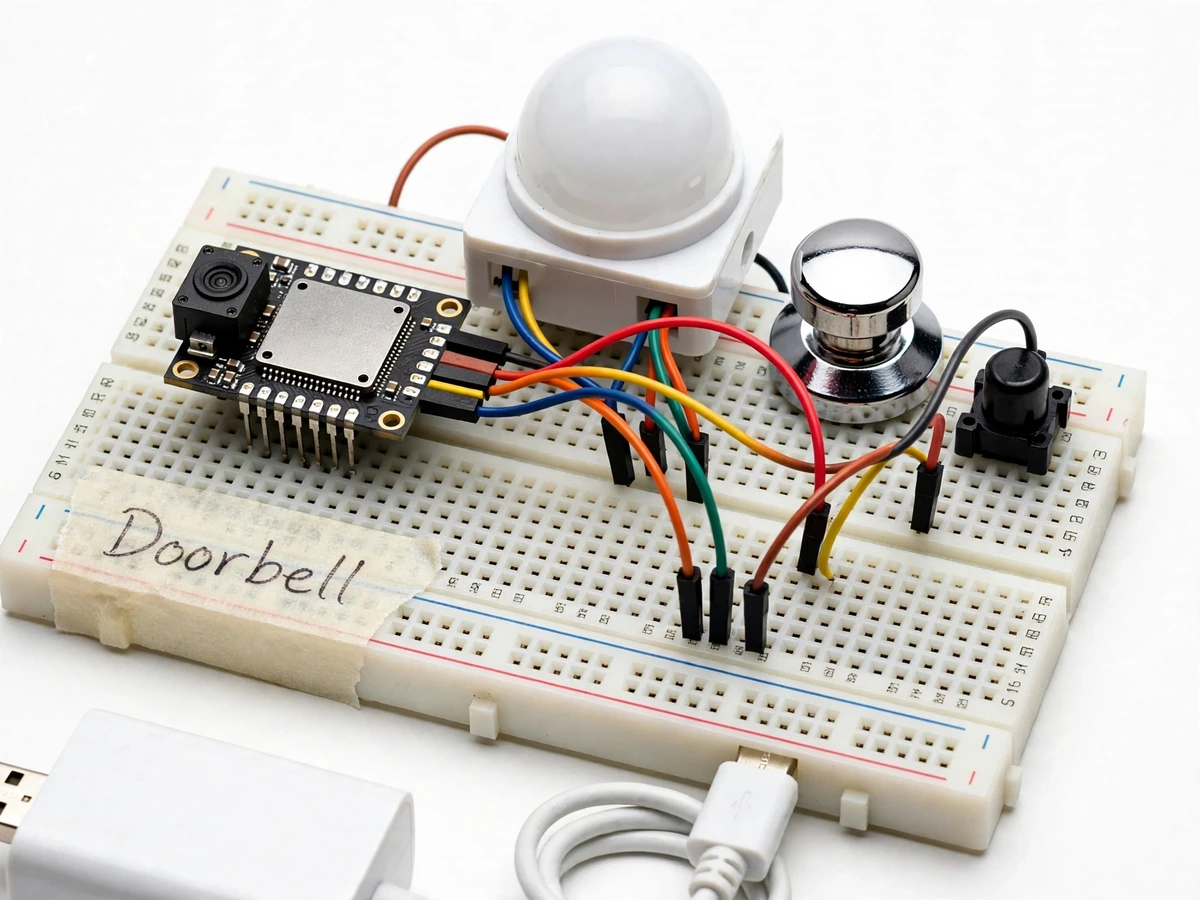
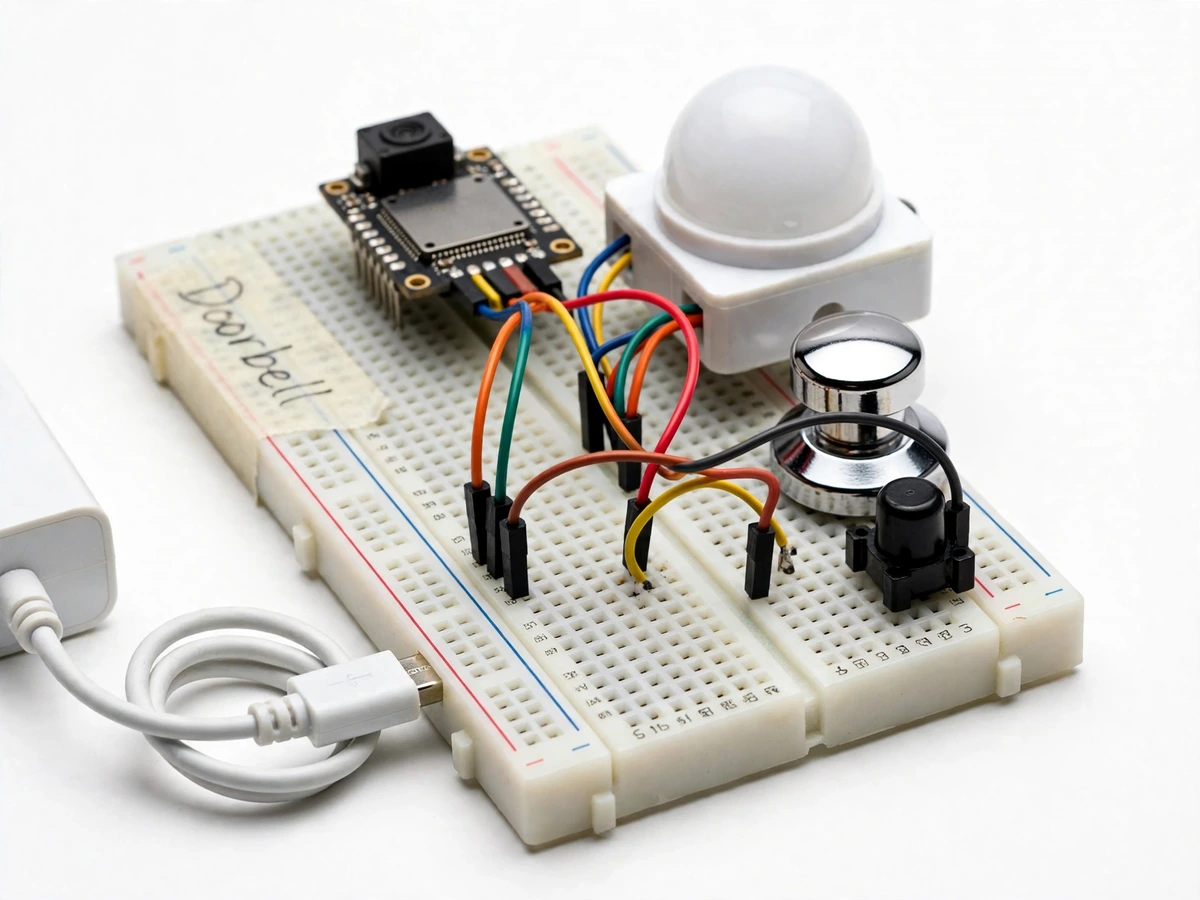
The problem
Traditional doorbells only ring — they cannot show who is at the door, and if nobody is home, the visitor simply leaves unrecorded. Commercial video doorbells solve this, but they cost several thousand rupees, lock the owner into a vendor's app and cloud subscription, and teach a student nothing about how they work. This project builds the same idea from first principles: an ESP32-CAM module mounted at the door watches for motion or a button press, captures a photo, and pushes it to the owner's phone through a Telegram bot. A buzzer chimes indoors so the home still behaves like a normal doorbell. Between events the controller drops into deep sleep, so a small 5V supply is all it needs. Because every part — the firmware, the wiring, the bot integration — is built in the open, the student can explain the complete event-to-notification pipeline in the viva, from PIR trigger to HTTPS photo upload.
HC-SR501 detects motion in front of the door and wakes the controller via a wake-up pin.
Follow the working sequence
How it works
- The ESP32 rests in deep sleep; the PIR sensor output and the doorbell button are wired to RTC-capable wake-up pins.
- Motion in front of the door, or a visitor pressing the button, wakes the controller and triggers the indoor buzzer chime.
- The OV2640 camera captures a still photo at the configured resolution and holds it as a JPEG in memory.
- The ESP32 connects to the home Wi-Fi network and posts the photo over HTTPS to the Telegram Bot API with a timestamp caption.
- The owner's phone receives the photo in the bot chat; the controller then returns to deep sleep until the next event.
- Bot token, chat ID, photo resolution, PIR sensitivity and chime duration are all set as configurable constants in the firmware at build time.
Tech stack:
- ESP32-CAM (AI-Thinker) with OV2640 camera
- Arduino IDE (firmware, C/C++)
- HC-SR501 PIR motion sensor
- Telegram Bot API (HTTPS photo messages)
- Wi-Fi 802.11 b/g/n (2.4 GHz)
- 5V push button and buzzer
- 5V DC power supply (USB-style)
- ESP32 deep-sleep power management
| Parameter | Value |
|---|---|
| Controller | AI-Thinker ESP32-CAM — dual-core LX6, 520 KB SRAM, 4 MB flash (datasheet) |
| Camera | OV2640, 2 MP, JPEG still capture (datasheet) |
| Motion detection | HC-SR501 PIR — approximately 7 m range, approximately 110° field (datasheet, adjustable via onboard pots) |
| Alert channel | Telegram bot over HTTPS (api.telegram.org); no third-party cloud account needed |
| Power | 5 V DC, minimum 1 A adapter recommended (expected draw approximately 180–240 mA while transmitting; approximately 6 mA in deep sleep per ESP32 datasheet) |
| Photo delivery time | Design target approximately 10–30 s from trigger to phone, network-dependent |
| Photo resolution | Configurable: UXGA 1600×1200 down to QVGA 320×240 (OV2640 modes) |
| Indoor alert | 5 V buzzer chime, duration configurable |
| Wake sources | PIR motion or push button (RTC GPIO wake from deep sleep) |
| Wi-Fi | 2.4 GHz, 802.11 b/g/n |
Project features
- [Photo alert on motion or button press] The PIR sensor detects a visitor approaching the door and the push button handles a deliberate ring; either trigger makes the OV2640 camera capture a photo of the doorway.
- [Telegram bot photo delivery] The captured JPEG is uploaded over HTTPS to a Telegram bot, so the photo lands on the owner's phone as a chat message within seconds — no third-party cloud account or subscription needed.
- [Indoor buzzer chime] A 5V buzzer rings inside the home on every press, so the unit behaves exactly like a conventional doorbell for people indoors.
- [Deep-sleep power saving] The ESP32 spends idle time in deep sleep (per the ESP32 datasheet, approximately 6 mA), waking only on motion or the button, so the doorbell runs from a small 5V adapter instead of a large power supply.
- [Configurable camera resolution] The firmware supports the OV2640's standard modes — from UXGA (1600×1200) for detail down to smaller frames for faster uploads — selectable in code before the order ships.
- [Adjustable motion sensitivity] The HC-SR501 PIR board's onboard potentiometers set detection range and hold time, letting the owner tune out wind-blown curtains or distant street movement.
- [Status indication] A small LED shows when the unit is awake, connected to Wi-Fi and transmitting, which makes first-time setup and fault-finding straightforward.
What is included
- Working prototype: ESP32-CAM board, OV2640 camera, PIR sensor, push button, buzzer, breadboard wiring and 5V supply
- Complete firmware source code with Telegram bot integration and deep-sleep logic
- Wiring diagram, component list and step-by-step Telegram bot setup guide
- Project report PDF, abstract PDF, PPT presentation and viva Q&A document
- Demo guidance for the final review
Limitations & prerequisites
- The base build sends photos only — it does not do face recognition or identify the visitor; recognition is an optional upgrade, not included.
- Telegram alerts need working Wi-Fi and internet; if the network is down, the doorbell still rings locally but no photo is sent.
- Night-time photos depend on ambient light — there are no IR night-vision LEDs in the base build.
- The PIR sensor reacts to any movement (people, pets, curtains), so placement and sensitivity tuning matter.
- Photo delivery time is network-dependent; the 10–30 s window is a design target, not a guaranteed figure.
- The ESP32-CAM has no onboard USB, so firmware uploads need an FTDI serial programmer.
- The prototype is an indoor demo build — weatherproof housing for a real doorway is not included.
Frequently Asked Questions
How do the Telegram photo alerts work?
The firmware captures a JPEG photo on the ESP32-CAM, connects to your Wi-Fi, and posts it over HTTPS to a Telegram bot you create (free via BotFather). The photo arrives as a chat message with a timestamp on your phone. No vendor app or cloud subscription is involved, and setup takes about ten minutes with the included guide.
Does it work without Wi-Fi?
Partially. The buzzer chime and the button circuit work entirely offline, so it still behaves like a normal doorbell. But photo capture and delivery to your phone require a Wi-Fi network with internet access, since the Telegram Bot API is a cloud service. The unit simply skips the upload when the network is unreachable.
Can face recognition be added?
Yes, as an optional upgrade. The ESP32-CAM can run lightweight face detection (it has enough RAM for small models), and recognising specific people is feasible but substantially harder to make reliable. The base project deliberately ships photo-only alerts so the build stays dependable and honest about what it does.
What power supply is needed?
A standard 5V, minimum 1A adapter (USB-style charger) is enough. The controller idles in deep sleep at approximately 6 mA per the ESP32 datasheet and only draws full power (approximately 180–240 mA) while waking, capturing and transmitting. A larger supply or a UPS-style battery bank is optional for power-cut resilience.
What is the main technology used?
The ESP32-CAM board (Wi-Fi microcontroller with an OV2640 camera) programmed in the Arduino IDE, an HC-SR501 PIR motion sensor for hands-free triggering, and the Telegram Bot API for delivering photos to the owner's phone over HTTPS.
Is this project suitable for a final-year project?
Yes — for IoT, Electronics, E&TC and Computer Engineering programs. It demonstrates embedded C programming, Wi-Fi networking, HTTPS API integration, camera interfacing, sensor interfacing and power-efficient design, all on one explainable build. Suitable for B.E./B.Tech final-year projects in IoT, Electronics and Computer Engineering.
Components & software requirements
- ESP32-CAM (AI-Thinker) with OV2640 camera
- Arduino IDE (firmware, C/C++)
- HC-SR501 PIR motion sensor
- Telegram Bot API (HTTPS photo messages)
- Wi-Fi 802.11 b/g/n (2.4 GHz)
- 5V push button and buzzer
- 5V DC power supply (USB-style)
- ESP32 deep-sleep power management
Delivery information
Built-to-order project. Delivery timeline is shared after order confirmation based on current queue.
Support terms
Complete documentation, setup guide, and viva preparation included. Support for setup and explanation provided.
Download free synopsis (PDF)
Enter your name and email — the synopsis PDF downloads immediately. We may send occasional project updates; no spam, unsubscribe anytime.