
More project photos (3)
The problem
Small businesses, shops, and organizations often manage inventory manually using notebooks or spreadsheets, making it difficult to track available stock, identify shortages, and maintain accurate purchase and sales records.
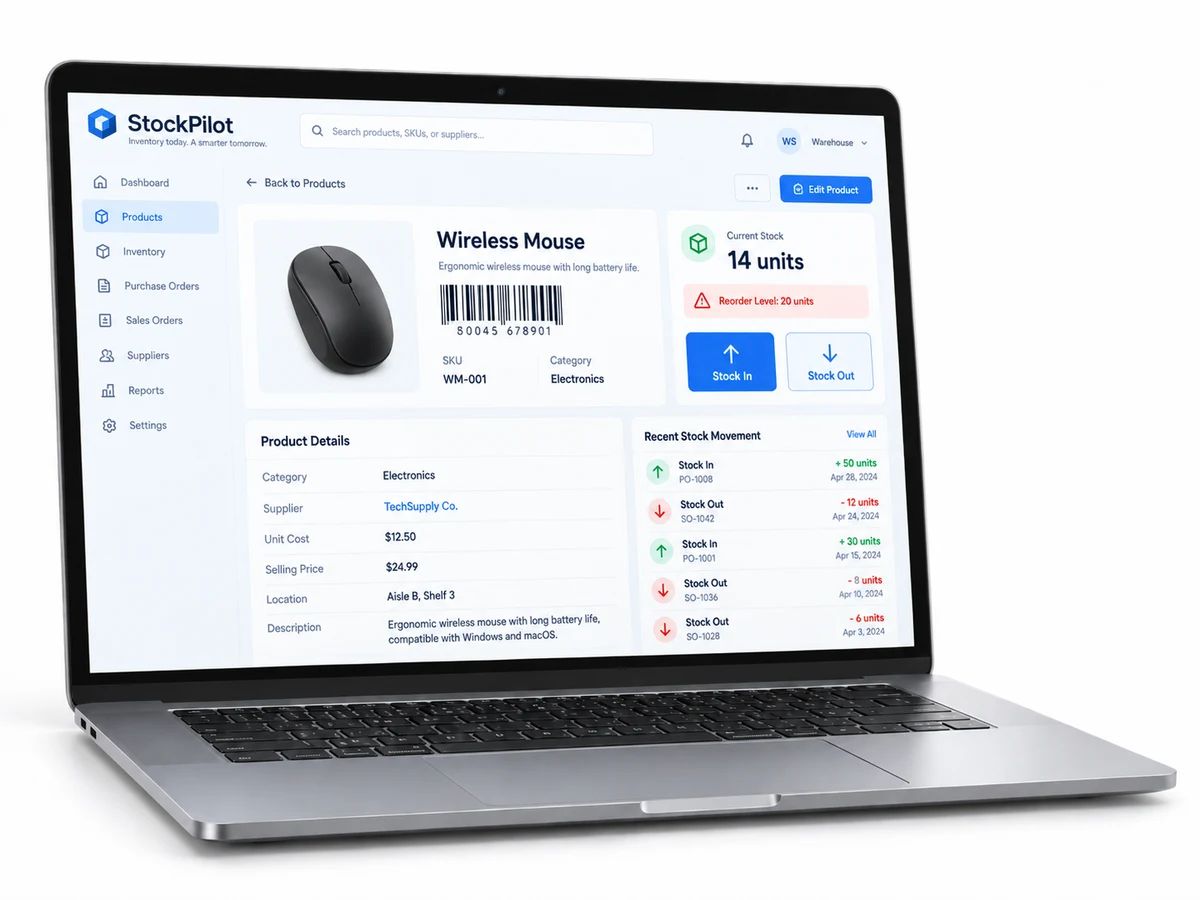
This project provides a centralized digital inventory system that improves stock visibility, reduces manual errors, and helps users receive timely alerts when products reach low quantities.
Scans product codes during stock-in and stock-out operations.
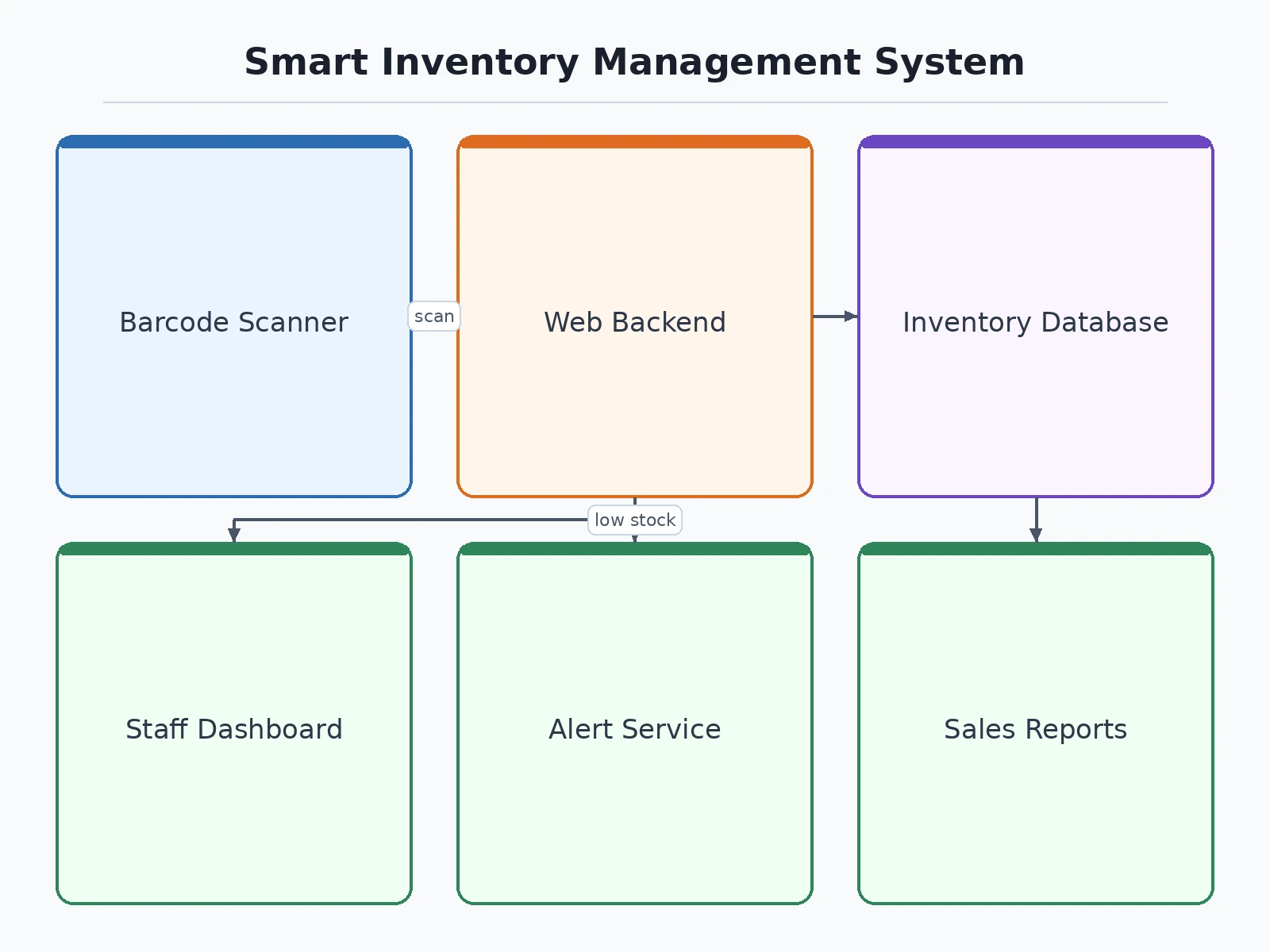
Follow the working sequence
How it works
- Admin creates product entries with details such as name, category, supplier, and stock quantity.
- Products are assigned barcode/QR identifiers for quick identification.
- Staff scan product codes during stock-in or stock-out operations.
- The system updates inventory records automatically after every transaction.
- The dashboard displays current stock levels, sales information, and inventory statistics.
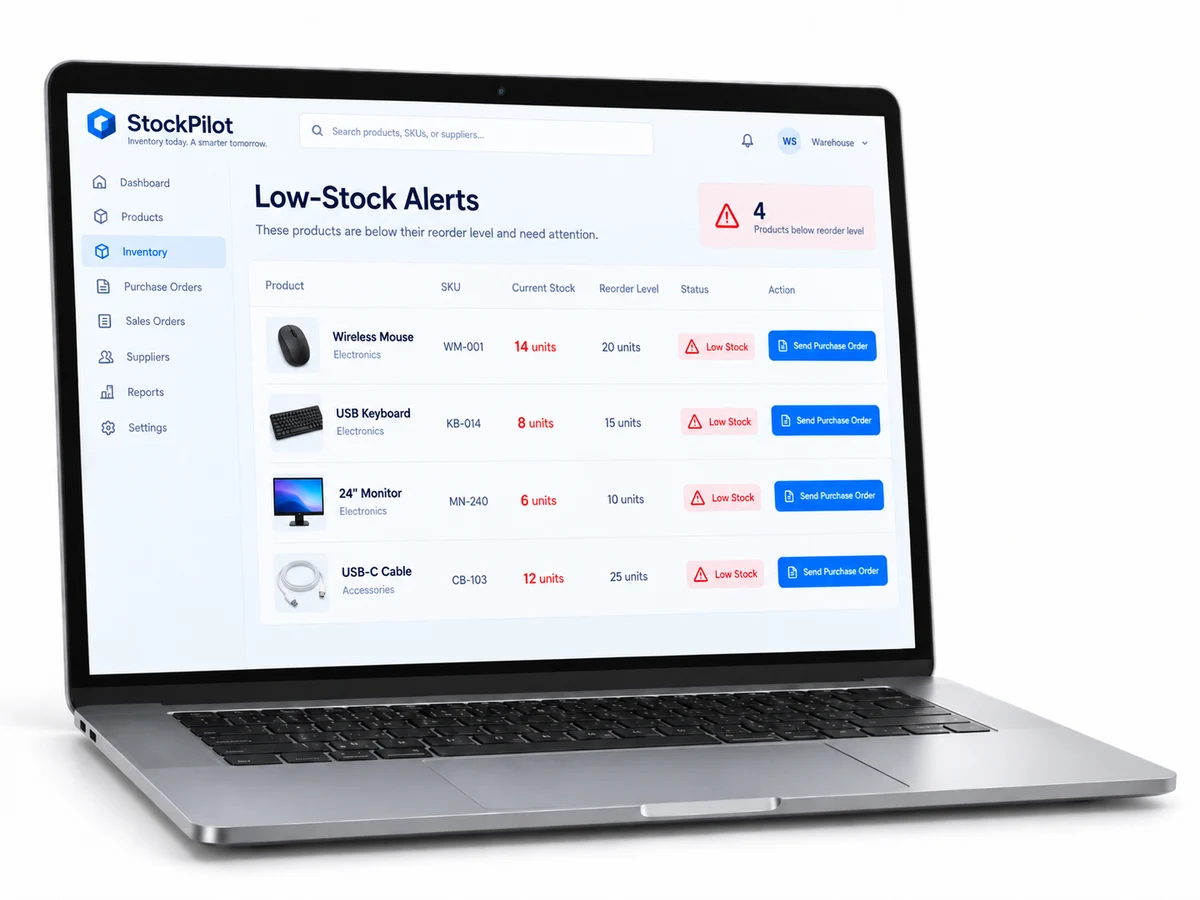
- When stock falls below the configured threshold, the system generates alerts.
- Admin users can generate purchase, sales, and inventory reports.
Project features
Product catalogue management with product details, categories, and supplier information.
Barcode/QR-based stock entry and product identification.
Automated low-stock alerts through configured notification channels.
Stock ledger for tracking inventory additions and removals.
Sales and purchase report generation.
Supplier management for purchase records.
Multi-user role management for admin and staff accounts.
Dashboard showing inventory status and important statistics.
What is included
Complete source code of the inventory management application.
Database structure and sample data.
User/admin login system.
Product and inventory management modules.
Barcode/QR scanning module.
Reports and dashboard module.
Project documentation and setup instructions.
Basic customization support.
Advantages
- Barcode/QR-based stock entry and product identification for fast, error-free inventory updates.
- Automated low-stock alerts through configured notification channels.
- Stock ledger tracking every inventory addition and removal.
- Sales and purchase report generation plus supplier management for purchase records.
- Multi-user role management for admin and staff accounts, with a dashboard of inventory status and key statistics.
Disadvantages
- Barcode scanning performance depends on camera quality or scanner hardware.
- SMS/email alerts need external service configuration.
- No offline inventory synchronisation unless customised.
- Advanced accounting features are not included by default; ERP integration needs additional development; enterprise-scale use may need optimisation.
Limitations & prerequisites
Limitations:
- Barcode scanning performance depends on camera quality or scanner hardware.
- SMS/email alerts require external service configuration.
- Large-scale enterprise inventory requirements may need additional optimization.
- Advanced accounting features are not included by default.
- Offline inventory synchronization is not available unless customized.
- Integration with external ERP systems requires additional development.
Prerequisites:
- Basic knowledge of web application deployment.
- Computer/laptop with modern web browser.
- Database server setup.
- Basic understanding of database operations.
- Internet connection if external notification APIs are used.
Components & software requirements
- Frontend web interface
- Backend application framework
- Database management system
- Barcode/QR scanning module
- Authentication and role management system
- Reporting and dashboard module
- Notification service integration
Delivery information
Built-to-order project delivery after order confirmation. Final delivery timeline depends on customization requirements, documentation needs, and requested modifications.
Customisation options
- Add additional user roles.
- Modify dashboard design.
- Add specific business workflows.
- Integrate additional notification methods.
- Add mobile application support.
Download free synopsis (PDF)
Enter your name and WhatsApp number — the synopsis PDF downloads immediately. We may send occasional project updates on WhatsApp; no spam.