
More project photos (3)
The problem
Anyone can follow a tutorial that renders a product page, but a working online store is a systems problem: money, inventory and trust all have to move together. A customer pays, stock must decrement exactly once, the order must survive a failed payment without charging twice, and an admin needs a truthful view of every order's state. Getting any of that wrong loses real money or real customers. Students often build the storefront and stop there, leaving the hard parts — server-side payment verification, transactional stock updates, role-based admin access — untouched. This project goes through the whole loop: browsing and cart on the front, a checkout that verifies the payment signature on the server before committing the order, and an admin panel that manages the catalog, coupons and order pipeline. It is the complete request cycle of a transactional web application, built to be read, explained and defended.
Shops the catalog, adds products to the cart, and checks out.
Follow the working sequence
How it works
- A customer browses the catalog, filters by category or price, and adds products (with variants) to the cart.
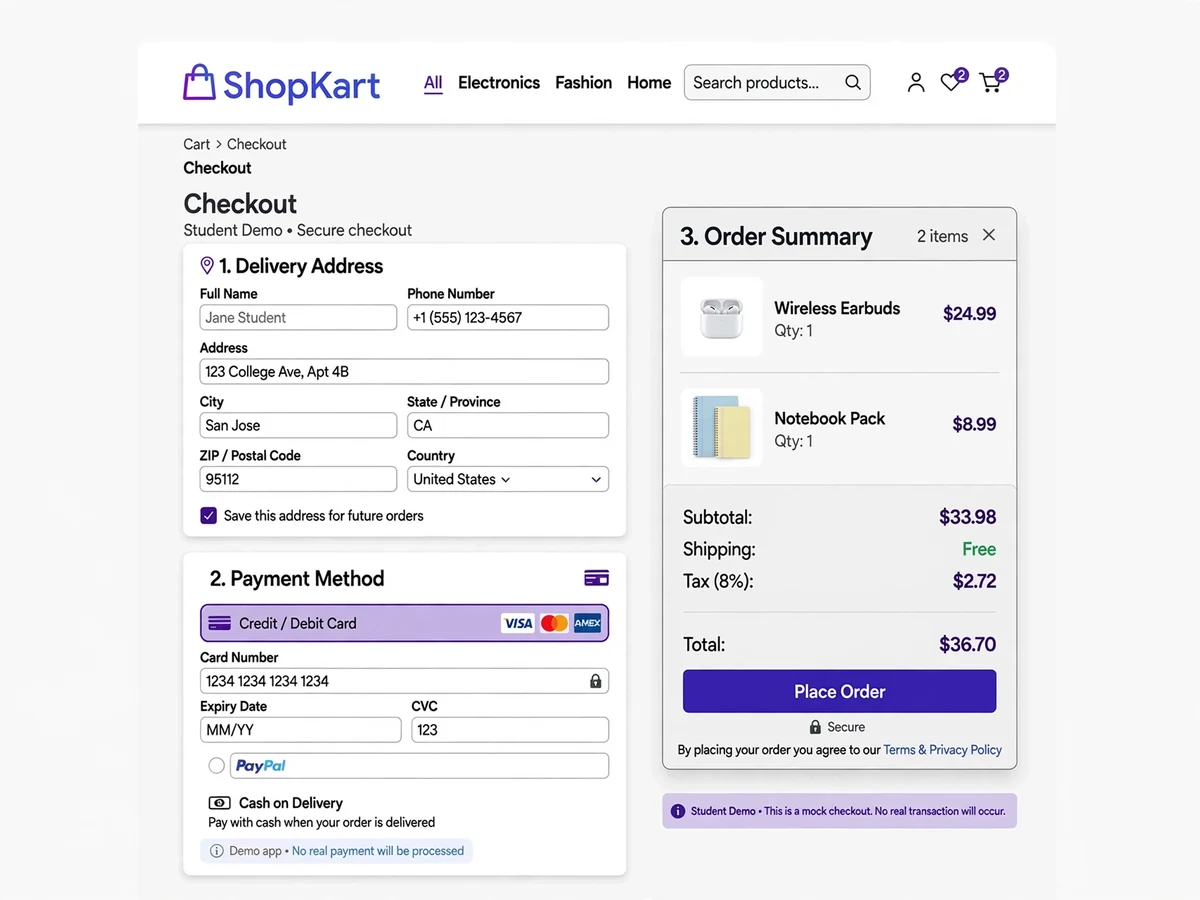
- At checkout, the customer enters or selects a delivery address and proceeds to pay.
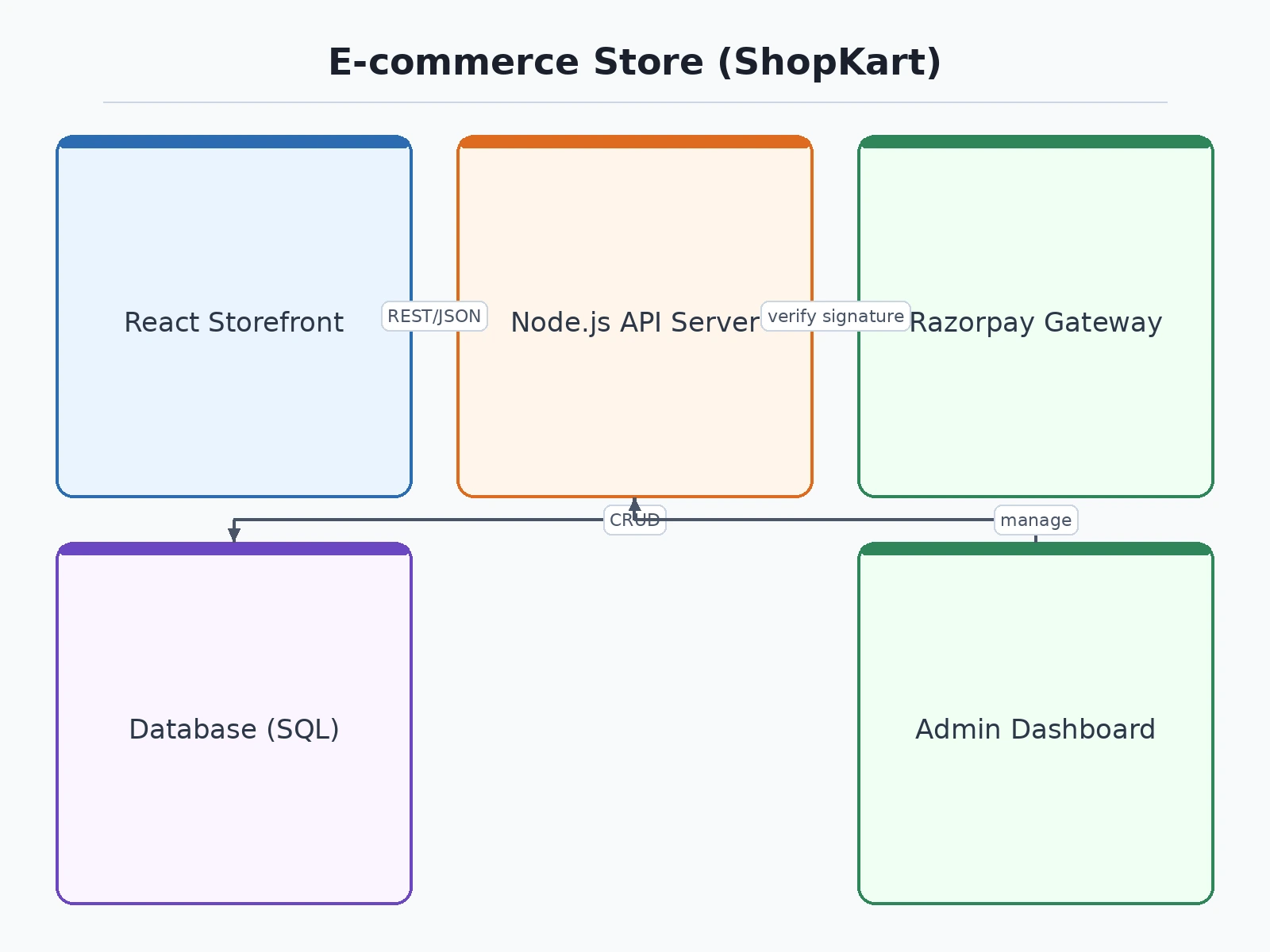
- The server creates a Razorpay order server-side (amount locked, no client tampering) and returns the order ID to the checkout page.
- The Razorpay checkout modal completes payment in test mode; the server verifies the Razorpay signature before marking the payment as captured.
- Only after successful verification is the order created, stock decremented and a confirmation shown — the classic "verify before commit" payment flow.
- The admin panel picks up the new order: statuses move from Placed → Packed → Shipped → Delivered, which the customer tracks on their orders page.
Project features
- Product catalog with categories, brands, search and multi-attribute filters (price, rating, sort)
- Product detail pages with image gallery, variants (size/color), stock status and reviews
- Persistent shopping cart (session for guests, database cart for logged-in users)
- Checkout flow with address book, shipping options and order summary
- Razorpay payment gateway in test mode — cards, UPI and netbanking checkout with signature verification
- Order management: confirmation, tracking timeline, cancellation and returns
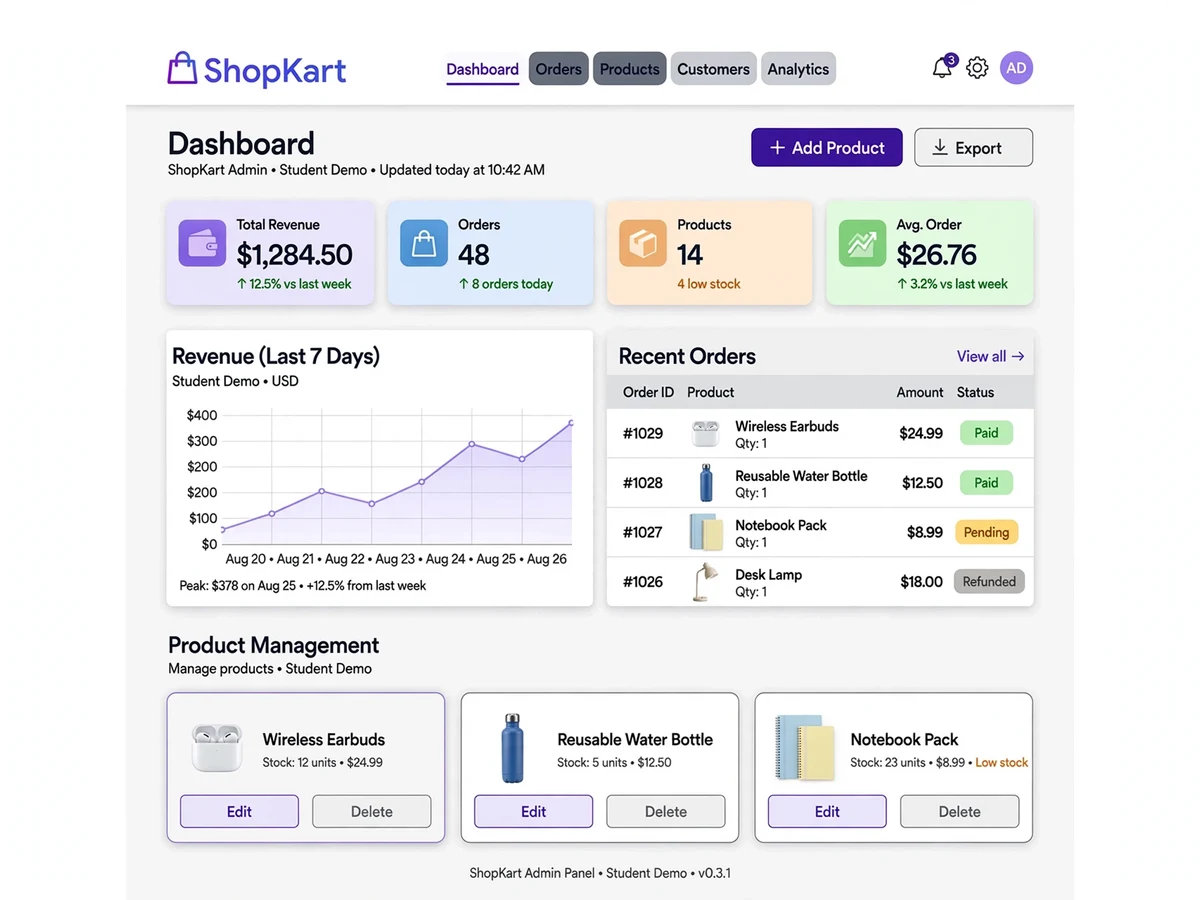
- Admin panel: product/category CRUD, image uploads, inventory, coupon management, order processing, banner control
- User accounts: registration, login, password reset, order history, wishlist
- Coupon/discount engine: percentage, flat, free-shipping and minimum-order rules
- Responsive storefront with mobile-first design; email-style order notifications
What is included
- Full source code (frontend + backend), commented and modular
- Database schema scripts (SQL dump or migrations) with seeded demo products, users and orders
- Project report PDF (synopsis, ER diagram, DFD, design, implementation, testing, conclusion)
- PPT presentation
- Viva Q&A document (payment flow, security, schema questions)
- Deployment guide (localhost setup, shared hosting, environment variables, Razorpay test keys)
FAQs
- Is payment-gateway integration acceptable in an academic project? Yes — Razorpay in test mode is the standard way to demonstrate payments without moving real money. The project shows server-side order creation, signature verification and transactional stock updates, which is the part worth defending.
- What demo credentials are included? Seeded logins for an admin account and a customer account, plus Razorpay test cards (e.g. 4111 1111 1111 1111) — the full checkout works end to end on localhost.
- Can the store be customized for a specific niche, like books or clothes? Yes — categories, attributes and seed data are data-driven, and the report documents the schema so every change is explainable.
- How is the project deployed for a demo? The PHP build runs on XAMPP or any shared host; the Node build includes a Render/VPS guide. Both are documented step by step, including environment variables and test keys.
- How is the code organized? Layered — routes, controllers, services, models — with comments throughout. The viva Q&A covers the standard questions: why signatures are verified server-side, how stock is protected from race conditions, and how the ER model fits together.
- What would it take to go live? Swapping the Razorpay test keys for live keys from a KYC-verified account, adding a real catalog and a domain. Multi-vendor support and logistics integration are documented as extensions.
Advantages
- Complete storefront in one build: product catalog with categories, brands, search and multi-attribute filters (price, rating, sort), plus product pages with image gallery, size/color variants, stock status and reviews.
- Persistent shopping cart that works for guests (session cart) and logged-in users (database cart), with a full checkout flow — address book, shipping options and order summary.
- Razorpay payment gateway integrated in test mode — cards, UPI and netbanking checkout with signature verification, so the complete payment flow can be demonstrated end to end.
- Order management after checkout: confirmation, tracking timeline, cancellation and returns, plus user accounts with order history and wishlist.
- Admin panel for products/category CRUD, image uploads, inventory, order processing and banner control, with a coupon engine supporting percentage, flat, free-shipping and minimum-order rules.
Disadvantages
- Payments run in Razorpay test mode by design — no real money moves; going live needs your own KYC-verified Razorpay account and a key swap.
- The demo catalog is seeded with sample products; real product photography and catalog data are the buyer's responsibility.
- Multi-vendor seller panels, logistics APIs and real-time delivery tracking are not in scope (documented as possible extensions).
- Email delivery on free hosting may land in spam; production use needs a proper SMTP provider.
Limitations & prerequisites
- Payments run in Razorpay test mode by design — no real money moves. Going live needs your own KYC-verified Razorpay account and a key swap (a documented change).
- The demo catalog is seeded with sample products; real product photography and catalog data are your responsibility.
- Multi-vendor seller panels, logistics APIs and real-time delivery tracking are not in scope (documented as possible extensions).
- Email delivery on free hosting may land in spam; production use needs a proper SMTP provider.
Components & software requirements
- Frontend: React (Vite) or server-rendered PHP/Laravel Blade — chosen at build time
- Backend: Node.js (Express) or PHP (Laravel) REST API
- Database: MySQL (transactions for stock/order consistency) or MongoDB
- Payments: Razorpay Standard Checkout in test mode (orders API, signature verification, webhooks)
- Auth: session/JWT authentication with bcrypt password hashing; role-based access (customer, admin)
- Media: product image uploads with server-side resizing
- Notifications: SMTP for order confirmations and password resets
- Deployment: XAMPP/localhost or shared hosting (PHP build); Render/VPS with PM2 (Node)
Specifications
| Parameter | Value |
|---|---|
| Architecture | MVC / layered (routes → controllers → services → models) |
| Key tables | users, products, categories, product_images, cart_items, orders, order_items, payments, coupons, addresses, reviews, admin_users |
| Auth & roles | Customer and admin roles; bcrypt hashing; CSRF protection on forms; JWT or session cookies |
| Payment flow | Server-created Razorpay order → checkout modal → signature verification → order commit; idempotency key on retries |
| Test credentials | Razorpay test key_id/key_secret + test cards (4111…); demo admin and customer logins included |
| Order states | Placed → Payment Verified → Packed → Shipped → Delivered; Cancelled/Returned branches |
| Coupon engine | Percentage/flat/free-shipping with usage limits, expiry and minimum cart value |
| Test coverage | Checkout happy path, payment signature verification, stock-decrement race guard, admin auth |
| Deployment | PHP: any shared host (cPanel) with MySQL; Node: Render/Railway/VPS; environment variables for keys |
Download free synopsis (PDF)
Enter your name and WhatsApp number — the synopsis PDF downloads immediately. We may send occasional project updates on WhatsApp; no spam.