
More project photos (2)
The problem
Small hospitals and clinics still run on paper registers and memory. A receptionist flips through a notebook to find a free slot, a patient's history lives in a file that may be on another shelf, and the pharmacy discovers it is out of a medicine only when a prescription asks for it. The result is double-booked doctors, lost records, billing disputes and stockouts — all routine, all avoidable. Digitizing this is not a glamorous problem, which is exactly why it is a good one: the workflows are stable, well-understood and unforgiving of sloppy design. An appointment must never be double-booked; a prescription must link to real stock; a bill must add up exactly. This project digitizes the core hospital loop — registration, appointments, consultation, prescription, pharmacy dispensing and billing — with role-based access for admin, doctor, receptionist and patient, and a relational schema where every relationship is enforced, not assumed.
How it works
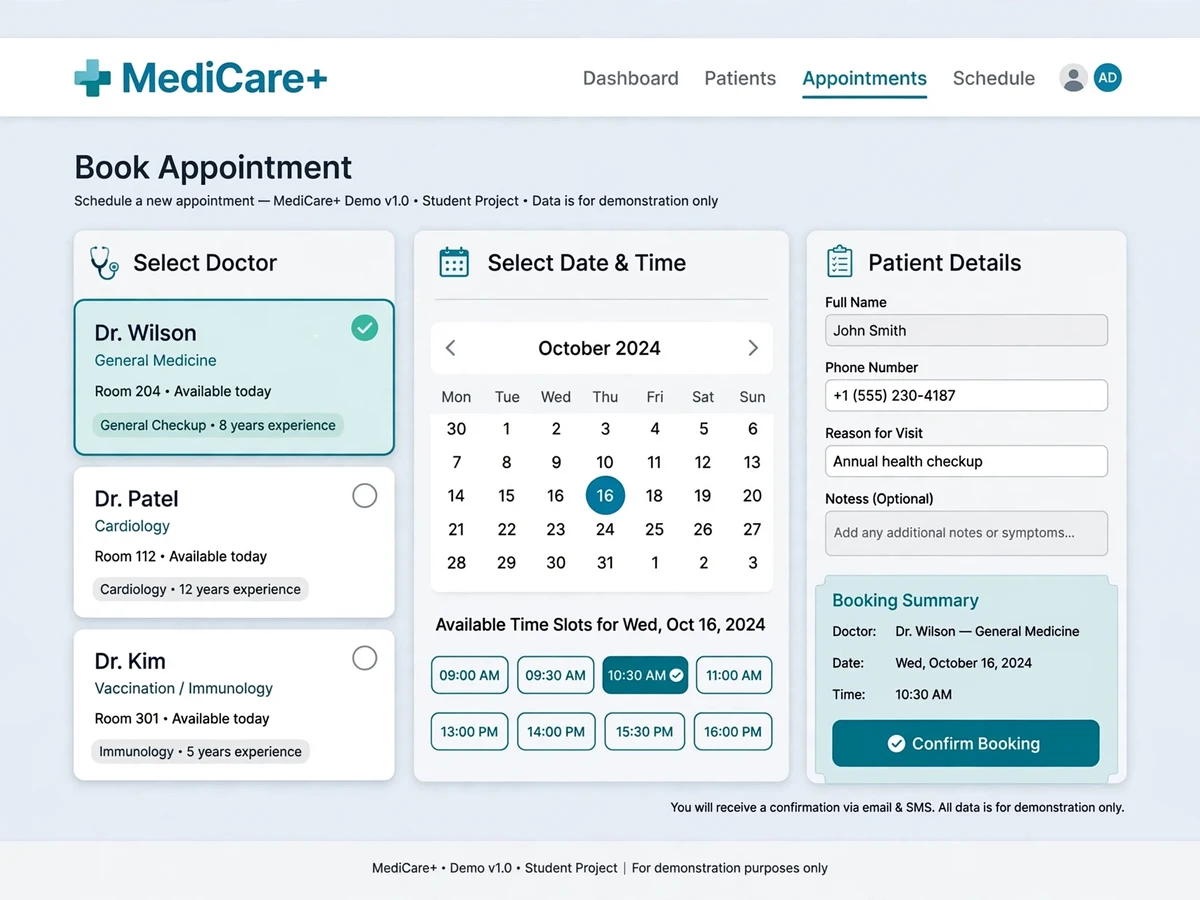
- A patient registers (getting a unique patient ID) and books an appointment by choosing a department, doctor and free time slot.
- The receptionist sees the booking on the front-desk dashboard, confirms it and issues a queue token for the visit.
- The doctor opens the day's appointment queue, calls the patient, reviews their history and records the diagnosis and prescription.
- Prescribed medicines flow to the pharmacy module, which checks stock, dispenses items and decrements inventory — low-stock alerts fire automatically.
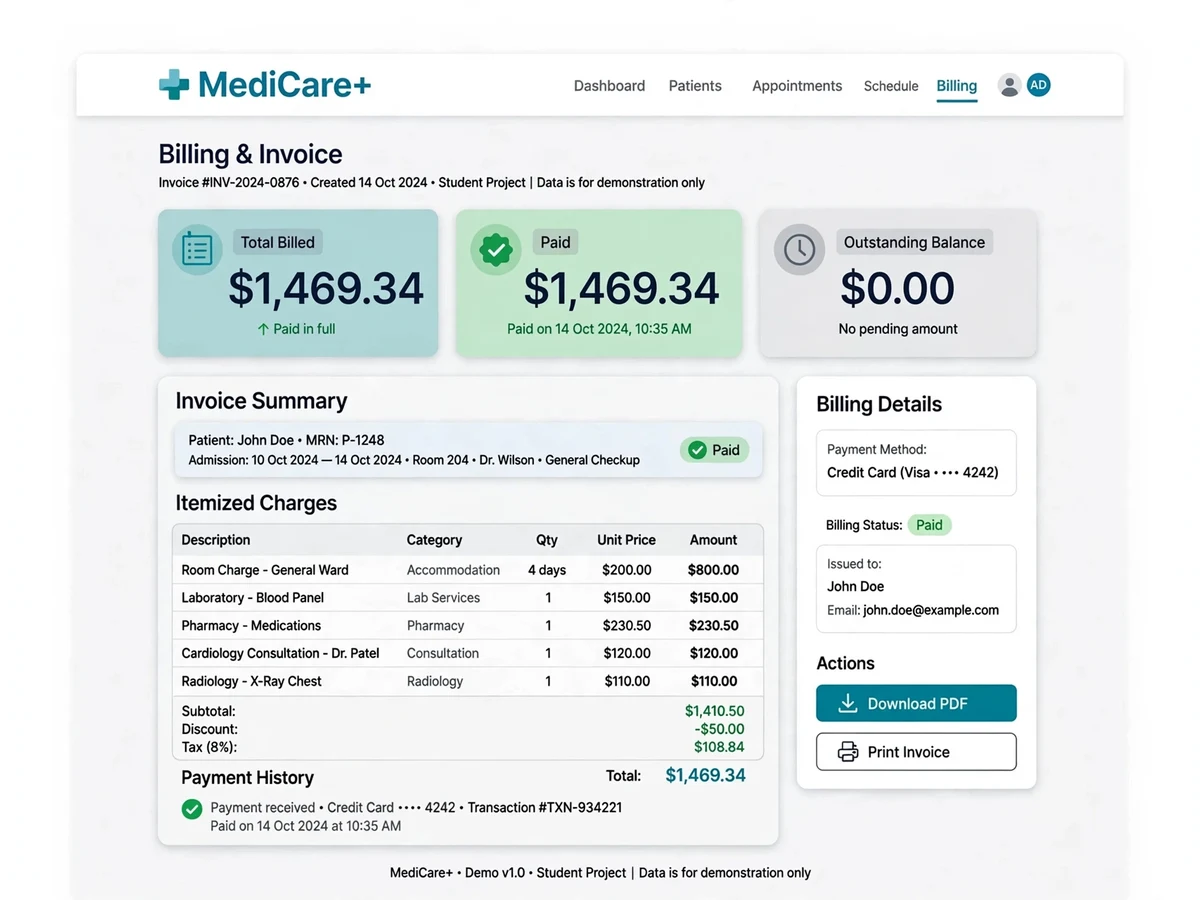
- Billing consolidates the consultation fee and pharmacy charges into one itemized bill; payment is recorded and a receipt generated.
- Admins monitor the whole operation through reports: daily collections, doctor-wise appointments and pharmacy stock levels.
Project features
- Online appointment booking with doctor availability, department filter and time-slot management
- Patient registration with unique patient ID, medical history and visit records
- Doctor dashboard: daily schedule, appointment queue, patient history, e-prescriptions
- Receptionist desk: walk-in registration, appointment scheduling, token/queue management, billing counter
- Billing module: consultation charges, itemized bills, payment recording, bill history and receipts
- Pharmacy stock management: medicine inventory, low-stock alerts, dispensing against prescriptions
- Role-based logins for admin, doctor, receptionist and patient — each with a dedicated dashboard
- Department and doctor management: specializations, consultation fees, weekly schedules
- Reports: daily collections, appointment summaries, patient visit history
- Audit-friendly design: every appointment, prescription and bill is timestamped and linked
What is included
- Full source code (PHP + MySQL), commented and organized by role module
- Database SQL dump seeded with demo departments, doctors, schedules, patients, appointments and medicines
- Project report PDF (literature survey, methodology, module documentation, test-case results)
- PPT presentation
- Viva Q&A document (role-based design, appointment concurrency, schema questions)
- Deployment guide (XAMPP setup, shared-hosting upload, DB import, demo credentials)
FAQs
- Is a hospital management system an acceptable project topic? Yes — the domain is familiar, which makes the architecture easy to explain, and the differentiator is execution: real role-based access, slot-conflict prevention and a complete billing-plus-pharmacy loop.
- What demo credentials are included? Seeded logins for admin, doctor, receptionist and patient roles, with departments, doctor schedules and appointments pre-loaded — the full patient journey can be walked live.
- How is the database explained? The report includes a full ER diagram, and the viva Q&A covers the key relationships: why appointments reference both patient and doctor schedule, how prescriptions link to pharmacy stock, and how bills aggregate charges.
- Can features like lab reports or bed management be added? Yes — the schema extends cleanly: lab tests attach to visits, beds attach to admissions. Common extensions are documented.
- How is it deployed for a demo? Import one SQL file into XAMPP/phpMyAdmin and open the project in a browser — under ten minutes, with shared-hosting steps included.
- Could a real clinic use this? The workflows are realistic for a small clinic, but production use would need data backups, privacy practices and the extensions above. The codebase is a starting point, not a finished product.
Limitations & prerequisites
- Designed for a single hospital/branch; multi-branch and insurance/TPA claim workflows are extensions.
- No real payment gateway — billing records cash/card/UPI payments manually at the counter (standard for HMS demos).
- Appointment reminders via SMS/email are hook points, not active integrations (they need a provider account).
- Medical data is demo/seeded data only — a production deployment needs proper data-privacy and backup practices.
Components & software requirements
- Backend: PHP (procedural/MVC structure) with MySQL — MERN stack on request
- Frontend: HTML, CSS, JavaScript (Bootstrap for responsive admin-style UI)
- Database: MySQL with InnoDB; foreign keys enforce patient → appointment → prescription → billing integrity
- Auth: session-based authentication with bcrypt password hashing; role middleware on every route
- Reports: server-generated printable bills and receipts; date-range collection summaries
- Deployment: XAMPP/localhost for demos; any shared PHP/MySQL host (cPanel) for live use
Specifications
| Parameter | Value |
|---|---|
| Architecture | PHP web app with role-separated controllers/views; MySQL relational core |
| Key tables | users, roles, patients, doctors, departments, doctor_schedules, appointments, prescriptions, prescription_items, medicines, pharmacy_stock, bills, bill_items, payments |
| Auth & roles | Admin, doctor, receptionist, patient; bcrypt hashing; session guards; least-privilege menus per role |
| Appointment engine | Slot-based booking with double-booking prevention (unique constraint on doctor + date + slot) |
| Billing flow | Consultation + pharmacy items → itemized bill → payment record → printable receipt |
| Pharmacy | Stock ledger with dispensing decrements and configurable low-stock thresholds |
| Test coverage | Slot-conflict prevention, role authorization on all dashboards, bill-total math, stock-decrement integrity |
| Deployment | XAMPP or shared hosting; single SQL import; config file for DB credentials |