
More project photos (3)
The problem
Traditional examination processes often require manual paper-based evaluation, which consumes time and makes result generation difficult for large groups of students. Teachers and institutions need a faster way to conduct objective assessments and analyze student performance.
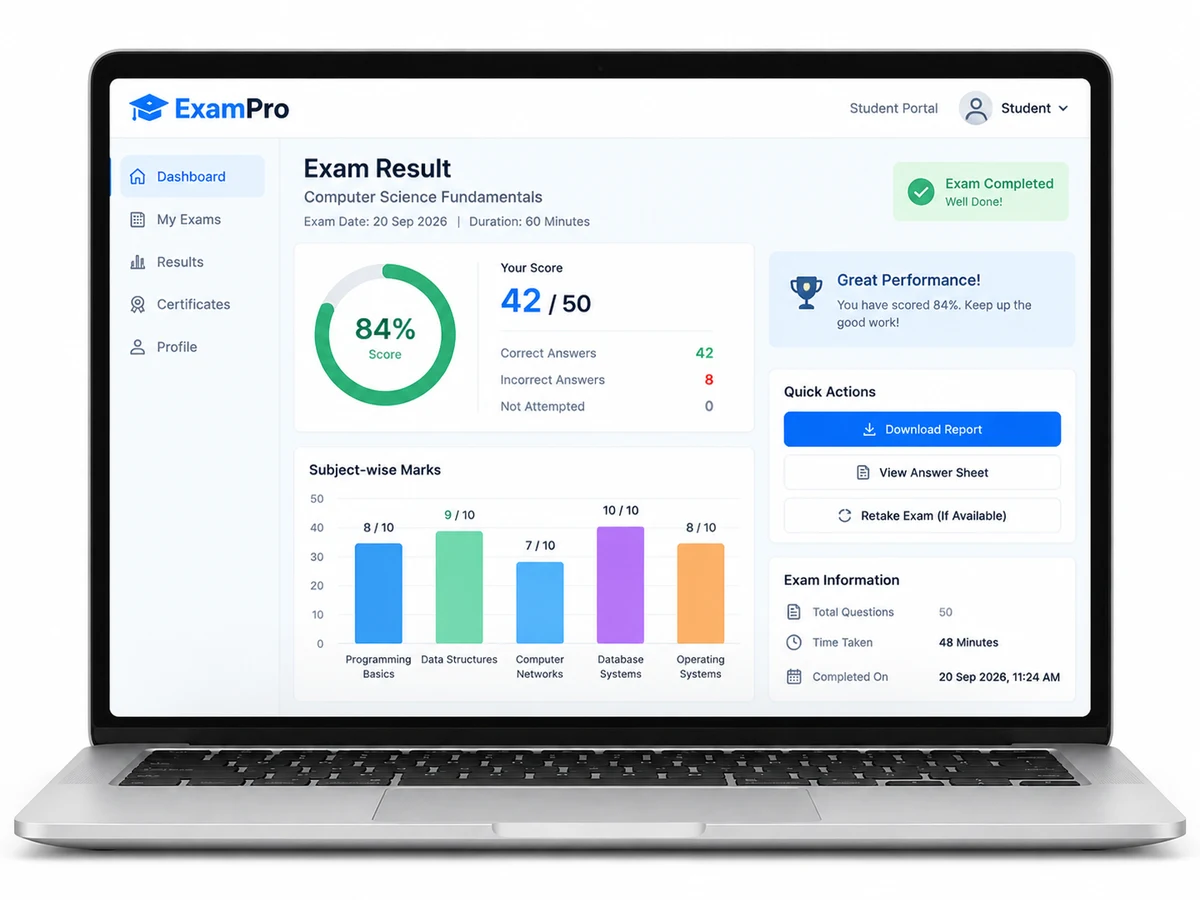
This system provides a digital examination platform where students can attempt tests online while administrators can manage exams, evaluate answers automatically, and review performance insights through analytics.
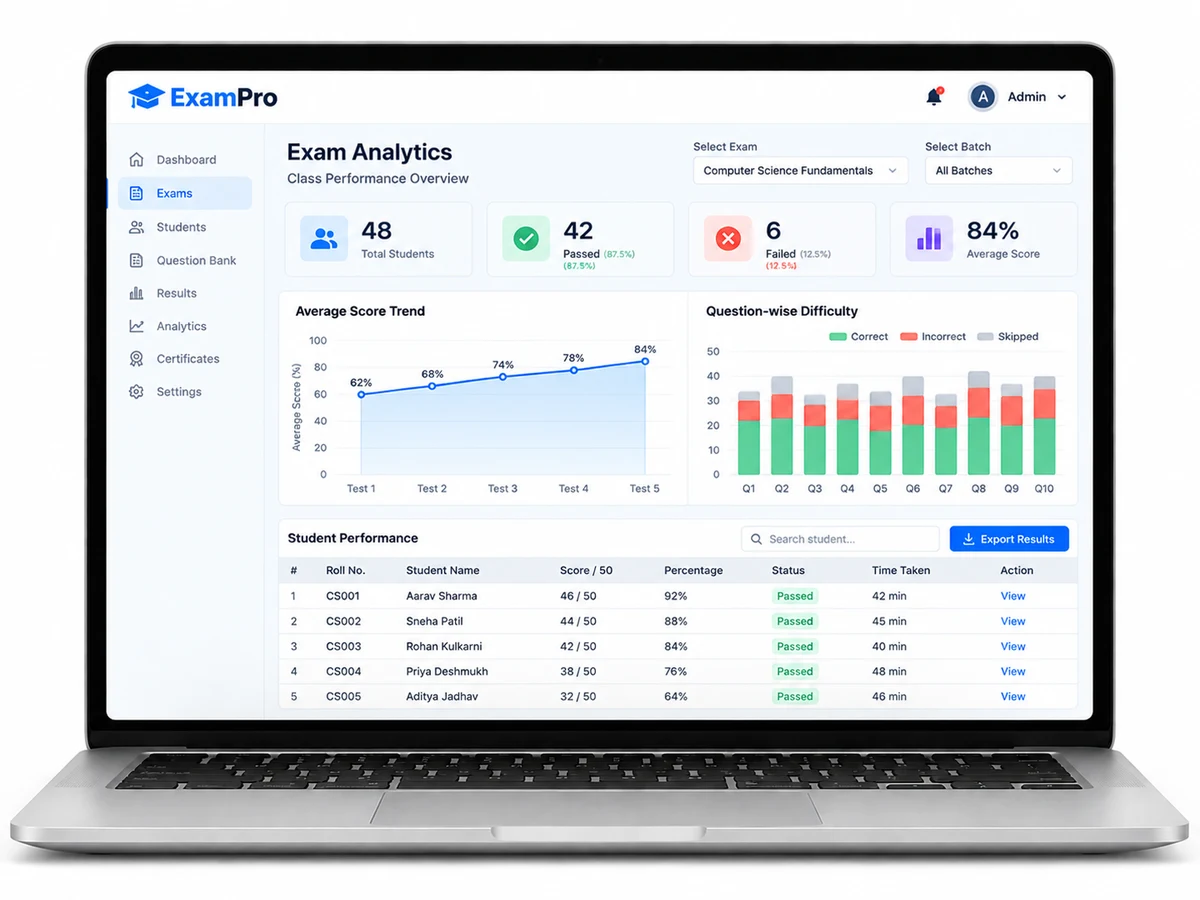
Creates MCQ examinations and reviews class-level results and patterns.
Follow the working sequence
How it works
- Administrator logs into the system and creates an examination by adding MCQ questions.
- Students access the assigned examination through their account.
- The system starts the exam timer when the student begins the test.
- Students select answers and submit responses before the time limit expires.
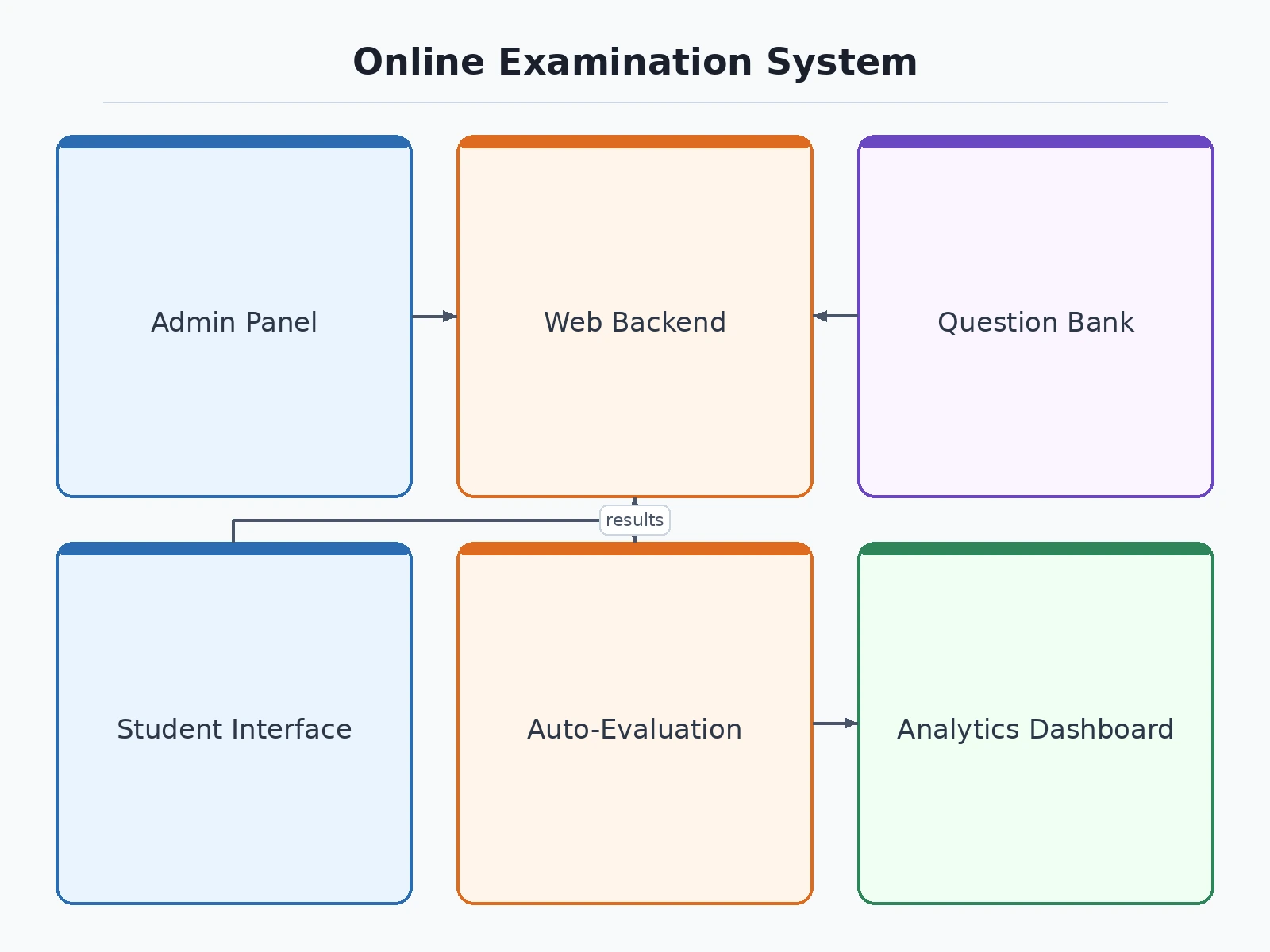
- The backend compares submitted answers with stored correct answers.
- The system calculates marks automatically and generates results.
- Analytics modules process examination data to display performance trends.
- Administrators review class-level results and identify performance patterns.
Project features
Admin panel for creating, updating, and managing online MCQ examinations.
Student login system for accessing assigned exams.
Timed examination interface with automatic submission after time completion.
Automatic evaluation of objective answers and instant score generation.
Student dashboard showing exam results and performance history.
Analytics dashboard for administrators to analyze class-level performance.
Question management system for adding and organizing MCQ question banks.
What is included
Complete source code of the web application.
Frontend user interface for students and administrators.
Backend system with database integration.
Exam creation and management module.
MCQ-based assessment and auto-evaluation module.
Result dashboard and analytics module.
Project documentation and setup guidance.
Advantages
- Admin panel to create, update, and manage online MCQ examinations and organised question banks.
- Timed examination interface with automatic submission when the allotted time runs out.
- Automatic evaluation of objective answers with instant score generation for students.
- Student dashboard showing exam results and performance history.
- Analytics dashboard for administrators to analyse class-level performance, with a student login system for accessing assigned exams.
Disadvantages
- Focused on objective/MCQ examinations — descriptive answers need additional development.
- No real-time remote proctoring by default; advanced anti-cheating monitoring needs further enhancement.
- Performance depends on server capacity and database configuration; large institutional deployment needs optimisation.
- Integration with external learning-management systems requires customisation.
Limitations & prerequisites
Prerequisites:
• Basic knowledge of web application development.
• Computer system capable of running the required development environment.
• Database server setup.
• Web browser for accessing the application.
• Basic understanding of frontend, backend, and database concepts.
Limitations:
- Currently focused mainly on objective/MCQ-based examinations.
- Advanced question types such as descriptive answers require additional development.
- Security features such as advanced anti-cheating monitoring may need further enhancement.
- Performance depends on server capacity and database configuration.
- Large-scale institutional deployment may require additional optimization.
- Real-time remote proctoring features are not included by default.
- Integration with external learning management systems requires customization.
Components & software requirements
- Frontend web interface
- Backend application server
- Database management system
- Student authentication module
- Admin examination management module
- MCQ evaluation engine
- Result analytics dashboard
Delivery information
Estimated delivery: Needs confirmation based on selected customization requirements and deployment requirements.
Customisation options
• Add institute-specific branding.
• Modify exam categories and workflows.
• Add additional user roles.
• Add certificate generation.
• Integrate additional analytics reports.
• Customize dashboard design.
• Add advanced examination features.
Download free synopsis (PDF)
Enter your name and WhatsApp number — the synopsis PDF downloads immediately. We may send occasional project updates on WhatsApp; no spam.