
More project photos (2)
The problem
Campus elections in most colleges still run on paper ballots or show-of-hands: long queues at a single booth, manual counting that stretches late into the night, disputed tallies, and no reliable way to stop one student voting twice or a non-student slipping into the queue. The process eats an entire working day of faculty time and the results often face credibility questions because there is no audit trail. This project replaces that with a web-based voting portal: students register with their student ID and college email, prove their mobile number with a one-time passcode, and cast a ballot that the system seals against their voter ID — one voter, one ballot, enforced in code. The election office gets an admin dashboard to create the election, add candidates and positions, control the voting window, watch turnout live, and publish results with per-position vote shares. Because every ballot carries a voter ID and timestamp, the count is reproducible and auditable instead of argued over.
How it works
- A student opens the portal and registers with name, student ID, college email and mobile number; the frontend validates formats before submission.
- The backend creates a voter record and issues a 6-digit OTP tied to the mobile number (simulated on screen in the demo; delivered by SMS gateway in production), valid for about 5 minutes.
- The student enters the OTP; on a match the ballot is activated and a unique voter ID is issued.
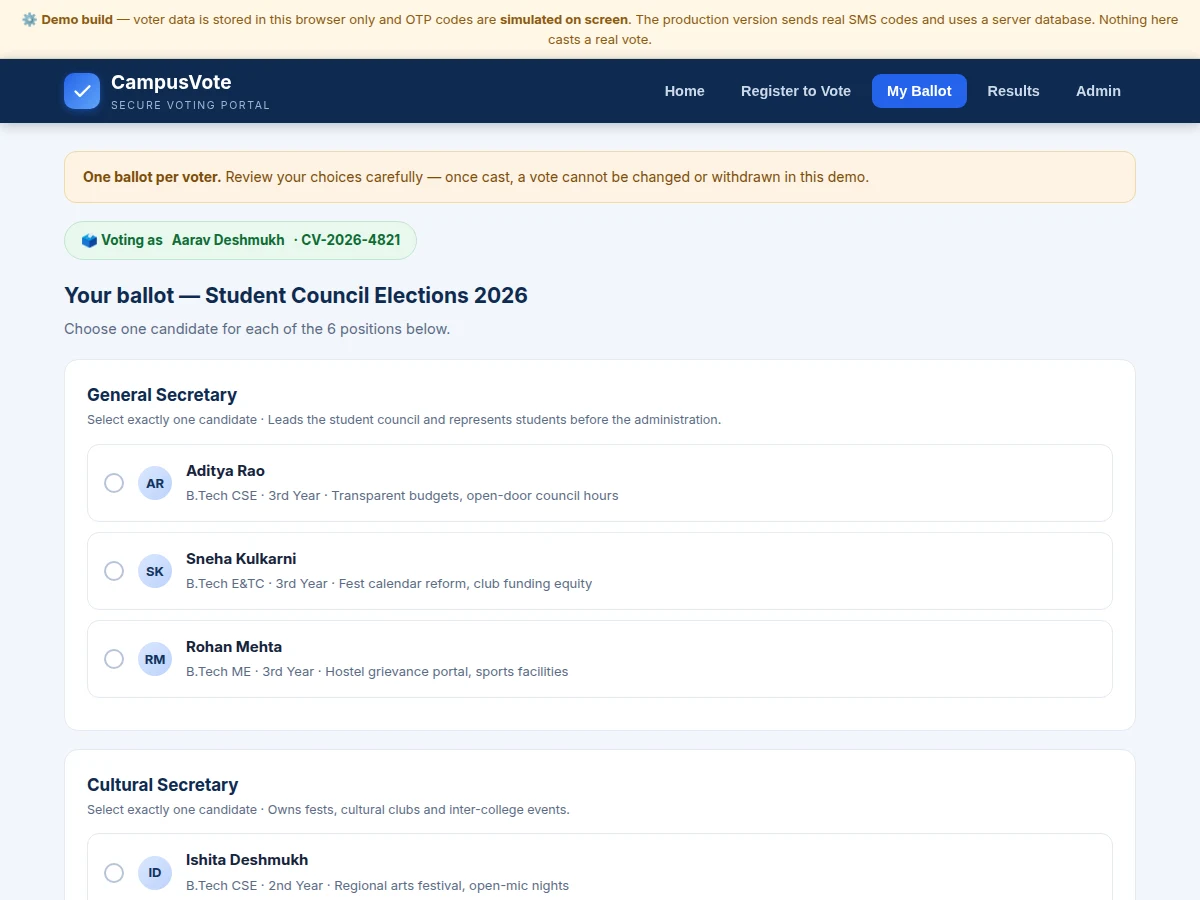
- On the ballot page the student picks exactly one candidate per position and confirms the choices in a review dialog before casting.
- Casting seals the ballot against the voter ID with a timestamp — any later attempt from the same ID is refused.
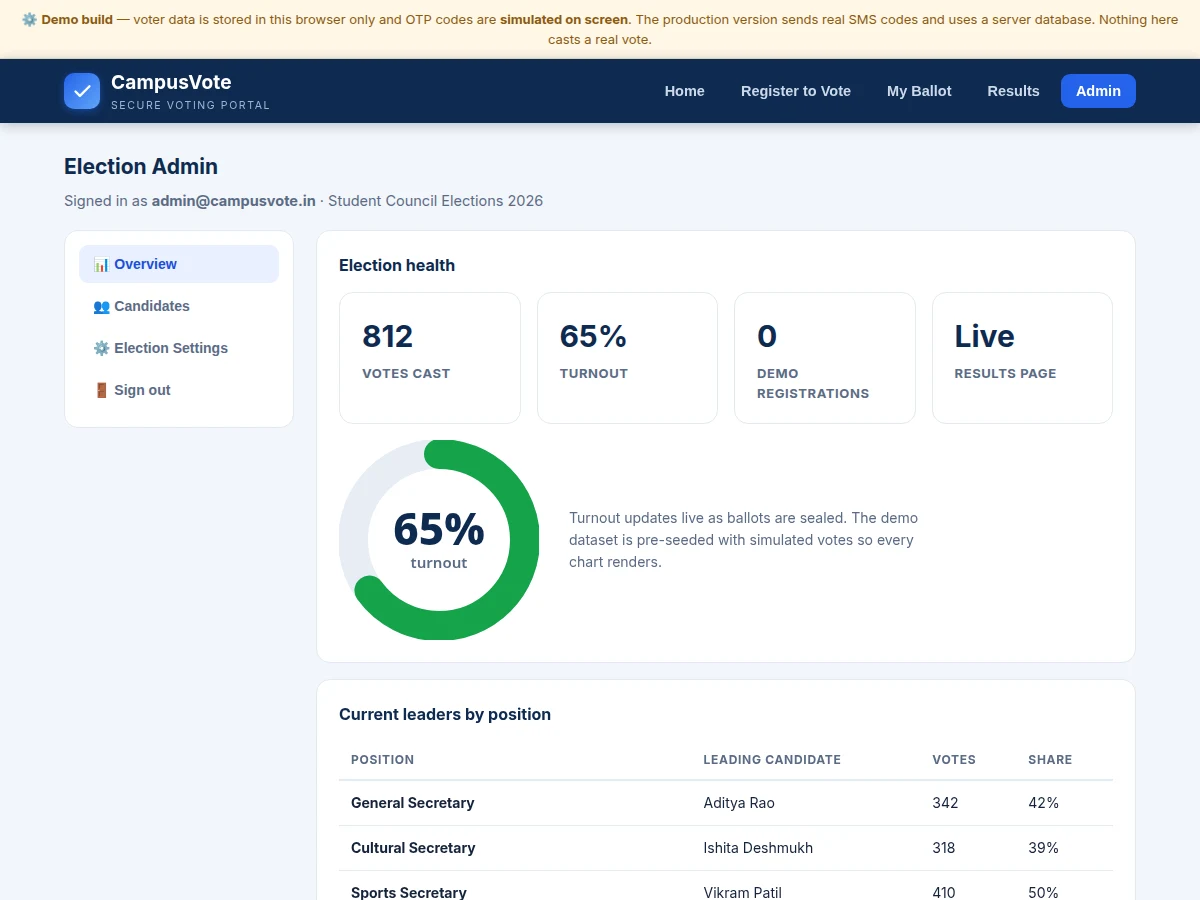
- The admin dashboard shows live turnout and per-position leaders during the window; after it closes, the officer publishes results to the public results page.
Tech stack:
- HTML5 · CSS3 · JavaScript (frontend)
- PHP 8 (backend)
- MySQL (database)
- SMS gateway API (OTP delivery)
- Canvas API (turnout and result charts)
- Apache / Nginx (hosting)
| Parameter | Value |
|---|---|
| OTP code length | 6 digits (design target) |
| OTP validity window | Approximately 5 minutes (design target) |
| Ballots per voter | Exactly 1 — enforced in code |
| Demo data storage | Browser localStorage, single device (demo only) |
| Production data storage | Server-side MySQL database |
| Demo positions | 6 positions, 18 candidates (pre-seeded demo data) |
| Expected page load | Under 2 seconds on broadband (design target) |
| Browser support | Modern Chrome, Edge and Firefox (expected) |
Project features
- [Voter registration with student-ID validation] Students register with full name, student ID (PRN/roll number), college email and mobile number, with format validation on every field before an OTP is ever issued.
- [OTP-based mobile verification] A 6-digit one-time passcode activates the ballot; the demo simulates the code on screen (clearly labeled), while the production build delivers it by SMS through a standard gateway API.
- [One-vote-per-voter ballot] The ballot seals against the voter's ID the moment it is cast — a second attempt is refused with an "already voted" state, and cast votes cannot be changed or withdrawn.
- [Multi-position ballot with candidate profiles] Each position shows its candidates with department, year and agenda lines, enforcing exactly one selection per position before the ballot can be cast.
- [Election admin dashboard] The election officer creates the election, sets the voting window, adds candidates per position, and toggles result publication — all behind an admin login.
- [Live turnout and results] A canvas-drawn turnout dial and per-position result bars with vote counts and shares update as ballots are sealed; results stay hidden until the officer publishes them.
- [Audit-friendly records] Every sealed ballot carries a voter ID and timestamp, so the election office can reconcile the count against the electoral roll instead of trusting a spreadsheet.
What is included
- Complete portal source code (frontend + backend)
- MySQL database schema with setup script and pre-seeded demo election
- Working single-file demo build with simulated OTP for evaluation
- SMS-gateway integration guide for the production OTP flow
- Setup and hosting instructions (Apache/Nginx)
- Project report PDF (background, architecture, methodology, testing notes)
- PPT presentation for final review
- Viva Q&A preparation document (authentication, sessions, SQL, web security basics)
Limitations & prerequisites
- The demo stores all data in browser localStorage: it works on one device only and data is lost if browser storage is cleared — the production build moves everything to a server database.
- The demo OTP is simulated on screen and labeled as such; real SMS delivery needs a paid gateway account (gateway charges are not included).
- This is an academic prototype, not a certified election system — it makes no claim of legal compliance for statutory or government elections.
- Identity assurance rests on student-ID plus OTP checks against the college's own rolls; there is no biometric or national-ID deduplication in this build.
- Admin access uses manually managed credentials in the base build; per-officer accounts with audit logging are an optional hardening step.
- OTP delivery and the hosted portal require internet connectivity; the demo runs fully offline.
Frequently Asked Questions
How does the OTP authentication work?
Registration issues a 6-digit code tied to the voter's mobile number, valid for about 5 minutes. In the demo the code is shown on screen and clearly labeled as simulated; the production build sends it by real SMS through a gateway API, with the integration guide included.
Can a student vote twice?
No. The moment a ballot is cast it is sealed against the voter's unique ID with a timestamp, and any further attempt from the same ID is refused with an "already voted" message. The demo enforces this in the browser; the production build enforces it in the database.
Is the database included?
Yes — the full MySQL schema, a setup script and a pre-seeded demo election (6 positions, 18 candidates) are included, along with step-by-step hosting instructions.
Can it be hosted online for the whole college?
Yes. The production build is a standard PHP + MySQL app that runs on any shared hosting with Apache/Nginx; the demo's browser-only storage is replaced by the server database, and SMS delivery is switched on via the gateway guide.
Is this project suitable for a final-year project?
Yes — for Computer Science, IT and Computer Engineering programs. It demonstrates authentication flows, session handling, relational database design, role-based access (voter vs admin) and a genuinely working deployment demo. Suitable for B.E./B.Tech final-year projects in Computer Science, Information Technology and Computer Engineering.
Components & software requirements
- HTML5 · CSS3 · JavaScript (frontend)
- PHP 8 (backend)
- MySQL (database)
- SMS gateway API (OTP delivery)
- Canvas API (turnout and result charts)
- Apache / Nginx (hosting)
Delivery information
Built-to-order project. Delivery timeline is shared after order confirmation based on current queue.
Support terms
Complete documentation, setup guide, and viva preparation included. Support for setup and explanation provided.
Download free synopsis (PDF)
Enter your name and email — the synopsis PDF downloads immediately. We may send occasional project updates; no spam, unsubscribe anytime.