
More project photos (2)
The problem
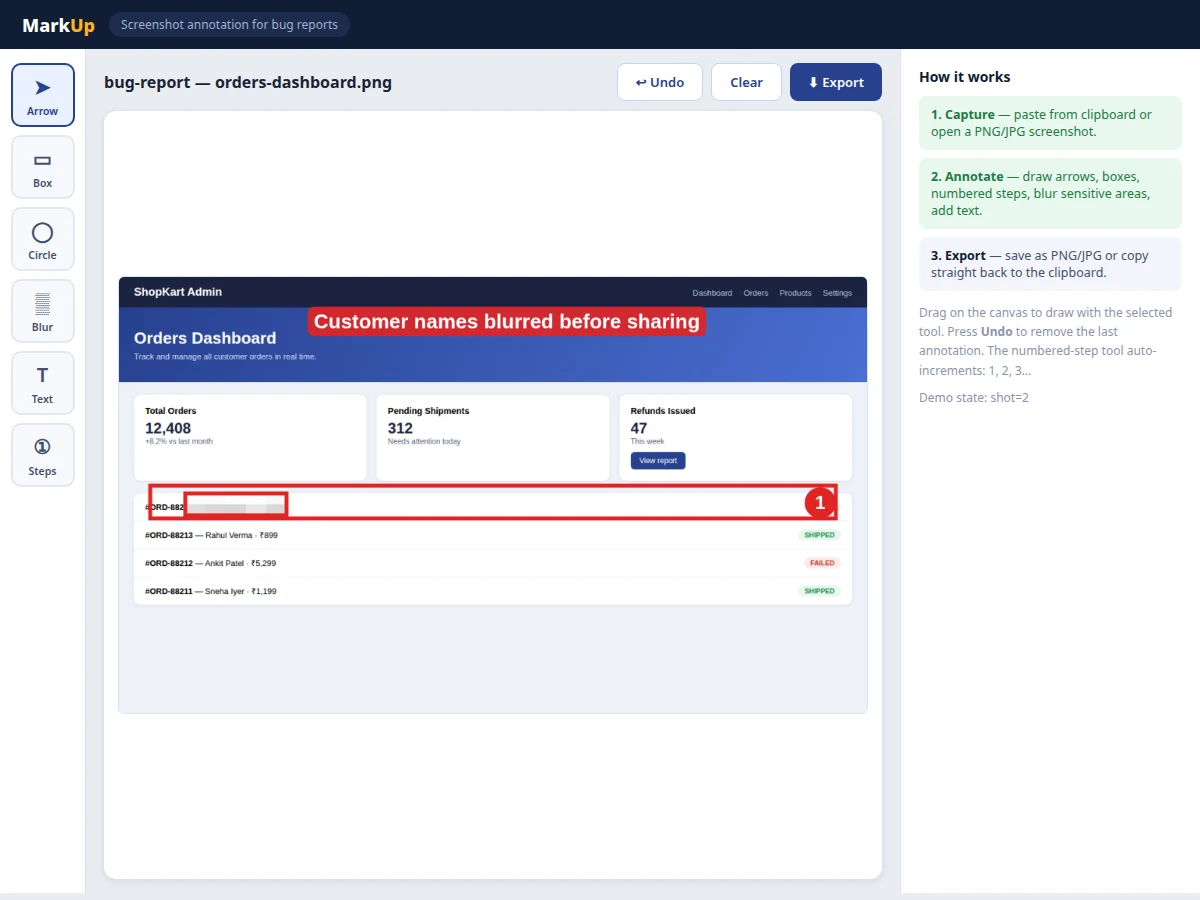
Bad bug reports waste everyone's time: a tester writes "the button doesn't work" with no screenshot, or pastes a raw screenshot where the actual problem is invisible. Developers then spend half the fix cycle just reproducing what was reported. Professional teams solve this with annotated screenshots — the exact failing element circled, numbered steps drawn over the flow, sensitive customer data blurred out. This project builds that tooling as a desktop application: a fast, offline annotation editor purpose-built for bug reporting. It accepts screenshots from the clipboard or from image files, offers a focused set of annotation tools (arrow, rectangle, ellipse, blur, text, numbered steps), and exports clean annotated images ready to attach to Jira, GitHub issues or emails. Because it is a genuine utility with a real workflow behind it, the project also teaches practical software engineering: canvas rendering, undo/redo state management, file I/O and desktop packaging.
How it works
- The user captures a screen with the OS screenshot tool and pastes it into the app, or opens an existing PNG/JPG file.
- The image is drawn onto an HTML5 canvas at its native resolution, inside a desktop window built with Electron.
- The user picks a tool from the toolbar — arrow, rectangle, ellipse, blur, text or numbered step — and drags or clicks on the canvas.
- Each annotation is stored as a vector object (type, coordinates, text) in an undoable list, and the canvas re-renders from the base image plus the annotation stack.
- The blur tool pixelates the selected region by downscaling and upscaling it, destroying the underlying detail irreversibly.
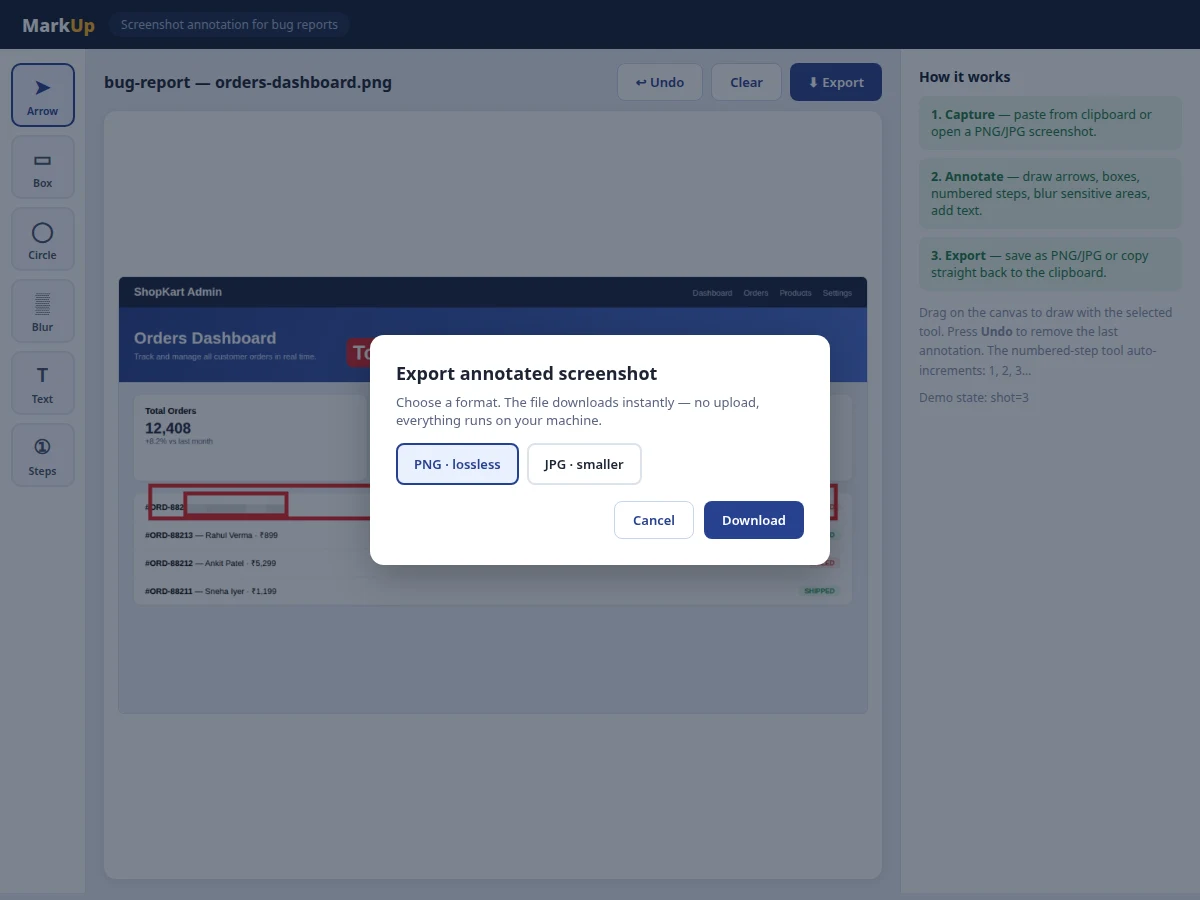
- On export, the composed canvas is serialized to PNG or JPG and saved to disk, or copied back to the OS clipboard for pasting into a ticket.
Tech stack:
- Electron (desktop shell, cross-platform)
- HTML5 Canvas API (rendering and annotations)
- JavaScript (application logic, undo stack)
- Node.js file-system APIs (open/save)
- CSS (toolbar and panel UI)
| Parameter | Value |
|---|---|
| Input formats | PNG, JPG, WebP via file or clipboard paste |
| Export formats | PNG (lossless), JPG (quality-selectable) |
| Annotation tools | 6 (arrow, rectangle, ellipse, blur, text, numbered steps) |
| Undo depth | 50 steps (configurable, design target) |
| Max canvas size | Limited by available RAM; tested pattern up to 4K screenshots (expected) |
| Platforms | Windows, macOS, Linux (Electron builds) |
| Network needed | None — fully offline |
Project features
- [Arrow, box and ellipse tools] Draw attention to the exact UI element that fails, with adjustable stroke width and a high-visibility annotation red that stays readable on any background.
- [Pixel-blur redaction] Drag over customer names, emails or API keys to pixelate them before a screenshot leaves the machine — essential for support teams handling real user data.
- [Auto-numbered steps] Click through a multi-step reproduction flow and the tool numbers each click 1, 2, 3 automatically, turning "steps to reproduce" into a picture.
- [Text callouts] Pin short notes directly on the screenshot with a contrasting label background so the explanation sits next to the evidence.
- [Clipboard-first workflow] Paste a screenshot straight from Print Screen, annotate, and copy the result back to the clipboard — no intermediate files needed.
- [Offline PNG/JPG export] Save the annotated image locally in lossless PNG or compact JPG; nothing is uploaded anywhere, which matters for internal or NDA-covered screens.
- [Undo and clear] Full undo stack for annotations plus one-click clear, so experimenting with markup never destroys the underlying screenshot.
What is included
- Complete Electron desktop application source code
- Packaged installers/build scripts for Windows (and macOS/Linux build config)
- User manual: capture → annotate → export workflow with examples
- Project report PDF (background, canvas rendering design, undo architecture, methodology)
- PPT presentation for final review
- Viva Q&A preparation document (canvas API, Electron architecture, event handling, file I/O)
Limitations & prerequisites
- Screen capture itself is done by the OS tool (Print Screen / Snipping Tool); the app annotates, it does not capture — a capture hotkey is listed as future scope.
- Annotations are burned into the exported image; the project file format for re-editable annotations is a planned extension, not included.
- Very large screenshots (8K+) may render slowly on low-RAM machines since the full bitmap is held in memory.
- The blur is destructive by design — there is no "unblur" after export, which is a privacy feature, not a bug.
- No cloud sync or team library; the tool is deliberately single-user and offline.
Frequently Asked Questions
How is this different from MS Paint?
Paint is a general drawing program. This tool is purpose-built for bug reports: one-click paste from clipboard, numbered reproduction steps, one-drag redaction blur, and export tuned for attaching to tickets — a workflow Paint cannot do in fewer than a dozen steps.
Does it upload my screenshots anywhere?
No. All rendering and export happen locally in the Electron app. That is a deliberate design decision for screenshots that may contain internal or customer data.
Can I re-edit annotations after saving?
The exported PNG/JPG is flattened, like any image. Keeping annotations editable would need a project-file format, which is documented as future scope in the report.
Which platforms does it run on?
The codebase is Electron, so Windows, macOS and Linux builds are all possible from the same source; the shipped build targets Windows with configs for the others.
How does the numbered-step tool work?
Each click with the step tool stamps the next number (1, 2, 3…) as a badge on the screenshot, so a tester can walk through "click here, then here, then here" visually.
Is this project suitable for a final-year project?
Yes — for Computer Science and IT programs. It demonstrates canvas graphics programming, desktop application architecture, state management (undo/redo) and a complete user-centered utility. Suitable for B.E./B.Tech final-year projects in Computer Science and Information Technology.
Components & software requirements
- Electron (desktop shell, cross-platform)
- HTML5 Canvas API (rendering and annotations)
- JavaScript (application logic, undo stack)
- Node.js file-system APIs (open/save)
- CSS (toolbar and panel UI)
Delivery information
Built-to-order project. Delivery timeline is shared after order confirmation based on current queue.
Support terms
Complete documentation, setup guide, and viva preparation included. Support for setup and explanation provided.