
More project photos (6)
The problem
Students and developers know the pattern: sit down to study, and an hour later the phone has won. The Pomodoro Technique counters this with a simple contract — 25 minutes of single-task focus, then a 5-minute break, with a longer break every fourth session. A browser tab timer is too easy to lose among distractions; a desktop app with system notifications, an always-on-top mini timer and a fullscreen focus mode stays present without being noisy. This project builds exactly that with Electron: a polished cross-platform timer with task tracking and honest statistics, all stored locally. The scope is deliberate — it is a focus timer, not a website blocker or a cloud service — and the listing says so.
How it works
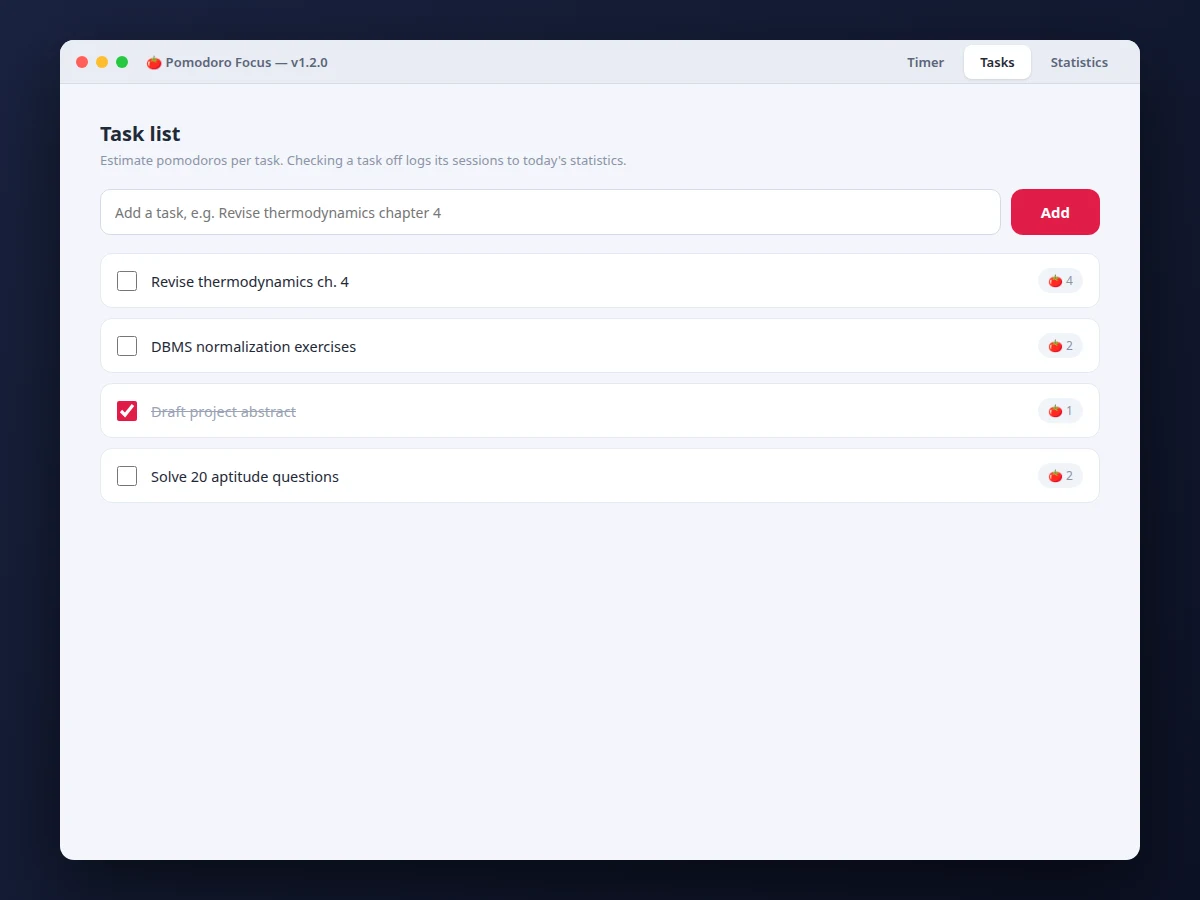
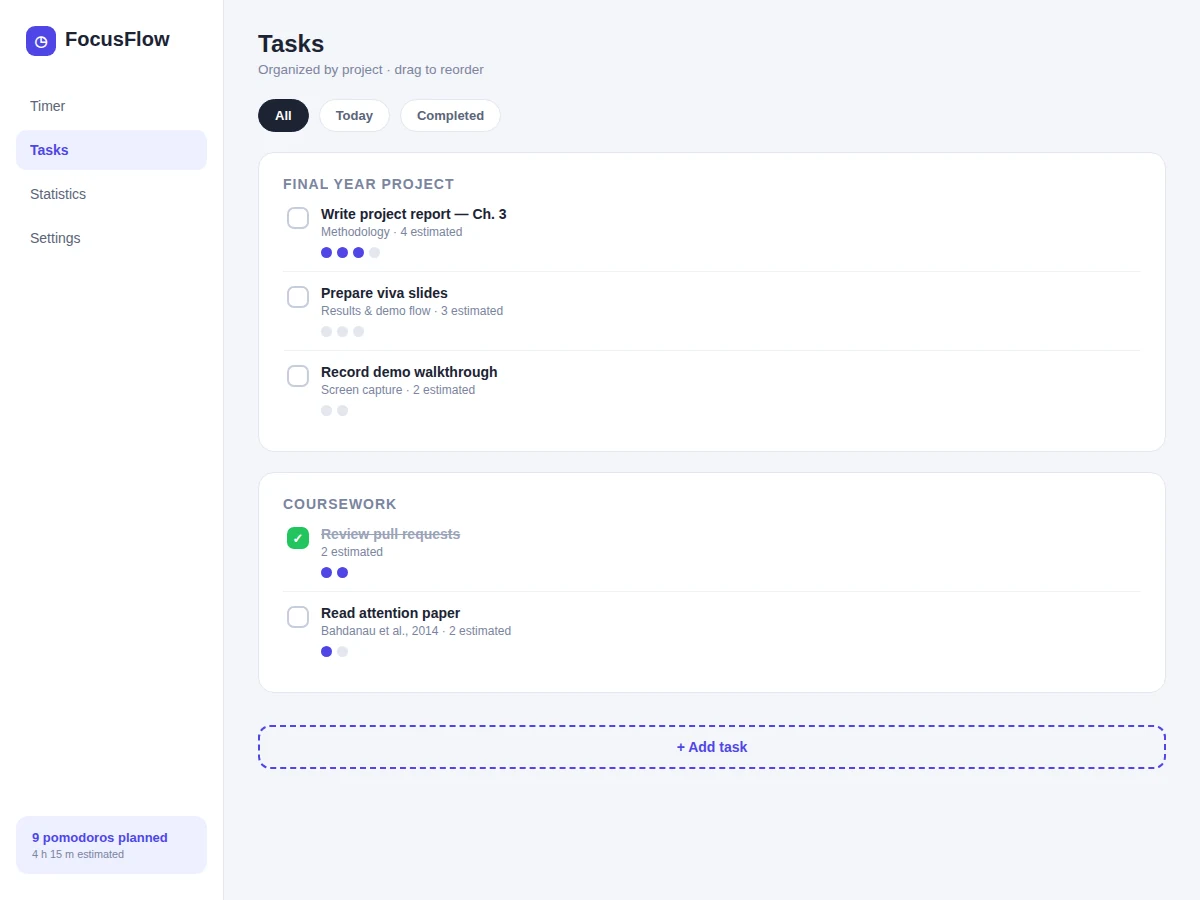
- The user adds tasks with estimated pomodoro counts and starts a focus session from the main timer view.
- A timer state machine runs focus → short break → focus … → long break every fourth session, with lengths from settings.
- At each transition the app fires a native OS notification and plays the configured sound; the completed session is logged.
- The mini timer can be pinned always-on-top; fullscreen focus mode hides everything except the current task and countdown.
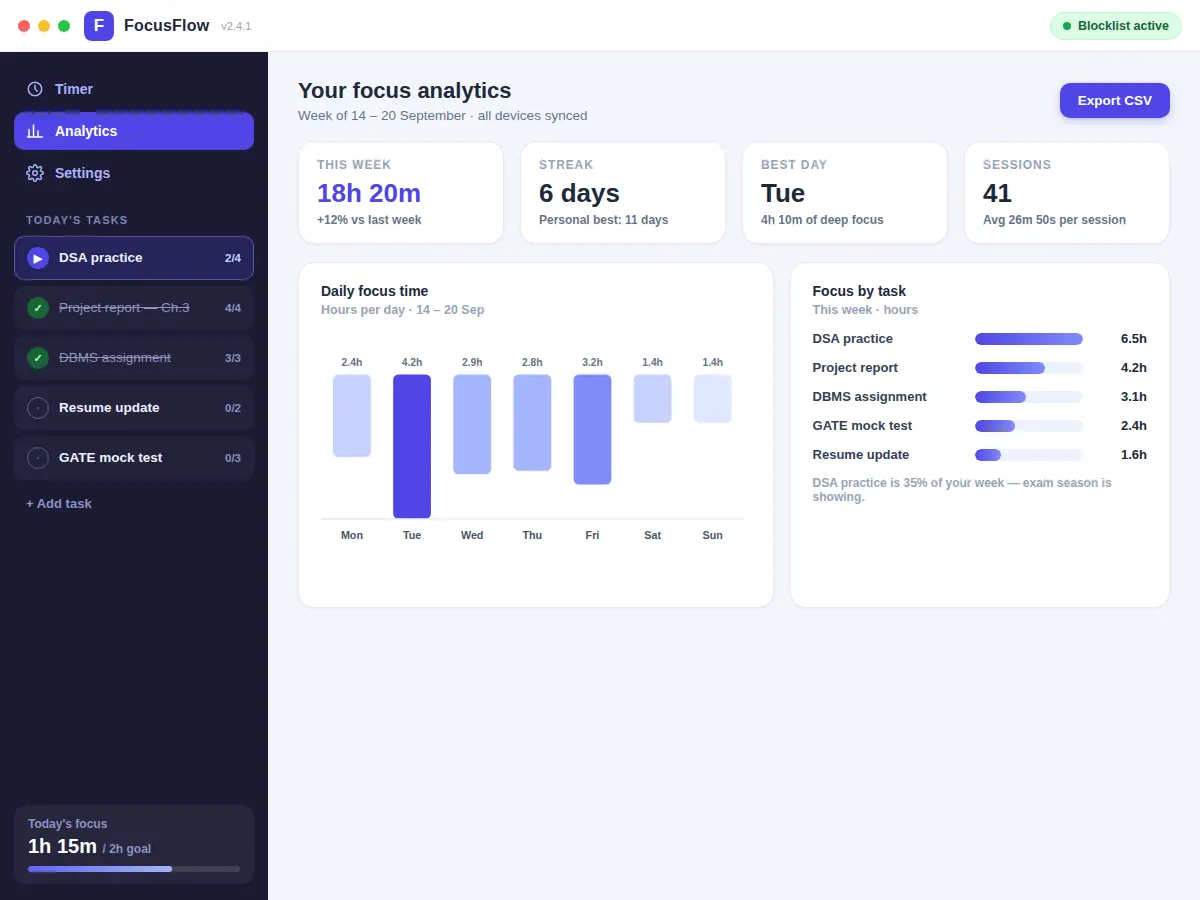
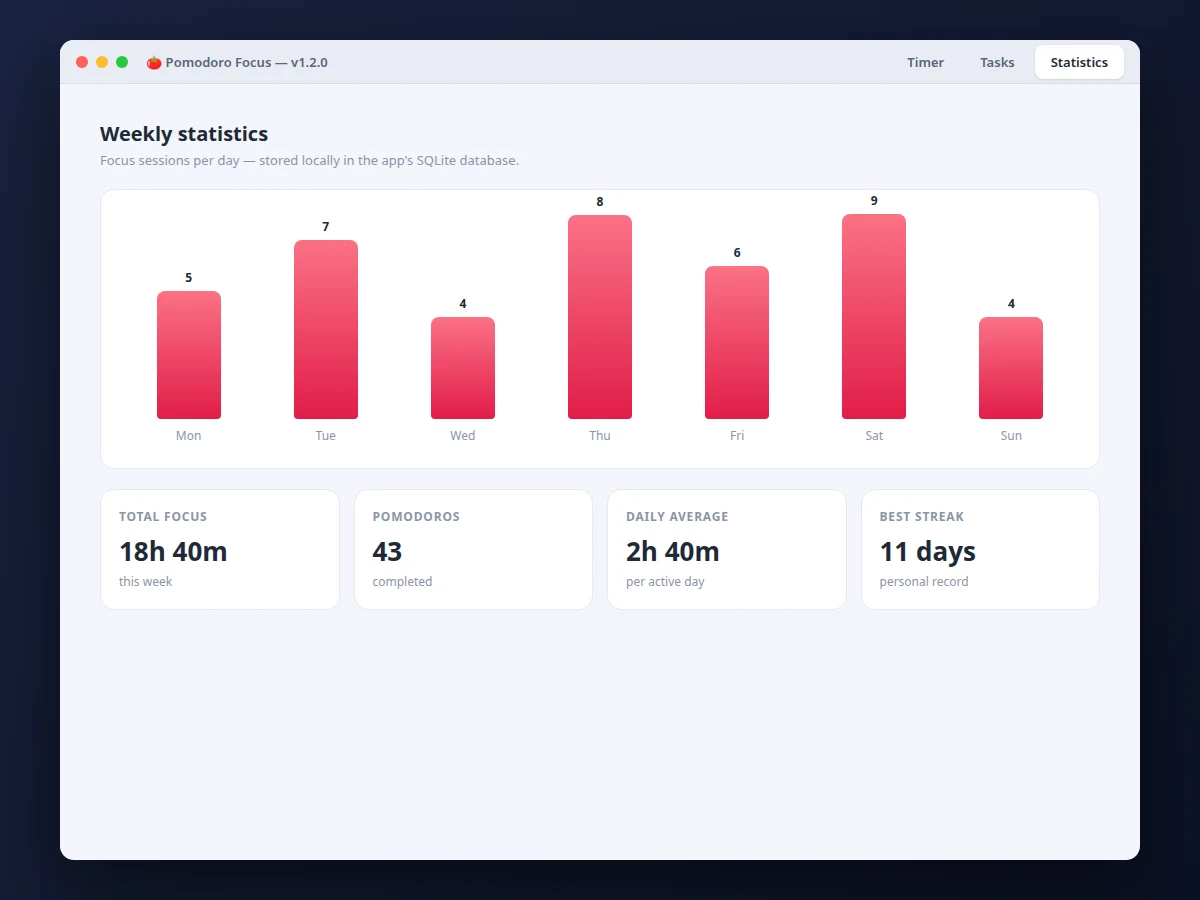
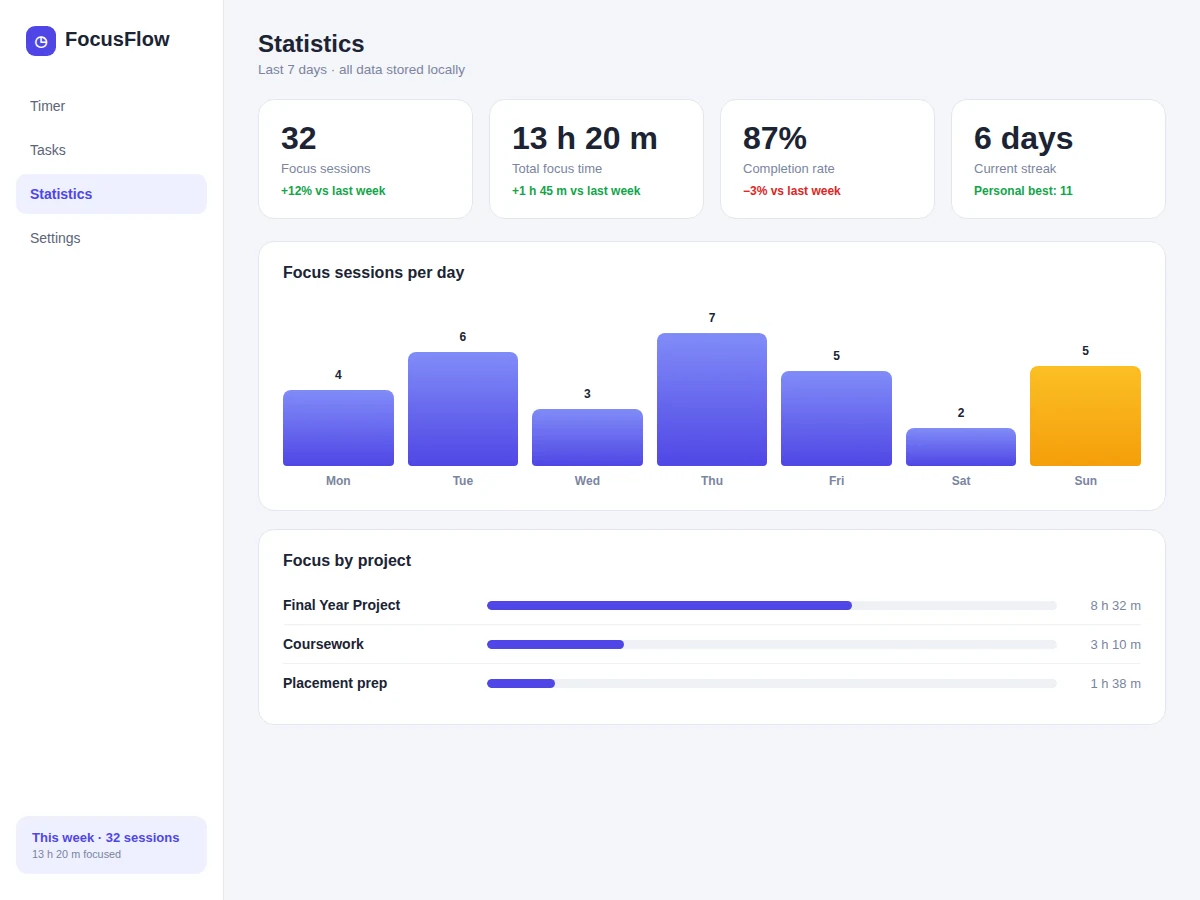
- Statistics aggregate the local session log into daily/weekly charts of sessions, focus minutes and completion rate.
- electron-builder packages the same codebase into installers for Windows, macOS and Linux.
Tech stack:
- Electron (desktop shell: main + renderer processes)
- JavaScript, HTML5, CSS3
- Node.js runtime APIs
- SQLite (local session log and tasks)
- electron-builder (cross-platform installers)
| Parameter | Value |
|---|---|
| Platform | Windows, macOS, Linux (installers via electron-builder) |
| Timer engine | Focus / short break / long break state machine, configurable lengths |
| Data storage | Local SQLite database; no account, no cloud |
| Notifications | Native OS notifications + configurable sounds |
| Statistics | Daily/weekly sessions, focus minutes, completion rate |
| Export | Session history to CSV |
| Offline | Fully offline; internet not required |
Project features
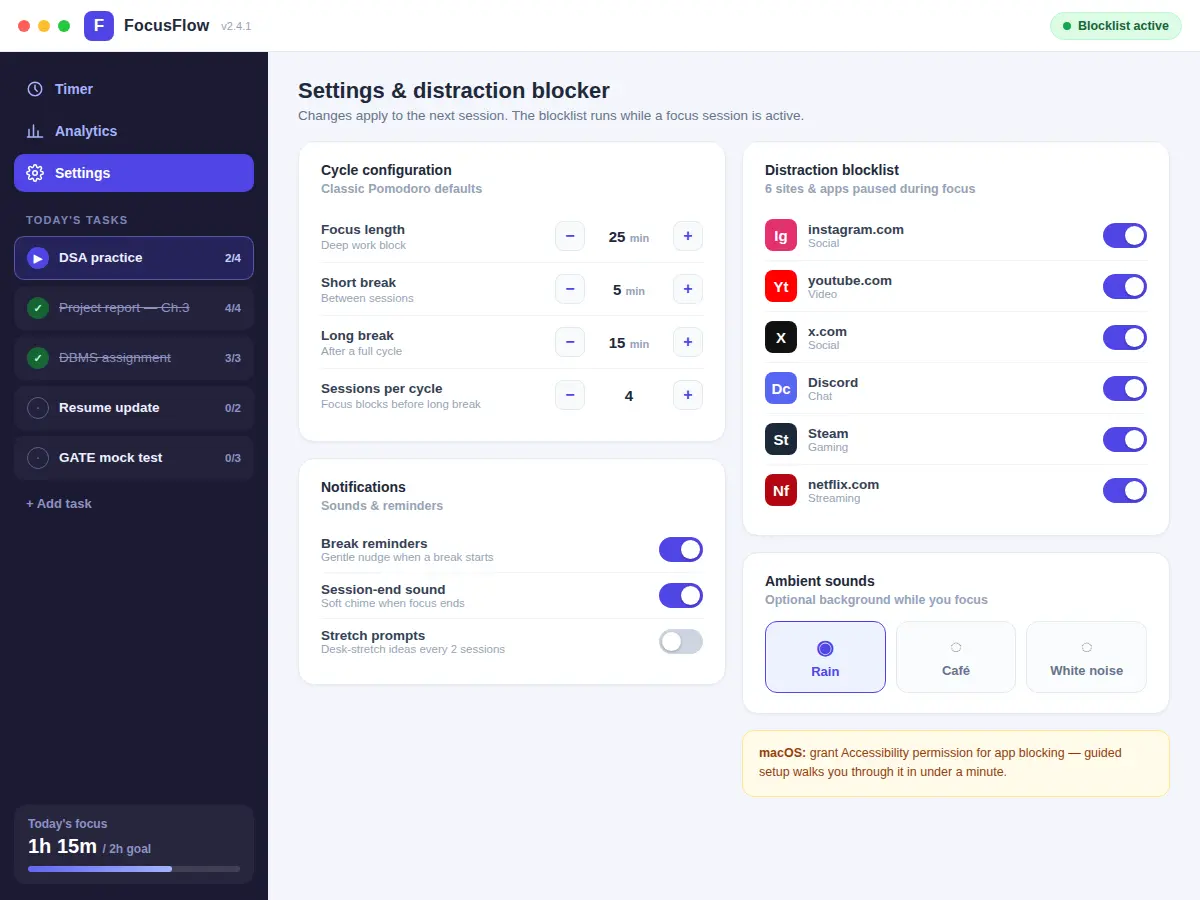
- [Customizable Pomodoro cycles] 25/5 defaults with adjustable focus, short-break and long-break lengths, and the long break every 4 sessions — all configurable.
- [Task manager] Tasks with estimated pomodoro counts, check-off, reordering and per-task completed-session tallies.
- [Focus statistics] Daily and weekly dashboards: sessions completed, focus minutes, and completion rate, rendered as clean charts.
- [System notifications and sounds] Break reminders through native OS notifications, with optional ticking and end-of-session chimes.
- [Distraction-free modes] Always-on-top mini timer for the screen corner and a fullscreen focus mode that shows only the task and the time.
- [Automatic session log] Every session is logged with timestamps; history is browsable and exports to CSV.
- [Cross-platform installers] electron-builder produces installers for Windows, macOS and Linux from the same codebase.
What is included
- Complete source code (Electron main/renderer, timer engine, task manager, statistics)
- Installer builds for Windows, macOS and Linux
- Setup guide (Node.js, dependencies, building installers, running in dev mode)
- Project report PDF (background, Pomodoro technique, architecture, testing notes)
- PPT presentation for final review
- Viva Q&A preparation document (Electron architecture, IPC, state machines, local storage, packaging)
- Demo guidance with a scripted walkthrough
Limitations & prerequisites
- All data stays on the machine — there is no cloud sync, so sessions do not follow the user across devices.
- It is a focus timer, not a website/app blocker; blocking distracting sites is listed as future scope, not included.
- Notification appearance and sound behavior vary by operating system.
- Timer accuracy depends on OS sleep behavior — a machine that sleeps pauses the countdown like any desktop timer.
- Auto-update is not included; new versions are installed manually.
Frequently Asked Questions
Which operating systems are supported?
Windows, macOS and Linux — electron-builder produces a native installer for each from the same codebase.
Does it block distracting websites?
No. This is a focus timer with notifications and focus modes; site blocking is documented as future scope, not part of the build.
Where is my data stored?
Locally, in a SQLite database on your machine. There is no account, no server and no tracking.
Can the 25/5 cycle lengths be changed?
Yes — focus, short-break and long-break durations and the sessions-per-long-break count are all configurable.
Does it need internet?
No. The app is fully offline after installation.
Is this project suitable for a final-year project?
Yes — for Computer Science, IT and related programs. It demonstrates desktop application architecture, Electron's main/renderer model, state machines, local persistence and cross-platform packaging. Suitable for B.E./B.Tech final-year projects in Computer Science, IT and related programs.
Components & software requirements
- Electron (desktop shell: main + renderer processes)
- JavaScript, HTML5, CSS3
- Node.js runtime APIs
- SQLite (local session log and tasks)
- electron-builder (cross-platform installers)
Delivery information
Built-to-order project. Delivery timeline is shared after order confirmation based on current queue.
Support terms
Complete documentation, setup guide, and viva preparation included. Support for setup and explanation provided.