
More project photos (2)
The problem
Traditional messaging applications often depend on third-party platforms where users have limited control over privacy, customization, and data management. Educational institutions and organizations may require customized communication systems with controlled access and enhanced security features.
This project provides a customizable real-time communication platform with encrypted messaging, secure file exchange, and user management features. It demonstrates practical implementation of networking, cybersecurity, database handling, and full-stack development concepts.
How it works
Users create an account and authenticate themselves through the login system.
The application establishes a real-time connection between users using WebSocket-based communication.
Messages sent by users are processed through the application server and encrypted before secure transmission.
The receiving user obtains the encrypted message and decrypts it using the implemented encryption mechanism.
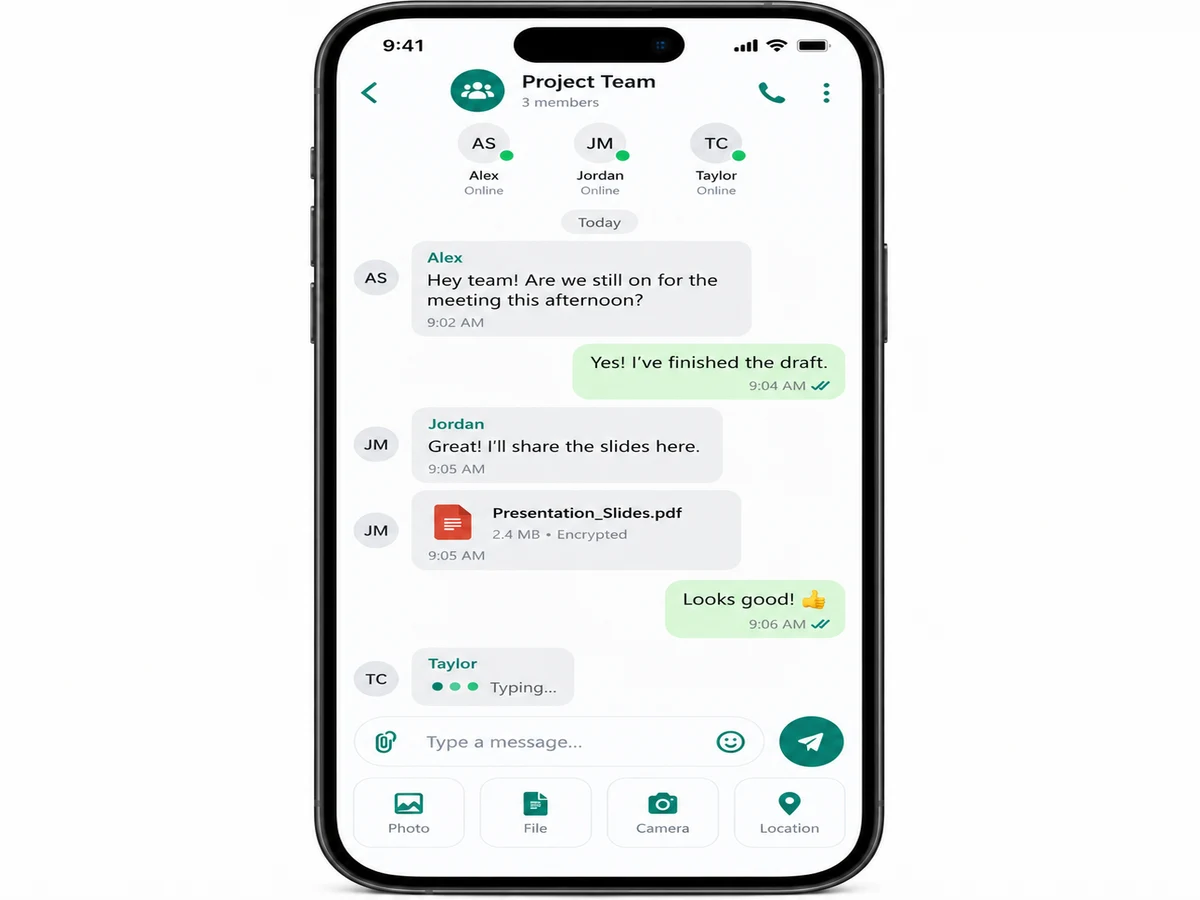
Users can create group conversations and exchange messages with multiple participants.
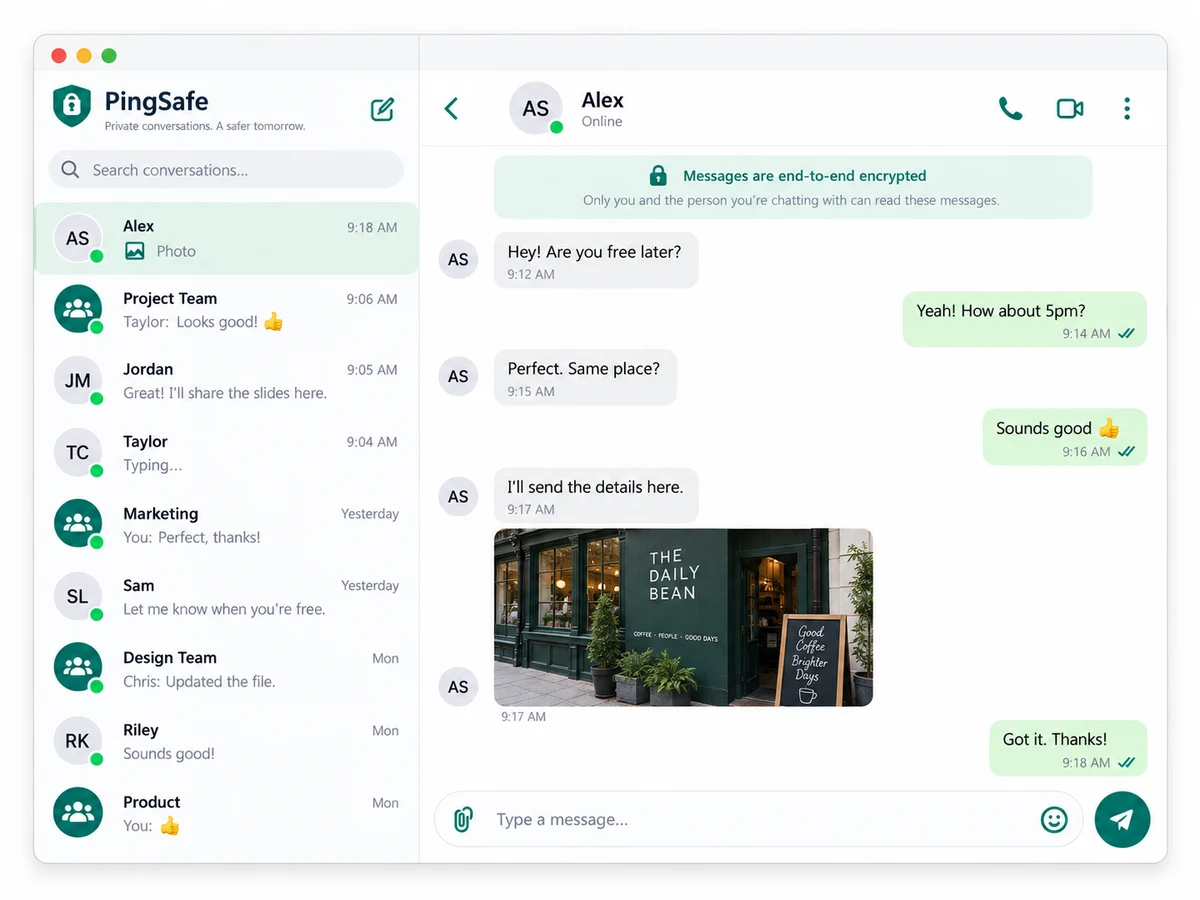
Files and images are uploaded through the sharing module and linked with corresponding chat messages.
User activity such as online status and typing indicators is updated instantly using real-time events.
Chat records are stored in the database and retrieved when users access previous conversations or search messages.
Project features
Real-time one-to-one messaging — instant private conversations between users.
Group chat support — shared conversations with synchronized messages.
End-to-end encrypted messaging — encryption protecting message content.
Secure file and image sharing within conversations.
User authentication — account registration, login, and identity management.
Online presence and typing indicators.
Chat history and search within messages.
Secure message database management.
What is included
Complete source code of the real-time chat application.
Frontend user interface for chat and communication features.
Backend server implementation with real-time messaging support.
Database integration for users, chats, and message storage.
Encryption module implementation for secure communication.
File/image sharing functionality.
Project documentation and setup instructions.
Basic testing and deployment guidance.
Limitations & prerequisites
Prerequisites:
• Basic knowledge of web or mobile application development.
• Understanding of frontend and backend programming concepts.
• Familiarity with databases and APIs.
• Basic understanding of encryption and cybersecurity concepts.
• Development environment setup for selected technology stack.
Limitations:
- Encryption implementation depends on correct key management and secure configuration.
- Performance may reduce with very large numbers of simultaneous users.
- File storage capacity depends on hosting infrastructure.
- Advanced security auditing is not included unless customized.
- Push notifications may require additional service integration.
- Multi-device synchronization may require additional development.
- Production-level scalability requires additional server optimization.
- Compliance features for enterprise messaging platforms require customization.
Components & software requirements
Frontend Chat Interface
Backend Real-Time Server
WebSocket / Socket.io Communication Layer
Encryption and Decryption Module
User Authentication System
Database Management System
File Storage Module
Search and Chat History Module
Delivery information
Estimated delivery timeline: Needs confirmation based on selected platform, features, and customization requirements.
Customisation options
• Android/iOS mobile application version.
• Voice and video calling integration.
• Admin dashboard.
• Message reactions and emoji support.
• Multi-language support.
• Cloud deployment.
• Advanced user roles and permissions.
• AI-based chat assistance integration.