
More project photos (3)
The problem
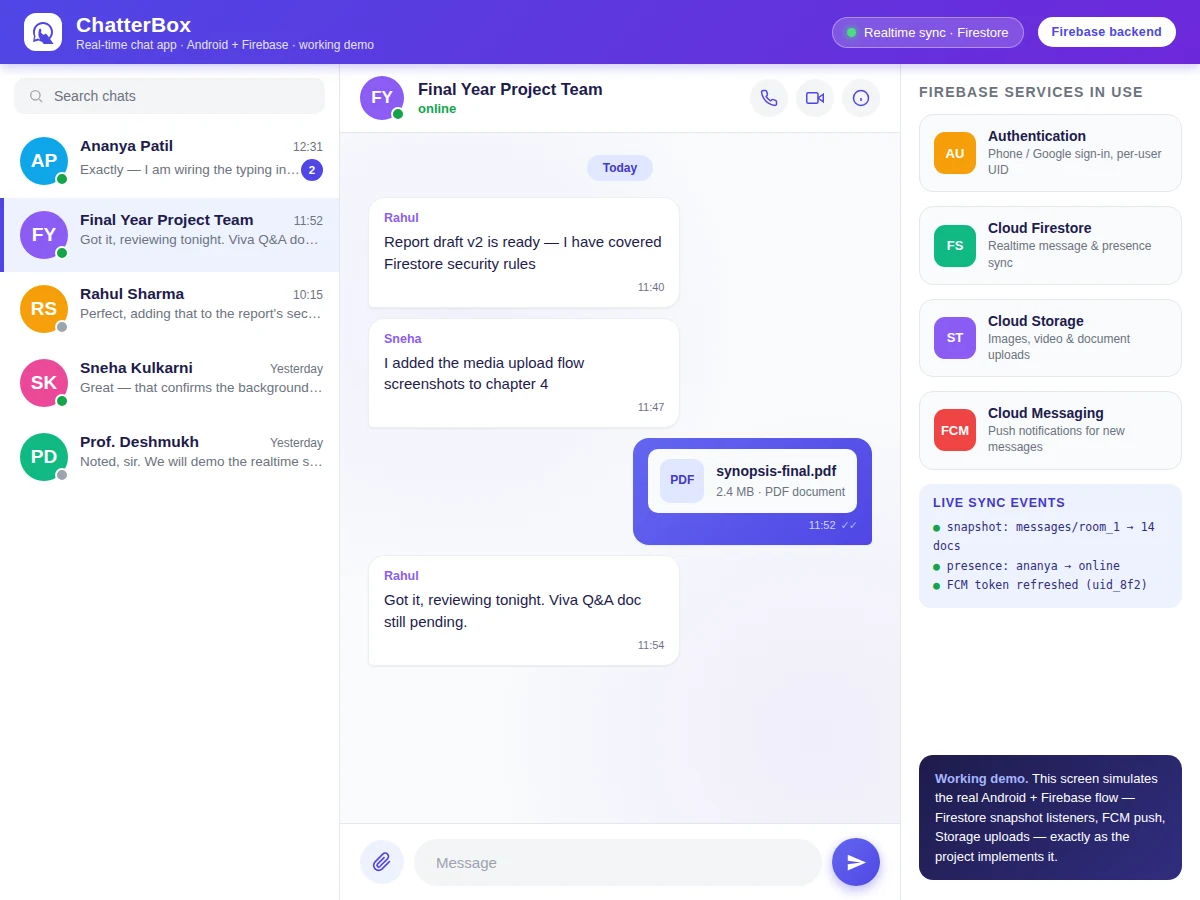
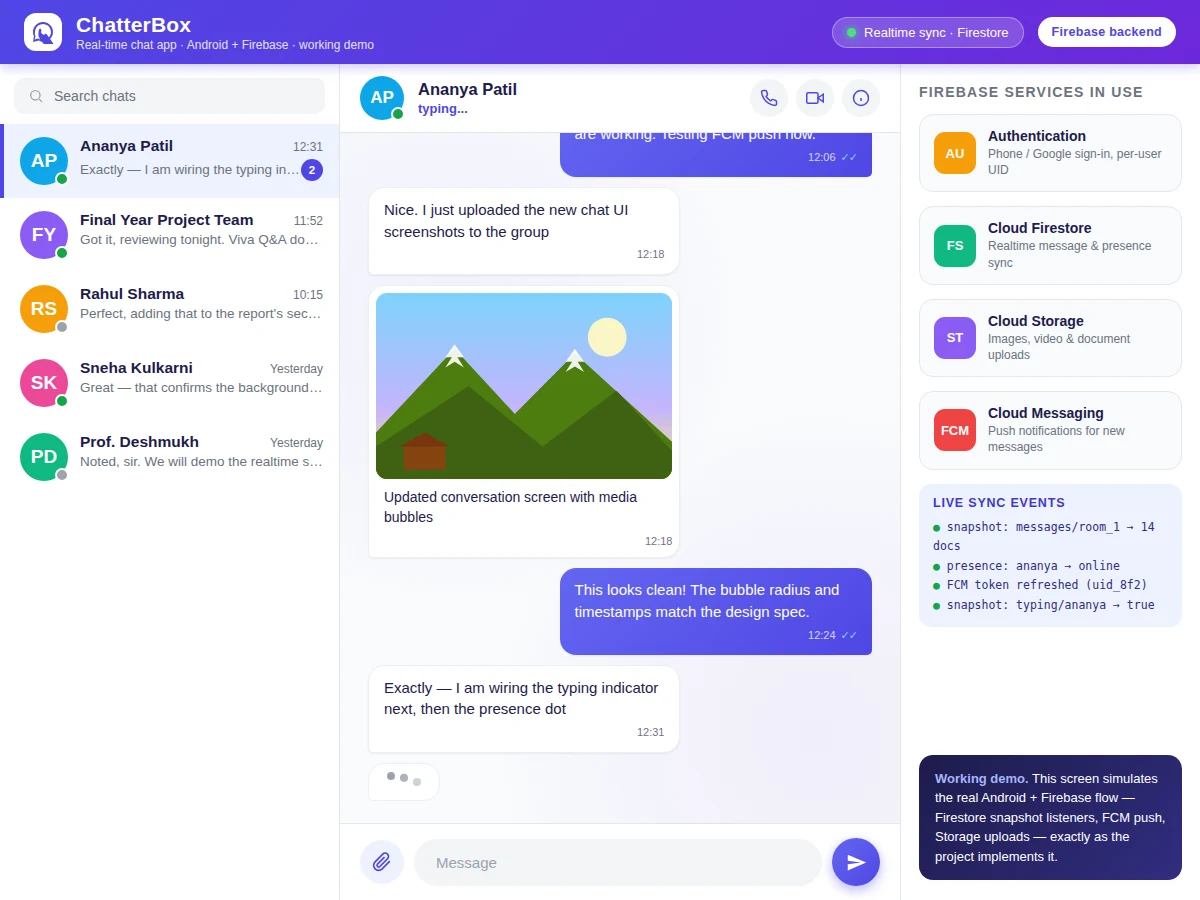
A chat app is the clearest way to demonstrate realtime client–server engineering on Android: every message, presence change and typing event must travel from one phone to a cloud backend and back to another phone with no manual refresh. Most student chat projects fake this with polling or a local database, which collapses the moment two real devices are involved. This project does it properly — a native Android app written in Kotlin, backed entirely by Firebase: Cloud Firestore streams every message the instant it is written, Firebase Cloud Messaging wakes the app with a push notification when it is closed, and Cloud Storage handles image, video and document uploads with progress feedback. Students learn authentication, NoSQL data modelling, security rules, background services and push infrastructure — the exact stack behind production messaging apps. Because the backend is Firebase rather than a self-hosted server, the project is genuinely demoable in a viva on two physical phones.
Chats by sending text, images, video or documents; signs in with phone OTP or Google.
Follow the working sequence
How it works
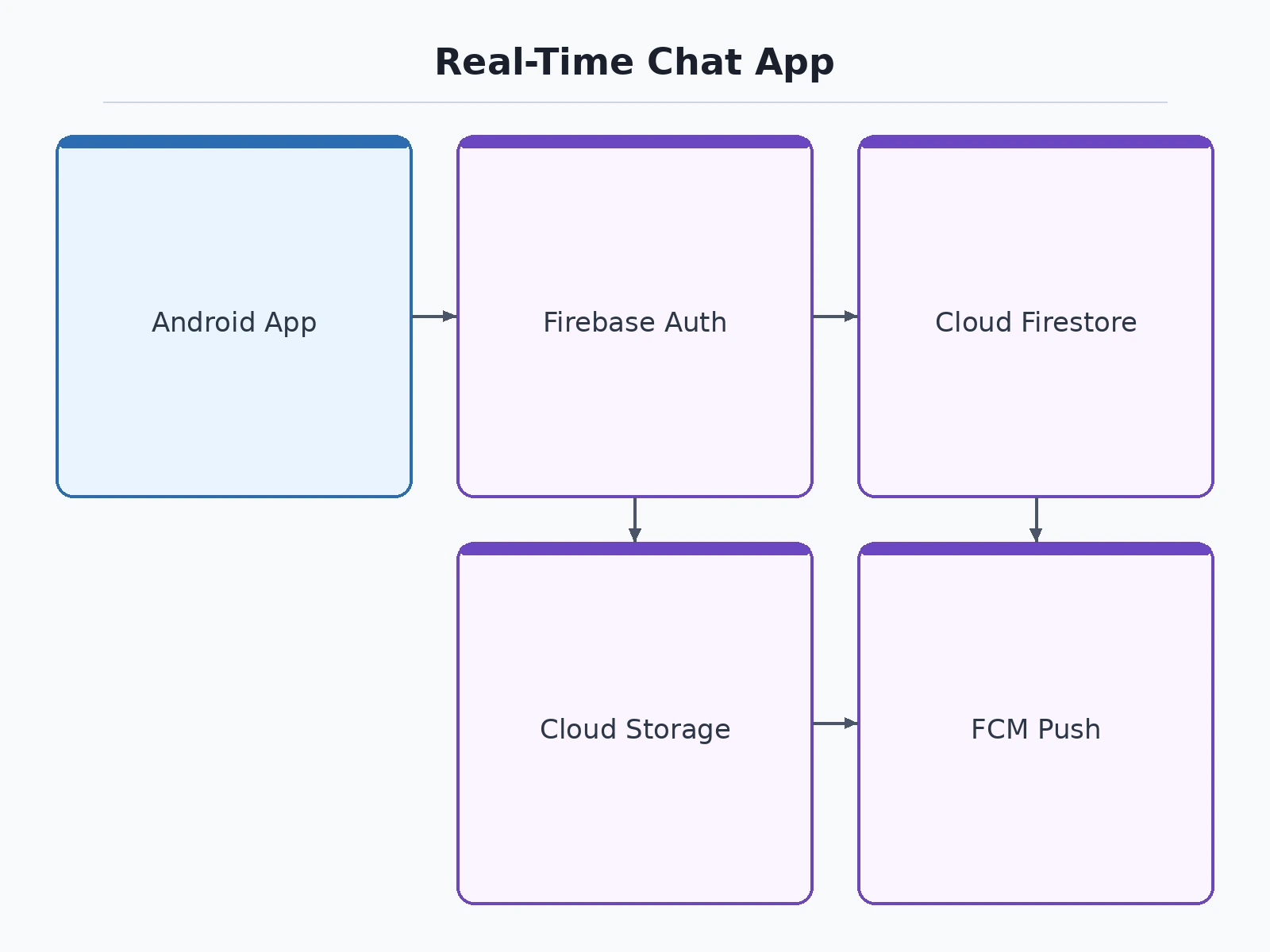
- The user signs in with phone OTP or Google; Firebase Authentication returns a UID that identifies them in every security rule.
- Chat rooms and messages are stored as Firestore documents — one
roomscollection, amessagessubcollection per room, and apresencedocument per user. - Each open conversation attaches a Firestore snapshot listener; any write to the messages subcollection is pushed to all listeners within the sync window.
- Media is uploaded to Cloud Storage under a per-user path; the download URL is written into the message document, so receivers stream it on demand.
- When the app is backgrounded, a Cloud Function (or the client write path) triggers an FCM push carrying the sender name and message preview.
- Typing state and presence are written as lightweight Firestore documents with a short TTL-style refresh, and rendered as "typing..." and presence dots in the UI.
- Security rules enforce that only authenticated room members can read or write their rooms, and uploads are capped per file size.
Tech stack:
- Kotlin, Android SDK with Jetpack components
- Firebase Authentication (phone OTP, Google sign-in)
- Cloud Firestore (realtime database and listeners)
- Firebase Cloud Messaging (push notifications)
- Cloud Storage for Firebase (media uploads)
- Android Studio (build and debugging)
| Parameter | Value |
|---|---|
| Platform | Android 8.0 (API 26) and above |
| Language | Kotlin with Jetpack components |
| Realtime sync | Cloud Firestore snapshot listeners |
| Message types | Text, image, video, document, emoji |
| Media upload cap | 10 MB per file (configurable in Storage rules) |
| Background alerts | FCM push with sender name and preview |
| Presence refresh | Approximately every 30 seconds (design target) |
| Push delivery | Expected under 3 seconds on a stable connection (design target, not a measured claim) |
| Group size | Up to 100 members per group (design target) |
| Authentication | Firebase Authentication, UID-keyed security rules |
Project features
- [1-1 and group chats] Private conversations and group rooms with named members, per-room message history and unread counters — the two conversation models every messaging app needs.
- [Realtime message sync] Firestore snapshot listeners push new messages to all participants instantly; no polling, no pull-to-refresh, with the sync-event flow visible in the demo.
- [Media sharing] Images, video clips and documents (PDF and others) upload to Cloud Storage with an in-bubble progress bar, then render inline as media or document bubbles.
- [Push notifications] Firebase Cloud Messaging delivers a notification with the sender name and message preview when the app is in the background or closed.
- [Typing indicator and online presence] A per-user typing flag and online/last-seen presence, synced through Firestore, so the UI shows "typing..." and green presence dots live.
- [Read receipts and timestamps] Double-tick read receipts that turn accent-coloured on read, plus per-message timestamps in every bubble.
- [Phone and Google sign-in] Firebase Authentication with phone-OTP and Google sign-in; every Firestore rule is keyed to the authenticated UID.
What is included
- Complete Kotlin Android Studio project source code
- Firestore data model, security rules and Storage rules
- Firebase console setup guide (project creation to first push notification)
- Project report PDF (architecture, data model, Firebase service design, testing)
- PPT presentation for final review
- Viva Q&A preparation document (Firestore listeners, FCM flow, security rules, offline behaviour)
Limitations & prerequisites
- Sending and receiving messages needs an internet connection; Firestore's offline cache only lets users re-read already-synced messages.
- Push notification delivery depends on Google Play services on the device; aggressive battery optimization on some phones can delay FCM.
- The free Firebase Spark plan covers demo and college-scale use; a production user base would need the pay-as-you-go Blaze plan.
- Media is capped at 10 MB per file by default; larger videos need client-side compression (available as a customization).
- Voice and video calling are not part of the base build — they are listed as an optional customization.
Frequently Asked Questions
What is the main technology used?
The app is written in Kotlin with Android Jetpack, and the entire backend is Firebase: Authentication for sign-in, Cloud Firestore for realtime message sync, Cloud Storage for media uploads, and Firebase Cloud Messaging for push notifications. No self-hosted server is needed, which makes the project genuinely demoable on two phones during the viva.
Does the app work without internet?
Sending and receiving needs a connection, since Firestore, FCM and Storage are cloud services. However, Firestore's offline persistence keeps already-synced conversations readable without internet, and pending writes are flushed automatically when connectivity returns. The report documents exactly which flows are offline-capable.
Can voice or video calling be added?
Yes, as an optional customization. The base build covers messaging, media, presence and push; voice/video can be added on top using a WebRTC service or a managed calling SDK, quoted separately since it changes the scope, permissions and testing effort significantly.
How are messages kept private?
Every Firestore security rule is keyed to the Firebase Authentication UID: only signed-in members of a room can read or write its messages, and Storage paths are per-user with size caps. The report includes the full rules file with an explanation of each clause, which is a strong viva topic on its own.
What will I receive with the project?
The complete Kotlin Android Studio source, the Firestore data model with security and Storage rules, a step-by-step Firebase setup guide, the project report PDF, a review PPT, and a viva Q&A document. Everything is built to order, so the code and documents match the exact feature set you approve.
Is this project suitable for a final-year project?
Yes — for Computer Science, IT and mobile-application programs. It demonstrates realtime systems, NoSQL data modelling, authentication and security rules, push infrastructure and media handling, and it demos live on two phones, which makes the viva concrete and hard to dispute.
Components & software requirements
- Kotlin, Android SDK with Jetpack components
- Firebase Authentication (phone OTP, Google sign-in)
- Cloud Firestore (realtime database and listeners)
- Firebase Cloud Messaging (push notifications)
- Cloud Storage for Firebase (media uploads)
- Android Studio (build and debugging)
Delivery information
Built-to-order project. Delivery timeline is shared after order confirmation based on current queue.
Support terms
Complete documentation, setup guide, and viva preparation included. Support for setup and explanation provided.
Download free synopsis (PDF)
Enter your name and email — the synopsis PDF downloads immediately. We may send occasional project updates; no spam, unsubscribe anytime.