
More project photos (3)
The problem
College fests run on volunteers, and most organizing committees still manage them on WhatsApp groups and shared spreadsheets. Shift lists get buried under chat messages, last-minute dropouts go unnoticed until a desk stands empty, and nobody can say with certainty who actually showed up for their slot. The result is familiar to anyone who has volunteered: an overstaffed registration desk next to an unmanned entry gate, with coordinators firefighting instead of running the fest.
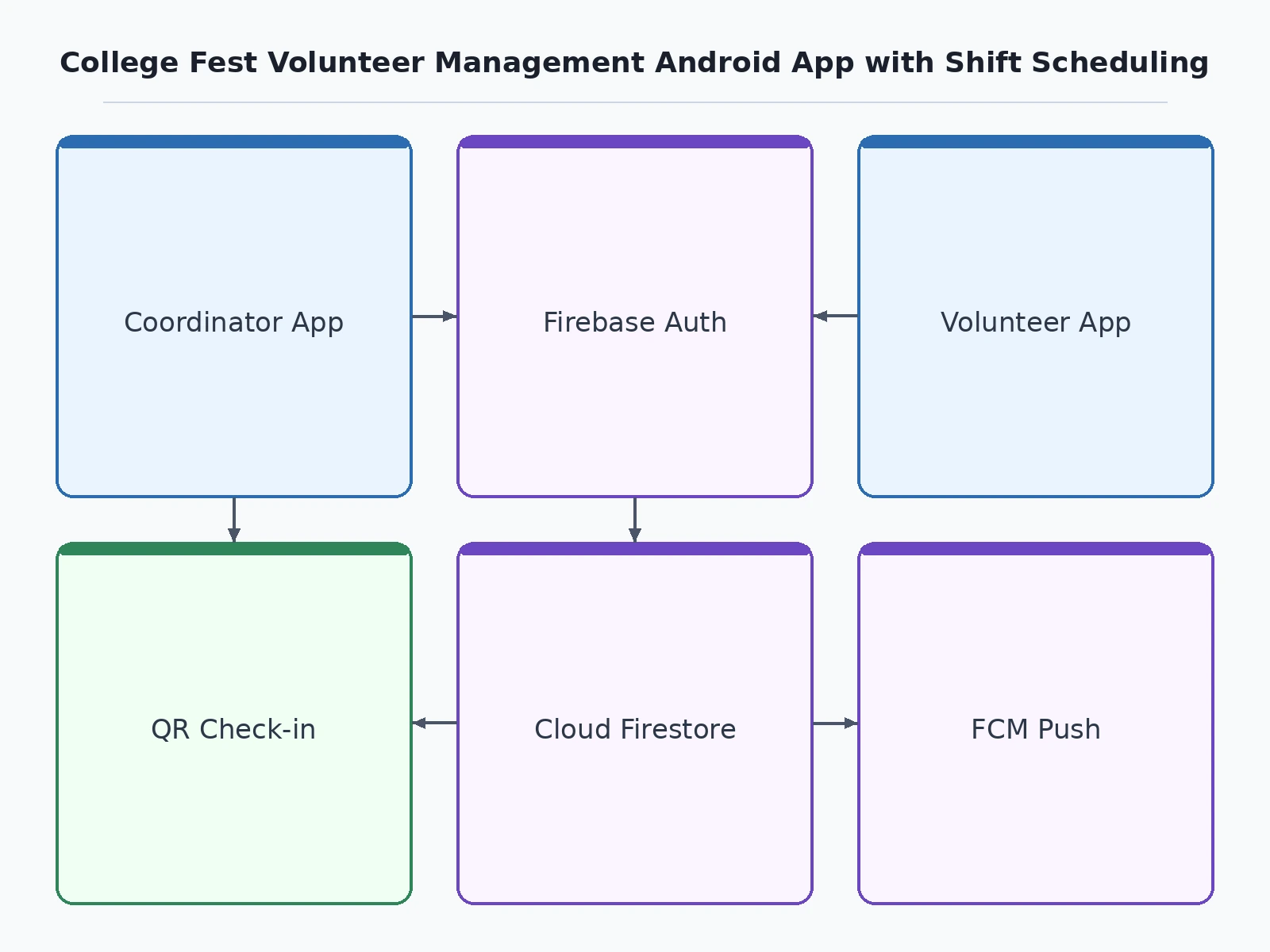
This project builds FestCrew, a native Android app that replaces that chaos with a single live roster. A coordinator creates shifts for each fest team — stage, registration, hospitality, security — assigns volunteers from the pool, and publishes the roster when final. Volunteers see only their own shifts, request swaps when clashes arise, and get push notifications when a roster changes. At the venue, each shift produces a rotating QR check-in code the coordinator verifies at the desk, so attendance is recorded instead of assumed. Built in Kotlin with Jetpack Compose on Firebase, the app caches the roster offline, because fest venues rarely have reliable Wi-Fi.
Creates shifts, assigns volunteers, approves swap requests and marks QR attendance.
Follow the working sequence
How it works
- The coordinator signs in and onboards the volunteer pool; each volunteer gets a Firebase Auth account tagged with a fest team (stage, registration, hospitality, security).
- The coordinator creates shifts — title, team, date, time, venue and slots needed — and assigns volunteers from the pool; shifts remain drafts until the roster is final.
- Publishing a shift writes it to Firestore and triggers an FCM push to every assigned volunteer, who then sees it under "My shifts" — available offline from the cache.
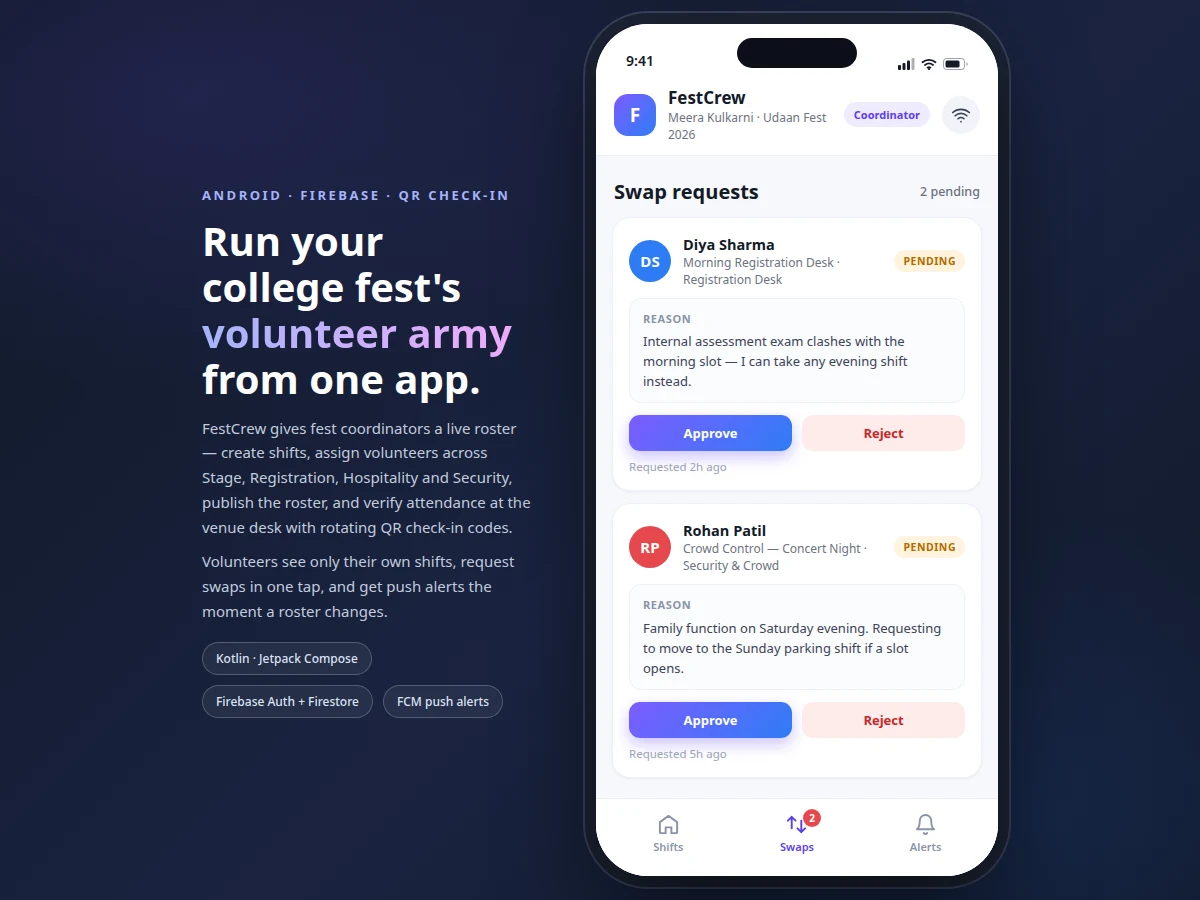
- A volunteer who cannot make a slot sends a swap request with a reason; the coordinator approves or rejects it, and the roster plus both notification feeds update.
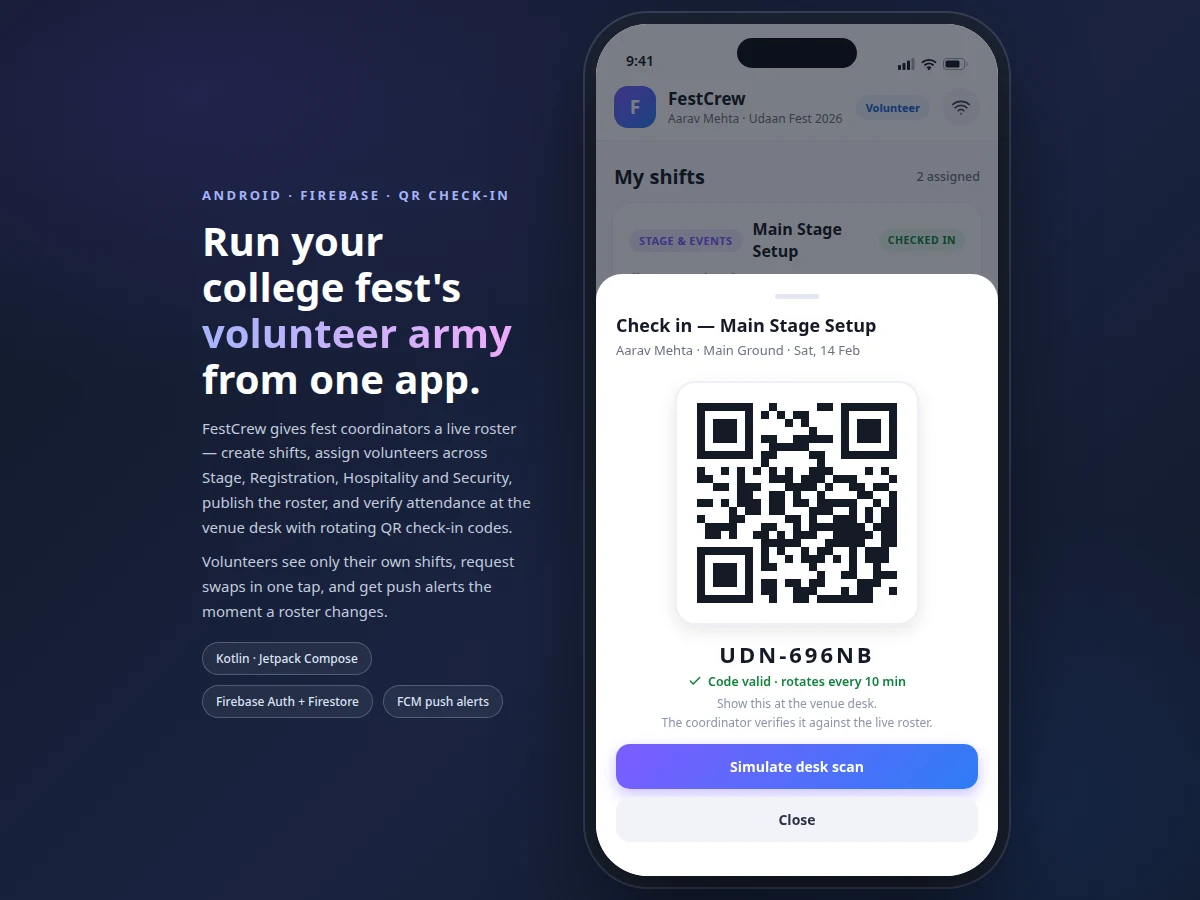
- At the venue, the volunteer opens the shift and shows the rotating QR check-in code; the coordinator verifies it at the desk and marks attendance against the live roster.
- Coordinators track coverage from the roster dashboard — published vs draft shifts, assigned headcount per slot, and check-in counts for every shift.
Tech stack:
- Kotlin
- Jetpack Compose (Material 3)
- Firebase Authentication
- Cloud Firestore (offline persistence)
- Firebase Cloud Messaging
- ZXing QR code library
- Android Studio
- Git
| Parameter | Value |
|---|---|
| Platform | Android 8.0 (API 26) and above (design target) |
| Language | Kotlin |
| UI toolkit | Jetpack Compose with Material 3 components |
| Authentication | Firebase Authentication (email/password sign-in) |
| Database | Cloud Firestore with offline persistence enabled |
| Push notifications | Firebase Cloud Messaging (needs internet) |
| User roles | 2 — Coordinator and Volunteer |
| QR check-in | Rotating code, approximately 10-minute validity window (design target) |
| Offline support | Shift list cached; roster publishing and check-in need internet (expected) |
| Demo data | 4 fest teams, 16 volunteers, 8 shifts seeded (design target) |
| Build tool | Android Studio (latest stable release, expected) |
Project features
- [Role-based login] Coordinator and Volunteer roles sign in through Firebase Authentication; each role opens its own home screen and permissions, so volunteers never see roster-management controls.
- [Shift creation] The coordinator defines shifts with title, team, date, start/end time, venue and required headcount; new shifts stay as drafts until the roster is final and published.
- [Volunteer assignment] The coordinator picks volunteers from the registered pool into each shift's slots; assignments write to Firestore and appear on the volunteer's phone immediately.
- [QR check-in at the venue desk] Every shift generates a rotating check-in code rendered as a QR; the coordinator verifies it against the live roster at the desk, recording attendance with a timestamp.
- [Swap-request approval flow] A volunteer requests a swap with a written reason; the coordinator approves or rejects it, the roster updates, and both sides are notified of the decision.
- [Offline shift list] Firestore offline persistence caches the roster, so volunteers can view their shifts in venues with no connectivity; publishing and check-in need internet and are disabled offline.
- [Push notifications] FCM alerts for roster publication, new assignments and swap decisions, so no volunteer misses a change to their schedule.
What is included
- Complete Kotlin + Jetpack Compose source code
- Firestore data model and security rules
- Debug APK for demo and viva presentation
- Setup guide (Firebase project setup, build steps)
- Project report PDF (architecture, Firestore schema, QR flow, testing notes)
- PPT presentation for final review
- Viva Q&A preparation document (Firebase, Compose, offline caching, FCM, QR)
- Demo data seeder (teams, volunteers, sample shifts)
Limitations & prerequisites
- Push notifications need internet on both the coordinator's and the volunteer's device; FCM does not deliver offline.
- QR check-in verification needs the coordinator's device present at the venue desk — a volunteer cannot self-verify attendance.
- Firestore free-tier quotas apply to document reads and writes per day; check the current Firebase pricing page before running a large fest on the free plan.
- The check-in code rotates on a timer, so a shared screenshot stops working within minutes — but a volunteer could still hand their unlocked phone to someone else; the app does not do identity verification.
- This is a volunteer-management app, not a ticketing or entry-gate system; it does not handle attendee passes or payments.
- Demo data (4 teams, 16 volunteers, 8 shifts) is seeded for the viva; a real fest needs its own volunteer onboarding.
Frequently Asked Questions
Is this project suitable for a final-year project?
Yes — for Computer Science, IT and software-engineering programs with a mobile-application or cloud-backend component. It demonstrates Kotlin and Jetpack Compose UI development, Firebase Authentication, Firestore data modeling with offline caching, FCM push notifications, QR-based verification and role-based access control — a complete client-plus-backend system that is easy to demo live in a viva.
How does the QR check-in prevent proxy attendance?
Each shift issues a check-in code that rotates roughly every 10 minutes and is rendered as a QR that the coordinator verifies against the live roster at the venue desk. A screenshot of the code expires within minutes, which blocks the easy proxy trick. It is not biometric identity proof, and the report states that limitation honestly.
Does the app work without internet?
Partly. The shift list is cached through Firestore offline persistence, so volunteers can view their roster in venues with poor connectivity. Roster publishing, volunteer assignment, check-in verification and push notifications need an internet connection; the app shows an offline banner and disables actions that need the network.
What does the coordinator actually control?
Everything roster-related: creating shifts, assigning volunteers from the registered pool, publishing or unpublishing rosters, approving or rejecting swap requests, and verifying check-ins at the venue desk. Volunteers can only view their own shifts, request swaps and check in — they never see roster-management controls or other volunteers' assignments.
Can this be customized for our college fest?
Yes. Team names, shift fields, the check-in code validity window and notification text are all configurable. Realistic extensions — multi-day fest support, volunteer performance reports, an entry-gate scanning mode — are documented as future scope in the report, not sold as included features.
Components & software requirements
- Kotlin
- Jetpack Compose (Material 3)
- Firebase Authentication
- Cloud Firestore (offline persistence)
- Firebase Cloud Messaging
- ZXing QR code library
- Android Studio
- Git
Delivery information
Built-to-order project. Delivery timeline is shared after order confirmation based on current queue.
Support terms
Complete documentation, setup guide, and viva preparation included. Support for setup and explanation provided.
Download free synopsis (PDF)
Enter your name and email — the synopsis PDF downloads immediately. We may send occasional project updates; no spam, unsubscribe anytime.