
More project photos (3)
The problem
Every semester, cross-department elective registration collapses into spreadsheets, notice-board lists and first-day chaos at department offices. Students cannot see which courses still have seats, clash detection happens too late, and waitlists live in someone's notebook. The process is slow, opaque and error-prone precisely when hundreds of students must decide in a one-week window. ElectiveHub replaces that scramble with a portal: twelve electives across five departments in a searchable catalog, live seat bars with low-seat warnings, detail pages with indicative syllabi, registration that degrades gracefully to a numbered waitlist position when a course fills, and a single registrations view showing confirmed and waitlisted entries with withdrawal. The two-elective limit and key dates are published in-app, so policy is visible, not rumored.
Browses electives and registers for one.
Follow the working sequence
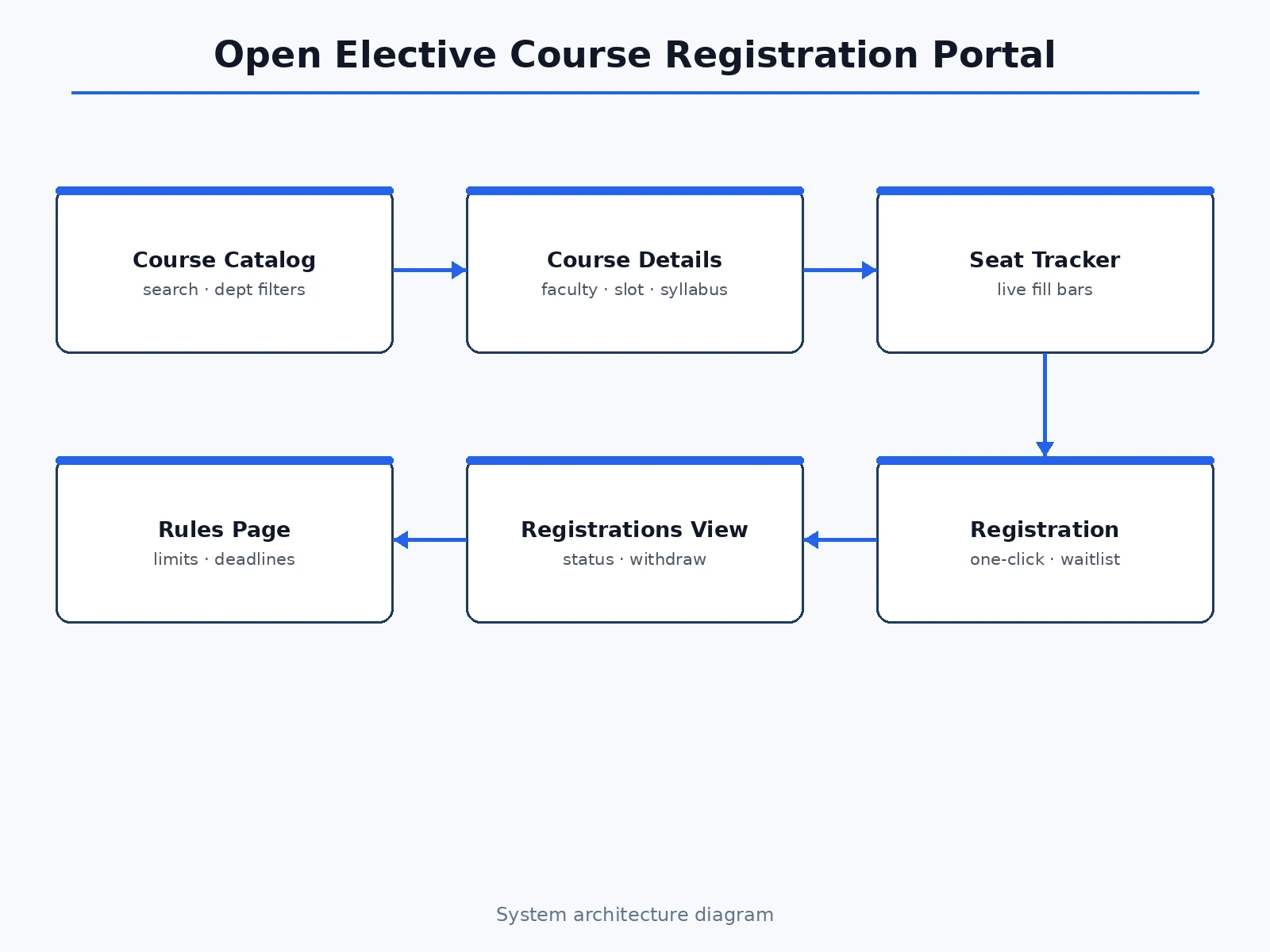
How it works
- The course dataset (12 electives with code, faculty, credits, slot, seats, syllabus) loads into memory at startup.
- The catalog view applies the search text and department/semester filters, then renders cards with seat bars computed from filled vs total seats.
- Clicking Details swaps in the detail template: description, faculty, slot, prerequisites, tags and the indicative syllabus modules.
- Register appends the course code to the student's registration set — full courses become waitlist entries with a position number derived from overflow.
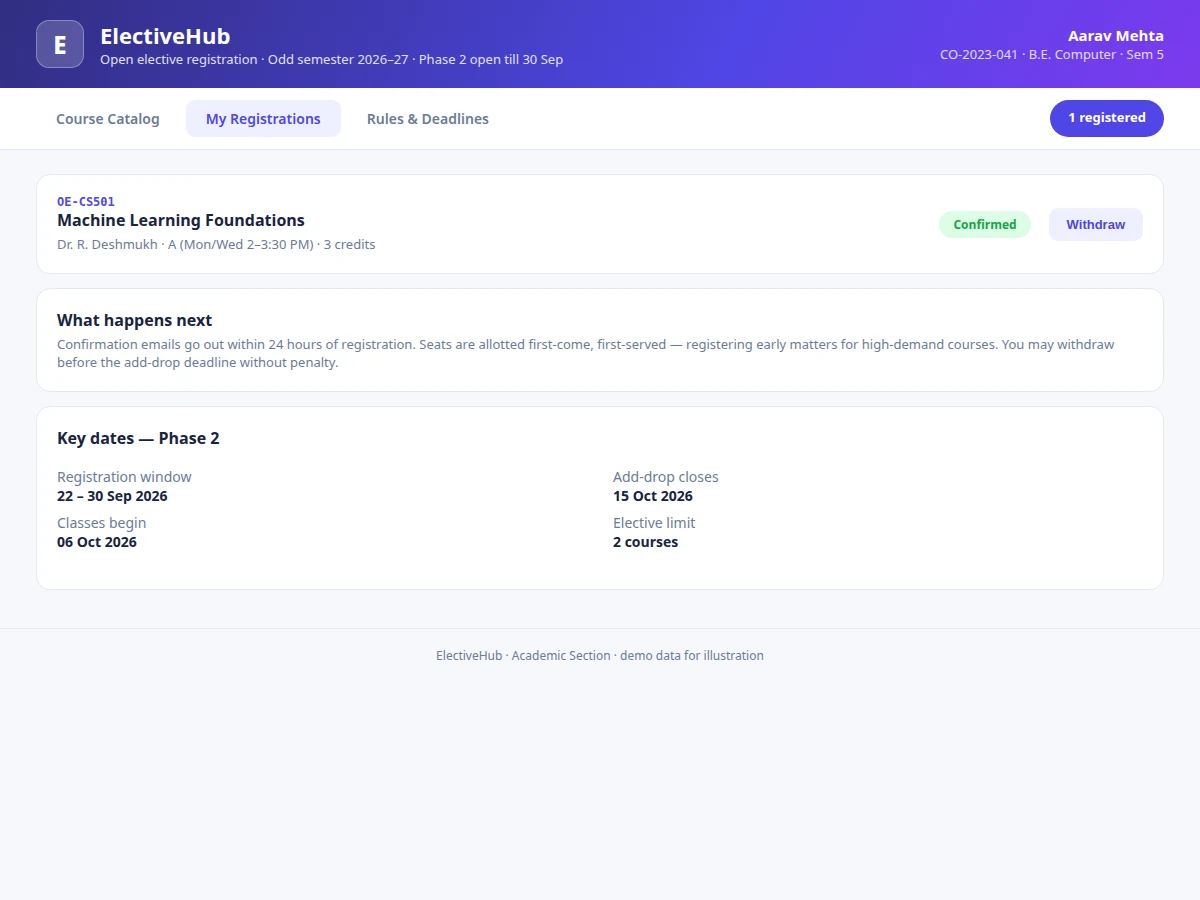
- The registrations view lists each entry with a Confirmed or Waitlist status pill and a Withdraw button; the header pill keeps a live registration count.
- All state persists for the session in the page, so the demo flow (search → details → register → waitlist → withdraw) is fully repeatable.
Tech stack:
- HTML5, CSS3 (modern card-based theme)
- Vanilla JavaScript (no frameworks)
- In-memory course dataset + registration state store
- URL-hash navigation (catalog / registrations / rules)
- No backend, no dependencies — runs offline
| Parameter | Value |
|---|---|
| Courses in catalog | 12 across 5 departments (as shipped) |
| Filters | Text search + department + semester (3 filters) (as shipped) |
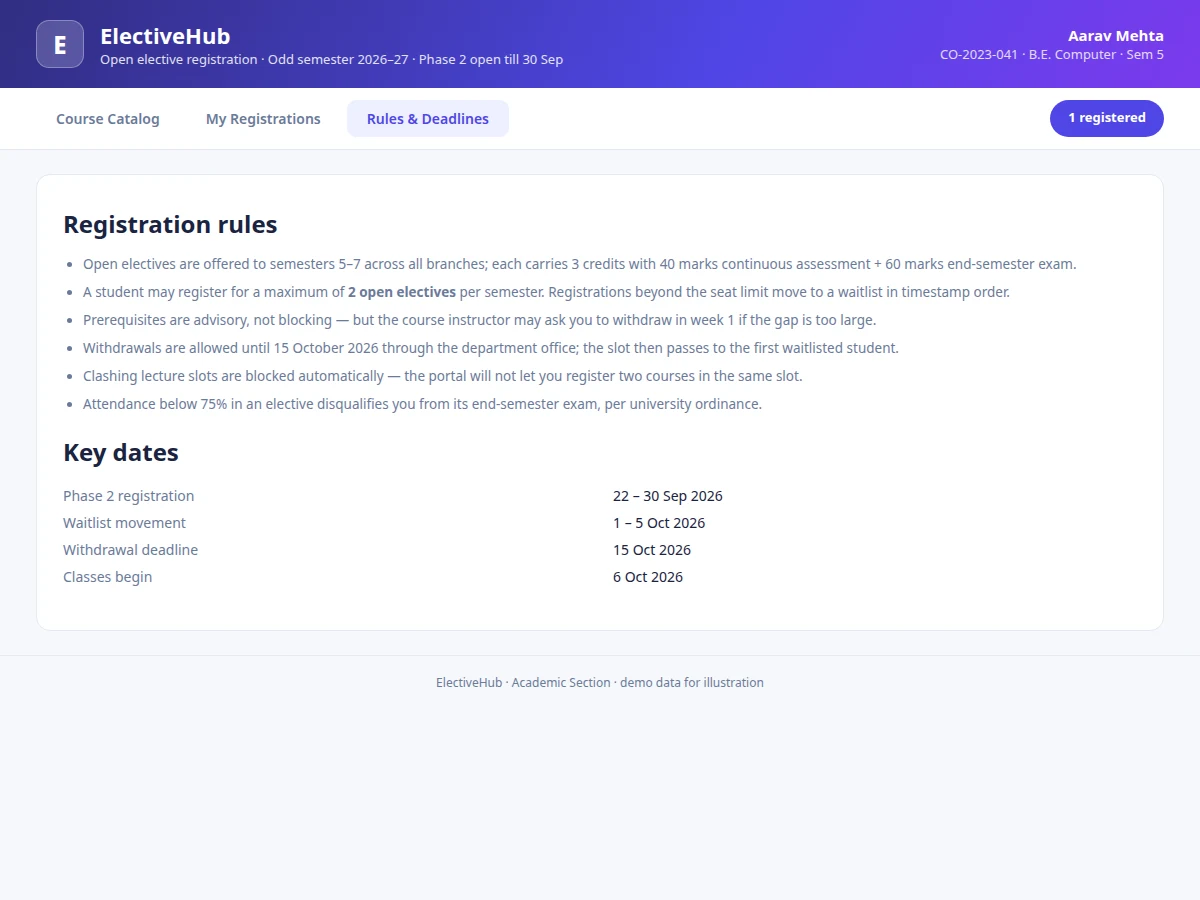
| Registration limit | 2 electives per student (policy, enforced in UI copy) |
| Waitlist | Automatic with position number (as shipped) |
| Views | Catalog, course detail, registrations, rules (4 views) (as shipped) |
| Dependencies | None — zero npm packages (as shipped) |
| File size | Single HTML file, approximately 19 KB (expected) |
| Browser support | Chrome, Edge, Firefox, Safari (current versions, expected) |
Project features
- [Searchable course catalog] Twelve electives across five departments with text search plus department and semester filters.
- [Live seat tracking] Fill bars and seats-left counts on every card, with low-seat warnings when five or fewer remain.
- [Course detail pages] Faculty, credits, lecture slot, prerequisites, tags and an indicative module-wise syllabus per course.
- [Registration with waitlist] One-click register; full courses place the student on a numbered waitlist automatically.
- [Registrations view] Confirmed/waitlisted status pills, withdraw buttons, and a live count pill in the navigation.
- [Rules and deadlines page] The two-elective limit, waitlist movement window, withdrawal deadline and attendance ordinance, published in-app.
- [Zero-setup delivery] One HTML file, no frameworks, no server — runs offline in any lab browser.
What is included
- Complete single-file web app (all four views + registration engine)
- Documented course dataset and state-management code
- Project report PDF (background, workflow analysis, methodology, screenshots)
- PPT presentation for final review
- Viva Q&A preparation document (state design, filter UX, waitlist logic, deployment path)
- User guide for running and demonstrating the portal
Limitations & prerequisites
- Demo build has no backend: no real student login, no persistent seat locking across users, no email confirmations.
- The two-elective limit is stated in policy copy; hard enforcement against a real student record needs the backend (listed as future scope).
- Timetable clash detection is described in rules but not auto-enforced in this build.
- Course data is a curated demo set; connecting a real academic database needs the backend extension.
Frequently Asked Questions
Is this a complete registration system?
It is a complete front-end workflow demo: catalog, details, registration, waitlist and withdrawal all work. Real multi-user seat locking and logins need the backend extension documented in future scope.
How does the waitlist work?
When a course is full, registering places you on the waitlist with a position number (overflow order). Withdrawing frees the slot for the demo flow.
Can the academic section actually use this?
The UI and workflow are production-shaped; the report documents exactly what a backend must add (auth, seat locking, email) to take it live.
How many courses and departments are included?
Twelve electives across Computer, Electronics, Mechanical, Humanities and Management, each with faculty, slot, syllabus and prerequisites.
What should I be able to explain in the viva?
The registration state machine (confirmed vs waitlisted), how filters compose, why seat data must move server-side for production, and the UX decisions behind the seat bars — all in the Q&A document.
Is this project suitable for a final-year project?
Yes — for Computer Science, IT and Web Development programs. It demonstrates state management, filter UX, workflow design and a real campus problem solved end to end. Suitable for B.E./B.Tech final-year projects in Computer Science, IT and Web Development.
Components & software requirements
- HTML5, CSS3 (modern card-based theme)
- Vanilla JavaScript (no frameworks)
- In-memory course dataset + registration state store
- URL-hash navigation (catalog / registrations / rules)
- No backend, no dependencies — runs offline
Delivery information
Built-to-order project. Delivery timeline is shared after order confirmation based on current queue.
Support terms
Complete documentation, setup guide, and viva preparation included. Support for setup and explanation provided.
Download free synopsis (PDF)
Enter your name and WhatsApp number — the synopsis PDF downloads immediately. We may send occasional project updates on WhatsApp; no spam.