
More project photos (3)
Watch it work
The problem
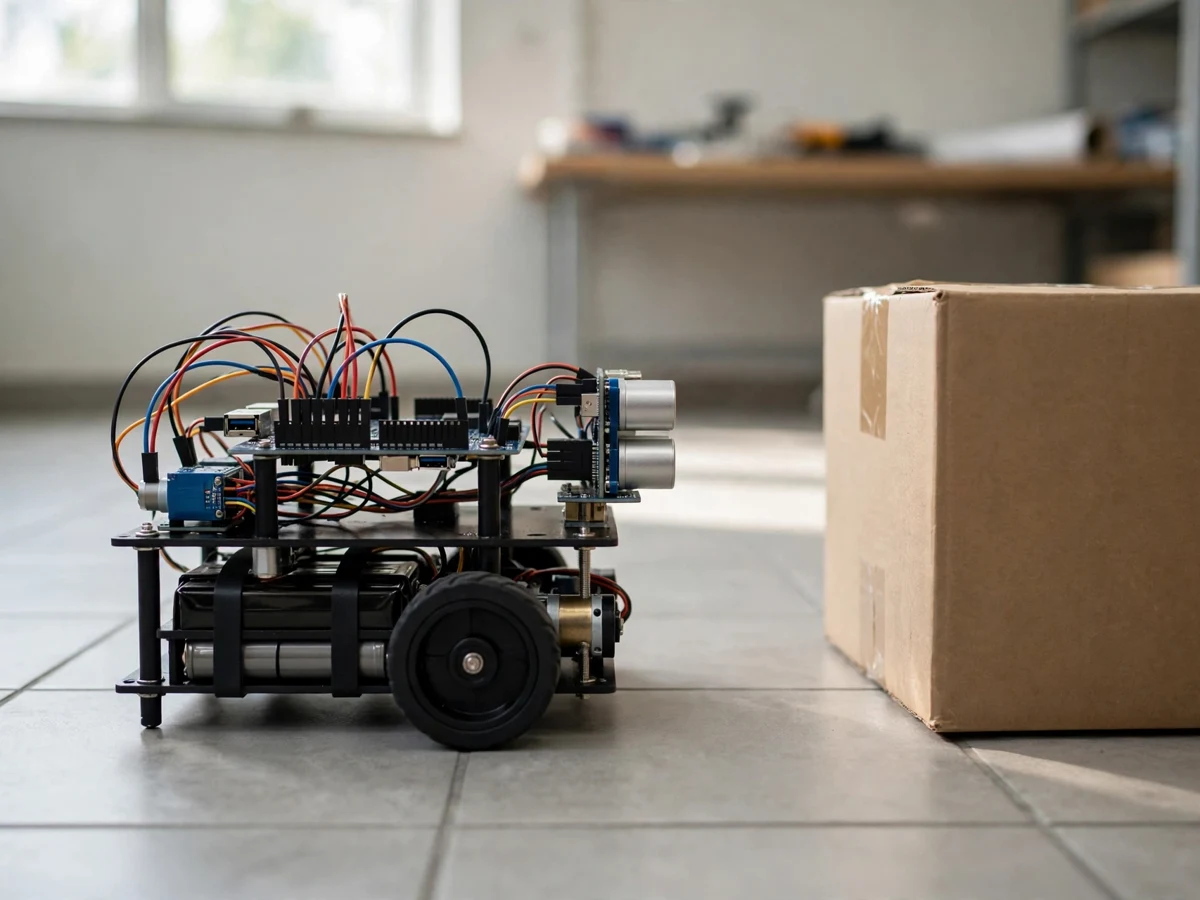
A remote-controlled car only moves where its driver tells it to, and it still crashes if the driver misjudges a gap. An obstacle avoiding robot removes the driver from that loop: a sensor watches the space ahead, a controller decides when that space is too tight, and the motors carry out the turn. This project builds that system at tabletop scale: an Arduino reads an ultrasonic sensor mounted on the front of a two-wheel robot, and a motor driver runs the two gear motors. The demonstration is deliberately simple to check — the robot drives forward on a floor, a box is placed in its path, the robot turns away from the box instead of hitting it, and it drives off in a new direction.
How it works
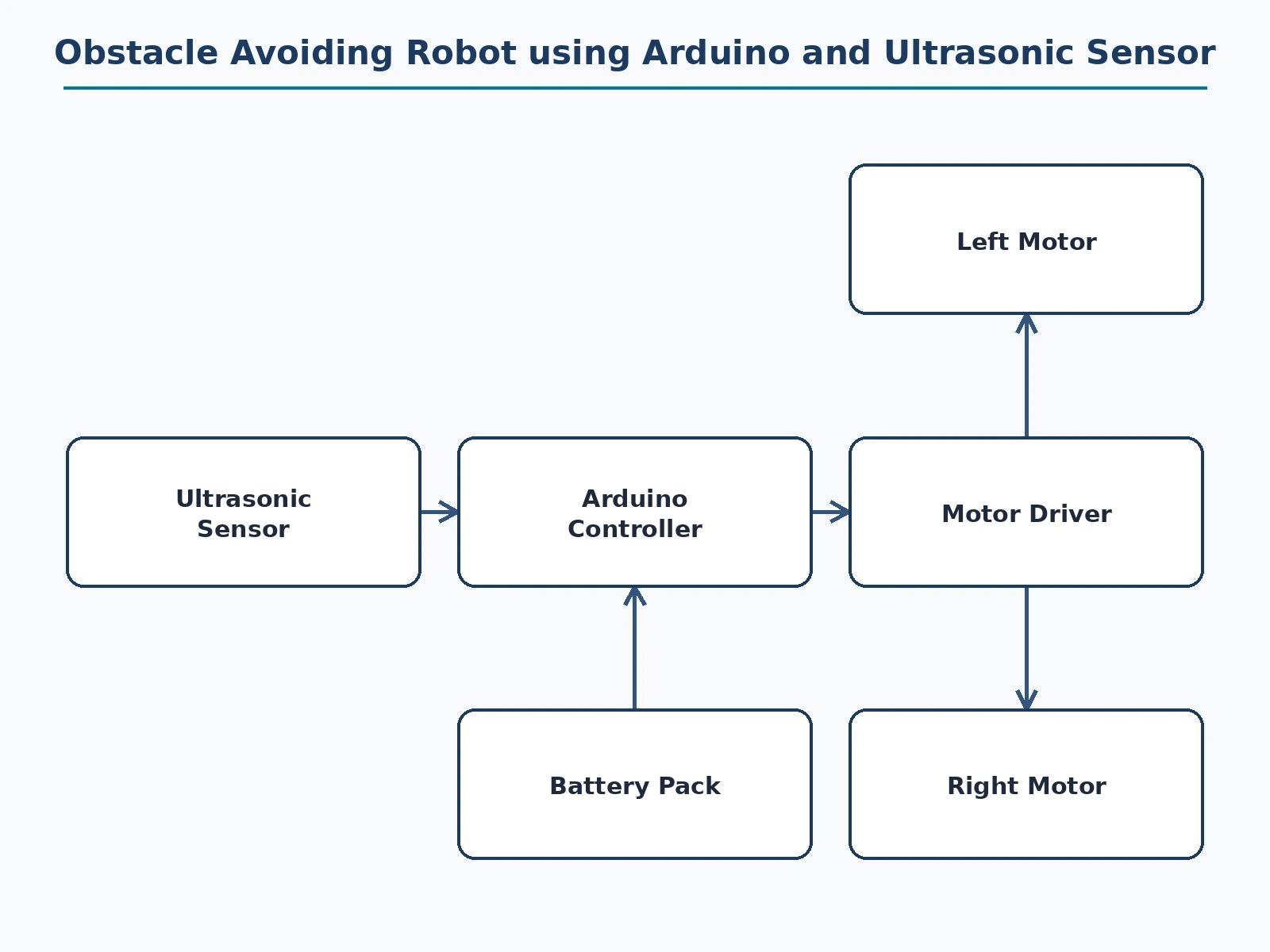
- The ultrasonic sensor sends out a sound pulse and measures how long its echo takes to return, converting that time into the distance to the nearest obstacle ahead.
- The Arduino reads that distance repeatedly while the robot drives forward on its two motors.
- While the distance stays above the set threshold, the robot keeps driving straight ahead.
- When an obstacle comes within the threshold distance, the Arduino stops both motors so the robot does not drive into it.
- The robot then turns away from the obstacle toward a direction the sensor reports as clear.
- With the path clear again, the robot resumes driving forward, and the loop repeats for the next obstacle.
Tech stack:
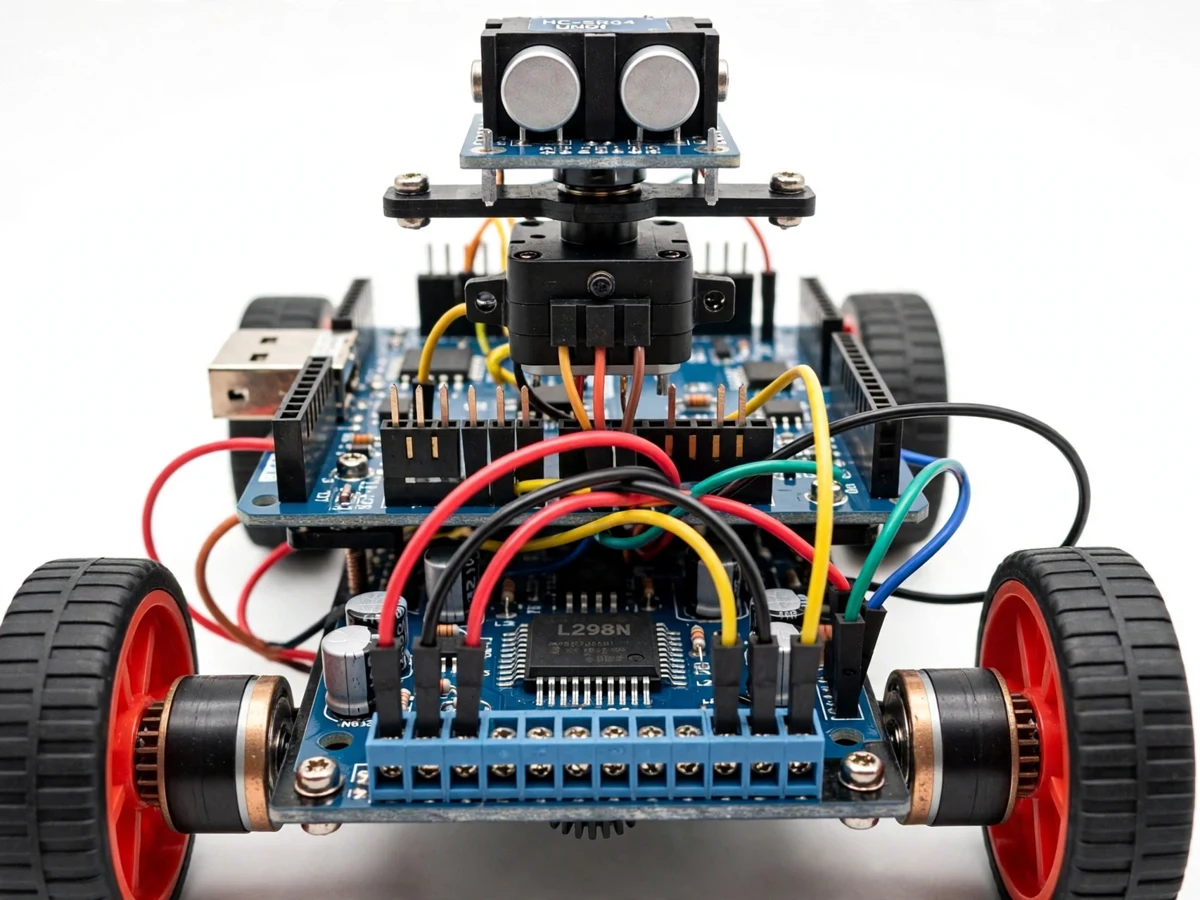
- Arduino controller board · sensor reading and motor control
- Ultrasonic sensor · distance measurement ahead of the robot
- Motor driver board · two gear motor drive
- Two-wheel robot chassis · gear motors and wheels
- Battery pack · onboard power for controller and motors
- Jumper wiring · bench prototype wiring
- Obstacle threshold logic · stop and turn at a set distance
- 5 V controller supply · controller and sensor power
| Parameter | Value |
|---|---|
| Sensing | Ultrasonic distance measurement ahead of the robot (design target) |
| Controller | Arduino board reading the sensor and driving both motors (design target) |
| Drive | Two gear motors through a motor driver board · forward and turning (design target) |
| Avoidance | Stop and turn when an obstacle is within the set threshold distance (design target) |
| Power | Onboard battery pack for controller, sensor and motors (design target) |
| Demonstration surface | Open indoor floor with boxes or furniture as obstacles (design target) |
| Not included | Camera · live video feed · remote control app · line following · mapping (not in this build) |
Project features
- [Ultrasonic distance sensing] An ultrasonic sensor on the front measures the distance to whatever is ahead, so the robot knows an obstacle is coming before it touches it. Implemented in the base prototype.
- [Automatic stop and turn] When the measured distance falls below the set threshold, the robot stops and turns away from the obstacle instead of driving into it. Implemented in the base prototype.
- [Two-motor drive] Two gear motors driven through a motor driver board give forward motion and turning from the same drive, with no steering mechanism to build. Implemented in the base prototype.
- [Arduino decision loop] The Arduino reads the sensor, compares the distance with the threshold, and drives the motors, repeating that loop continuously while the robot runs. Implemented in the base prototype.
- [Visible avoidance result] Every avoidance is visible: the robot approaches an obstacle, changes direction, and drives off clear, so the demonstration can be repeated with obstacles in different places. Implemented in the base prototype.
- [Battery-powered tabletop robot] The robot runs from an onboard battery pack, so the demonstration works on any open floor without a tether or a bench supply. Implemented in the base prototype.
What is included
- Working prototype: Arduino board, ultrasonic sensor, motor driver board, two-wheel chassis with gear motors, and battery pack, wired and tested
- Firmware for ultrasonic distance measurement, threshold comparison, and stop-and-turn avoidance
- Demonstration procedure, including placing obstacles in different positions and showing the robot turning away each time
- Circuit and wiring documentation with labelled connections for every wire
- Component list with the exact parts used in the build
- Project report PDF (background, ultrasonic sensing, avoidance logic, methodology, limitations)
- PPT presentation for final review
- Viva Q&A preparation document (ultrasonic measurement, threshold choice, turning behaviour, sensor limits)
Limitations & prerequisites
- The ultrasonic sensor only sees what is directly ahead of it: obstacles to the side or behind the robot are not detected, and the demonstration must not be presented as full surroundings awareness.
- Soft, angled, or very small obstacles can reflect the sound pulse away or return a weak echo, so the sensor may read them late or miss them, and the demonstration should use solid, flat-faced obstacles such as boxes.
- The robot is a tabletop demonstration on an indoor floor: it is not a certified autonomous vehicle, it carries no safety certification, and it must not be used where a collision could cause injury or damage.
- The avoidance threshold is a fixed setting, not adaptive navigation: the robot does not map a room, remember where obstacles were, or plan a route, and the report must state that boundary plainly.
- Battery voltage affects motor speed as the pack discharges, so avoidance turns can look different late in a long demonstration, and the battery should be checked before a viva run.
- The prototype is a tabletop demonstration: it is not a certified product, and it must not be fitted as the sole control for real vehicles or machinery.
Frequently Asked Questions
How does the robot know an obstacle is there?
The ultrasonic sensor sends a sound pulse forward and times its echo. The Arduino converts that time into a distance, and when the distance falls below the set threshold it treats the space ahead as blocked and turns the robot away.
Who is this project suitable for?
Electronics, Electrical, and IoT students, because it combines sensor interfacing, a simple decision loop, and motor driving into one demonstration with a result that is easy to verify in a viva: a robot that turns away from a box instead of hitting it.
Does the robot remember the room or plan a route?
No. It reacts only to the distance directly ahead of it right now. It does not build a map, remember past obstacles, or choose a destination, and the viva should discuss that limit honestly rather than presenting it as full navigation.
What kind of obstacles work best for the demonstration?
Solid, flat-faced obstacles such as cardboard boxes on an open floor. Soft, steeply angled, or very small objects can return a weak echo and may be detected late or missed.
Can the robot be steered by remote control as well?
Not in this build. The base build is fully automatic: it drives forward and avoids obstacles on its own, with no remote control, app, or camera, and those would be scope changes, not free additions.
Components & software requirements
- Arduino controller board · sensor reading and motor control
- Ultrasonic sensor · distance measurement ahead of the robot
- Motor driver board · two gear motor drive
- Two-wheel robot chassis · gear motors and wheels
- Battery pack · onboard power for controller and motors
- Jumper wiring · bench prototype wiring
- Obstacle threshold logic · stop and turn at a set distance
- 5 V controller supply · controller and sensor power
Delivery information
Built-to-order project. Delivery timeline is shared after order confirmation based on current queue.
Support terms
Complete documentation, setup guide, and viva preparation included. Support for setup and explanation provided.
Download free synopsis (PDF)
Enter your name and WhatsApp number — the synopsis PDF downloads immediately. We may send occasional project updates on WhatsApp; no spam.