
More project photos (2)
The problem
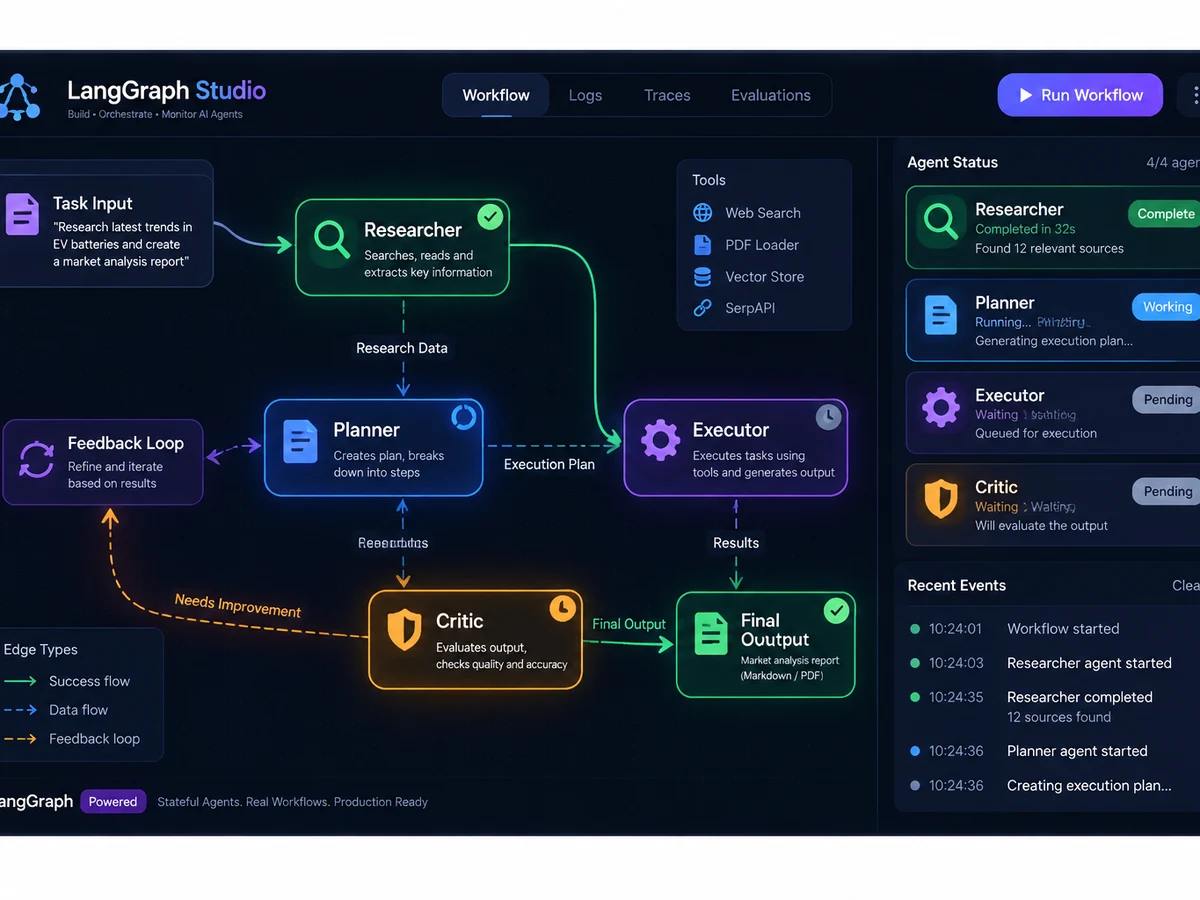
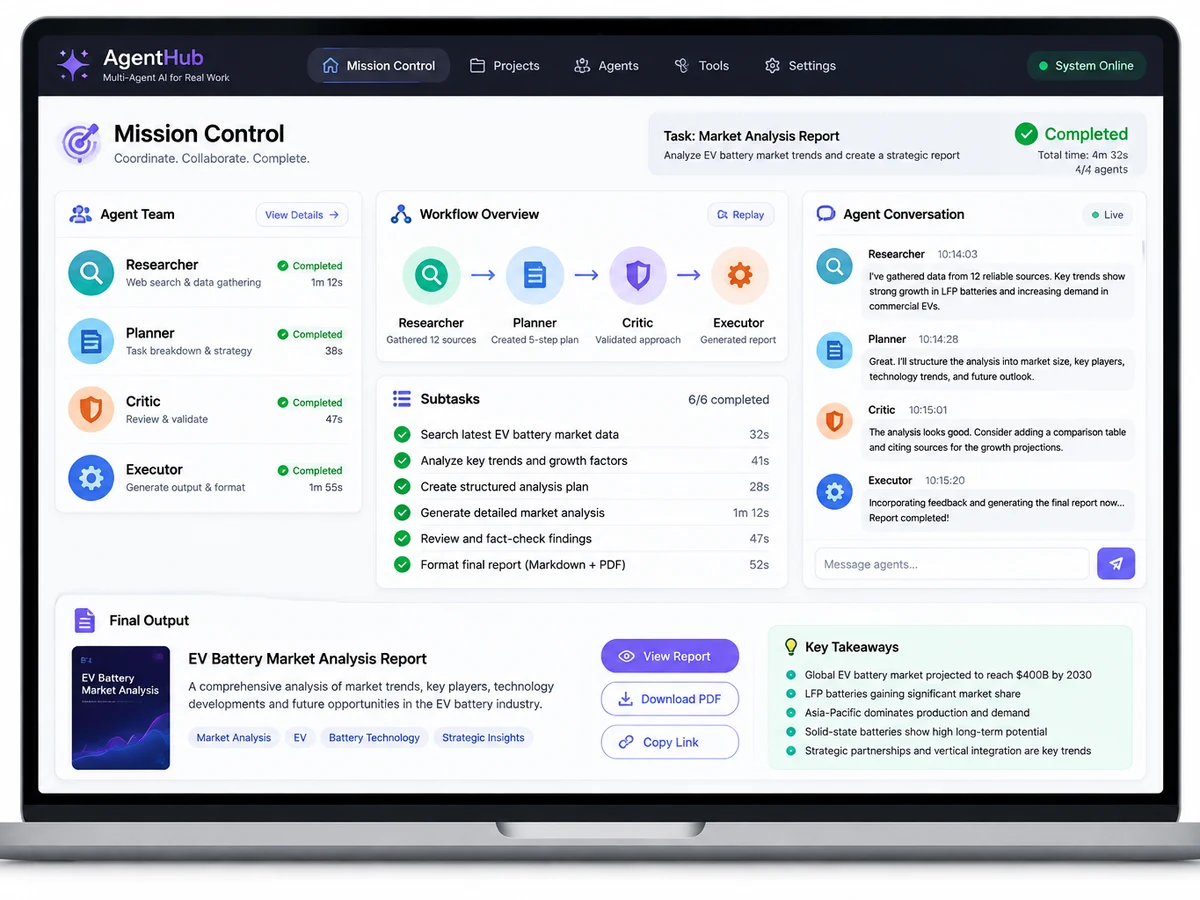
Single-prompt chatbots are 2023. The 2026 skill employers ask about is agentic AI — teams of specialized AI agents that plan, research, critique, and refine work autonomously. This project builds one with LangGraph: a Researcher agent gathers information with web search and RAG, a Planner agent structures it into a plan, and a Critic agent challenges weaknesses until the output passes quality gates — all visible in a Streamlit control room showing the live agent graph, message flow, and intermediate artifacts. "AI agent final year project" is the fastest-growing keyword on our SEO list with essentially zero kit-seller competition. First-mover pages win.
How it works
How it works:
- The user submits a mission (e.g., "validate this startup idea") in the control room.
- LangGraph routes the mission through the agent graph: Researcher gathers evidence via search and RAG, Planner structures findings, Critic evaluates against quality rubrics.
- Failed critiques loop back with specific feedback; the graph iterates until quality gates pass or max iterations hit.
- Every agent step, tool call, and message is logged and visualized live in the control room.
- The final artifact (validation report / literature review) is exported with its full trace — the evidence trail examiners love.
Project features
Features:
- Three cooperating agents — Researcher, Planner, Critic — orchestrated as a LangGraph state machine
- Researcher uses web search + RAG over uploaded documents for grounded information gathering
- Planner decomposes goals into structured task plans with dependencies
- Critic scores drafts against rubrics and sends them back for revision loops
- Streamlit control room: live agent graph, inter-agent messages, token usage, and artifacts
- Two demo missions included: startup idea validation and literature-review assistant
- Human-in-the-loop checkpoints: approve or redirect agents mid-run
- Run history with full trace logs for the report and viva walkthrough
What is included
What's included:
- Complete source code (agent definitions, graph, control room)
- Two ready demo missions with sample outputs
- Project report PDF (synopsis, agentic-AI literature, architecture, evaluation, conclusion)
- Presentation PPT for review/demo day
- Viva Q&A sheet covering agents vs chains, LangGraph concepts, RAG, and evaluation of agent systems
- Setup guide (API keys, local-LLM option, running missions)
Limitations & prerequisites
Limitations:
- Agent runs consume LLM API tokens; the guide includes cost-control settings and a local-LLM (Ollama) option to run free
- Output quality depends on the underlying LLM — the architecture, not any single model, is the project
- Multi-agent loops can be slow (minutes per mission); the control room shows progress live
- Web-search grounding needs internet; offline mode restricts the researcher to uploaded documents
- Evaluation of agent systems is an open research area — the report uses task-completion rubrics honestly
Components & software requirements
Tech stack:
- Python 3.10+
- LangGraph (agent orchestration, state machines)
- LangChain (tooling, chains, document loaders)
- LLM API (OpenAI-compatible; local LLM option documented)
- FAISS/Chroma (RAG vector store)
- Tavily/DuckDuckGo search API (researcher web access)
- Streamlit (control room UI)