
More project photos (5)
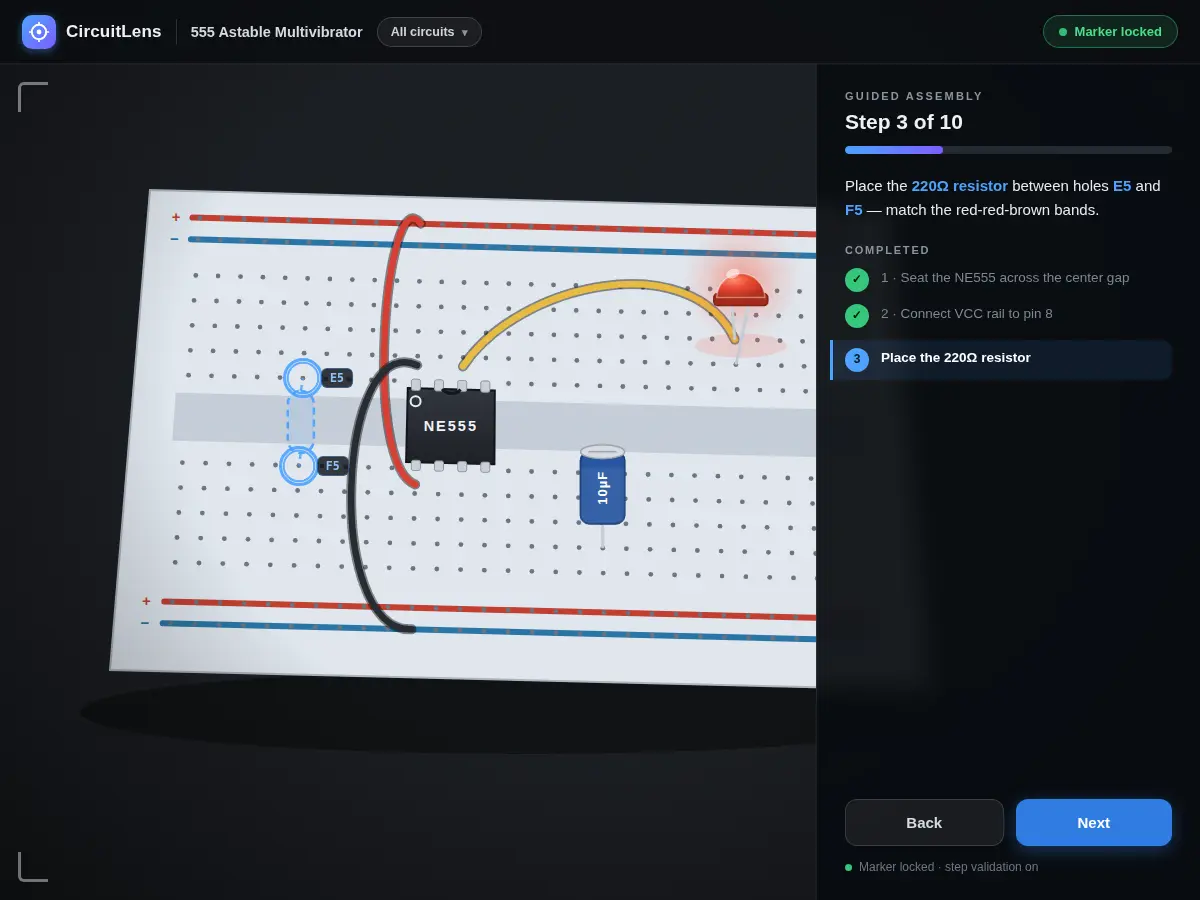
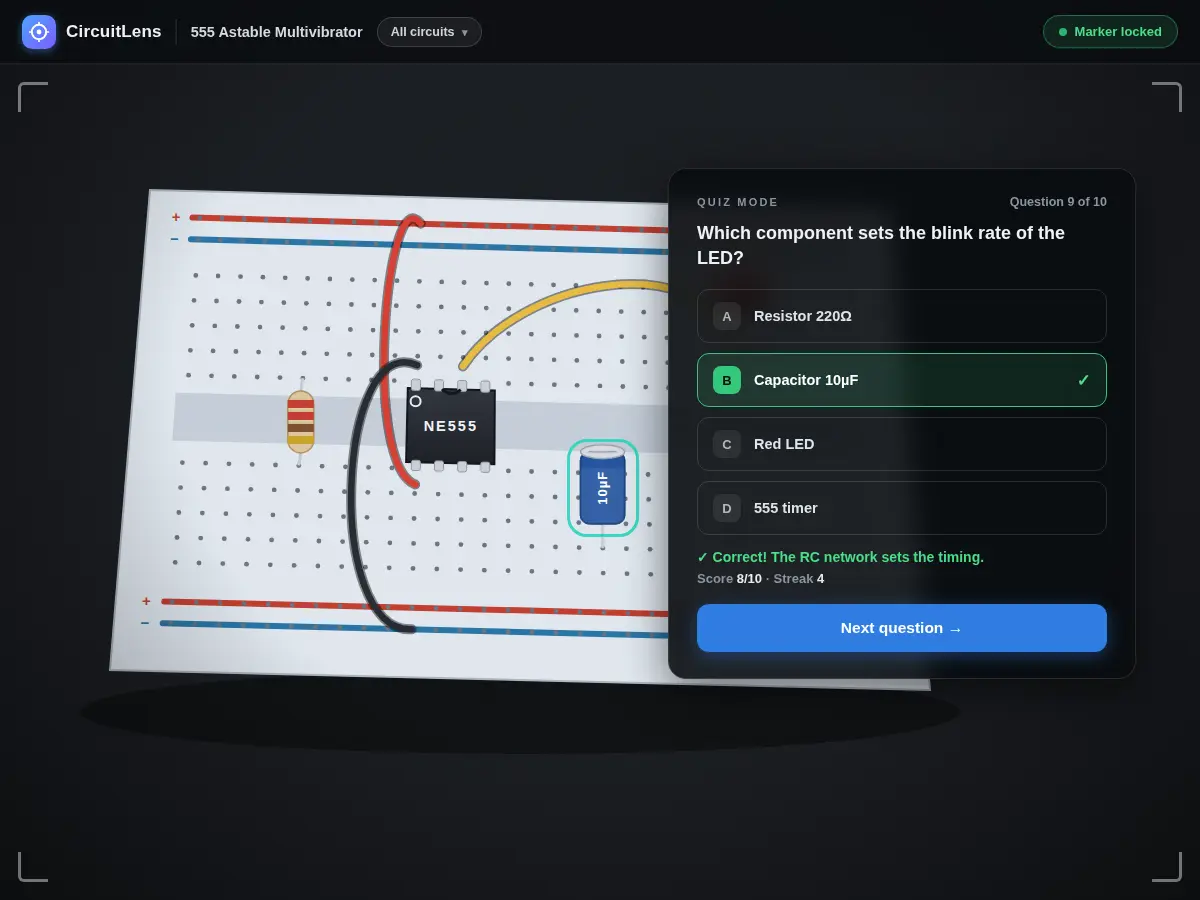
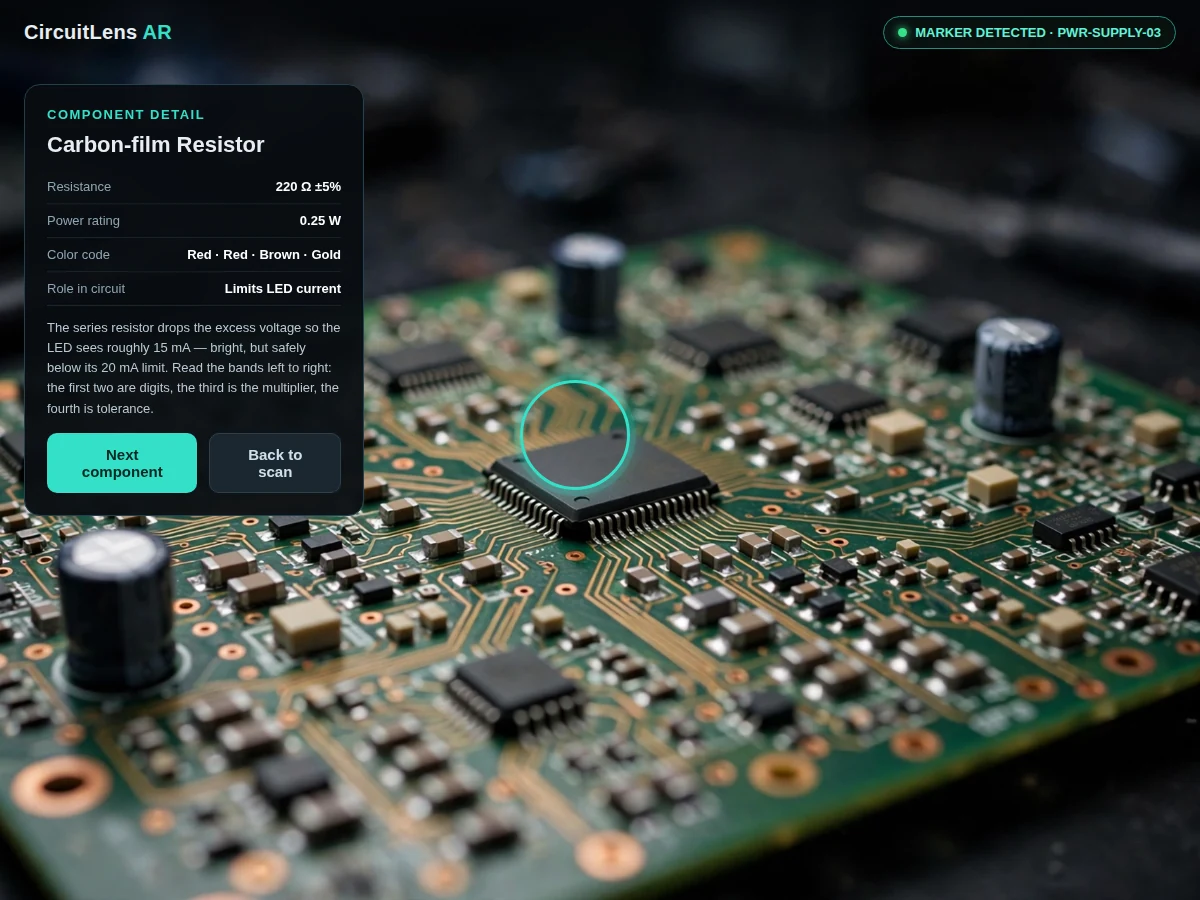
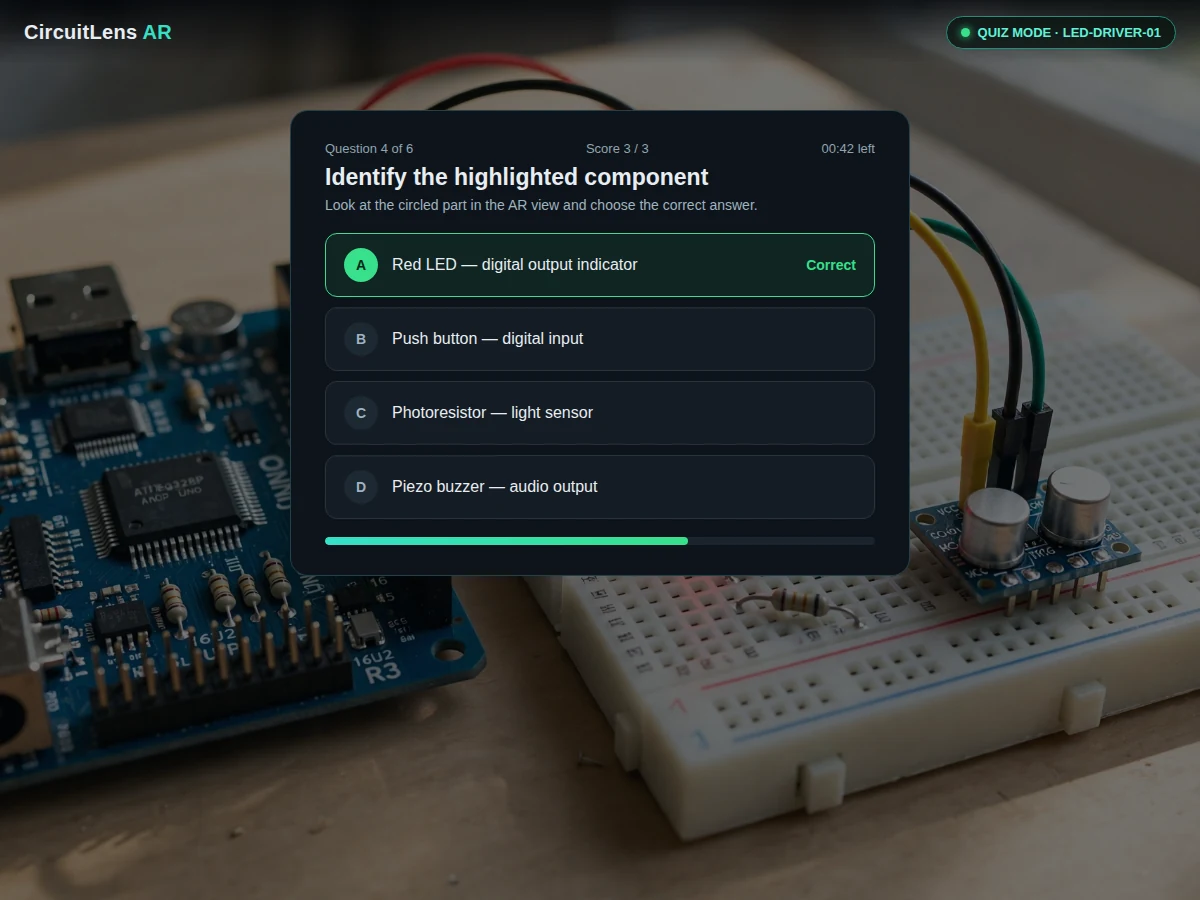
The problem
In electronics laboratories, students constantly struggle to connect schematic symbols on paper with the physical components in front of them — which resistor is which, what that IC does, why the LED needs a series resistor. Lab assistants end up repeating the same explanations for every batch, and static wall charts cannot answer "what is this part right here." Augmented reality closes that gap: point a phone camera at the circuit and the explanation appears exactly where the component sits. This project implements that idea with marker-based AR — printed fiducial markers identify each lab board, and the app overlays component callouts, values and theory notes in real time. Because the content is data-driven, instructors can add new boards by printing a marker and writing a short JSON profile. The build is honest about its scope: it recognizes registered boards through markers rather than claiming to identify arbitrary circuits with AI.
Points the phone at a lab board, reads AR callouts and answers quiz questions.
Follow the working sequence
How it works
- The instructor prints the marker set and places the matching marker beside each lab circuit board.
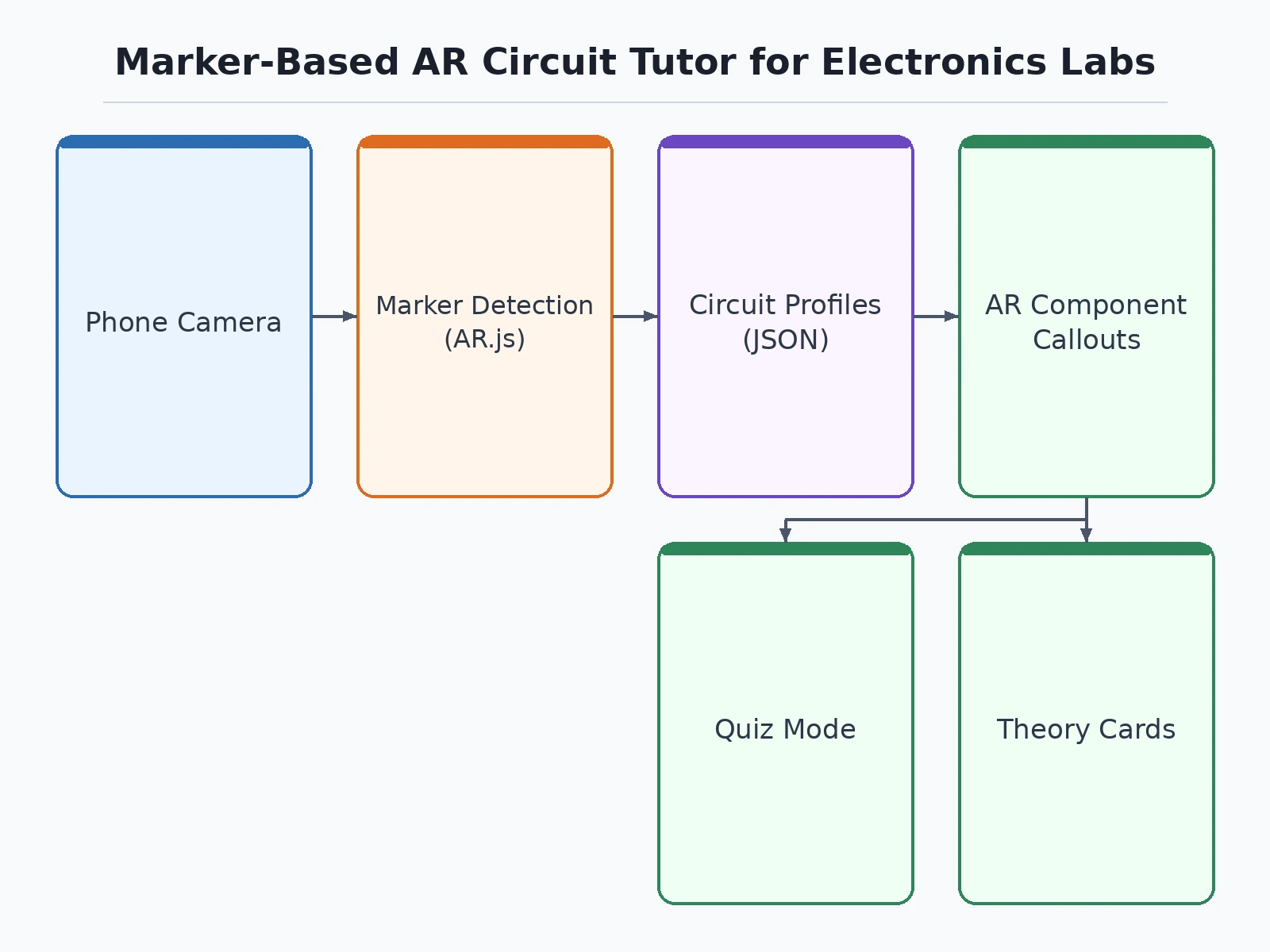
- The student opens the app and points the phone camera at a board; AR.js detects the fiducial marker and identifies the circuit.
- The app loads that circuit's JSON profile and renders floating callouts over each component with name, value and function.
- Tapping any callout opens its theory card with a short explanation and value-reading guidance.
- In quiz mode, the app highlights one component and presents multiple-choice options; the session score is shown at the end.
- New boards are added by generating a marker, printing it and writing a matching JSON profile following the documented schema.
Tech stack:
- AR.js (fiducial marker tracking) on HTML5 getUserMedia camera feed
- JavaScript (ES6), HTML5, CSS3
- JSON circuit profiles with documented schema
- Printable custom marker set (5 boards included)
- Progressive Web App wrapper for installable offline use
| Parameter | Value |
|---|---|
| Tracking | Fiducial marker detection (AR.js); not ML-based recognition |
| Camera | Rear camera, 720p or better recommended |
| Included boards | 5 circuit profiles with printed markers |
| Marker size | Approximately 5 × 5 cm printed (design target; larger improves range) |
| Content format | JSON profiles; documented schema for new boards |
| Offline support | Full offline after first install (PWA) |
| Quiz scoring | Per-session score, stored locally |
| Platform | Android Chrome recommended; installable PWA |
Project features
- [Marker-based board recognition] Printed fiducial markers placed next to a breadboard or PCB are detected by the phone camera; each marker ID loads the matching circuit profile with its component map.
- [AR component callouts] Every registered component gets a floating label showing its name, value (for example 220 Ω) and one-line function, pinned to its position on the board.
- [Interactive theory cards] Tapping a callout opens a short explainer — what the component does in this circuit, how to read its value and common mistakes students make with it.
- [Quiz mode] The app highlights a component through the AR view and asks the student to identify it; scores are tracked per session for self-assessment.
- [Five ready lab circuits] LED driver, voltage divider, 555 timer astable, transistor switch and RC filter — each with its own printed marker and full component profile.
- [Offline-first design] Markers, circuit profiles and all content are bundled with the app, so it works in labs with no internet after the first install.
- [Instructor content editor] Circuit profiles are plain JSON files; adding a new board means printing a new marker and writing a profile — no app rebuild needed.
What is included
- Complete source code (AR views, quiz mode, content editor schema)
- Printable marker set for 5 lab circuits (PDF)
- 5 ready circuit profiles (LED driver, voltage divider, 555 timer, transistor switch, RC filter)
- Setup guide (hosting the PWA, printing markers, adding new boards)
- Project report PDF (background, AR tracking approach, methodology, testing notes)
- PPT presentation for final review
- Viva Q&A preparation document (AR concepts, marker tracking, WebAR, content design)
Advantages
- Marker-based board recognition — printed fiducial markers beside a breadboard or PCB load the matching circuit profile with its component map.
- AR component callouts: every registered component gets a floating label with its name, value (for example 220 Ω) and one-line function, pinned to its position on the board.
- Interactive theory cards on tap — what the component does in this circuit, how to read its value, and common mistakes students make with it.
- Quiz mode highlights a component through the AR view and asks the student to identify it, with scores tracked per session.
- Progressive Web App — runs in the phone browser with no install; printable fiducial marker set included.
Disadvantages
- Only registered boards are recognized — the app identifies markers, not arbitrary circuits; an unregistered board shows no overlays.
- Detection needs adequate lighting and a clearly printed, unobstructed marker; glare, blur or a partially covered marker breaks tracking.
- The student must hold the phone while working, which can be awkward during hands-on wiring — a stand is recommended.
- Camera permission is required; the app cannot function if permission is denied.
- iOS Safari has limited WebAR support, so the full experience targets Android Chrome.
Limitations & prerequisites
- Only registered boards are recognized — the app identifies markers, not arbitrary circuits; an unregistered board shows no overlays.
- Detection needs adequate lighting and a clearly printed, unobstructed marker; glare, blur or a partially covered marker breaks tracking.
- The student must hold the phone while working, which can be awkward during hands-on wiring — a stand is recommended.
- Camera permission is required; the app cannot function if permission is denied.
- iOS Safari has limited WebAR support, so the full experience targets Android Chrome.
- Marker print size and camera quality set the usable detection range; very small markers need the phone held close.
Frequently Asked Questions
How does the board recognition work?
Each lab board gets a printed fiducial marker with a unique ID. The phone camera detects the marker pattern (AR.js) and the app loads the matching circuit profile — there is no machine-learning classifier involved.
Can I add my own circuits?
Yes. Generate a new marker, print it, and write a JSON profile listing the components, their positions, values and theory notes, following the documented schema. No code changes are needed.
Does it need internet?
Only for the first install. After that the PWA works fully offline, which suits labs with poor connectivity.
Which phones does it work on?
Any Android phone with a rear camera running Chrome. iOS Safari's WebAR support is limited, so Android is the recommended demo platform.
Is this an AI project?
No. It uses deterministic fiducial-marker tracking, not an ML model — the listing states this openly so the viva discussion stays accurate.
Is this project suitable for a final-year project?
Yes — for Electronics, Electrical and Computer Engineering programs. It demonstrates augmented reality, human-computer interaction, camera-based tracking and educational content design. Suitable for B.E./B.Tech final-year projects in Electronics, Electrical and Computer Engineering.
Components & software requirements
- AR.js (fiducial marker tracking) on HTML5 getUserMedia camera feed
- JavaScript (ES6), HTML5, CSS3
- JSON circuit profiles with documented schema
- Printable custom marker set (5 boards included)
- Progressive Web App wrapper for installable offline use
Delivery information
Built-to-order project. Delivery timeline is shared after order confirmation based on current queue.
Support terms
Complete documentation, setup guide, and viva preparation included. Support for setup and explanation provided.
Download free synopsis (PDF)
Enter your name and WhatsApp number — the synopsis PDF downloads immediately. We may send occasional project updates on WhatsApp; no spam.
Mobile Augmented Reality in Education: Recognition of Electronic Component, JEEMECS