
More project photos (3)
The problem
Buying furniture from a catalogue photo is a gamble — a sofa that looked compact online overwhelms the living room, and returning it is expensive. Augmented reality removes the guesswork by showing true-scale furniture inside the actual room before anything is bought. This project implements that as a WebAR app: the phone camera detects the floor plane, catalog items carrying real dimensions are placed at true scale, and gestures move, rotate and resize them. A built-in AR tape measure, saved room designs and a before/after comparison round it into a usable design tool. The build stays honest about the technology: markerless plane tracking is approximate, dimension accuracy is device-dependent, and the models represent furniture rather than replicating any manufacturer's exact product.
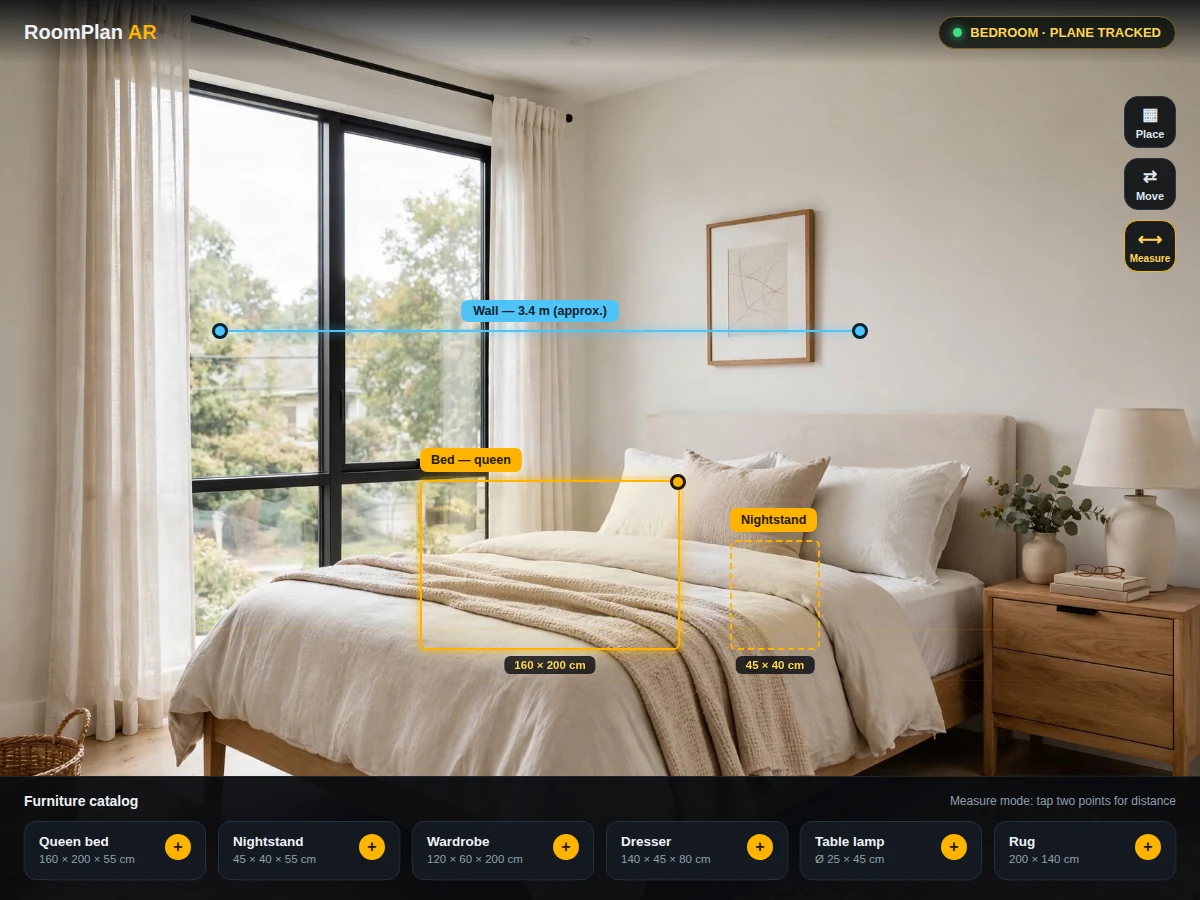
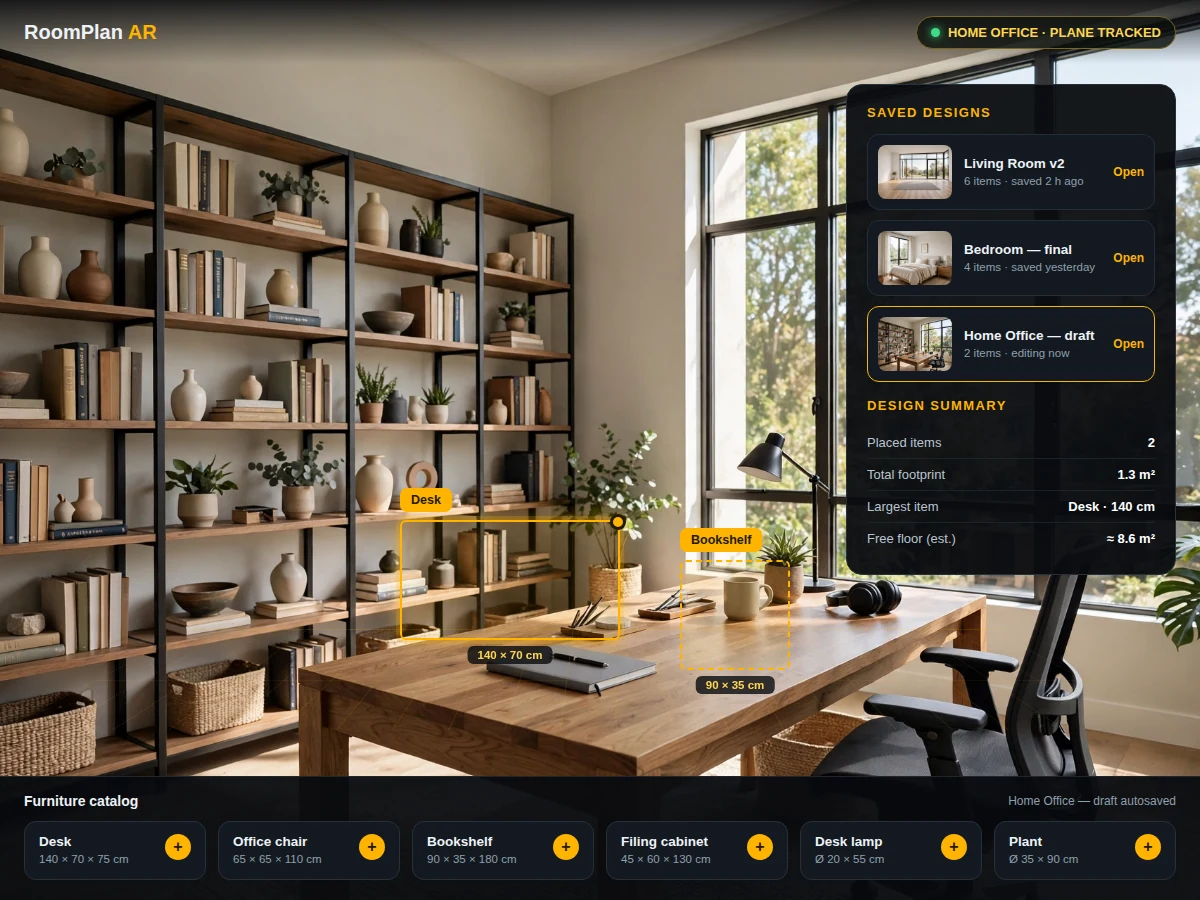
Browses the catalog, places furniture with gestures and saves room designs.
Follow the working sequence
How it works
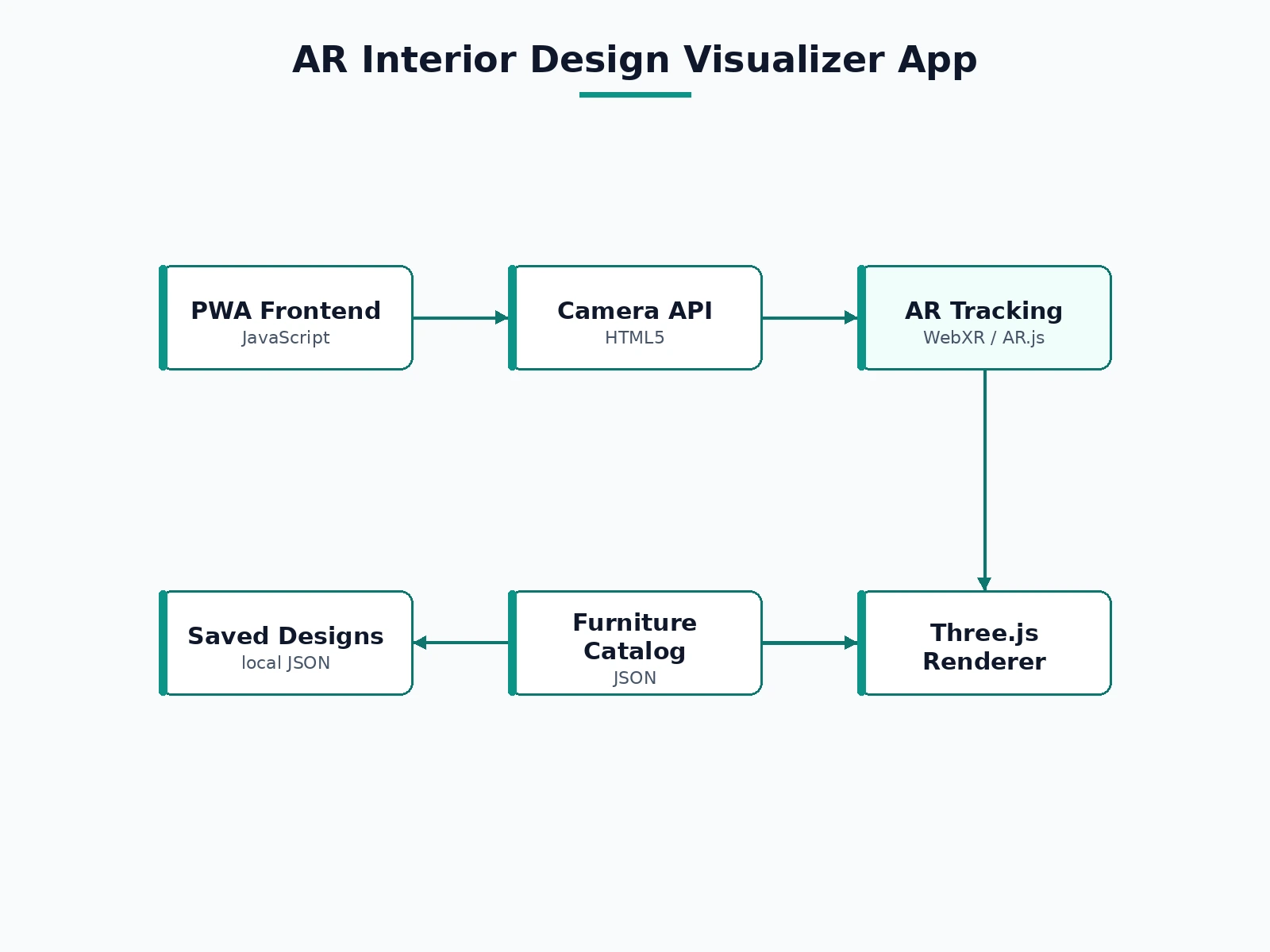
- The user opens the WebAR app and grants camera access; the app begins markerless plane detection on the camera feed.
- Once the floor plane is detected, a subtle grid confirms the tracked surface.
- The user browses the furniture catalog and taps an item; it appears at true scale anchored to the plane.
- Drag, rotate and pinch gestures arrange the piece; the AR tape measures real distances between any two tapped points.
- The arrangement is saved as a named design (JSON) and can be reloaded later for comparison or editing.
- The design summary lists all placed items with dimensions and total footprint for the report or shopping list.
Tech stack:
- WebXR / AR.js (markerless plane detection)
- Three.js (3D furniture rendering)
- JavaScript (ES6), HTML5, CSS3
- JSON furniture catalog and saved-design format
- Progressive Web App wrapper
| Parameter | Value |
|---|---|
| Tracking | Markerless plane detection (no printed markers needed) |
| Rendering | Three.js, true-scale models from catalog dimensions |
| Catalog | 20+ furniture items with dimensions and color variants |
| Measurement | AR tape; approximate — device and lighting dependent |
| Persistence | Named designs saved locally as JSON |
| Platform | ARCore/ARKit-capable Android recommended; installable PWA |
Project features
- [Live AR room view] The camera feed shows the room with a subtle plane grid where the floor has been detected, so placement always starts from a tracked surface.
- [True-scale furniture placement] Every catalog item carries real dimensions; tapping places it at true scale anchored to the detected plane.
- [Move, rotate and resize gestures] Drag to reposition, two-finger rotate, and pinch to scale — with a snap-to-grid option for tidy layouts.
- [Furniture catalog] 20+ items across sofas, tables, beds, chairs and storage, each with dimensions, color variants and a footprint readout.
- [AR tape measure] Tap two points in the room to measure distances — handy for checking whether a piece actually fits a wall.
- [Save and reload designs] Named room designs persist locally; reload any saved layout and compare before/after views.
- [Design summary] Each saved design lists placed items with total footprint and estimated floor coverage.
What is included
- Complete source code (AR view, catalog, measurement tool, design manager)
- Furniture catalog with 20+ dimensioned items
- Setup guide (hosting, HTTPS requirement for camera, supported devices)
- Project report PDF (background, AR tracking approach, methodology, testing notes)
- PPT presentation for final review
- Viva Q&A preparation document (AR concepts, plane detection, WebXR, 3D interaction design)
- Demo guidance with a scripted room walkthrough
Limitations & prerequisites
- Dimensions are approximate (typically within a few centimeters on good devices) — not a substitute for a physical tape measure on critical fits.
- Plane detection needs textured surfaces and decent lighting; plain white floors or dim rooms track poorly.
- Requires an ARCore/ARKit-capable device; older phones fall back to a non-AR preview mode.
- Catalog models represent furniture types rather than replicating any manufacturer's exact product.
- Continuous camera + 3D rendering drains the battery noticeably during long sessions.
Frequently Asked Questions
Does it need printed markers?
No. It uses markerless plane detection — the app finds the floor from the camera feed itself, so any room works without setup.
Which phones are supported?
ARCore-capable Android phones give the full experience; the app is a WebAR PWA, so it installs from the browser with no app-store build.
How accurate are the furniture dimensions?
Approximately true scale — typically within a few centimeters on capable devices in good light. The listing states this openly: verify critical fits with a physical tape.
Can I add my own furniture?
Yes. Catalog entries are JSON with dimensions and a model reference; the documented schema shows how to add items.
Does it need internet?
For the first load, yes (or a local host). Camera access requires a secure context (HTTPS or localhost).
Is this project suitable for a final-year project?
Yes — for Computer Science, Web/Mobile and related programs. It demonstrates augmented reality, 3D graphics, spatial interaction design and mobile UX. Suitable for B.E./B.Tech final-year projects in Computer Science and related programs.
Components & software requirements
- WebXR / AR.js (markerless plane detection)
- Three.js (3D furniture rendering)
- JavaScript (ES6), HTML5, CSS3
- JSON furniture catalog and saved-design format
- Progressive Web App wrapper
Delivery information
Built-to-order project. Delivery timeline is shared after order confirmation based on current queue.
Support terms
Complete documentation, setup guide, and viva preparation included. Support for setup and explanation provided.
Download free synopsis (PDF)
Enter your name and WhatsApp number — the synopsis PDF downloads immediately. We may send occasional project updates on WhatsApp; no spam.