
More project photos (2)
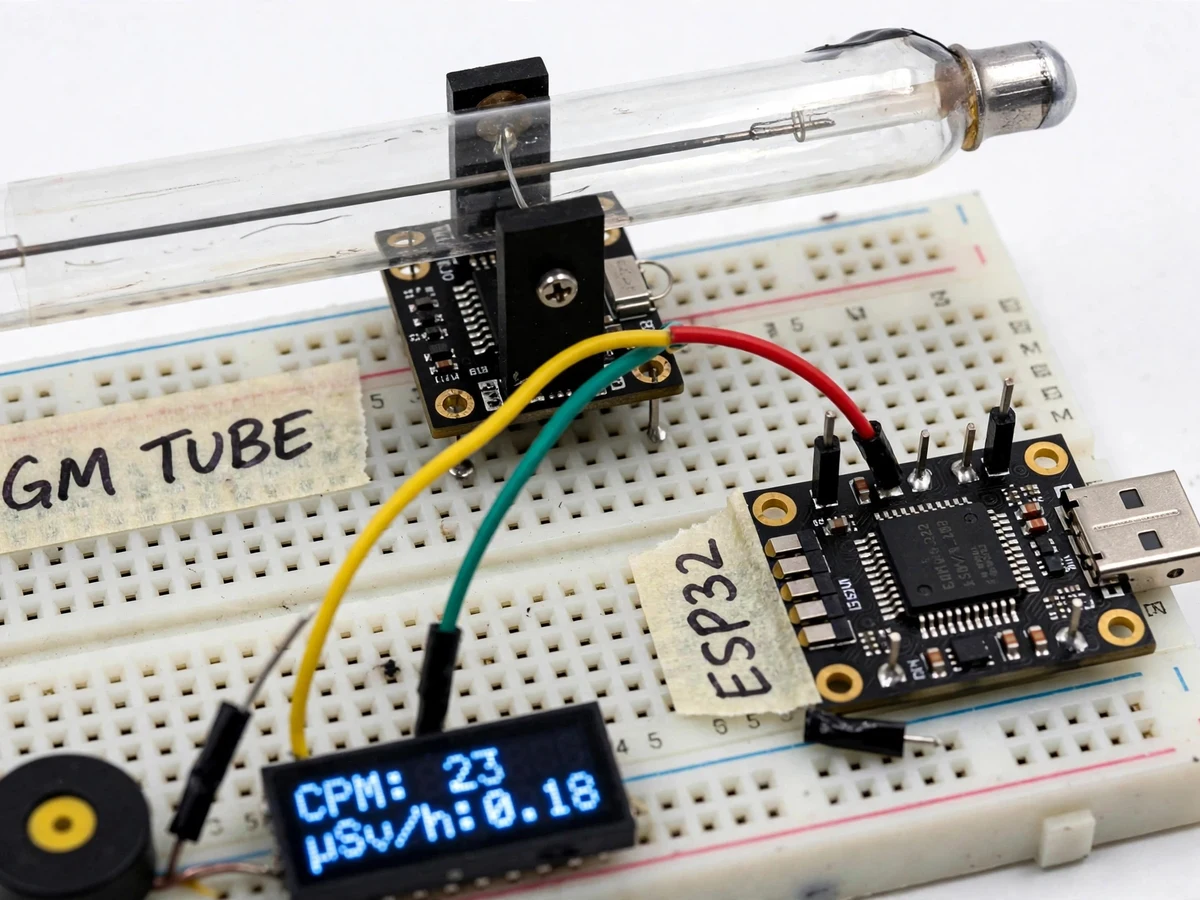
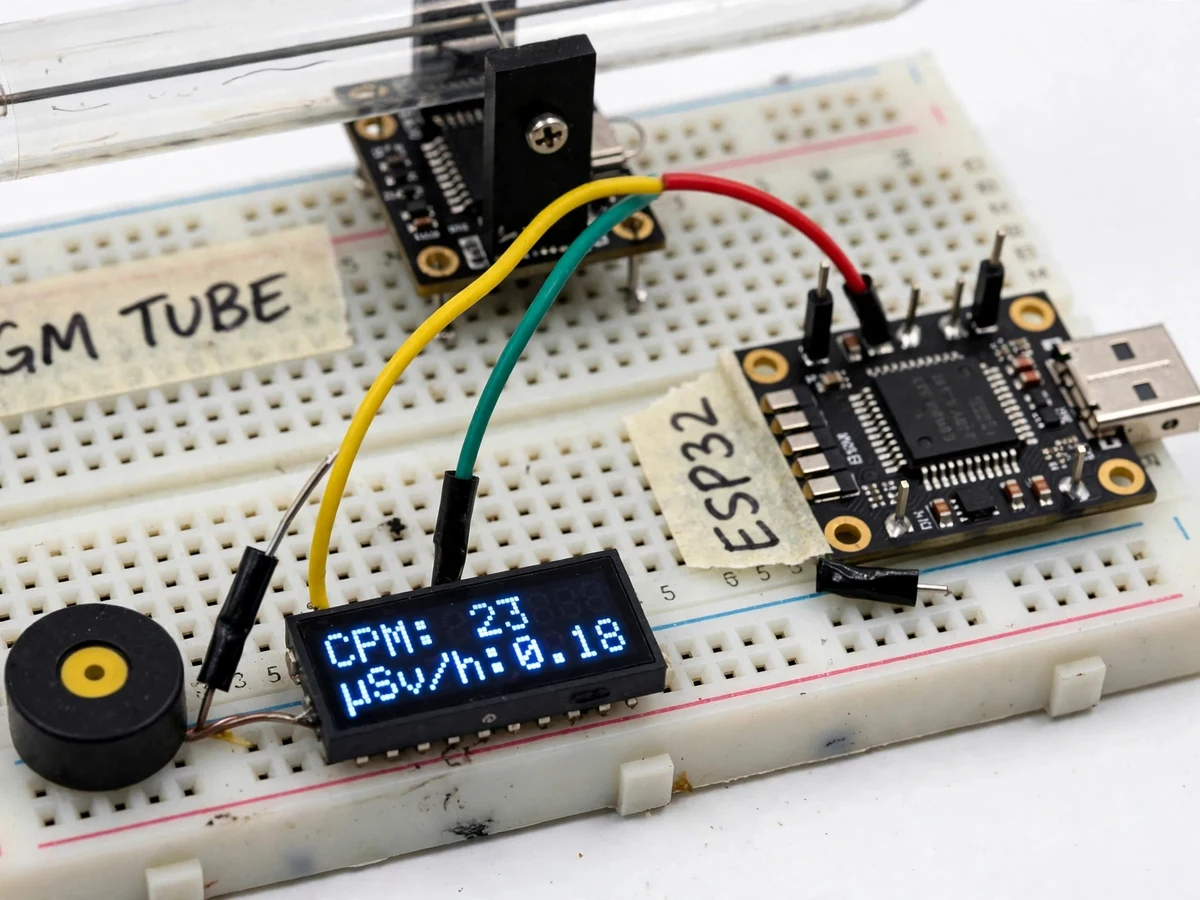
The problem
Ionizing radiation is invisible: without an instrument, a student cannot tell whether a room, a shelf of vintage equipment or a field site carries elevated levels, and professional survey meters are expensive closed instruments that leave no data trail. Cheap GM-tube modules have flooded the hobby market, but on their own they are pulse blinkers — raw clicks with no counting, no dose conversion, no threshold alarm and no record of what was measured when. This project turns a J305 Geiger-Müller tube module into a complete measurement instrument: an ESP32 counts every tube pulse with a hardware interrupt, converts counts per minute into µSv/h using a configurable tube-specific factor, displays live readings on an OLED, triggers a buzzer and LED alarm above a set threshold, and uploads timestamped readings over Wi-Fi to a ThingSpeak cloud channel so dose history appears as a graph instead of a blinking LED.
How it works
- The J305 module is powered at 5 V; its onboard boost converter biases the glass GM tube at approximately 380 V (datasheet operating value), and each ionizing event inside the tube emits one digital pulse on the module's output pin.
- The ESP32 watches that pin with a hardware interrupt (attachInterrupt), incrementing a counter on every falling edge; because counting happens in interrupt context, display refreshes and Wi-Fi uploads never steal a count.
- Once per minute the firmware totals the pulses into CPM, multiplies by the configured µSv/h factor (default approximate 0.00332 for current J305 tubes) and feeds a 60-second rolling average (design) to smooth counting noise.
- The OLED refreshes every second (expected) with live CPM, µSv/h, the running event total and NORMAL or ALARM status.
- If CPM crosses the configured threshold (design default 100 CPM), the buzzer sounds and the red LED latches on until the user acknowledges it.
- Every 60 seconds (expected) the ESP32 POSTs the timestamped CPM and µSv/h to a ThingSpeak channel over Wi-Fi; the cloud dashboard renders the dose-rate history as graphs.
- Without Wi-Fi the unit keeps counting, converting and displaying on the OLED; a small ring buffer (design) holds unsent readings and uploads them when the connection returns.
Tech stack:
- ESP32 dev board + Arduino framework (C++ firmware)
- J305 GM tube module (5 V input, approximately 380 V tube bias, digital pulse output)
- 0.96-inch SSD1306 OLED over I2C
- ThingSpeak cloud channel (HTTP upload, JSON fields)
- Piezo buzzer + LED threshold alarm
- Wi-Fi station mode with stored credentials
- Breadboard/veroboard wiring, 5 V USB power
| Parameter | Value |
|---|---|
| GM tube | J305 glass tube, β + γ detection; datasheet starting voltage < 350 V, operating ~380 V |
| Module supply | 5 V DC via USB; typical draw under ~200 mA (Expected) |
| Pulse interface | Digital pulse output → ESP32 GPIO via hardware interrupt |
| Counting | CPM from interrupt-counted pulses; 60 s window (Design) |
| Dose conversion | Configurable factor; default Approximate 0.00332 µSv/h per CPM (datasheet-derived for current J305 tubes) |
| Display | 0.96" OLED 128x64, I2C, 1 s refresh (Expected) |
| Alarm | Buzzer + latching LED; threshold configurable, design default 100 CPM |
| Cloud upload | ThingSpeak, every 60 s (Expected; free tier minimum 15 s) |
| Typical background | ~25 CPM, ~0.08–0.3 µSv/h (Approximate typical range) |
| Power options | USB 5 V or power bank (Optional configuration) |
Project features
- [Hardware-interrupt pulse counting] The ESP32 counts every J305 module pulse through attachInterrupt on a GPIO pin, so no pulse is missed while the processor handles display and Wi-Fi tasks. Interrupt-safe counting stays accurate from background levels up to elevated rates.
- [CPM to µSv/h conversion] Firmware converts counts per minute into a dose-rate estimate using a configurable factor. The default is approximately 0.00332 µSv/h per CPM, derived from the J305 datasheet sensitivity (44 CPS at 1 mR/h, Co-60); the value is a firmware constant you can adjust to your own tube's datasheet.
- [Live OLED readout] A 0.96-inch SSD1306 OLED shows live CPM, µSv/h, total event count and NORMAL or ALARM status, refreshing every second (expected), so the whole instrument works with no phone or laptop attached.
- [Configurable threshold alarm] A buzzer and LED trigger when CPM crosses a user-set threshold (design default 100 CPM); the threshold is stored in flash and changed over serial or a simple setup page, and the LED latches until acknowledged.
- [Cloud logging to ThingSpeak] Timestamped CPM and µSv/h readings upload every 60 seconds (expected) over Wi-Fi, well inside the free channel's 15-second minimum. The cloud dashboard draws dose-rate history graphs you can open from anywhere.
- [Sliding-window averaging] Readings are smoothed over a 60-second rolling window (design) to tame the Poisson noise that dominates low count rates, so background readings read as a steady value instead of jumping numbers.
- [Serial CSV export] Timestamp, CPM and µSv/h stream over USB serial in CSV format for lab analysis, report graphs and viva demonstrations.
What is included
- Working prototype: J305 module, ESP32, OLED, buzzer and LED, wired and tested
- Firmware source code (Arduino framework, C++)
- Wiring diagram and pin-connection table
- Component list with sourcing notes
- Setup and calibration guide: threshold setting, Wi-Fi credentials, conversion-factor configuration
- Project report PDF (GM physics, interrupt counting, dose conversion, IoT pipeline, testing)
- PPT presentation for final review
- Viva Q&A preparation document (tube operation, dead time, calibration, cloud integration)
Limitations & prerequisites
- This is an educational detector, not a certified dosimeter; readings are indicative and must never guide health, safety or compliance decisions.
- No radioactive source is included and none is needed; never handle unshielded sources, and during assembly respect the module's boost stage, which runs at approximately 380 V (Datasheet value).
- The dose-rate conversion is approximate and tube-specific; the default factor suits current J305 datasheet tubes and should be calibrated per build.
- The J305 glass tube detects β and γ radiation; α particles and neutrons are not detected.
- Wi-Fi and cloud are optional: offline the OLED keeps showing live readings, but no history graph is recorded.
- Background-level readings carry high Poisson noise; the rolling average steadies the display, not the underlying physics.
Frequently Asked Questions
What does this project actually measure?
The build measures counts per minute (CPM) of detected beta and gamma events, plus a derived dose-rate estimate in µSv/h. The J305 tube emits one digital pulse per ionization event; the ESP32 counts those pulses and firmware converts CPM to µSv/h with a configurable factor. It measures the rate of a radiation field — it does not identify isotopes or replace laboratory spectrometry.
Is the µSv/h reading certified or accurate?
No. This is an educational detector, not a certified dosimeter. The default factor (approximately 0.00332 µSv/h per CPM, derived from the J305 datasheet) is approximate, and real tubes vary by manufacturer and bias voltage. Treat readings as indicative for demonstrations and experiments, never as the basis for health, safety or compliance decisions.
Does it come with a radioactive source?
No radioactive source is included, and none is required for the demonstration. Background radiation gives a live baseline reading, and the counter also responds to check sources a college physics lab already holds. Never handle unshielded radioactive material, and keep the module away from any source you are not trained to work with.
Does it work without Wi-Fi?
Yes. Pulse counting, OLED display, µSv/h conversion and the buzzer alarm all run fully offline. Wi-Fi is needed only for the ThingSpeak cloud logging and dose-history graphs. A small ring buffer (design) holds readings during Wi-Fi dropouts and uploads them once the connection returns.
Can the dose conversion factor be changed?
Yes — it is a firmware constant, not hard-wired into the circuit. The build ships with the datasheet-derived default for current J305 tubes, and the calibration guide shows how to adjust it against a known reference or your own tube's datasheet values. The guide also explains why online examples disagree (approximately 0.00332 vs 0.00812) and which applies to your tube.
Is this project suitable for a final-year project?
Yes — for Electronics, Electrical, Instrumentation and IoT programs. It demonstrates high-voltage biasing, Geiger-Müller detection physics, hardware-interrupt signal counting, sensor calibration, embedded C++ firmware and an IoT data pipeline with cloud visualization: a complete sensing-to-cloud stack in a single working build.
Components & software requirements
- ESP32 dev board + Arduino framework (C++ firmware)
- J305 GM tube module (5 V input, approximately 380 V tube bias, digital pulse output)
- 0.96-inch SSD1306 OLED over I2C
- ThingSpeak cloud channel (HTTP upload, JSON fields)
- Piezo buzzer + LED threshold alarm
- Wi-Fi station mode with stored credentials
- Breadboard/veroboard wiring, 5 V USB power
Delivery information
Built-to-order project. Delivery timeline is shared after order confirmation based on current queue.
Support terms
Complete documentation, setup guide, and viva preparation included. Support for setup and explanation provided.
Download free synopsis (PDF)
Enter your name and email — the synopsis PDF downloads immediately. We may send occasional project updates; no spam, unsubscribe anytime.