
More project photos (3)
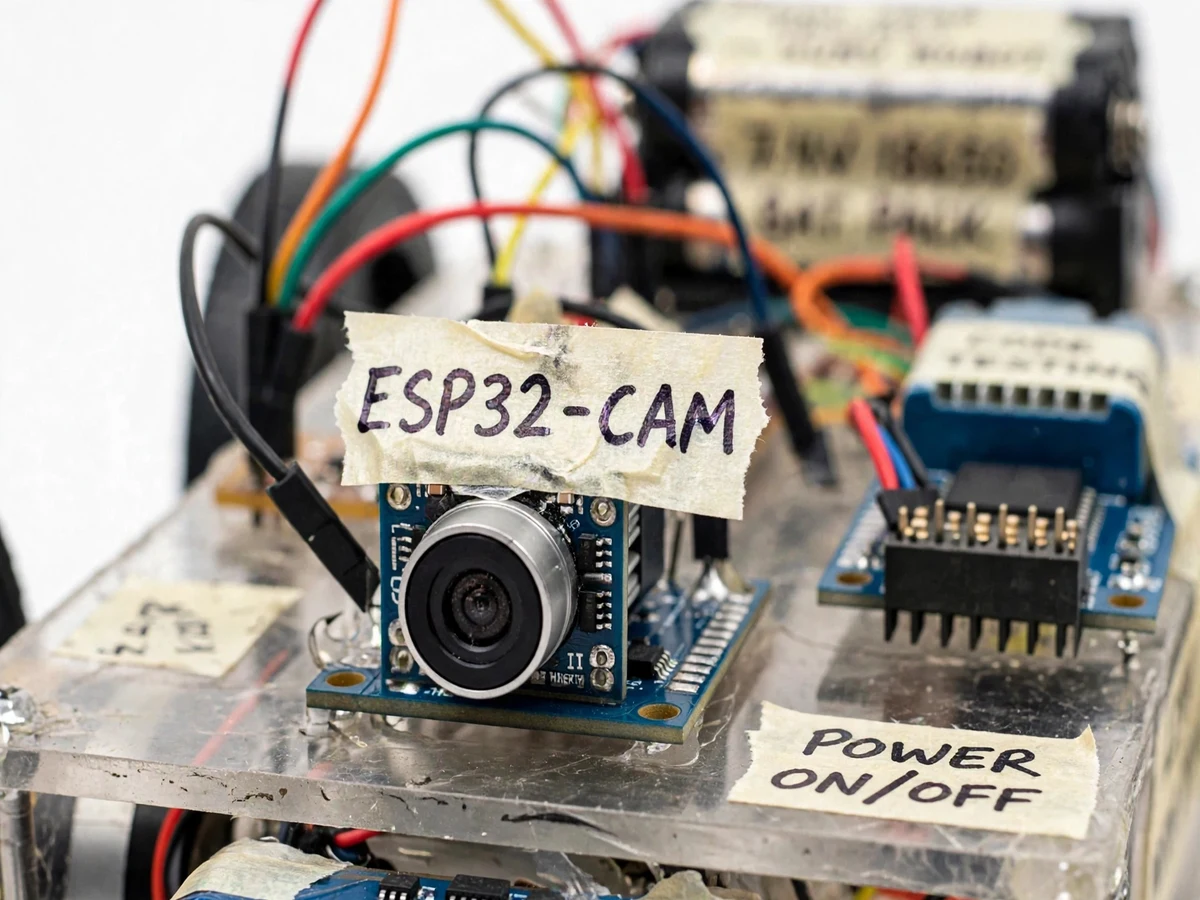
The problem
Indoor spaces that need watching — warehouses after hours, equipment rooms, corridors — are usually covered by fixed cameras with blind spots, or by a person doing rounds. Fixed cameras cannot look around an obstacle; human patrols are expensive and inconsistent. A mobile camera fills the gap: it goes where the fixed camera cannot see, at less than the cost of a guard. The engineering problem is compact — video streaming, remote control, motor driving and power management must all fit on a small battery-powered chassis, with a control interface simple enough to run in a phone browser. WiFi makes the link easy and a cheap camera module keeps the build affordable, but the combination still exercises real embedded skills: serving an MJPEG stream while driving motors from the same network commands, without the video stalling every time the robot moves. That concurrency is the heart of the project.
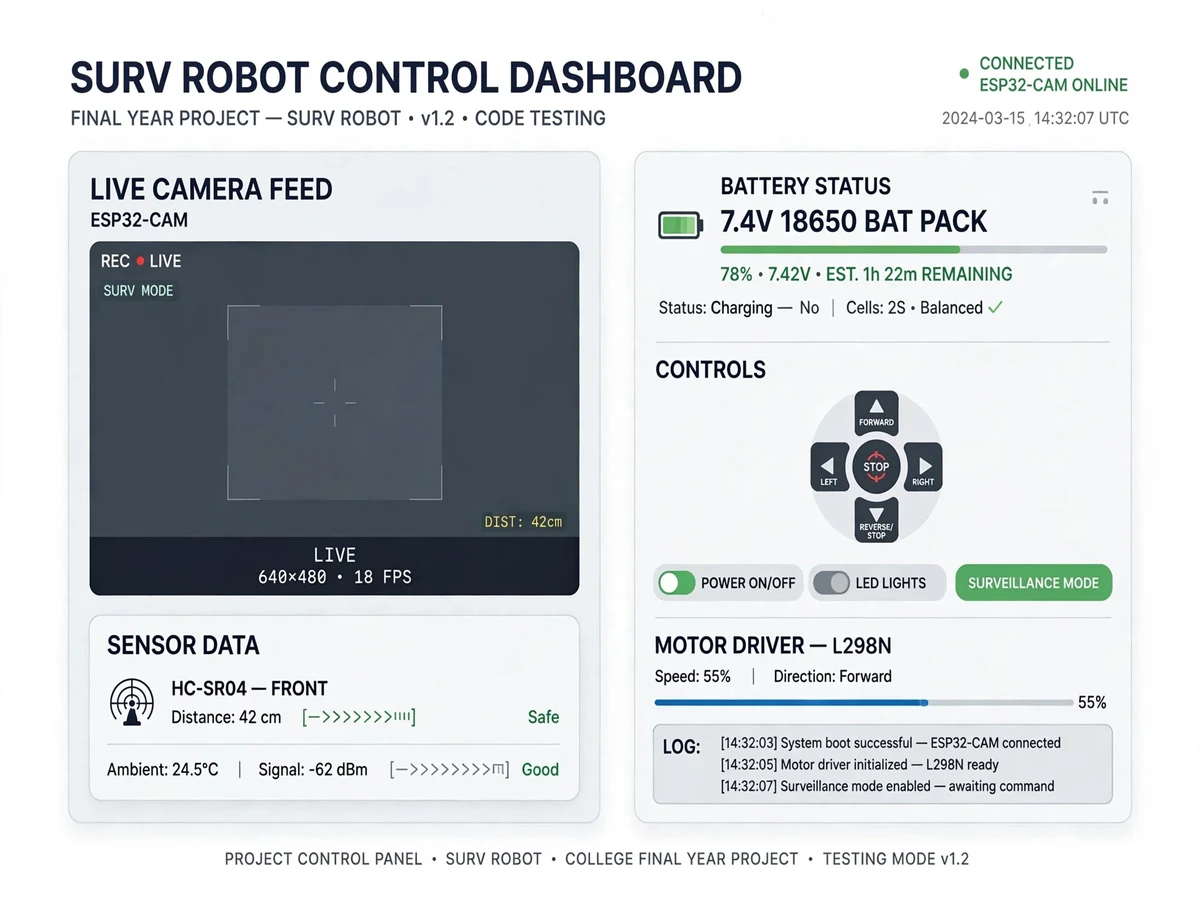
Opens the control page on a phone: live video plus the on-screen joystick.
Follow the working sequence
How it works
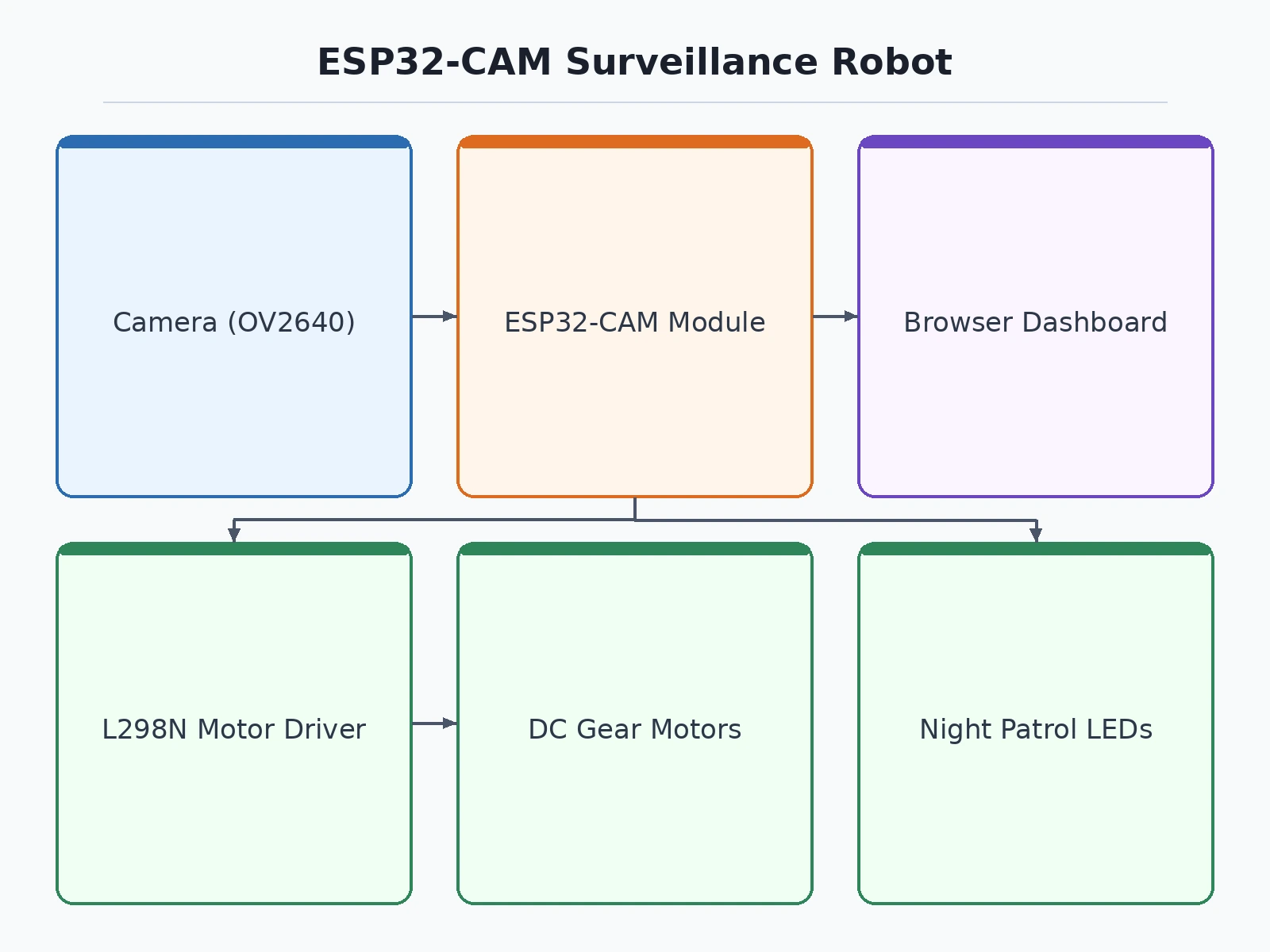
- The ESP32-CAM boots and starts a web server hosting the video stream and the control page.
- It captures frames from the OV2640 camera and serves them as an MJPEG stream to any browser on the same WiFi network.
- The user opens the control page on a phone, which shows the live video alongside a joystick.
- Joystick movements are sent as HTTP/WebSocket commands to the robot, which translates them into PWM signals for the L298N motor driver.
- The motors drive the chassis forward, reverse and turn; the headlights toggle from the dashboard for night patrol; snapshots and clips are saved from the stream on demand.
Project features
- Live MJPEG video streaming from the ESP32-CAM's OV2640 camera (up to 1600×1200 stills, VGA/UXGA stream)
- WiFi control from any phone/laptop browser — on-screen joystick, no app install needed
- L298N dual H-bridge motor driver with PWM speed control and differential steering
- Headlight LEDs for low-light and night patrol demos
- Snapshot capture and short clip recording from the dashboard
- Adjustable camera settings — resolution, frame size, brightness and quality sliders
- ~30–50 m indoor WiFi control range (hotspot mode also supported)
- Rechargeable battery pack with runtime-optimized power budget
- Pan-capable camera mount option for a wider patrol field of view
What is included
- Assembled surveillance robot
- Complete source code (Arduino IDE, well-commented) — stream plus control firmware
- Circuit diagram and wiring schematic
- Project report PDF (synopsis, design, results, conclusion)
- PPT presentation for final review
- Viva Q&A preparation document
- Dashboard setup guide (WiFi configuration, hotspot mode, stream access)
FAQs
- What does this project combine technically? Embedded systems, real-time video streaming, robotics, motor control and web technologies — mapping to ECE, EEE, CSE and robotics coursework. The report and viva Q&A document each part.
- How does the live video streaming work? The ESP32-CAM runs a web server that captures frames from the OV2640 camera and serves them as an MJPEG stream. Any browser on the same network opens the stream URL — no app needed. The report explains the full pipeline for viva questions.
- What video quality and delay should I expect? Typically 10–20 fps at VGA resolution with 100–300 ms latency on a clean local network (design targets) — plenty for a demo. Resolution and quality are adjustable from the dashboard.
- Do I need an app to control the robot? No — control is a web page with an on-screen joystick, so any phone or laptop browser works. The robot and the controller just need to be on the same WiFi (or use the robot's own hotspot).
- Can it record video? Yes — the dashboard has snapshot capture and short clip recording from the live stream, which also gives you ready-made media for your report and PPT.
- What are sensible extensions? Object tracking with the camera, a pan-tilt servo mount, PIR-based auto-patrol, and Telegram alerts with captured images. The report lists them as future scope.
Advantages
- Live MJPEG video streaming from the ESP32-CAM (OV2640, up to 1600×1200 stills) to a browser dashboard with an on-screen joystick — no app install needed.
- WiFi control from any phone or laptop, with hotspot mode for areas without WiFi.
- L298N motor driver with PWM speed control and differential steering.
- Headlight LEDs for low-light and night patrol demos.
- Snapshot capture and short clip recording straight from the dashboard, with adjustable camera settings (resolution, brightness, quality).
- Rechargeable battery pack with a runtime-optimized power budget, and an optional pan-capable camera mount.
Disadvantages
- MJPEG streaming needs decent WiFi — congested campus networks reduce frame rate; hotspot mode is recommended for demo reliability.
- The ESP32-CAM has no USB port, so firmware is flashed via the included FTDI programmer.
- Motor noise and vibration can blur the video at top speed; the dashboard defaults to a stable mid-speed.
- Battery runtime is ~45–60 minutes of mixed patrol; keep the charger handy for full demo days.
Limitations & prerequisites
- MJPEG streaming needs decent WiFi — congested campus networks reduce frame rate; hotspot mode is recommended for demo reliability.
- The ESP32-CAM has no USB port, so firmware is flashed via the included FTDI programmer (the first flash is handled during the build).
- Motor noise and vibration can blur the video at top speed; the dashboard defaults to a stable mid-speed.
- Battery runtime is ~45–60 minutes of mixed patrol; keep the charger handy for full demo days.
Components & software requirements
- ESP32-CAM module with OV2640 camera
- 2-wheel robot chassis with DC gear motors
- L298N dual H-bridge motor driver
- 2S 7.4 V Li-ion battery pack with charger
- White headlight LEDs with driver circuit
- FTDI programmer (for flashing the ESP32-CAM)
- Web dashboard (stream viewer, joystick, snapshot/clip tools)
- Camera stand-off bracket and mounting hardware
Specifications
| Parameter | Value |
|---|---|
| Camera module | ESP32-CAM (ESP32-S) with OV2640 2 MP sensor |
| Streaming mode | MJPEG over HTTP; still capture JPEG up to UXGA (1600×1200) |
| Stream resolution | SVGA 800×600 typical; configurable down to 96×96 |
| Frame rate | ~10–20 fps at VGA (depends on WiFi and quality setting) |
| Control link | HTTP/WebSocket commands, ~100–200 ms latency on LAN |
| Motor driver | L298N, 2 A per channel, PWM speed control |
| Motors | 6 V DC gear motors, ~200 RPM |
| Range | ~30–50 m indoor on WiFi; hotspot mode for outdoors |
| Power | 7.4 V Li-ion pack; ESP32-CAM ~160–260 mA streaming; motors up to 1.5 A peak |
| Runtime | ~45–60 min mixed patrol per charge |
Download free synopsis (PDF)
Enter your name and WhatsApp number — the synopsis PDF downloads immediately. We may send occasional project updates on WhatsApp; no spam.