
More project photos (3)
The problem
Every campus has the same ritual: a lost wallet becomes a notice-board slip that nobody reads, while the wallet itself sits in a drawer somewhere. Lost-and-found fails because reports are scattered, unstructured and invisible to the people who could match them. This project builds a single portal for the whole campus: report a lost or found item with category, location, date and photo in under a minute; browse all open reports with lost/found filters and text search; and let the matching engine suggest likely pairs based on item type, keywords, location and date proximity. Claims are verified, not first-come-first-served — the claimant must supply an identifying detail only the true owner would know, which the finder confirms before handover. The demo ships with realistic campus reports so matching and claiming work immediately.
Files a lost or found report and approves claims with an identifying detail.
Follow the working sequence
How it works
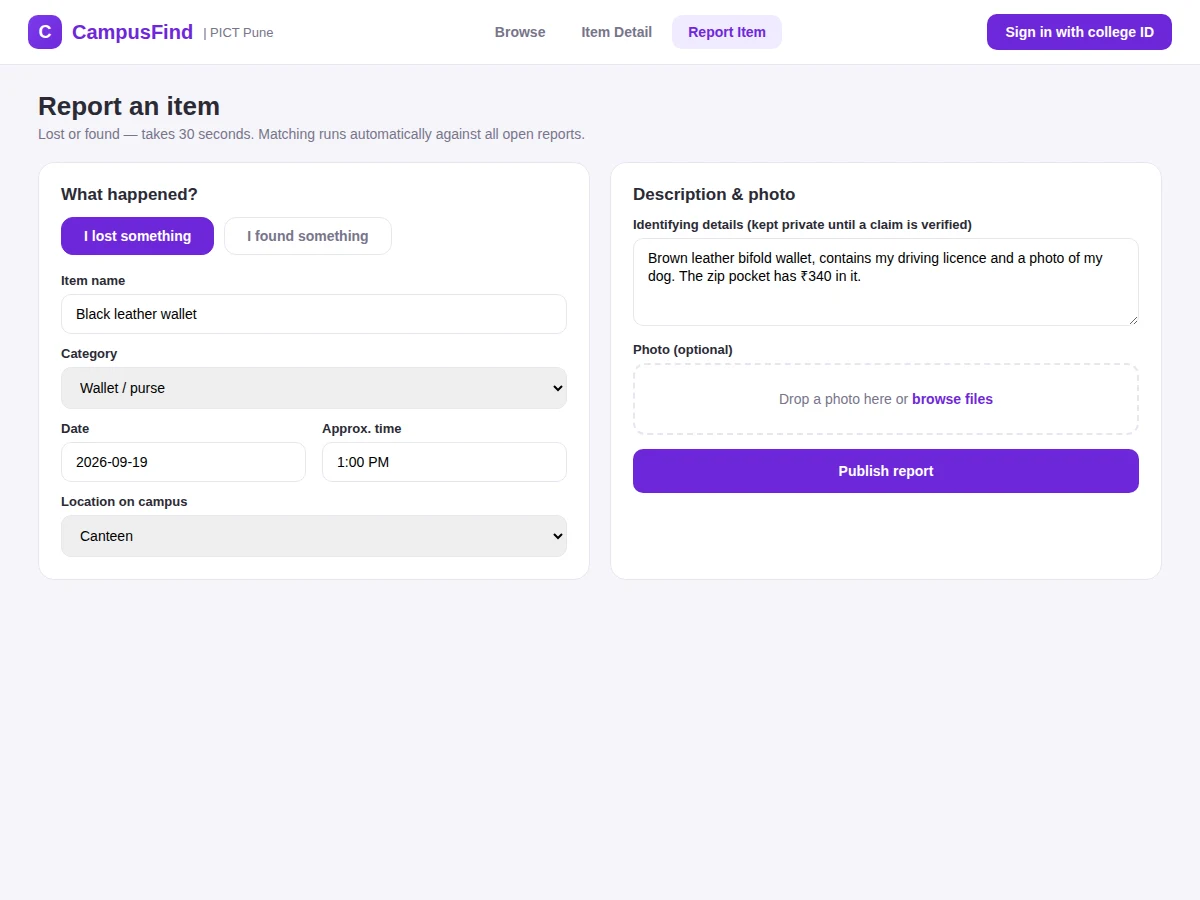
- A student signs in with their college ID and files a lost or found report: item, category, location, date and an optional photo.
- The report goes live on the browse board under the Lost or Found tab.
- The matching engine scores the new report against open reports on the opposite side and surfaces high-similarity suggestions to both parties.
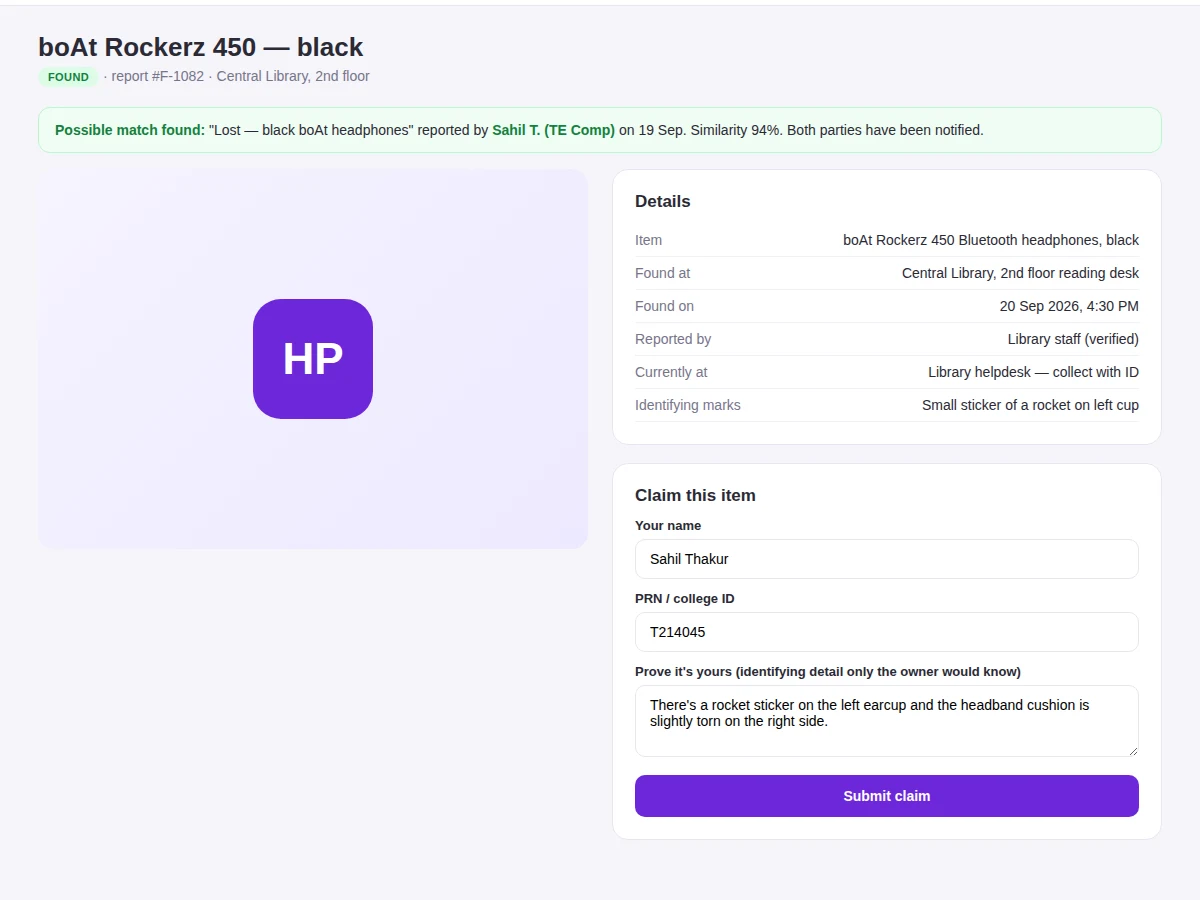
- A claimant opens a found item and submits a claim with an identifying detail (e.g. a sticker, a scratch, contents).
- The finder reviews the claim detail and approves it only if it matches what they actually found.
- Handover is arranged (e.g. library helpdesk with ID); the log records the collection and the report is marked reunited.
- Campus stats — items reunited, open reports, match rate — update on the dashboard.
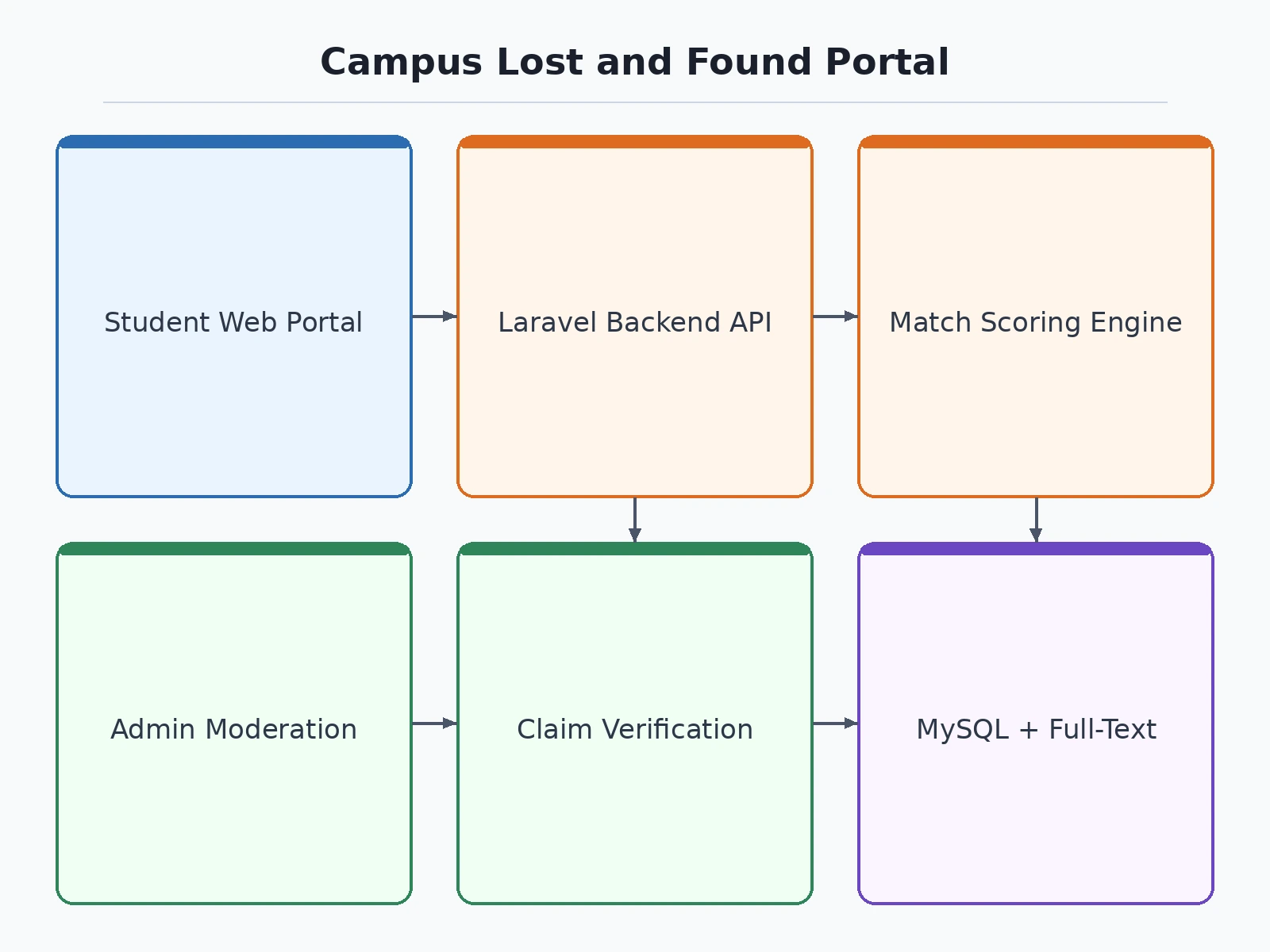
Tech stack:
- Frontend: HTML5, CSS3, JavaScript (responsive)
- Backend: PHP (Laravel) or Node.js + Express
- Database: MySQL (reports, claims, matches, handovers)
- Matching: keyword + category + location + date scoring
- Auth: college-ID based sign-in
- Image handling: upload and thumbnails for item photos
- Deployment: shared hosting or VPS
| Parameter | Value |
|---|---|
| Report time | Approximately under 1 minute (design target) |
| Match signals | 4 (category, keywords, location, date proximity) |
| Claim verification | Identifying-detail approval by finder |
| Report states | Open, matched, claimed, reunited, expired |
| Search | Full-text + lost/found filters |
| Demo dataset | Approximately 40 campus reports with matches |
Project features
- [30-second reporting] Lost or found report with item name, category, campus location, date/time and optional photo.
- [Automatic match suggestions] Scores lost-vs-found pairs on item type, keywords, location and date proximity, and notifies both reporters of high-similarity matches.
- [Verified claim workflow] Claimants submit an identifying detail only the true owner would know; the finder approves or rejects before any handover.
- [Browse & search] Lost/found filter tabs plus full-text search across item names and descriptions.
- [Handover log] Approved claims record where and when the item was collected, closing the report.
- [College-ID sign-in] Reports and claims tie to verified student identities, keeping the system accountable.
- [Admin moderation] Remove inappropriate reports and resolve disputed claims.
What is included
- Complete web application source code (frontend + backend)
- Database schema with migrations and seeded campus reports
- Reporting, browse, matching, claim and handover modules
- Campus stats dashboard
- Project report PDF (background, matching algorithm, workflow design, methodology)
- PPT presentation for final review
- Viva Q&A preparation document (matching/scoring design, verification workflows)
Limitations & prerequisites
- Match suggestions are similarity-ranked, not guaranteed — near-identical common items (e.g. plain black wallets) need the claim-verification step to disambiguate.
- The demo's match-rate figures are illustrative of the seeded data, not measured on a live campus.
- Photo upload is optional; reports without photos match on text signals only.
- College-ID sign-in in the demo is a simple verified login; integration with a real campus SSO is future scope.
- Push notifications for matches are stubbed and need the buyer's gateway credentials.
Frequently Asked Questions
How does automatic matching work?
Each new report is scored against open reports on the opposite side using item category, keyword overlap, campus location and date proximity. High-similarity pairs are suggested to both reporters — the final confirmation is always human.
What stops someone claiming an item that isn't theirs?
Claims require an identifying detail only the true owner would know. The finder compares it against the actual item and approves or rejects. Nothing is handed over on a bare "it's mine".
How long does reporting take?
Under a minute: item name, category, location, date, optional photo. The identifying details that matter for verification stay private until a claim is reviewed.
What happens after a successful claim?
The finder and claimant arrange handover (e.g. at a helpdesk with ID), the collection is logged, and the report moves to reunited status in campus stats.
Who can use the portal?
Anyone with a verified college ID — students, faculty and staff. Reports are tied to real identities, which keeps the system accountable.
Is this project suitable for a final-year project?
Yes — for Computer Science, IT and Web Development programs. It combines a real matching/scoring problem with verification workflows and a complete web build. Suitable for B.E./B.Tech final-year projects in Computer Science, IT and Web Development.
Components & software requirements
- Frontend: HTML5, CSS3, JavaScript (responsive)
- Backend: PHP (Laravel) or Node.js + Express
- Database: MySQL (reports, claims, matches, handovers)
- Matching: keyword + category + location + date scoring
- Auth: college-ID based sign-in
- Image handling: upload and thumbnails for item photos
- Deployment: shared hosting or VPS
Delivery information
Built-to-order project. Delivery timeline is shared after order confirmation based on current queue.
Support terms
Complete documentation, setup guide, and viva preparation included. Support for setup and explanation provided.
Download free synopsis (PDF)
Enter your name and WhatsApp number — the synopsis PDF downloads immediately. We may send occasional project updates on WhatsApp; no spam.