
More project photos (2)
The problem
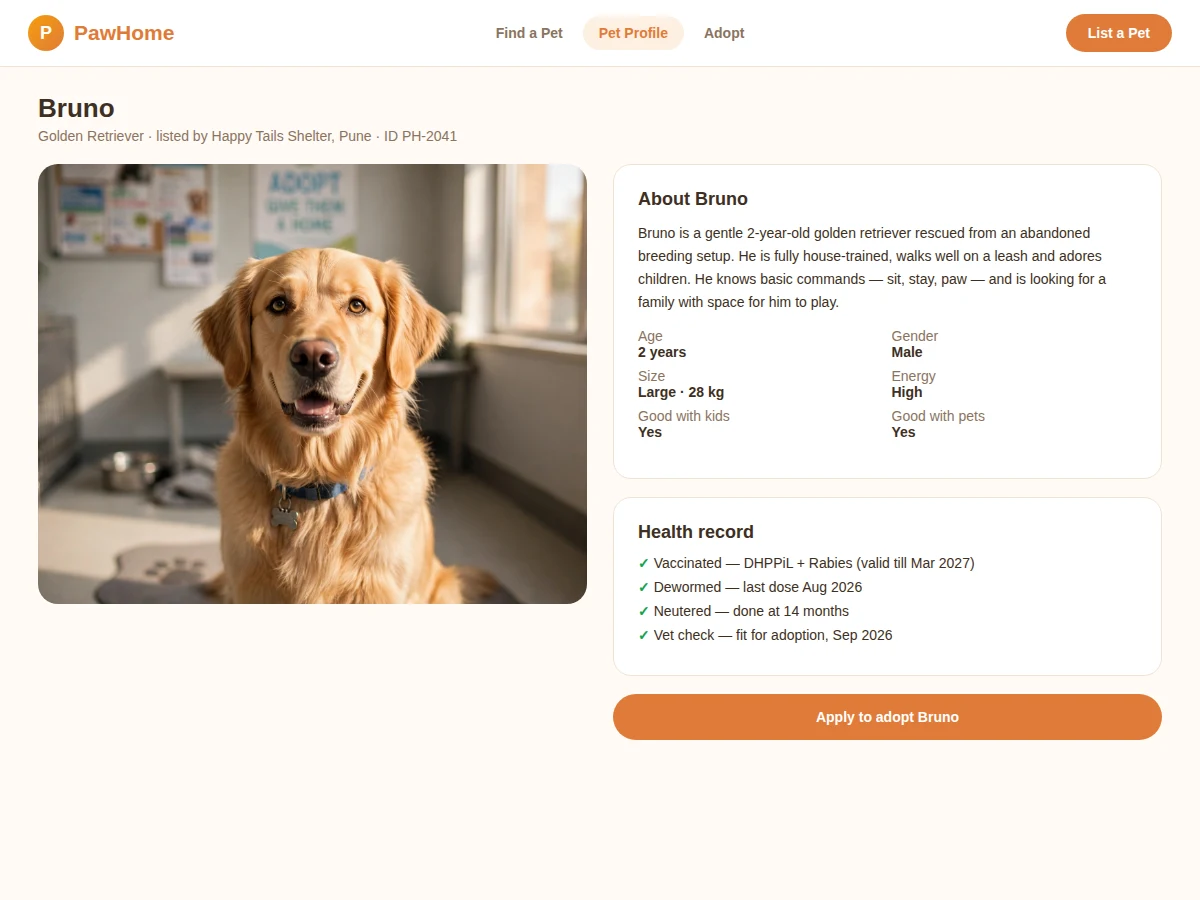
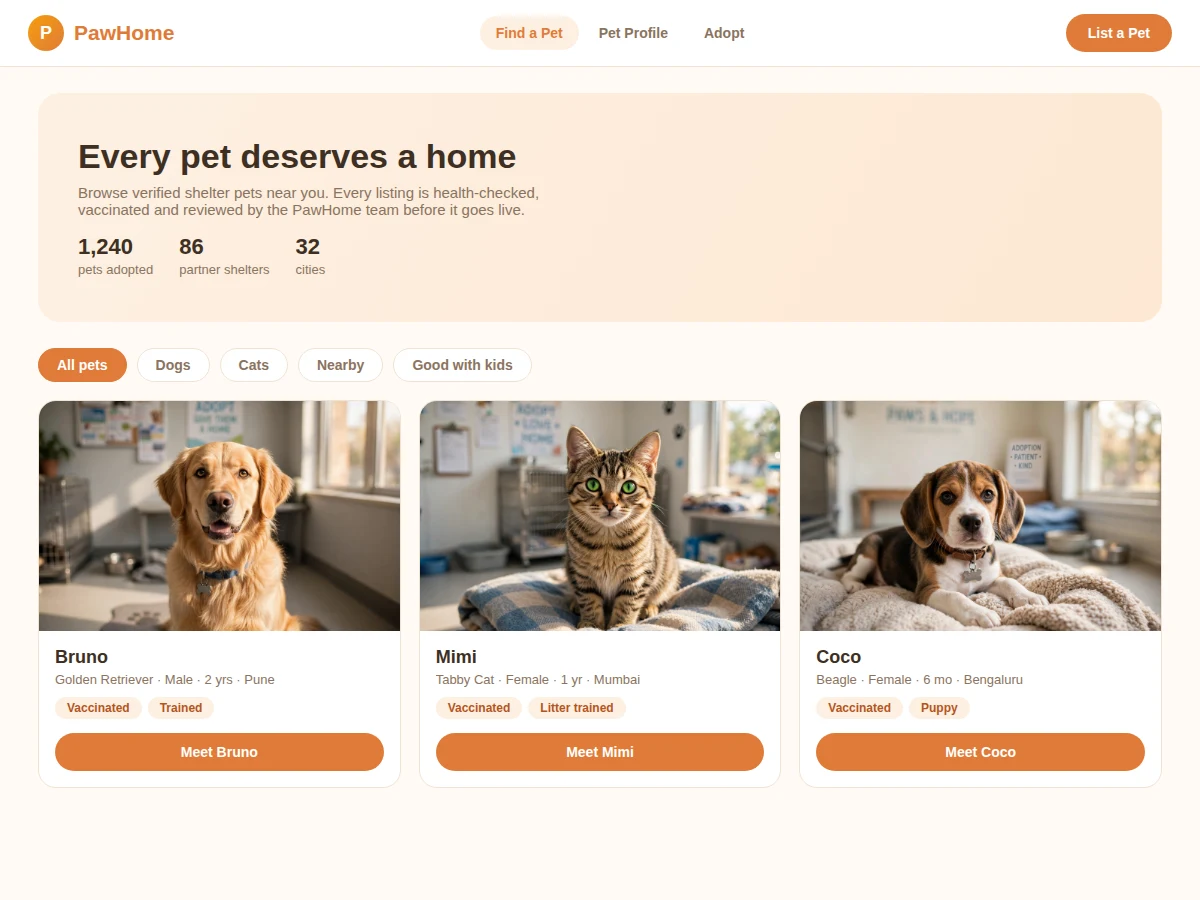
Animal shelters do heroic work, but most still advertise adoptable pets through scattered social-media posts that get buried in days. Genuine adopters cannot browse reliably, and shelters drown in unstructured "is this available?" messages. This project builds a dedicated adoption portal with two sides: a public browse experience with photos, filters (species, age, size, good-with-kids) and detailed pet profiles, and a shelter side with listing management, health-record tracking and an application review pipeline. The adoption application is a structured form — housing type, pet experience, reasons — so shelters evaluate serious applicants instead of chat messages. A verification step keeps listings trustworthy: every pet's vaccination and vet-check status is recorded before the listing goes live. The demo ships with realistic shelter and pet data so the whole flow works end to end.
How it works
- A shelter registers, passes admin verification, and creates pet listings with photos and the pet's details.
- The shelter (or its vet) records the pet's health data — vaccinations, deworming, neutering — and the listing earns its verified badge.
- Adopters browse and filter pets by species, age, size and traits, and open a pet profile for the full story and health record.
- The adopter submits the structured application form; it is stored with a reference number and linked to the pet.
- The shelter reviews applications in its dashboard, shortlists candidates, and schedules a home visit or meet-and-greet.
- On approval the listing is marked adopted and archived; declined applicants receive the decision with the shelter's note.
- Admins moderate new shelters and listings, and can suspend accounts that violate listing standards.
Tech stack:
- Frontend: HTML5, CSS3, JavaScript (responsive)
- Backend: PHP (Laravel) or Node.js + Express
- Database: MySQL (shelters, pets, health records, applications)
- Image handling: upload, resize and thumbnail generation
- Auth: role-based (adopter, shelter, admin)
- Notifications: email on application status changes
- Deployment: shared hosting or VPS
| Parameter | Value |
|---|---|
| Roles | Adopter, shelter, admin |
| Photos per listing | Up to 8 (design target) |
| Application stages | 4 (submitted, review, home visit, decision) |
| Listing verification | Health-record completeness gate |
| Search filters | 7 (species, age, size, gender, city, traits, verified-only) |
| Demo dataset | Approximately 40 pets across 6 shelters |
Project features
- [Pet listings with photos] Shelter-managed listings with multiple photos, breed, age, gender, size, energy level and temperament notes.
- [Verified health records] Vaccination, deworming, neutering and vet-check status tracked per pet; listings show a verification badge only when records are complete.
- [Smart filters] Filter by species, age group, size, gender, city and traits like good-with-kids or good-with-pets.
- [Structured adoption applications] Multi-section application form (adopter details, housing, pet experience, motivation) with a reference number per submission.
- [Shelter review pipeline] Applications move through submitted → under review → home visit → approved/declined, with status visible to the applicant.
- [Admin moderation] New shelter accounts and pet listings pass through a verification queue before going public.
- [Favourites & alerts] Adopters can save pets and get notified when a matching new listing appears in their city.
What is included
- Complete web application source code (frontend + backend)
- Database schema with migrations and seeded shelter/pet data
- Browse, pet profile, application and shelter-dashboard modules
- Admin moderation queue
- Project report PDF (background, system design, database schema, methodology)
- PPT presentation for final review
- Viva Q&A preparation document (role-based auth, image handling, workflow state machines)
Limitations & prerequisites
- The demo uses generated pet photographs as placeholders; a live deployment needs real shelter photography uploaded by shelters.
- Email notifications are implemented but need the buyer's own SMTP credentials to send.
- The 8-photos-per-listing figure is a design target; actual upload limits depend on the buyer's hosting storage.
- Payment or adoption-fee handling is out of scope — fee arrangements stay between shelter and adopter.
- Identity/background verification of adopters beyond the application form is a shelter-side process, not automated.
Frequently Asked Questions
How do shelters list pets?
After admin verification, a shelter creates a listing with photos and details, then records the pet's health data. The listing goes public once the health record is complete and passes the moderation check.
What does the adoption application ask?
Adopter details, housing type, previous pet experience and a written motivation. Each application gets a reference number and the applicant can track its stage.
How does the review pipeline work?
Applications move through submitted, under review, home visit/meet-and-greet, and a final approved/declined decision. Shelters manage the whole pipeline from their dashboard.
What stops fake listings?
Shelters pass an admin verification before listing, every pet needs a recorded health history, and admins can suspend accounts that break listing standards.
Can adopters save pets they like?
Yes — favourites with optional alerts when a new pet matching their filters is listed in their city.
Is this project suitable for a final-year project?
Yes — for Computer Science, IT and Web Development programs. It is a real two-sided marketplace with roles, moderation, image handling and a multi-stage workflow. Suitable for B.E./B.Tech final-year projects in Computer Science, IT and Web Development.
Components & software requirements
- Frontend: HTML5, CSS3, JavaScript (responsive)
- Backend: PHP (Laravel) or Node.js + Express
- Database: MySQL (shelters, pets, health records, applications)
- Image handling: upload, resize and thumbnail generation
- Auth: role-based (adopter, shelter, admin)
- Notifications: email on application status changes
- Deployment: shared hosting or VPS
Delivery information
Built-to-order project. Delivery timeline is shared after order confirmation based on current queue.
Support terms
Complete documentation, setup guide, and viva preparation included. Support for setup and explanation provided.