
More project photos (5)

The problem
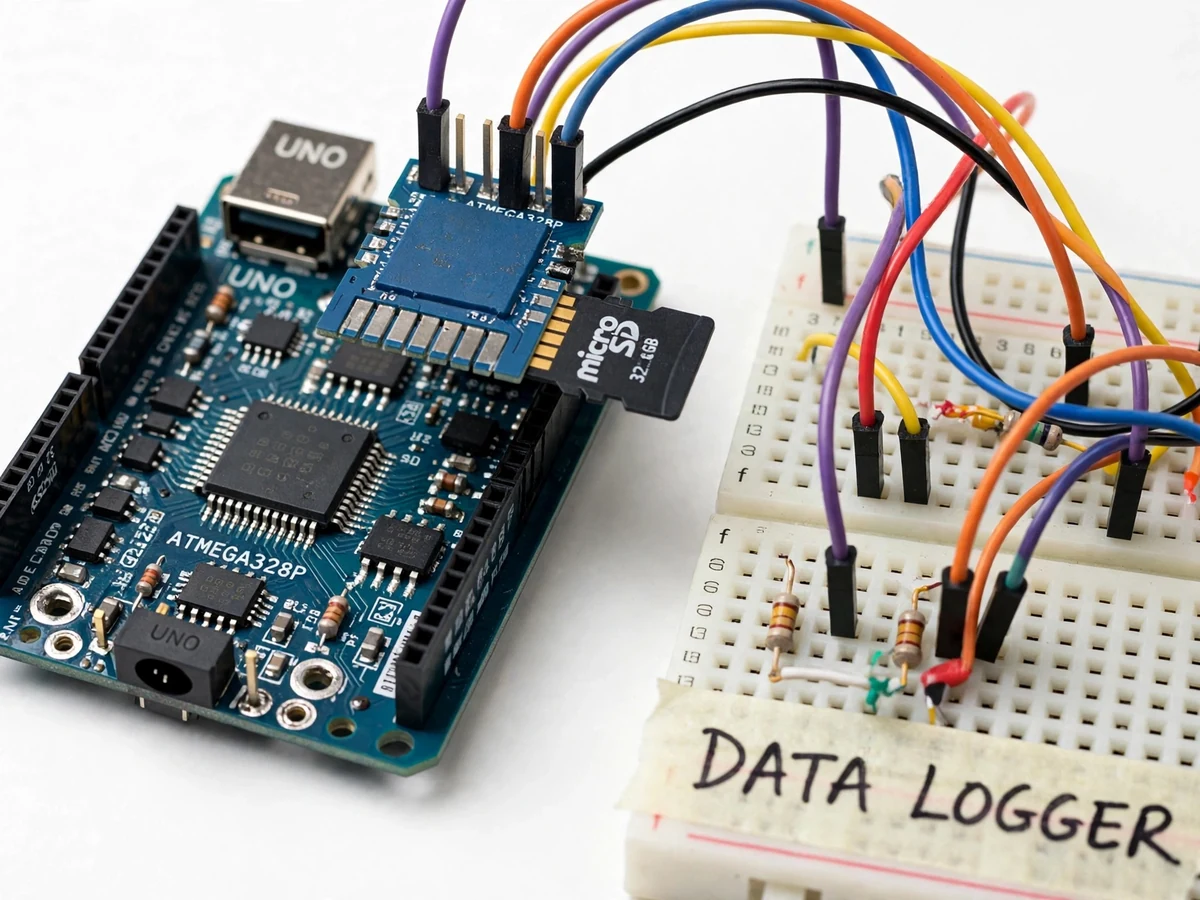
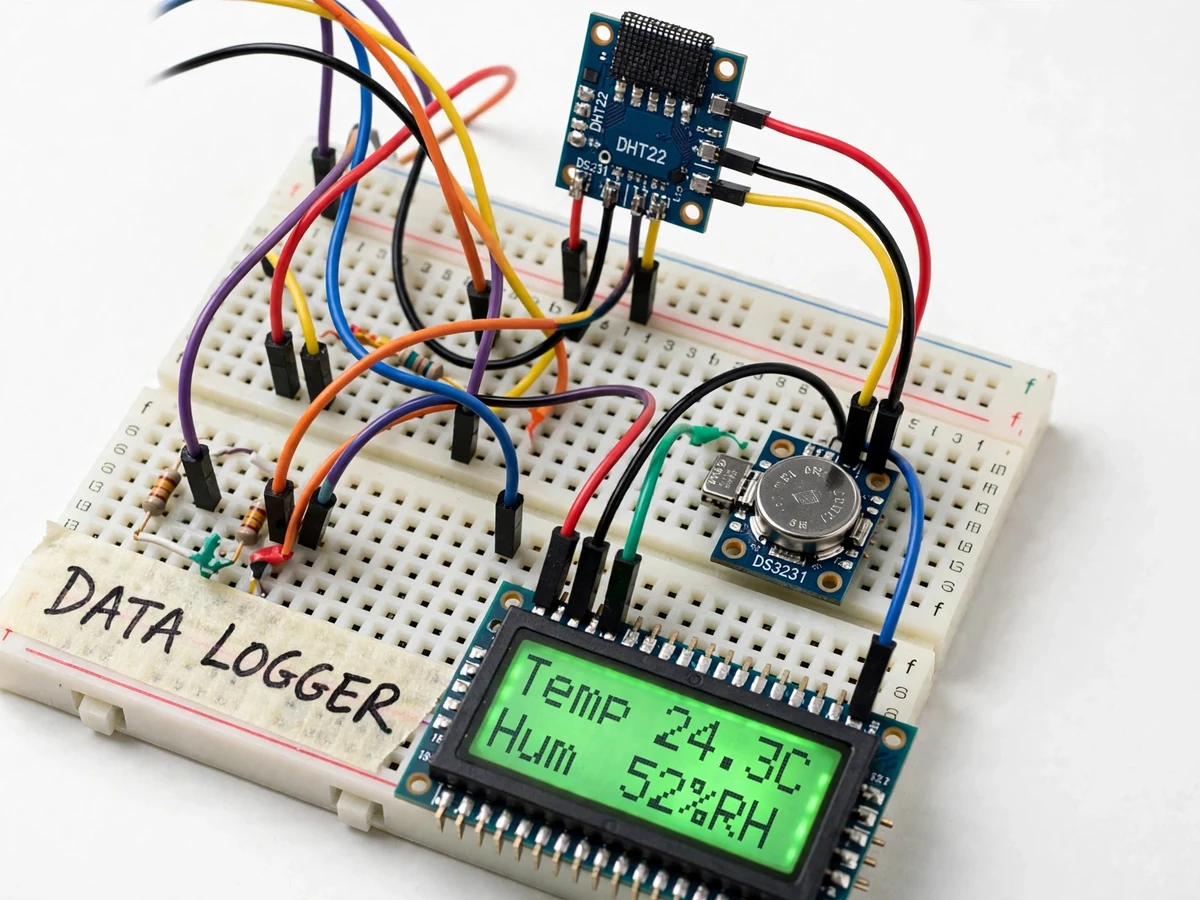
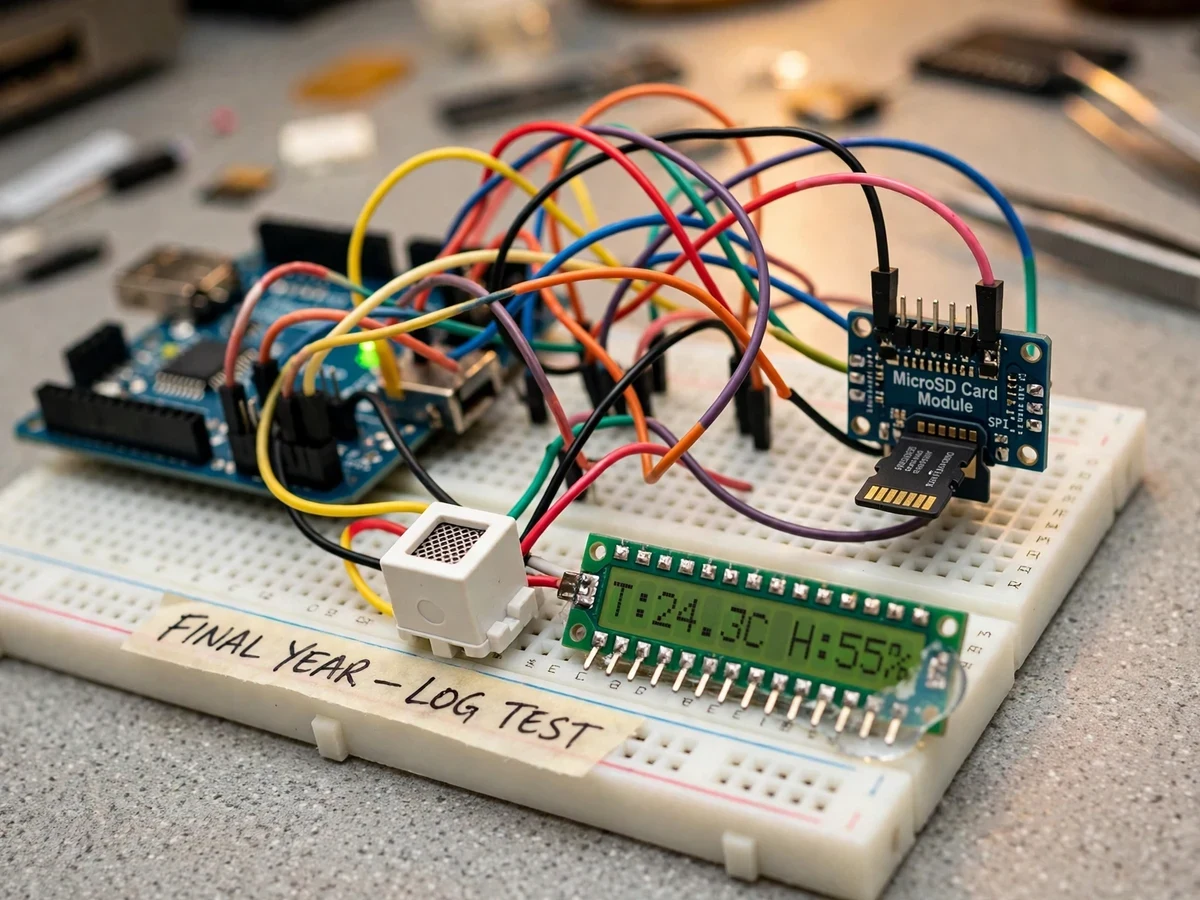
Continuous measurements are the raw material of every monitoring project — weather stations, cold-chain tracking, greenhouse control and lab experiments all start with a reliable log of what happened and when. Dedicated data loggers are expensive, while this project shows the same job can be done with an Arduino Uno, a low-cost sensor and a microSD card. The logger samples a DHT22 temperature-humidity sensor at a configurable interval, appends each reading with an elapsed-time stamp to a CSV file on a FAT32-formatted card, and mirrors the latest values on a 16x2 LCD. Because the file format is plain CSV, the data opens directly in Excel or Python for plotting — no proprietary software, no cloud account, no internet connection at any stage. The build doubles as a platform: the same firmware pattern logs any analog or digital sensor, and the included guide documents swapping the DHT22 for sensors such as the LM35 or BMP280. This is a built-to-order hardware project: the prototype is assembled, wired and tested fresh for your order.
Reads temperature and humidity at each sampling interval (datasheet: +-0.5 C, 2-5% RH, max about 0.5 Hz sampling).
Follow the working sequence
How it works
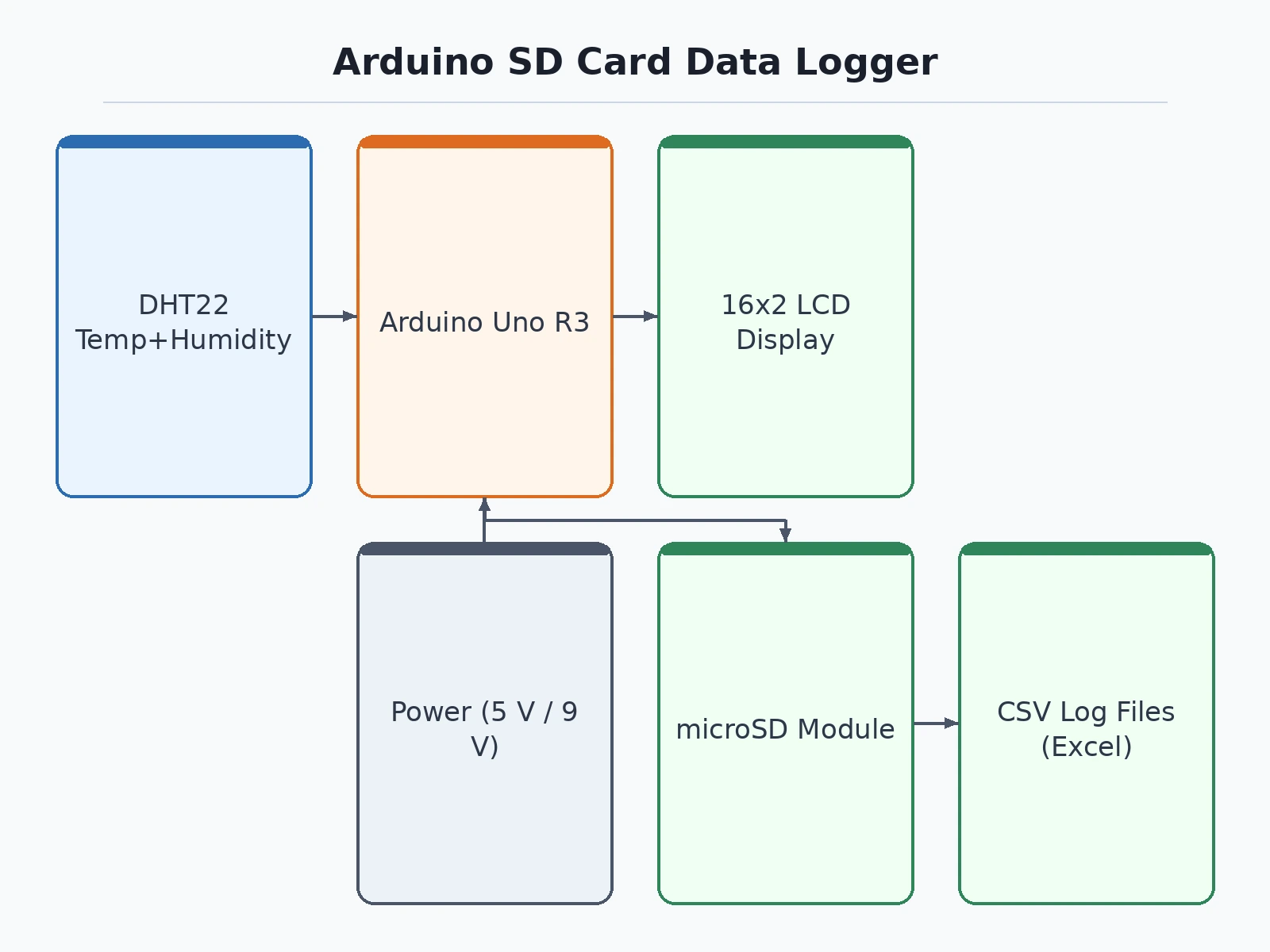
- On power-up the Arduino initializes the DHT22, the 16x2 LCD and the microSD card over SPI, creating or opening the day's CSV file.
- Every sampling interval (a single configurable constant in the firmware) the DHT22 is read for temperature and humidity.
- The reading is formatted as a CSV row — elapsed time, temperature, humidity — and appended to the card, then flushed.
- The same values are written to the 16x2 LCD for a live on-device readout.
- Logging continues unattended; the Arduino needs no PC or network while it runs.
- The card is removed and read on any computer — the CSV opens directly in Excel or a Python plotting script for the report's graphs.
Tech stack:
- Arduino Uno R3 (ATmega328P)
- MicroSD card module (SPI interface)
- DHT22 temperature & humidity sensor
- 16x2 LCD character display (I2C backpack)
- Arduino IDE with SD library (FAT32 CSV logging)
- microSD card, FAT32 formatted
- 5 V USB power supply or 9 V battery option
| Parameter | Value |
|---|---|
| Controller | Arduino Uno R3, ATmega328P @ 16 MHz |
| Sensor | DHT22: ±0.5 °C, ±2–5 % RH (datasheet values); max ~0.5 Hz sampling |
| Storage | microSD, FAT32; one reading/minute ≈ 1,440 rows/day (≈ 60 KB/day) |
| Display | 16x2 character LCD |
| Sampling interval | 2 s – 60 min, configurable in firmware |
| Timestamp | Elapsed time since power-on (no absolute clock without the optional RTC) |
| Power | 5 V USB; optional 9 V battery for field logging (runtime battery-dependent) |
| Output | Plain CSV, readable in Excel/Python |
Project features
- [Interval data logging] Reads the DHT22 at a configurable interval (design target: 2 seconds to 60 minutes) and appends each reading to a CSV file on the microSD card.
- [Elapsed-time stamping] Every row carries a time stamp derived from the Arduino's clock, so readings stay ordered and plottable without an RTC module.
- [Live LCD readout] A 16x2 character display mirrors the latest temperature and humidity values as they are logged.
- [Plain CSV output] Log files open directly in Excel, Google Sheets or Python — no proprietary software or conversion step.
- [Per-write flushing] Each reading is flushed to the card immediately, so a power cut costs at most the latest sample.
- [Sensor-swappable input] The firmware pattern is documented for swapping the DHT22 with other sensors (LM35, BMP280, LDR) with small code changes.
What is included
- Assembled and tested working prototype (Uno, SD module, DHT22, LCD on breadboard/base)
- Complete firmware source code (logging, LCD, interval configuration)
- Circuit/wiring documentation with connection diagram
- Component list with sourcing notes
- Sensor-swap guide (LM35, BMP280 and other sensors)
- Sample CSV log and a plotting starter script
- Project report PDF (background, methodology, sample logged data, analysis)
- PPT presentation for final review
- Viva Q&A preparation document (SPI, FAT32, DHT22 protocol, sampling theory)
Advantages
- PC-free logging: the Arduino reads the DHT22 at a configurable interval and appends every reading with an elapsed-time stamp to a CSV on microSD, with no PC or internet needed during logging.
- Excel-ready output: plain CSV log files open directly in Excel, Google Sheets or Python, with no proprietary software or conversion step.
- Live LCD mirror: a 16x2 character display shows the latest temperature and humidity values as they are logged.
- Data-safe writes: each reading is flushed to the card immediately, so a power cut costs at most the latest sample.
- Configurable sampling: the sampling interval is adjustable in firmware, with a design target from 2 seconds to 60 minutes.
- Sensor-swappable design: the firmware pattern is documented for swapping the DHT22 with other sensors (LM35, BMP280, LDR) with small code changes.
Disadvantages
- The DHT22's datasheet accuracy is plus/minus 0.5 degrees C and 2-5% RH, and it cannot sample faster than about once every 2 seconds: finer or faster sensing needs a different sensor.
- Timestamps are elapsed time since power-on: there is no absolute date or time unless the optional DS3231 RTC module is added (available as a customization).
- Cheap or counterfeit microSD cards can corrupt data: the guide recommends tested card brands and FAT32 formatting.
- A power cut during the brief write window can corrupt the file being written: per-write flushing limits loss to the latest sample but not to zero.
- The prototype is a bench/room logger, not a weatherproof field unit: outdoor use needs an enclosure (customization).
Limitations & prerequisites
- The DHT22's datasheet accuracy is ±0.5 °C and ±2–5 % RH, and it cannot sample faster than about once every 2 seconds — finer or faster sensing needs a different sensor.
- Timestamps are elapsed time since power-on; there is no absolute date/time unless the optional DS3231 RTC module is added (available as a customization).
- Cheap or counterfeit microSD cards can corrupt data; the guide recommends tested card brands and FAT32 formatting.
- A power cut during the brief write window can corrupt the file being written; per-write flushing limits loss to the latest sample but not to zero.
- The prototype is a bench/room logger, not a weatherproof field unit — outdoor use needs an enclosure (customization).
Frequently Asked Questions
Which controller is used?
An Arduino Uno R3 (ATmega328P). The firmware is plain Arduino C++ using the SD library — easy to read and explain in a viva.
Can I log a different sensor?
Yes — the firmware's read-format-write pattern is sensor-agnostic, and the included sensor-swap guide documents moving to the LM35, BMP280 or an LDR with small code changes.
Does it need Wi-Fi or internet?
No. Logging is fully offline to the microSD card; the card is read on a PC afterwards. A Wi-Fi upload variant (ESP32) is possible as a customization.
What power supply is needed?
Any 5 V USB source for bench logging; a 9 V battery can power short field runs, with runtime depending on the battery and sampling interval.
What are the main limitations?
DHT22 accuracy and 2-second minimum interval, elapsed-time (not absolute) timestamps without the optional RTC, and SD-card quality dependence. Details are in Limitations & Prerequisites above.
Is this project suitable for a final-year project?
Yes — for Electronics, IoT and Instrumentation programs. It demonstrates SPI communication, FAT32 file handling, sensor interfacing and real data analysis from the student's own logged data. Suitable for B.E./B.Tech final-year projects in Electronics, IoT and Instrumentation Engineering.
Components & software requirements
- Arduino Uno R3 (ATmega328P)
- MicroSD card module (SPI interface)
- DHT22 temperature & humidity sensor
- 16x2 LCD character display (I2C backpack)
- Arduino IDE with SD library (FAT32 CSV logging)
- microSD card, FAT32 formatted
- 5 V USB power supply or 9 V battery option
Delivery information
Built-to-order project. Delivery timeline is shared after order confirmation based on current queue.
Support terms
Complete documentation, setup guide, and viva preparation included. Support for setup and explanation provided.
Download free synopsis (PDF)
Enter your name and WhatsApp number — the synopsis PDF downloads immediately. We may send occasional project updates on WhatsApp; no spam.