
More project photos (2)
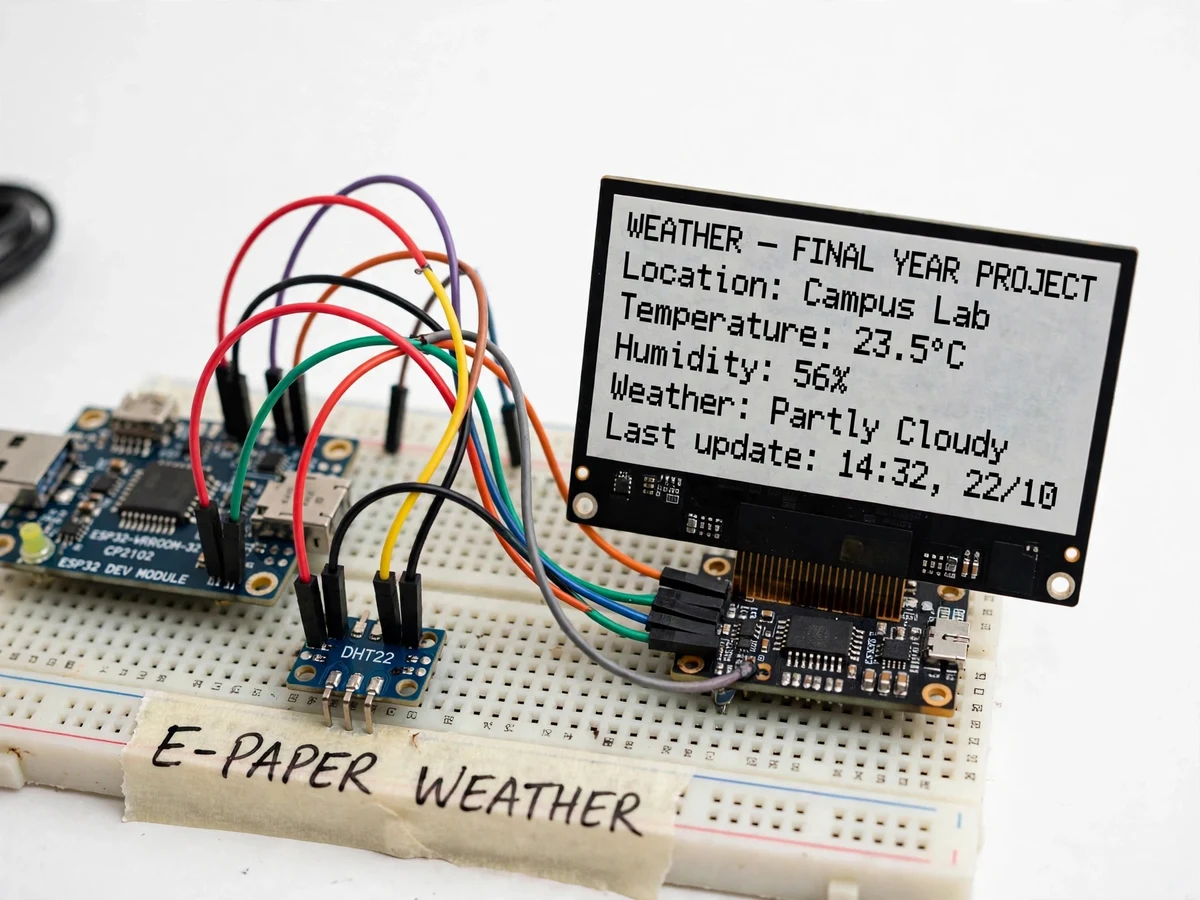
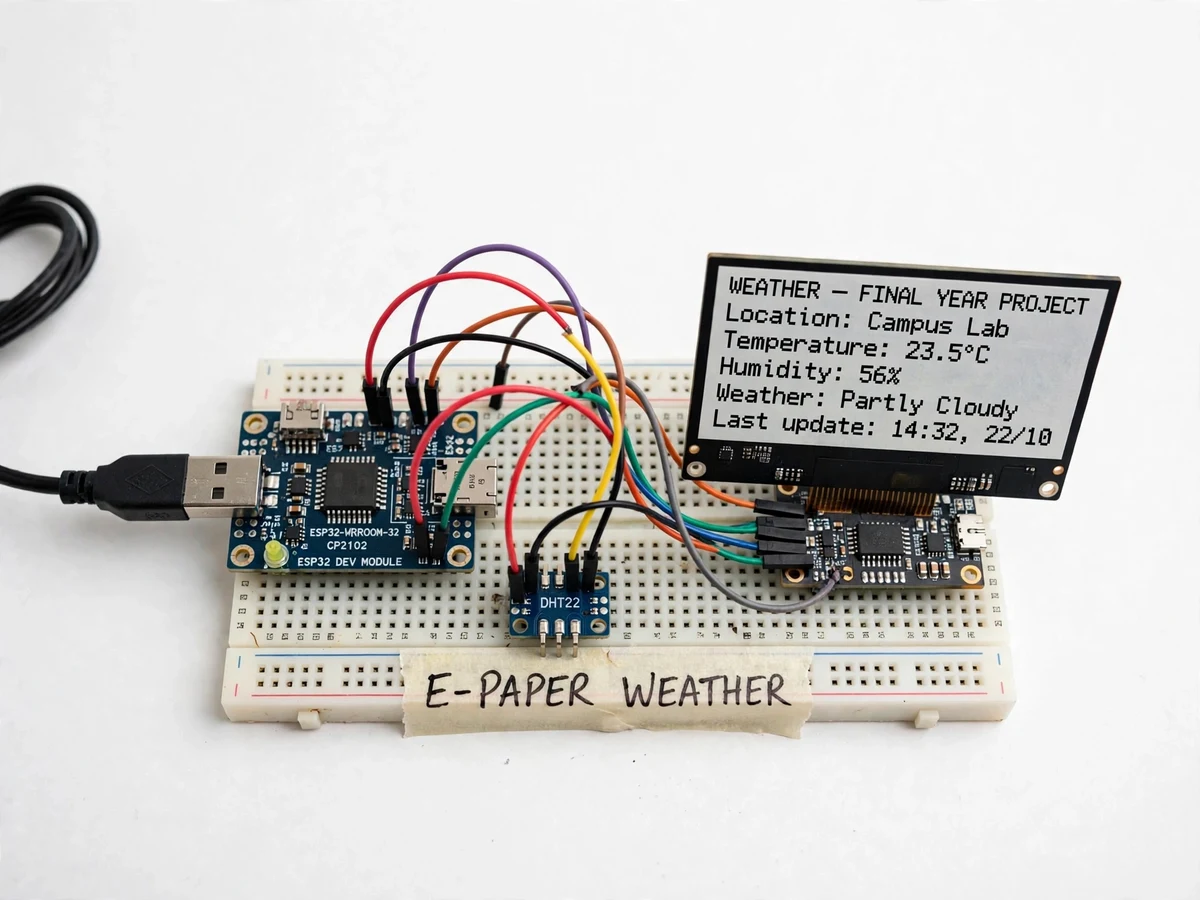
The problem
LCD weather displays glow, flicker and need constant power; a wall-mounted station that must stay readable in sunlight and sip battery is a different engineering problem. E-paper solves it elegantly: bistable ink capsules hold the image indefinitely with no power at all, the display is perfectly readable in direct sun, and the ESP32 only spends energy during the few seconds of each refresh. This project builds that station — an ESP32 that wakes periodically, pulls current conditions and forecast from a public weather API over WiFi, reads the local DHT22 for room temperature and humidity, composes a clean multi-field layout, pushes it to the e-paper panel, and goes back to deep sleep. The demo shows the paper-like screen updating with live data, the API JSON on serial for the examiner to inspect, and the sleep current that makes battery operation realistic. It is a tidy IoT build: HTTP client, JSON parsing, display driving and power budgeting in one package.
How it works
- The ESP32 wakes from deep sleep on its timer and reconnects to the configured WiFi network.
- It sends an HTTP request to the public weather API for the configured location and receives a JSON response.
- A lightweight JSON parser extracts temperature, condition, humidity, pressure and forecast fields.
- The DHT22 is read for local temperature and humidity, which are added to the page data.
- The firmware renders the full layout into a frame buffer and pushes it to the e-paper panel (a refresh taking a few seconds).
- The ESP32 returns to deep sleep until the next cycle; the displayed page remains visible with no power.
Tech stack:
- ESP32 DevKit (WiFi + HTTP client)
- E-paper display module (SPI, monochrome)
- DHT22 temperature-humidity sensor
- Public weather API (free tier key, buyer-registered)
- ArduinoJson for response parsing
- Deep-sleep timer wake
- Arduino IDE (C/C++ firmware)
- 5 V USB / battery supply
| Parameter | Value |
|---|---|
| Controller | ESP32 DevKit, 240 MHz, 802.11 b/g/n |
| Display | Monochrome e-paper, SPI; refresh takes a few seconds per update (panel characteristic) |
| Data source | Public weather API over HTTPS (free-tier key); JSON parsed on-device |
| Local sensor | DHT22: ±0.5 °C, ±2–5% RH (datasheet) |
| Update cycle | Configurable, default every 30 minutes |
| Power | Deep sleep between updates; image retained with zero power (bistable panel) |
| Layout fields | Location, temp, humidity, condition, pressure, last-update timestamp |
| Connectivity | WiFi required for API fetch; local sensor shown regardless once cached |
Project features
- [E-paper display] A monochrome e-paper panel renders the weather page with print-like contrast, readable in direct sunlight, holding the last image with zero power.
- [Live API weather] The ESP32 fetches current conditions and forecast from a public weather API over WiFi, so the display shows real meteorological data, not just the local sensor.
- [Local DHT22 sensing] Room temperature (±0.5 °C) and humidity (±2–5% RH) from the DHT22 appear alongside the API data — inside vs outside at a glance.
- [Multi-field layout] The screen composes location, temperature, humidity, condition icon/text, pressure and last-update time into a clean, readable page.
- [Deep-sleep refresh cycle] The ESP32 sleeps between updates (default every 30 minutes), waking only to fetch, render and refresh — the standard low-power IoT pattern.
- [Zero-power image retention] Because e-paper is bistable, a power cut leaves the last weather page visible — the display degrades gracefully instead of going blank.
- [Configurable location and units] City, API key and metric/imperial units are firmware settings, so the station is genuinely usable anywhere with WiFi.
What is included
- Working weather station prototype (ESP32, e-paper display, DHT22)
- Complete firmware source code (WiFi, HTTPS API client, JSON parsing, e-paper rendering, deep sleep)
- Weather API key registration and configuration guide
- Display layout customisation notes
- Circuit and wiring documentation
- Project report PDF (e-paper technology, REST/JSON on microcontrollers, power analysis)
- PPT presentation for final review
- Viva Q&A preparation document (e-ink bistability, HTTP/JSON, deep sleep, API rate limits)
- Setup and demonstration guide
Limitations & prerequisites
- The display needs WiFi and a valid free-tier API key to fetch live data; without network it shows the last cached page plus the local DHT22 reading.
- E-paper refreshes take a few seconds with a visible flicker — this is the panel's physics, not a defect; it is not a video-capable display.
- Free API tiers have call limits; the default 30-minute cycle stays well within them, but aggressive refresh rates would exceed quotas.
- The panel is monochrome; colour weather icons and graphics are outside this hardware's scope.
- Outdoor deployment needs a buyer-fitted weatherproof enclosure; the kit is the electronics.
Frequently Asked Questions
Why e-paper instead of an LCD?
E-paper is bistable — it holds its image with zero power — and it reads like print in direct sunlight where backlit LCDs wash out. For a weather station that updates a few times an hour, that means the ESP32 can sleep between refreshes and the display stays readable through power cuts. The tradeoff is slow, monochrome refreshes, which suits glanceable information perfectly.
Where does the weather data come from?
A public weather API over WiFi: the ESP32 sends an HTTPS request for the configured location and parses the JSON response for temperature, condition, humidity and pressure. The free-tier key is registered by the buyer following the included guide. Local room conditions come from the onboard DHT22, so the screen shows outside forecast beside inside readings.
How often does it update?
Every 30 minutes by default, configurable in firmware. Each cycle wakes the ESP32, reconnects WiFi, fetches and parses the API data, renders the page and pushes it to the panel — a refresh takes a few seconds with the panel's characteristic flicker — then the controller returns to deep sleep until the next cycle.
What happens in a power cut?
The last weather page simply stays on the screen — e-paper needs no power to retain its image. When power returns, the ESP32 reboots, reconnects and resumes its update schedule. The display degrades gracefully instead of going blank, which is a genuine advantage over LCD-based stations.
What are the main limitations?
Live data needs WiFi and a valid free-tier API key; without network the station shows its last cached page plus the local sensor. Refreshes are slow and monochrome with visible flicker, free API tiers cap call frequency, and outdoor mounting needs a buyer-fitted weatherproof enclosure.
Is this project suitable for a final-year project?
Yes — for IoT, Electronics and Embedded programs. Driving an e-paper panel, consuming a REST API and parsing JSON on a microcontroller, and designing a deep-sleep power cycle are current, relevant topics. The paper-like display updating with live data also makes for a clear, memorable demonstration. Suitable for B.E./B.Tech final-year projects in IoT, Electronics and Embedded engineering.
Components & software requirements
- ESP32 DevKit (WiFi + HTTP client)
- E-paper display module (SPI, monochrome)
- DHT22 temperature-humidity sensor
- Public weather API (free tier key, buyer-registered)
- ArduinoJson for response parsing
- Deep-sleep timer wake
- Arduino IDE (C/C++ firmware)
- 5 V USB / battery supply
Delivery information
Built-to-order project. Delivery timeline is shared after order confirmation based on current queue.
Support terms
Complete documentation, setup guide, and viva preparation included. Support for setup and explanation provided.