
More project photos (3)
The problem
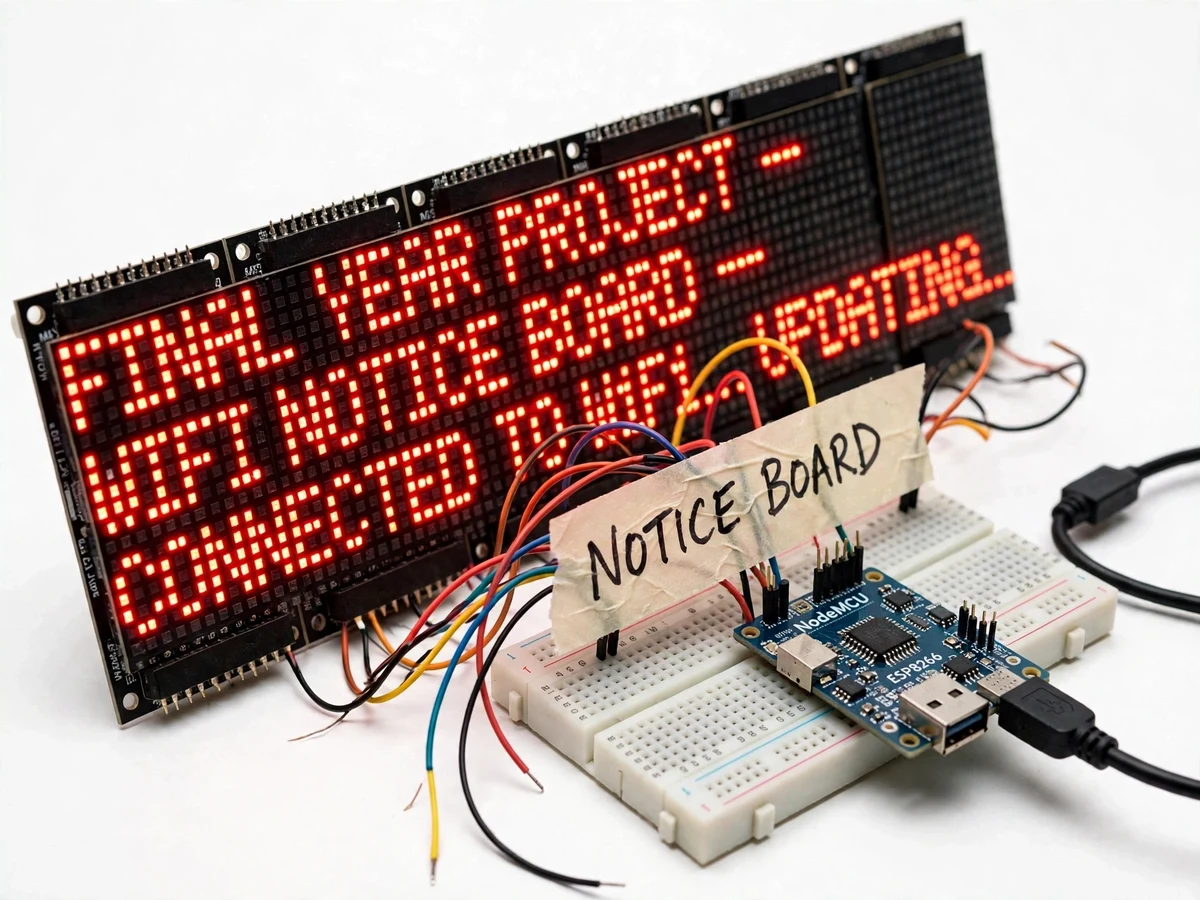
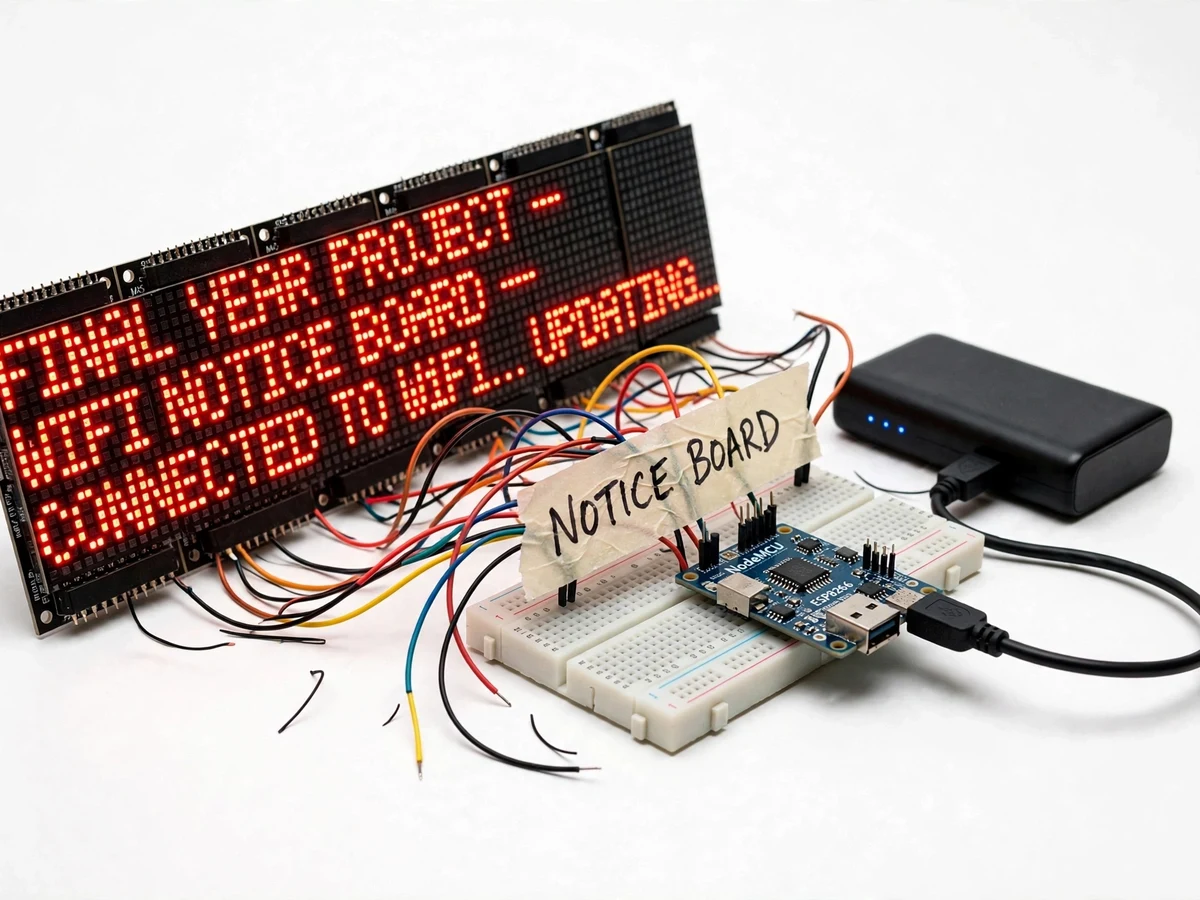
College notice boards are where announcements go to be ignored — paper notices curl in the humidity, and updating them means printing, walking over and pinning. A digital board fixes the update problem, but commercial LED signage needs vendor software and mains wiring at the mounting point. This project builds the student-scale version: a NodeMCU ESP8266 drives a chain of four MAX7219 8x8 LED matrices showing bright red scrolling text, and anyone on the same WiFi network can update the message from a phone browser through a simple web form. The demo updates the board live from the examiner's own phone — the moment that sells the project. Power comes from a USB power bank, so the board hangs anywhere without wiring. Underneath the simple demo sit real embedded-web topics: the ESP8266 running as both WiFi client and web server, HTTP GET/POST handling in firmware, SPI driving of cascaded LED drivers, and the current arithmetic that decides how big a supply a bright matrix needs.
Any phone or laptop on the network submits notices through the board's web form in seconds.
Follow the working sequence
How it works
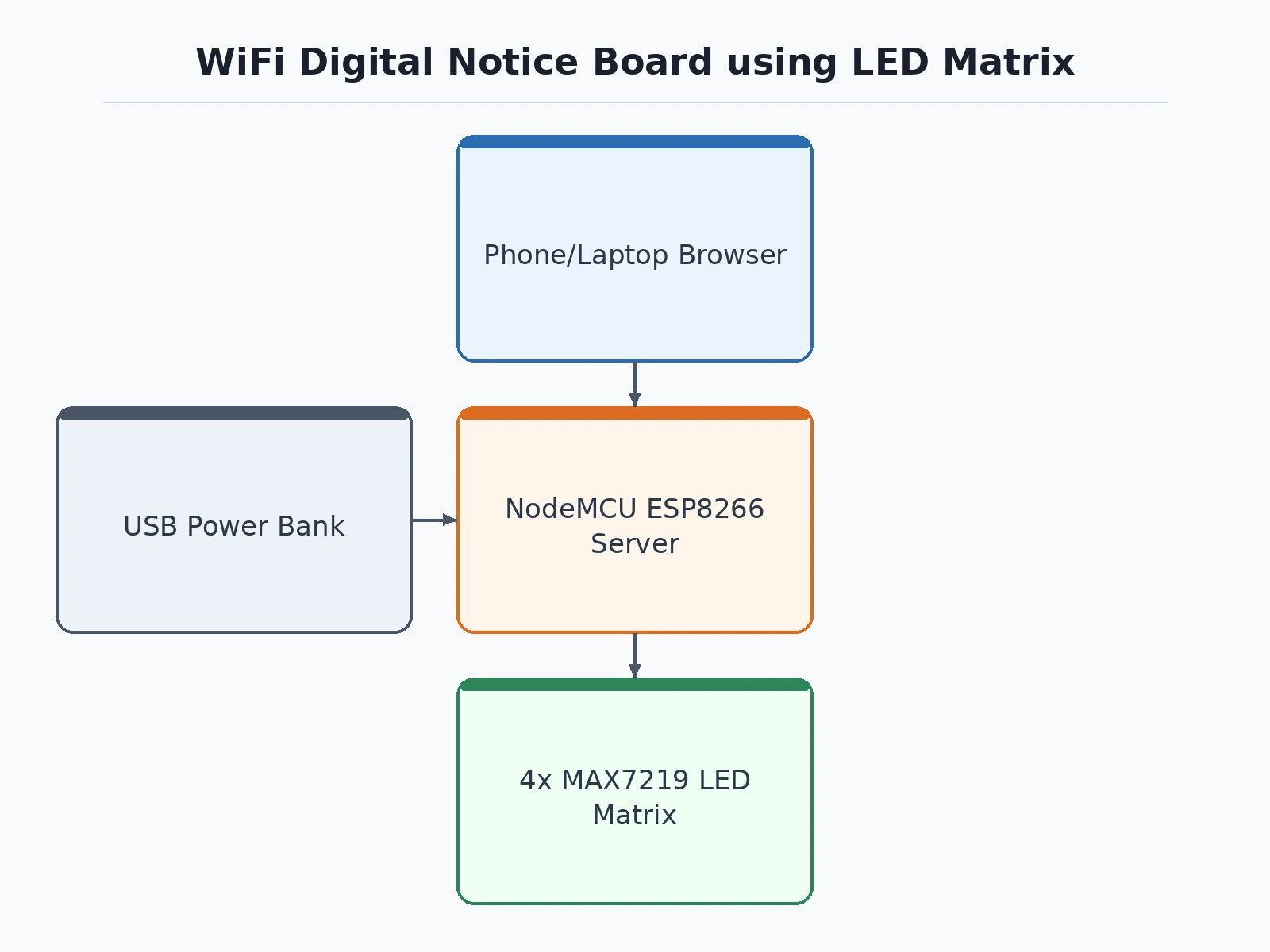
- On boot the NodeMCU connects to the configured WiFi network (or starts its own access point as fallback) and launches the web server.
- A user opens the board's page on a phone browser and submits a new notice through the form.
- The firmware stores the message in its slot memory and flags the display buffer for rebuild.
- The text is rendered into a pixel buffer and shifted across the four cascaded MAX7219 drivers over SPI.
- The matrices multiplex the columns at high speed, producing steady bright scrolling text to the eye.
- Stored messages rotate automatically, and brightness/speed settings apply live from the same web page.
Tech stack:
- NodeMCU ESP8266 (WiFi + web server)
- 4x MAX7219 8x8 LED matrix modules (cascaded)
- SPI matrix driving
- Embedded web UI (HTML form served from firmware)
- USB power bank (portable supply)
- Arduino IDE (C/C++ firmware)
- Phone/laptop browser as the client
| Parameter | Value |
|---|---|
| Controller | NodeMCU ESP8266, 80/160 MHz, 802.11 b/g/n |
| Display | 4 cascaded MAX7219 8x8 modules = 32x8 scrolling pixels, red LEDs |
| Update method | Web form over local WiFi; update latency typically a few seconds |
| Message storage | Multiple slots in flash, retained across reboots |
| Brightness | 16-step intensity control from web UI |
| Power | 5 V USB (power bank); full-brightness draw approximately 1–1.5 A design estimate — buyer verifies with their supply |
| Network modes | Station mode (joins router) + AP fallback (own network, no router needed) |
| Range | WiFi range of the venue network; AP fallback covers a room |
Project features
- [Phone-browser message updates] The NodeMCU serves a web page on the local network; typing a message and submitting updates the board within seconds — no app to install.
- [Scrolling LED matrix display] Four cascaded MAX7219 8x8 modules form a 32x8 scrolling display with adjustable speed, bright enough to read across a classroom.
- [Multiple message slots] Several messages can be stored and cycled automatically, so announcements rotate without anyone retyping.
- [WiFi station + AP modes] The board joins an existing network as a client, or falls back to its own access point — it works in venues with no router at all.
- [Brightness control] Display intensity is adjustable from the web UI, trading visibility against power draw for battery-powered deployments.
- [Auto-reconnect logic] If the WiFi drops, the firmware retries and re-serves the page automatically; the last message keeps scrolling throughout.
- [Power-bank portable] The whole unit runs from a USB power bank, so the demo board mounts on any wall or easel with zero wiring.
What is included
- Working notice board prototype (NodeMCU, 4x MAX7219 matrix chain, wiring, power bank)
- Complete firmware source code (WiFi manager, web server, message slots, SPI matrix driver)
- Web UI pages (message form, settings) embedded in firmware
- WiFi setup guide (station credentials, AP fallback access)
- Power-budget notes for LED matrix current draw
- Circuit and wiring documentation
- Project report PDF (ESP8266 web architecture, MAX7219 multiplexing, power analysis)
- PPT presentation for final review
- Viva Q&A preparation document (HTTP in firmware, SPI cascading, WiFi modes, LED multiplexing)
- Setup and demonstration guide
Limitations & prerequisites
- Updates work over the local WiFi network (or the board's own AP); there is no internet remote-update or cloud portal in this build — that is a separate project.
- The display is single-colour red text; graphics and multi-colour panels are outside this hardware's scope.
- Message length is bounded by firmware buffer sizes (long announcements are truncated with a documented limit).
- Full-brightness current draw is significant; the power bank must be rated for it, and the buyer verifies draw against their supply during bring-up.
- The web UI has no login in the base build; anyone on the network can post — access control is documented as an extension.
Frequently Asked Questions
How do messages get onto the board?
Connect any phone or laptop to the same WiFi network — or directly to the board's own access point — open the board's web page, type the notice and submit. The NodeMCU stores it and rebuilds the scrolling display within seconds. There is no app to install and no cable to plug in, which is exactly why the live update from the examiner's own phone is the demo's best moment.
Does it need a router?
Not necessarily. In station mode it joins an existing venue network; if none is configured or reachable, it falls back to its own WiFi access point that phones join directly. That fallback makes the board genuinely portable — it works in halls, corridors and outdoor stalls with no infrastructure at all.
How big and bright is the display?
Four cascaded MAX7219 8x8 modules give a 32x8-pixel scrolling display in bright red LEDs, readable across a classroom. Brightness is adjustable in 16 steps from the web UI, so you can trade visibility against power draw — full brightness from a power bank is the brightest demo, lower steps stretch battery life.
What happens if WiFi drops?
The last message keeps scrolling from the ESP8266's memory — the display never blanks just because the network went away. Meanwhile the firmware retries the connection in the background and re-serves the configuration page automatically once the network returns. Message slots are stored in flash, so even a reboot loses nothing.
What are the main limitations?
Updates are local-network only — there is no internet remote-update or cloud portal in this build. The display is single-colour red text with a firmware-bounded message length, and full-brightness current draw is significant, so the power bank must be rated for it. The base web UI also has no login; anyone on the network can post a notice.
Is this project suitable for a final-year project?
Yes — for Electronics, Computer and IoT programs. It combines an embedded HTTP server, dual WiFi modes, SPI driving of cascaded LED drivers and LED power budgeting into one coherent build. The live-update demo is simple to stage and the web-plus-firmware split gives clean viva questions on both sides. Suitable for B.E./B.Tech final-year projects in Electronics, Computer and IoT engineering.
Components & software requirements
- NodeMCU ESP8266 (WiFi + web server)
- 4x MAX7219 8x8 LED matrix modules (cascaded)
- SPI matrix driving
- Embedded web UI (HTML form served from firmware)
- USB power bank (portable supply)
- Arduino IDE (C/C++ firmware)
- Phone/laptop browser as the client
Delivery information
Built-to-order project. Delivery timeline is shared after order confirmation based on current queue.
Support terms
Complete documentation, setup guide, and viva preparation included. Support for setup and explanation provided.
Download free synopsis (PDF)
Enter your name and WhatsApp number — the synopsis PDF downloads immediately. We may send occasional project updates on WhatsApp; no spam.