
More project photos (2)
The problem
When a college, office or ISP must divide one private address block among many sites — an admin block, labs, a library, Wi-Fi zones — doing it by hand means repeatedly applying subnet math on paper and hoping the ranges never overlap. Existing calculators, including projectech.in's own IPv4 Subnet Calculator and Network Visualizer, only split a network into equal-sized subnets: that page's Limitations section says it explicitly cannot do variable-length (VLSM) allocation. So a designer either wastes addresses with equal-size splits or does VLSM planning manually. This project closes that gap with a desktop VLSM network planner: the user enters a base network (for example 192.168.0.0/16) and the host requirement of each site, and the app runs the textbook largest-requirement-first VLSM algorithm — assigning the smallest valid prefix to every site, detecting overlaps and address-space exhaustion, and producing a complete multi-site addressing plan: network address, subnet mask, broadcast address, first and last usable address and wasted addresses per site, plus a total waste percentage and an exportable CSV/PDF plan. A classic per-address subnet calculator view sits alongside the planner for quick single-subnet math.
How it works
- The user enters a base network in CIDR notation (for example 10.0.0.0/16) and adds each site with a name and required host count (for example Admin Block 120, Labs 60, Library 30, Campus Wi-Fi 200).
- On "Generate plan", the engine sorts the requirements largest-first — the classic VLSM ordering that keeps waste minimal and blocks contiguous.
- For each requirement it adds 2 (network and broadcast addresses), rounds up to the next power of two, and derives the smallest valid prefix length (for example 200 hosts need 256 addresses, so a /24).
- Subnets are carved sequentially from the base address: each block's network address is the first free address after the previous block's broadcast address.
- The validator re-checks every range for overlap and for spilling past the base block's broadcast address; any violation is reported with the offending site named.
- Results render as a per-site table (network, mask, broadcast, first/last usable, waste) plus a summary card with total used, total waste and waste % — and a visual address-space bar.
- The user tweaks any host count and regenerates instantly, compares design versions, and exports the final plan as CSV or PDF for the project report.
Tech stack:
- Electron · Node.js (desktop app runtime)
- HTML5 · CSS3 · JavaScript ES6+ (planner & calculator UI)
- SQLite (local saved-plans database)
- pdfkit (PDF plan export)
- electron-builder (Windows/macOS/Linux installer packaging)
| Parameter | Value |
|---|---|
| Base network input | Any valid IPv4 CIDR block (for example /16, /20, /24) |
| Site requirements per plan | Up to ~50 sites per plan (design target) |
| Saved plans | Up to ~50 saved plans per user (expected) |
| Export formats | CSV and printable PDF |
| Platform | Windows, macOS and Linux desktop installers |
| Offline use | Fully offline after installation |
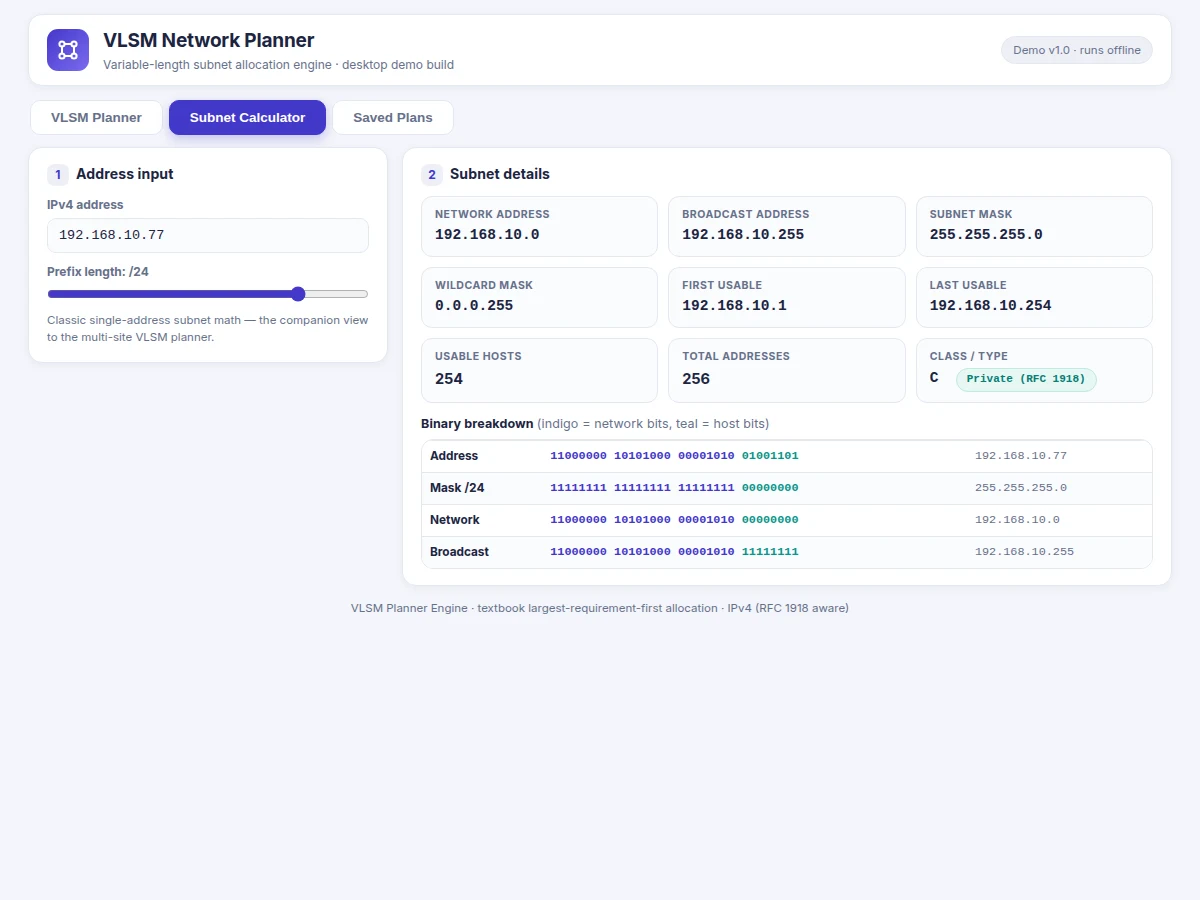
| Binary subnet view | Full 32-bit dotted-decimal and binary breakdown in the calculator view |
| Installer size | Approximately 60–90 MB per platform (expected) |
Project features
- [VLSM allocation engine] Implements the textbook largest-requirement-first algorithm: sorts site requirements descending, adds 2 for network and broadcast addresses, rounds up to the next power of two, derives the smallest valid prefix per site and carves blocks sequentially from the base address. Reports address-space exhaustion with the offending site named.
- [Multi-site addressing plan table] Renders the complete plan per site: network address, subnet mask, prefix length, broadcast address, first and last usable host, assigned block size, required hosts and wasted addresses — the exact table a designer pastes into a network document.
- [Waste analysis dashboard] Shows per-subnet waste and total waste %, with a visual address-space bar (used vs free) so alternative designs can be compared side by side and the leanest plan chosen.
- [Classic subnet calculator view] Enter any IPv4 address with a prefix: returns network and broadcast addresses, mask in dotted-decimal and binary, wildcard mask, usable host range, total hosts, address class and RFC 1918 private/public indicator.
- [Overlap & exhaustion validation] Validates dotted-decimal and CIDR input, rejects malformed addresses, and re-checks every allocated range for overlaps and for spilling past the base block's broadcast address before the plan is accepted.
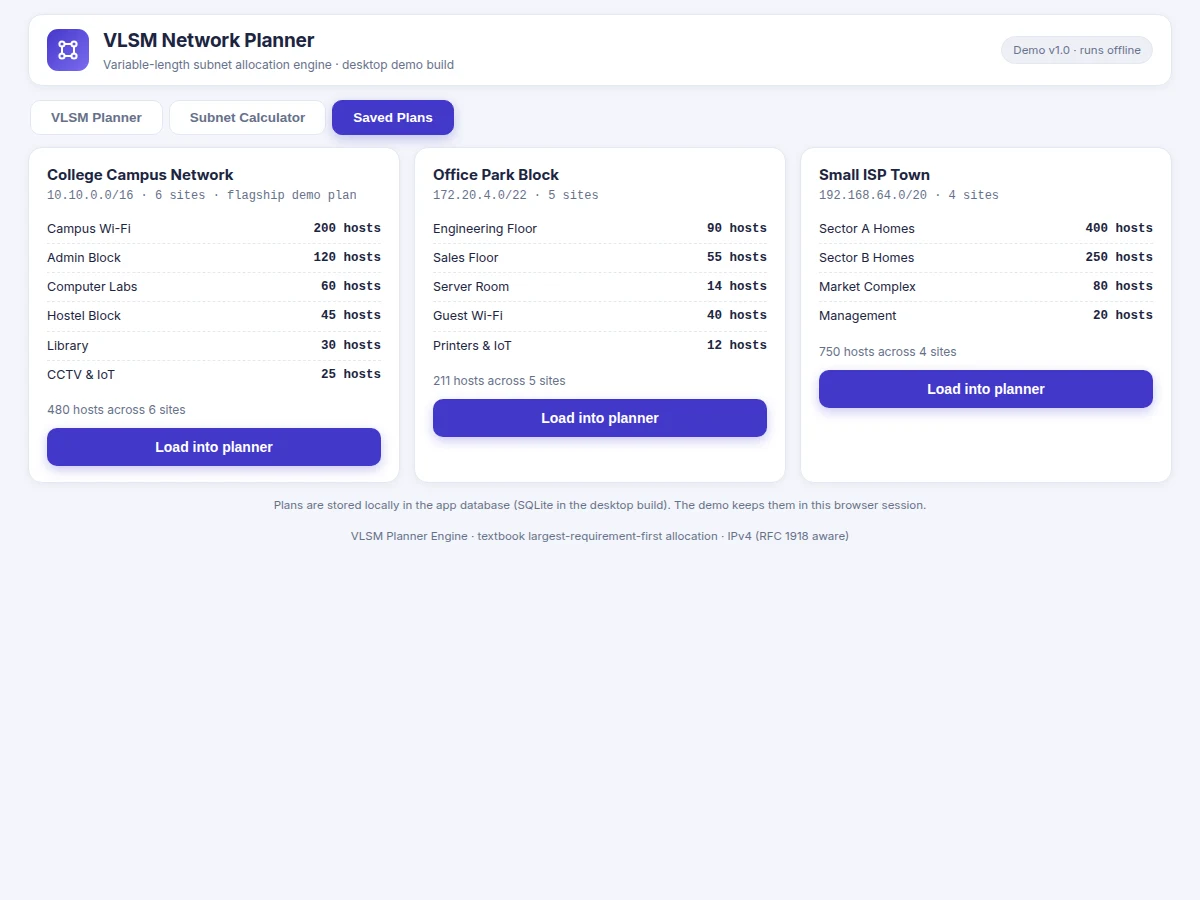
- [Saved plans library] Save, rename, duplicate and reopen named plans in a local database (design target: up to ~50 saved plans per user), so semester projects can keep every iteration of their addressing design.
- [CSV & PDF plan export] One-click export of the full addressing plan table with the waste summary to CSV and to a printable PDF document ready for the project report.
- [Fully offline desktop app] Runs completely offline on Windows, macOS and Linux after install — no account, no cloud dependency, all subnet math done locally.
What is included
- Complete desktop app source code (Electron + JavaScript VLSM engine)
- Working VLSM allocation engine with sample campus plans preloaded
- Setup and installer-build instructions (electron-builder)
- Project report PDF (networking theory, VLSM algorithm, system design, testing)
- PPT presentation for final review
- Viva Q&A preparation document (subnetting math, VLSM algorithm, Electron/SQLite design)
- Demo guidance: scripted walkthrough from base network entry to exported CSV plan
Limitations & prerequisites
- IPv4 only — IPv6 subnet planning is future scope, not implemented.
- Plans are advisory designs: always verify the addresses against the real router and switch configuration before deployment.
- The app does not push configurations to routers or switches; there is no SNMP, SSH or NETCONF device integration.
- The waste percentage is pure arithmetic on the addressing plan; it does not model routing overhead or DHCP reservations.
- Saved plans live in the local SQLite database; there is no cloud sync or multi-user sharing.
- Exports assume a single contiguous base block; discontiguous or multi-block base allocations are not supported.
Frequently Asked Questions
How is this different from the IPv4 Subnet Calculator and Network Visualizer already on projectech.in?
That page's own Limitations section says it only splits a network into equal-sized subnets and cannot do variable-length (VLSM) allocation. This project is the VLSM engine: given a base network and per-site host counts, it produces a complete multi-site addressing plan — smallest prefix per site, largest-first ordering, per-subnet waste and total waste % — exportable as CSV/PDF. It is a genuinely different build with a different deliverable.
Is this project suitable for a final-year project?
Yes — for Computer Science, IT and Networking programs. It demonstrates IP addressing and subnetting mathematics implemented as a working algorithm, binary and decimal address manipulation, desktop application development with Electron, local database design with SQLite, and report generation — producing a testable, demonstrable addressing-plan output.
What does the VLSM algorithm actually do?
It takes the base network and each site's host requirement, sorts requirements largest-first, adds 2 per site for the network and broadcast addresses, rounds up to the next power of two, converts that to the smallest valid prefix length and carves each block sequentially from the base address. The app implements this exactly, then validates every range for overlaps.
What will I receive with the project?
The complete Electron desktop app source code, the VLSM engine with sample campus plans preloaded, installer-build instructions for Windows, macOS and Linux, the project report PDF, the PPT presentation, the viva Q&A document and a demo script that walks through base-network entry to exported CSV plan. The abstract PDF of this listing is included in the documentation set.
Can this project be customized?
Yes — realistic options include IPv6 support, router configuration snippet generation in Cisco or Juniper CLI style, DHCP scope planning alongside the addressing plan, multi-block base allocations, or a web version of the planner for teams. The base build is IPv4 desktop only, and every customization is scoped and quoted separately.
Does it work without internet?
Yes. The app runs fully offline once installed — all subnet mathematics, plan generation, overlap validation and CSV/PDF exports happen locally on the machine. Internet is only needed to download the installer and, optionally, to check for software updates afterwards.
Components & software requirements
- Electron · Node.js (desktop app runtime)
- HTML5 · CSS3 · JavaScript ES6+ (planner & calculator UI)
- SQLite (local saved-plans database)
- pdfkit (PDF plan export)
- electron-builder (Windows/macOS/Linux installer packaging)
Delivery information
Built-to-order project. Delivery timeline is shared after order confirmation based on current queue.
Support terms
Complete documentation, setup guide, and viva preparation included. Support for setup and explanation provided.
Download free synopsis (PDF)
Enter your name and email — the synopsis PDF downloads immediately. We may send occasional project updates; no spam, unsubscribe anytime.