
More project photos (2)
The problem
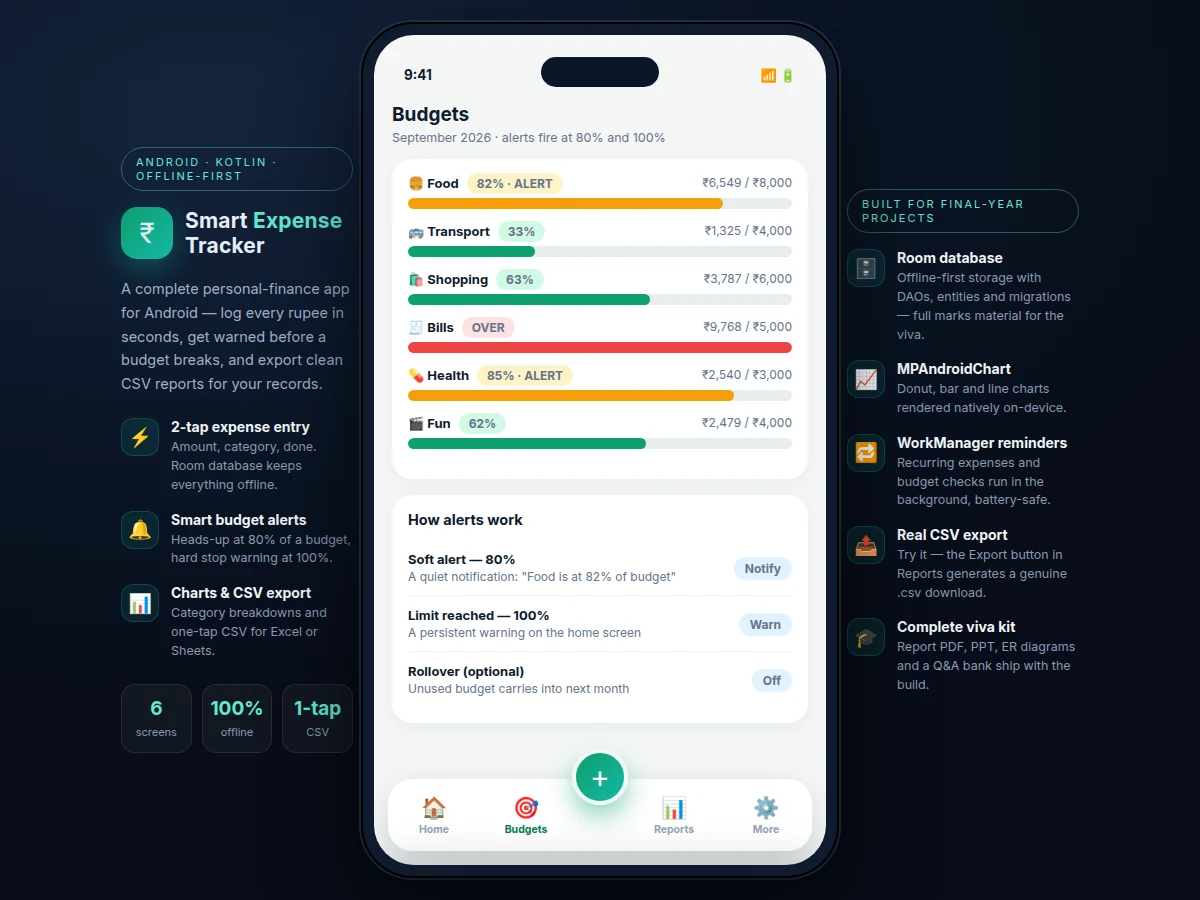
Students lose track of money in small daily leaks — food delivery, travel, snacks — because existing finance apps are either cloud-dependent, ad-heavy, or too slow to open for a quick entry, so usage dies within a week. Spreadsheets offer no budgets, no alerts and no charts. This project builds a native Android expense tracker designed for daily student use: two-tap expense entry (amount, category, optional note), an offline-first Room database that works in low-connectivity hostels, and a budget engine that warns at 80% of a monthly or category limit and raises a persistent warning at 100%. Spending is visualized on-device with a category donut, a six-month bar trend and per-category progress bars; recurring costs like hostel fees and subscriptions get WorkManager reminders; and the full history exports as clean, spreadsheet-ready CSV. Because the stack is standard Android (Kotlin, Room, WorkManager, MPAndroidChart), the student can explain every layer in the viva — entities, DAOs, reactive UI updates and background jobs.
Logs expenses, sets monthly and category budgets, exports history to CSV.
Follow the working sequence
How it works
- The user taps the + button and enters amount, category and an optional note in the bottom-sheet form; the entry is validated and inserted into the Room database.
- The repository exposes the transaction table as a Kotlin Flow, so the dashboard totals, donut chart and budget bars refresh reactively on every insert — no manual reloads.
- The budget engine compares spent totals against the monthly and category limits after each insert, posting a notification at 80% and a persistent home-screen warning at 100%.
- A WorkManager periodic job runs a daily budget check (catching threshold crossings while the app is closed) and fires due-date reminders for recurring expenses.
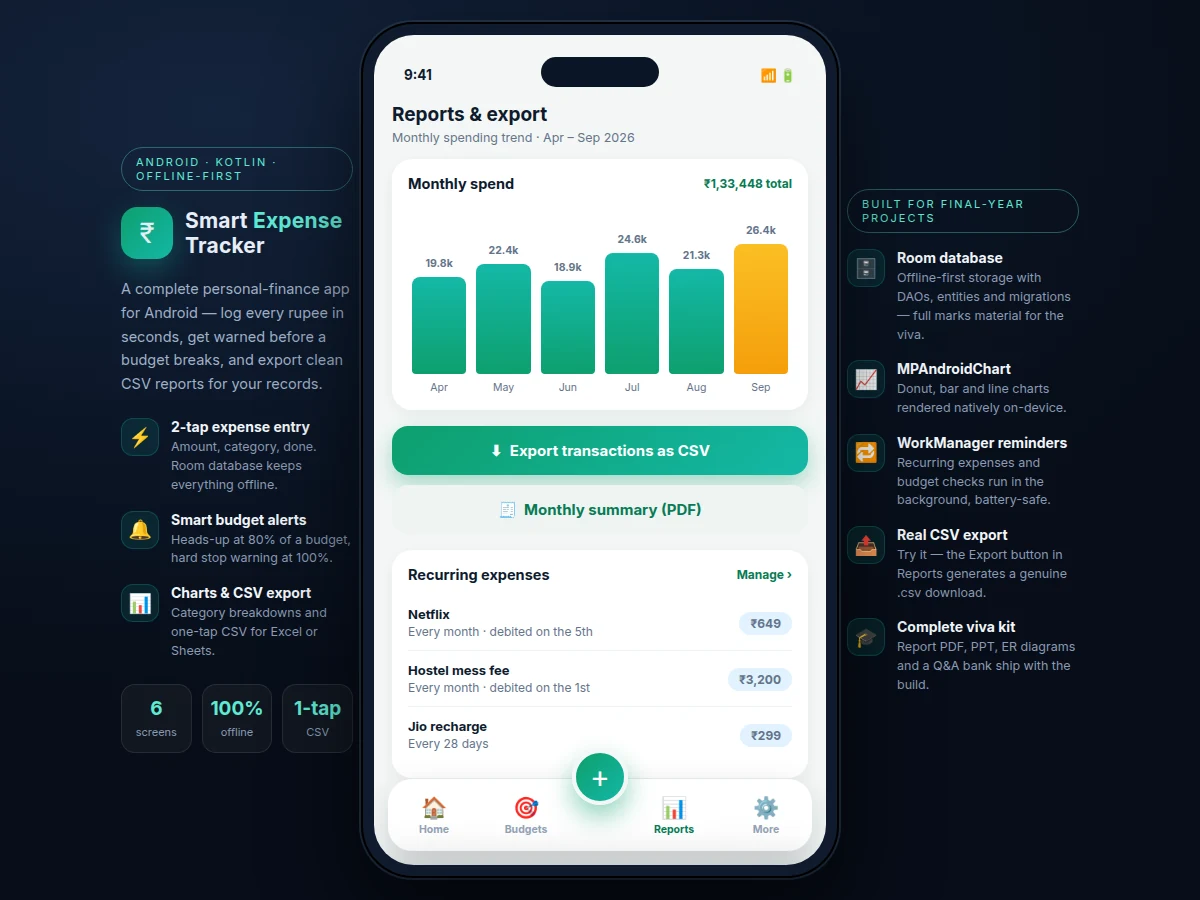
- The Reports screen queries the local database for the six-month trend and renders bar and donut charts with MPAndroidChart, entirely on-device.
- Tapping Export serializes the transaction table to CSV with proper quoting, then hands the file to the system share sheet so it opens directly in a spreadsheet app.
Tech stack:
- Kotlin, Android SDK (minSdk 24)
- Material 3 components
- Room database (entities, DAOs, migrations)
- Kotlin Coroutines + Flow
- WorkManager (background jobs)
- MPAndroidChart
- CSV export via system file picker
- Git version control
| Parameter | Value |
|---|---|
| App size | Approximately 15 MB debug APK (expected) |
| Minimum Android | 7.0 (API 24), target API 34 |
| Expense entry | 2 taps from the home screen (design target) |
| Categories | 6 default, user-extendable (design) |
| Budget thresholds | 80% soft alert, 100% limit warning (configurable) |
| Offline operation | Fully functional without connectivity (design) |
| CSV export | UTF-8, date-ordered, spreadsheet-ready (design) |
| Local storage | Approximately tens of KB per 1,000 transactions (expected) |
Project features
- [Two-tap expense entry] A bottom-sheet form captures amount, one of six categories and an optional note, validates the input, and saves — fast enough to use at a food stall.
- [Offline-first Room database] All transactions, budgets and recurring expenses live in a Room database with entities, DAOs and migration support; the app is fully functional without connectivity.
- [Budget engine with 80%/100% alerts] Monthly and per-category budgets are recomputed on every insert: a notification fires at 80% utilization and a persistent warning appears at 100%.
- [On-device spending charts] Category donut, six-month bar trend and per-category budget progress bars rendered natively with MPAndroidChart — no server, no network.
- [Recurring expense reminders] Hostel fees, subscriptions and recharges are registered once; WorkManager fires battery-safe background reminders on their due dates.
- [One-tap CSV export] The full transaction history serializes to a well-formed, date-ordered CSV (date, title, category, amount) and shares through the system file picker into Excel or Google Sheets.
- [Material 3 interface] Clean, modern Android UI with bottom navigation, cards and the platform's dynamic theming conventions.
What is included
- Complete Kotlin source code as an Android Studio project
- Debug APK for direct install and live demonstration
- Demo dataset: one month of realistic student transactions
- Architecture document with entity-relationship and data-flow diagrams
- Project report PDF (background, design, implementation, testing)
- PPT presentation for final review
- Viva Q&A preparation document (Room, Coroutines, WorkManager, charts)
Limitations & prerequisites
- No automatic bank or UPI SMS import — every expense is entered manually; auto-import is future scope.
- Budgets are simple monthly and per-category limits; savings goals and rollover analytics are not included as shipped.
- Charts are the standard MPAndroidChart set (donut, bar, progress bars); no custom chart types.
- No cloud sync or multi-device support — data lives on one device and backup is the manual CSV export.
- CSV export uses the device locale date format; the column order should be verified in Excel before submission.
- Built for the stated min/target SDK range; devices below Android 7.0 are out of scope.
Frequently Asked Questions
Does the app work without internet?
Yes — it is offline-first. The Room database holds everything locally, charts render on-device, and export works through the local file picker — nothing in the app requires a network connection.
How do the budget alerts work?
The budget engine recomputes utilization on every new expense. At 80% of a monthly or category budget it posts a notification; at 100% a persistent warning appears on the home screen. A WorkManager daily job catches crossings while the app is closed.
What does the CSV export contain?
Date, title, category and amount for every transaction, date-ordered and UTF-8 encoded, with proper quoting — it opens directly in Excel or Google Sheets for records or report annexures.
Can categories and budgets be changed?
Yes — the six default categories (Food, Transport, Shopping, Bills, Health, Fun) and all budget limits are editable in the app, and the report documents where the seed data lives for customization.
Is this project suitable for a final-year project?
Yes — for Computer Science, IT and Android-focused programs. It demonstrates modern Android architecture (Room, Coroutines/Flow, WorkManager), reactive UI, on-device visualization and a real export pipeline, all explainable in the viva. Suitable for B.E./B.Tech final-year projects in Computer Science, IT and Android application development.
Components & software requirements
- Kotlin, Android SDK (minSdk 24)
- Material 3 components
- Room database (entities, DAOs, migrations)
- Kotlin Coroutines + Flow
- WorkManager (background jobs)
- MPAndroidChart
- CSV export via system file picker
- Git version control
Delivery information
Built-to-order project. Delivery timeline is shared after order confirmation based on current queue.
Support terms
Complete documentation, setup guide, and viva preparation included. Support for setup and explanation provided.
Download free synopsis (PDF)
Enter your name and email — the synopsis PDF downloads immediately. We may send occasional project updates; no spam, unsubscribe anytime.