
More project photos (2)
The problem
Millions of suburban rail commuters plan their day around local trains, yet the timetable lives in cluttered PDFs, unofficial websites that need connectivity, or plain memory. A missed fast train versus a slow one can mean a 20-minute difference, and visitors have no idea which trains skip their station. A dedicated timetable app solves the information problem at the platform: type two station names, get the next trains with times, durations and halt counts, and drill into any train for its full halt list. This project implements that as a native Android app with a bundled offline timetable database, station search with swap, line filtering, train detail views with halt-by-halt timings, and a live-status screen design — built with modern Android architecture (MVVM, Room, Navigation).
How it works
- On first launch, the app seeds its Room database from the bundled timetable dataset (stations, trains, halts, fares) — no download needed.
- The search screen queries stations with typeahead; selecting source and destination runs a query for trains serving both, ordered by next departure from the device clock.
- Each result computes journey time and halt count from the halt table, and tags fast trains that skip stations.
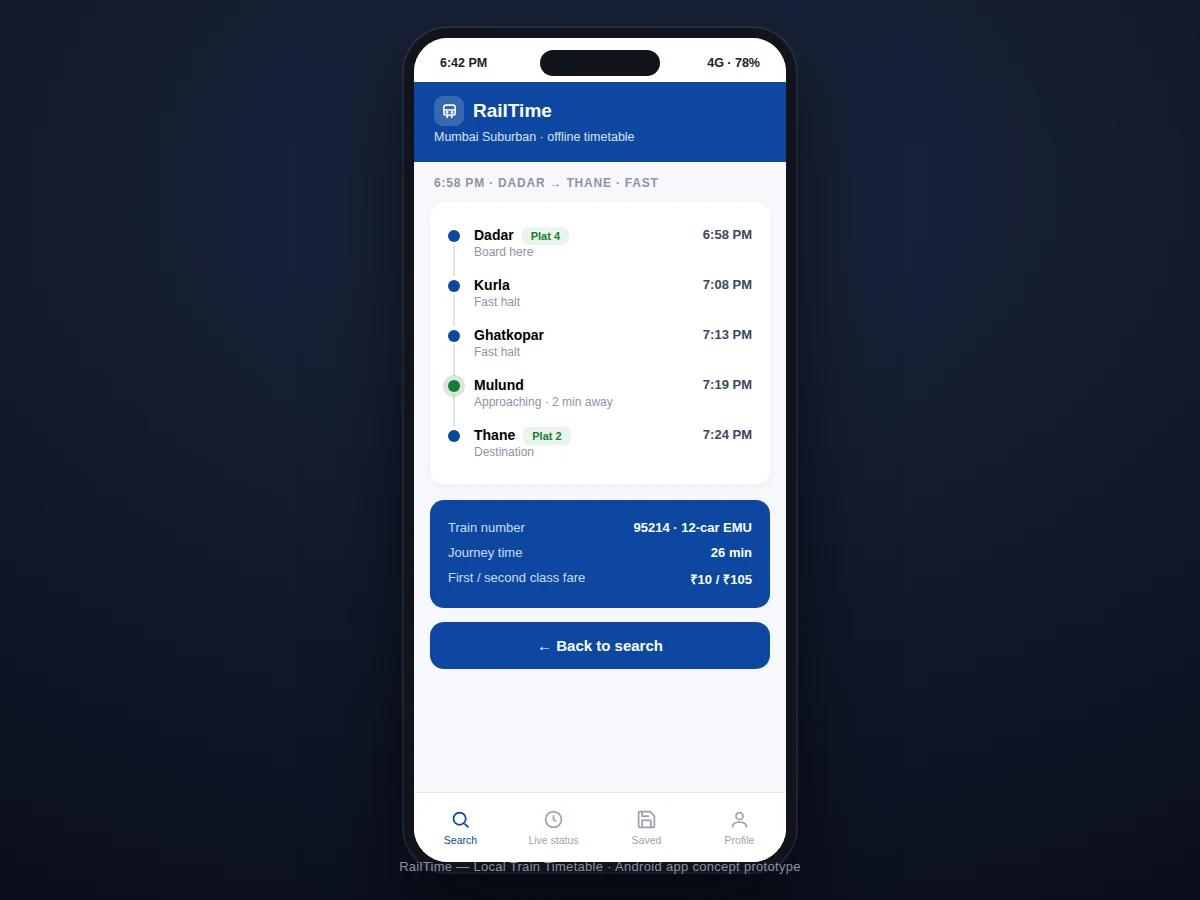
- Tapping a train opens the detail screen, which lists every halt with scheduled times, highlighting the boarding station and destination.
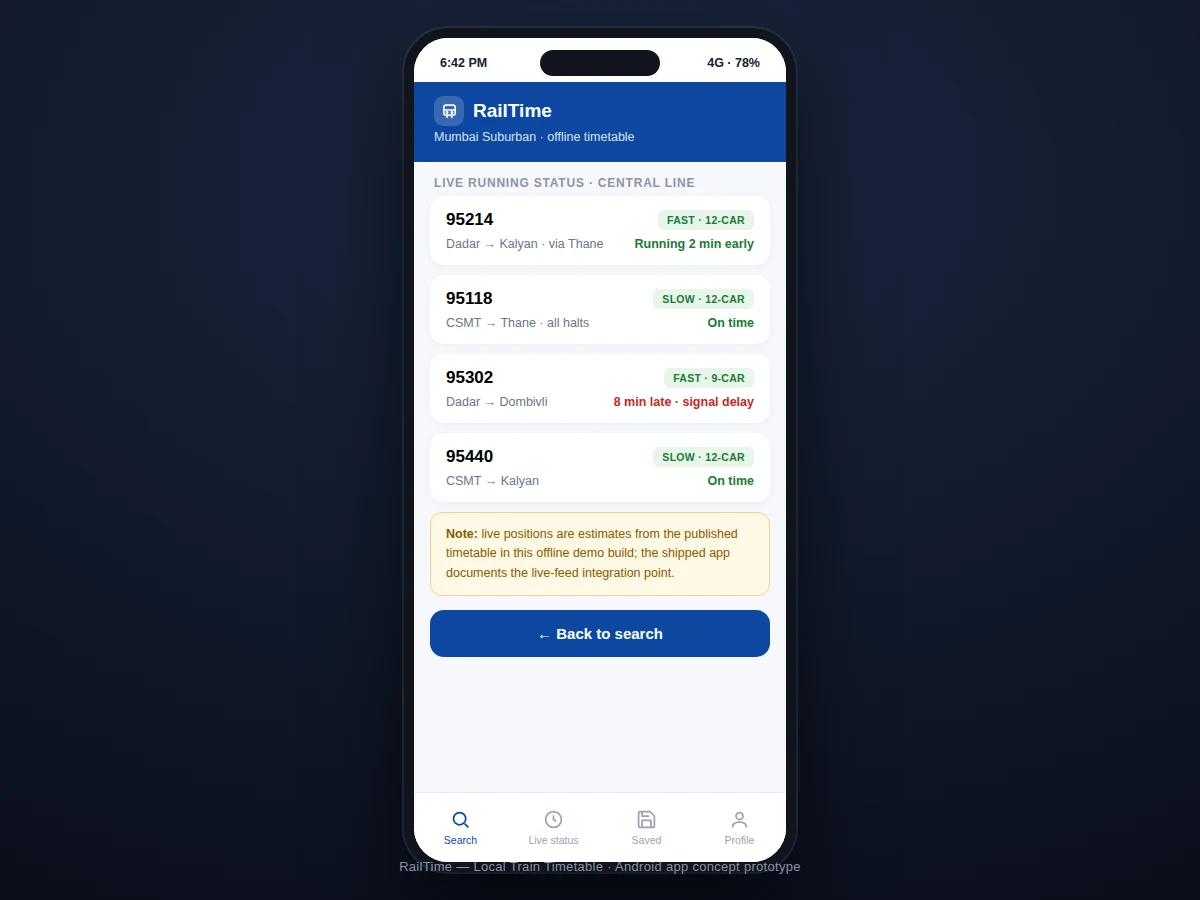
- The live-status screen is architected against a timetable-derived estimate layer, with the integration point for a real-time feed documented for future work.
- Saved routes store station pairs in preferences; opening one re-runs the same query pipeline instantly.
Tech stack:
- Kotlin
- Android Jetpack (MVVM)
- Room (offline timetable DB)
- Navigation component
- Coroutines · Flow
- Material Design 3
- Retrofit (future live-feed layer)
| Parameter | Value |
|---|---|
| Platform | Android 8.0 (API 26)+ (expected) |
| Data | Bundled offline timetable (Room) |
| Stations | 120+ across 4 corridors (dataset scope) |
| Search | Typeahead, <100 ms on-device (expected) |
| Architecture | MVVM + Repository |
| UI | Material Design 3, dark-mode ready |
| Size | Approximately 12–18 MB APK (expected) |
| Network | Not required for core features |
Project features
- [Offline timetable database] The full suburban timetable ships in a Room database — station search and train lookup work with zero connectivity, including in tunnels and basements.
- [Station-to-station search] Typeahead search over all stations with a one-tap source/destination swap for the return journey.
- [Next-train listings] Upcoming trains with departure/arrival times, journey duration, halt counts and fast/slow indicators, sorted by departure.
- [Train detail with halts] Open any train for its station-by-station halt list with timings, platform hints and first/second-class fare.
- [Line filtering] Filter by Central, Western, Harbour or Trans-Harbour corridors to cut through the noise.
- [Service advisories] A banner system surfaces planned disruptions (e.g. Sunday mega blocks) above the results.
- [Saved routes] Bookmark daily commutes for one-tap lookup of the next trains on a saved route.
What is included
- Complete Android app source code (Kotlin)
- Offline timetable dataset + seeding scripts
- Build and install instructions (APK generation)
- Project report PDF (data model, Room schema, MVVM design, offline strategy)
- PPT presentation for final review
- Viva Q&A preparation document (Room, MVVM, coroutines, offline-first design)
Limitations & prerequisites
- Timetable data is static as bundled — real schedule revisions need a dataset update; the report documents the update procedure.
- Live running status in this build is estimated from the timetable, not from a real-time GPS feed; the feed integration point is designed and documented as future scope.
- Platform numbers are hints from the dataset and can change on the day — the app labels them as such.
- Fares are indicative and follow the dataset's fare table; they are not fetched from the railway's live systems.
- Coverage is limited to the suburban corridors in the dataset; long-distance trains are out of scope.
- Station search needs the exact station spelling to match best — typeahead helps, but transliteration variants are limited.
Frequently Asked Questions
Does it work without internet?
Yes — the entire timetable is bundled in a local Room database, so search, listings and halt details all work offline, which is exactly when commuters need them most.
Where does the timetable data come from?
The dataset is compiled from published suburban timetables into a structured stations–trains–halts schema; the seeding scripts are included so the data pipeline is fully transparent.
How is this different from a railway website?
Websites need connectivity and bury the answer in pages; this app answers "next trains from Dadar to Thane" in two taps, offline, with fast/slow and halt information upfront.
Can it show live train positions?
Not in this build — live status is timetable-derived. The architecture includes a defined integration point for a real-time feed, documented as future scope in the report.
Which Android versions are supported?
Android 8.0 (API 26) and above, covering the overwhelming majority of active devices in the target user base.
Is this project suitable for a final-year project?
Yes — for Computer Science, IT and mobile computing programs. It demonstrates offline-first design, relational data modeling on-device, and modern Android architecture. Suitable for B.E./B.Tech final-year projects in Computer Science, IT and mobile computing.
Components & software requirements
- Kotlin
- Android Jetpack (MVVM)
- Room (offline timetable DB)
- Navigation component
- Coroutines · Flow
- Material Design 3
- Retrofit (future live-feed layer)
Delivery information
Built-to-order project. Delivery timeline is shared after order confirmation based on current queue.
Support terms
Complete documentation, setup guide, and viva preparation included. Support for setup and explanation provided.