
More project photos (2)
The problem
In every college hostel, the mess menu is simultaneously the most-asked-about and worst-distributed piece of information on campus — pinned as a crumpled printout on a notice board nobody reads, or buried in a WhatsApp group under a hundred good-morning forwards. Students walk to the mess not knowing what is served, special meals need coupon booking with opaque deadlines, and the mess committee gets feedback only as corridor complaints. A dedicated mess app fixes all three: today's menu with live serving status, the week's plan for planning ahead, and a structured feedback channel with ratings the committee can actually act on. This project implements that as a native Android app with offline menu caching, meal countdowns, dish ratings and a committee feedback pipeline.
How it works
- The menu dataset (days × meals × dishes with timings and flags) is bundled and cached in a Room database on first launch.
- The home screen resolves the current time against meal windows to highlight the active meal and compute the countdown to service end.
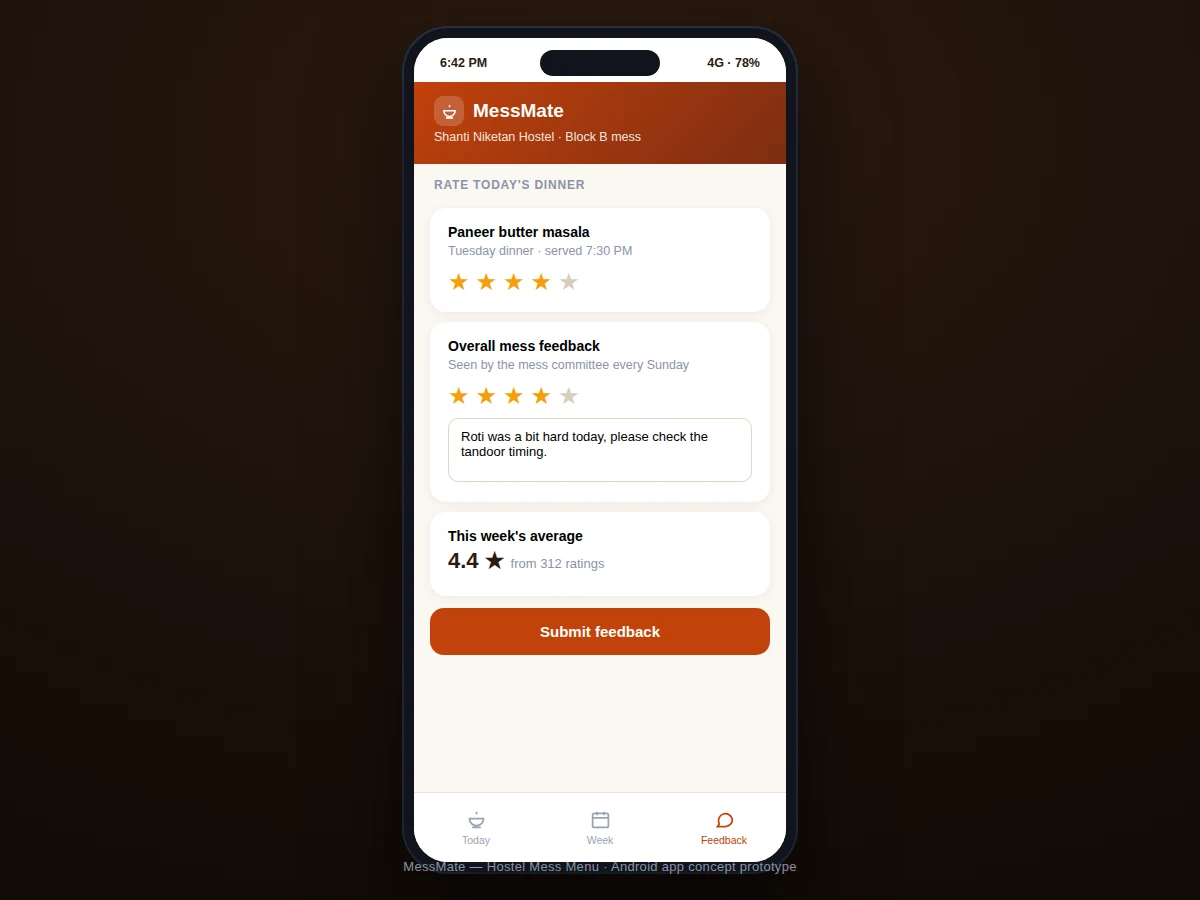
- Dish ratings are stored per user per dish; the app aggregates them into per-dish averages and a weekly mess score shown on the feedback screen.
- Feedback submissions (rating + comment) are queued locally and marked for the committee's weekly review cycle.
- Special meals carry metadata (coupon required, deadline, quantity cap) rendered as notice banners with booking instructions.
- A background refresh checks for menu updates when connectivity is available and silently refreshes the cache.
Tech stack:
- Kotlin
- Android Jetpack (MVVM)
- Room (menu + ratings cache)
- WorkManager (background refresh)
- Notifications API (special-meal alerts)
- Material Design 3
- Retrofit (menu sync endpoint)
| Parameter | Value |
|---|---|
| Platform | Android 8.0 (API 26)+ (expected) |
| Data | Bundled + cached weekly menu (Room) |
| Ratings | Per-dish 1–5 stars, aggregated |
| Offline | Full menu readable offline |
| Refresh | Background sync when online |
| Size | Approximately 8–12 MB APK (expected) |
| Roles | Student view (+ committee view design) |
| Network | Optional; core features offline |
Project features
- [Today's menu with live status] Breakfast, lunch and dinner cards show timings, dishes and a "serving now" highlight with a countdown to service end.
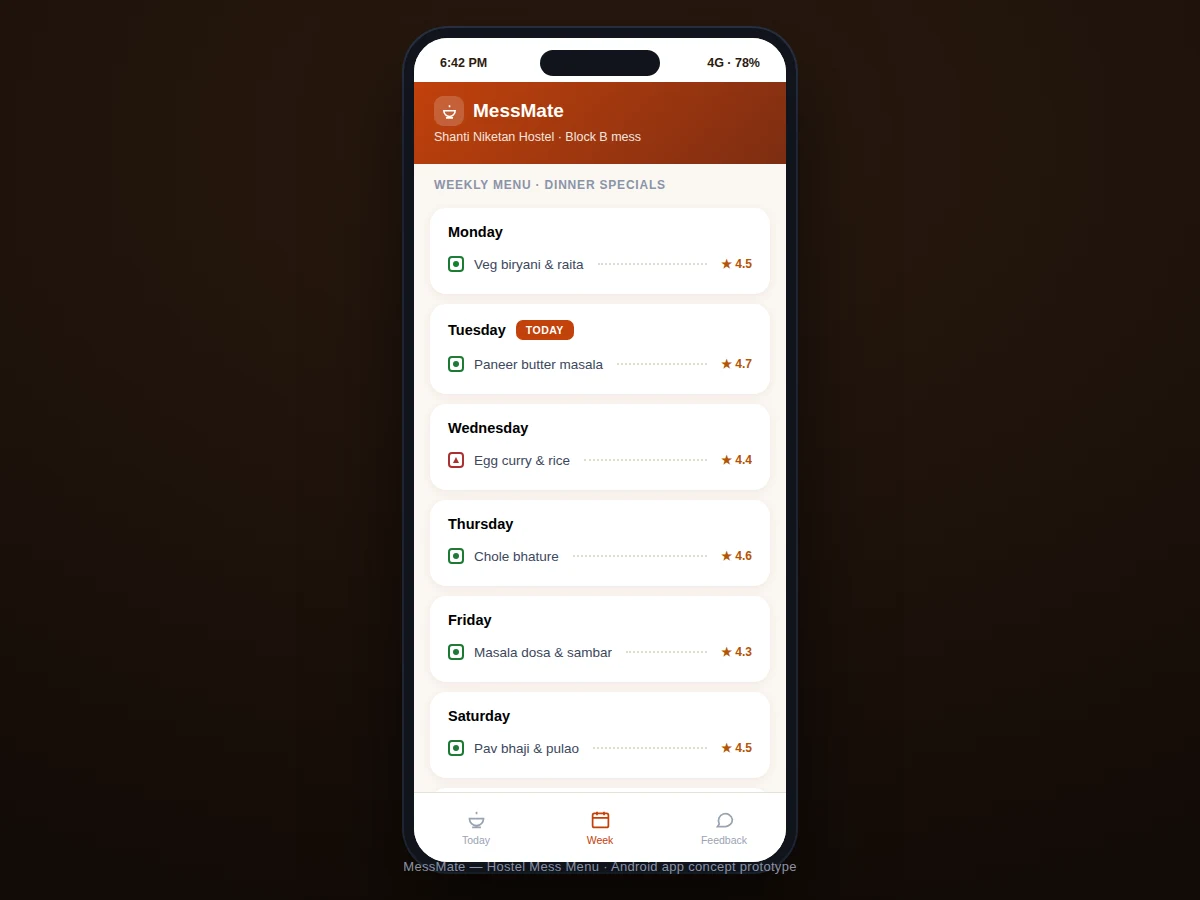
- [Weekly menu view] The full week's dinner specials ahead, so students can plan — including coupon-only specials with booking deadlines.
- [Per-dish ratings] Students rate individual dishes; averages are computed per dish and per week for a transparent quality signal.
- [Committee feedback channel] Structured feedback (rating + optional comment) routed to the mess committee's weekly review, replacing corridor complaints.
- [Veg/non-veg indicators] Standard veg/non-veg marks on every dish, with the day's special clearly labeled.
- [Offline menu cache] The week's menu is cached on-device, so it loads instantly even with poor hostel Wi-Fi.
- [Special-meal alerts] Coupon-based specials (e.g. Sunday chicken curry) carry booking-deadline notices so nobody misses out.
What is included
- Complete Android app source code (Kotlin)
- Menu dataset schema + sample week data
- Committee review workflow document
- Project report PDF (data model, rating aggregation, offline caching, sync design)
- PPT presentation for final review
- Viva Q&A preparation document (Room, WorkManager, aggregation queries, offline-first)
Limitations & prerequisites
- Menu data is only as current as its last update — the app shows the data timestamp so staleness is visible, and sudden kitchen changes cannot be reflected instantly.
- Ratings reflect the students who bother to rate; the report discusses this self-selection bias honestly.
- The committee review workflow is a designed process (weekly digest), not an enforced ticketing system.
- Coupon booking for specials is informational (deadline + instructions), not a payment/booking integration.
- One hostel/mess per install in this build; multi-mess support is designed but not implemented.
- Feedback is anonymous-aggregated by design; individual complaint tracking is out of scope.
Frequently Asked Questions
Who updates the menu?
The mess committee (or a designated student) updates the weekly dataset through the documented update flow; the app then syncs it to all devices in the background.
Does it work on hostel Wi-Fi?
Yes — the week's menu is cached on-device, so it opens instantly even when the Wi-Fi is crawling; updates sync whenever connectivity returns.
How do ratings avoid misuse?
One rating per user per dish per day, aggregated into averages; the report discusses the self-selection bias openly rather than claiming statistical rigor.
Can the mess committee see feedback?
Yes — feedback is compiled into a weekly digest (average scores, comment themes) designed for the committee's Sunday review meeting.
What about special meals?
Coupon-based specials show booking deadlines and caps prominently (e.g. "180 coupons, book before Saturday 6 PM") so students never miss them.
Is this project suitable for a final-year project?
Yes — for Computer Science, IT and mobile computing programs. It is a complete real-world app: data modeling, offline sync, ratings aggregation and a genuine user base on campus. Suitable for B.E./B.Tech final-year projects in Computer Science, IT and mobile computing.
Components & software requirements
- Kotlin
- Android Jetpack (MVVM)
- Room (menu + ratings cache)
- WorkManager (background refresh)
- Notifications API (special-meal alerts)
- Material Design 3
- Retrofit (menu sync endpoint)
Delivery information
Built-to-order project. Delivery timeline is shared after order confirmation based on current queue.
Support terms
Complete documentation, setup guide, and viva preparation included. Support for setup and explanation provided.