
More project photos (3)
The problem
During exam season, the central library fills by 9 AM and the rest of the day is a quiet, frustrating hunt — students wander between floors peering at occupied chairs, while booked-but-empty seats sit unused because there is no system tracking them. A seat booking app replaces the hunt with a map: every seat's state (free, occupied, booked) is visible per floor and zone, booking takes seconds with a slot picker, and a QR pass handles gate entry. Crucially, no-show bookings auto-release after 15 minutes, so the map reflects reality instead of wishful thinking. This project implements that as a native Android app with an interactive SVG seat map, slot-based booking, QR entry passes, booking rules enforcement and a library-admin data model.
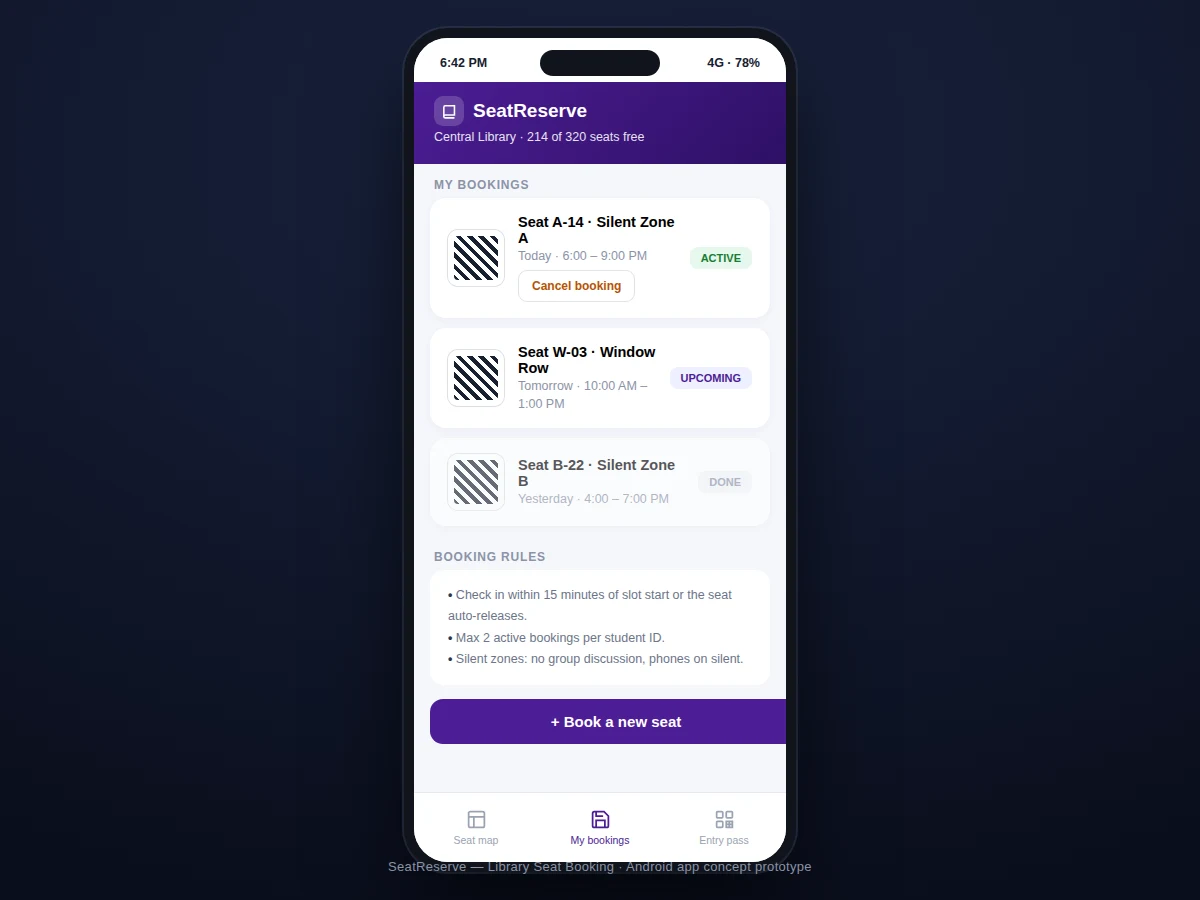
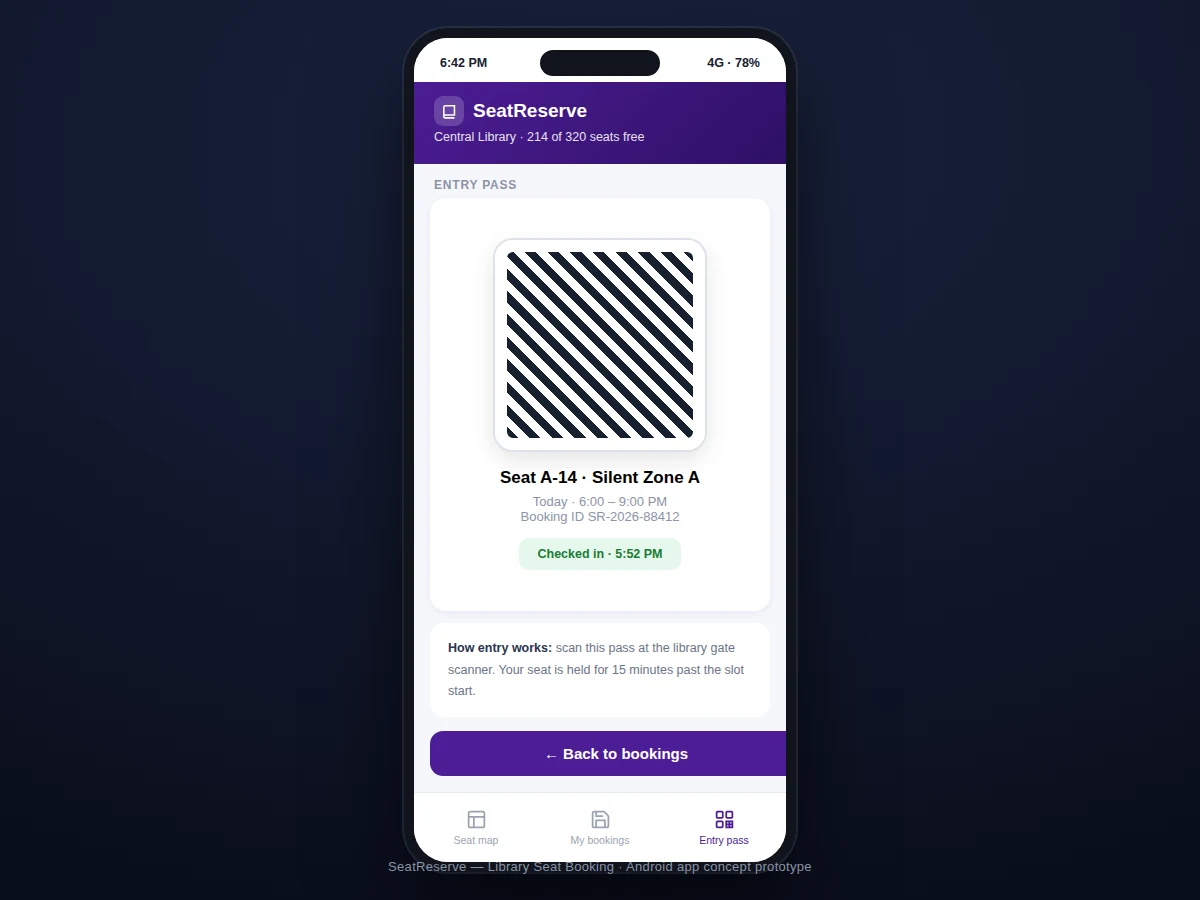
Browses the seat map, books a seat and shows the QR entry pass at the gate.
Follow the working sequence
How it works
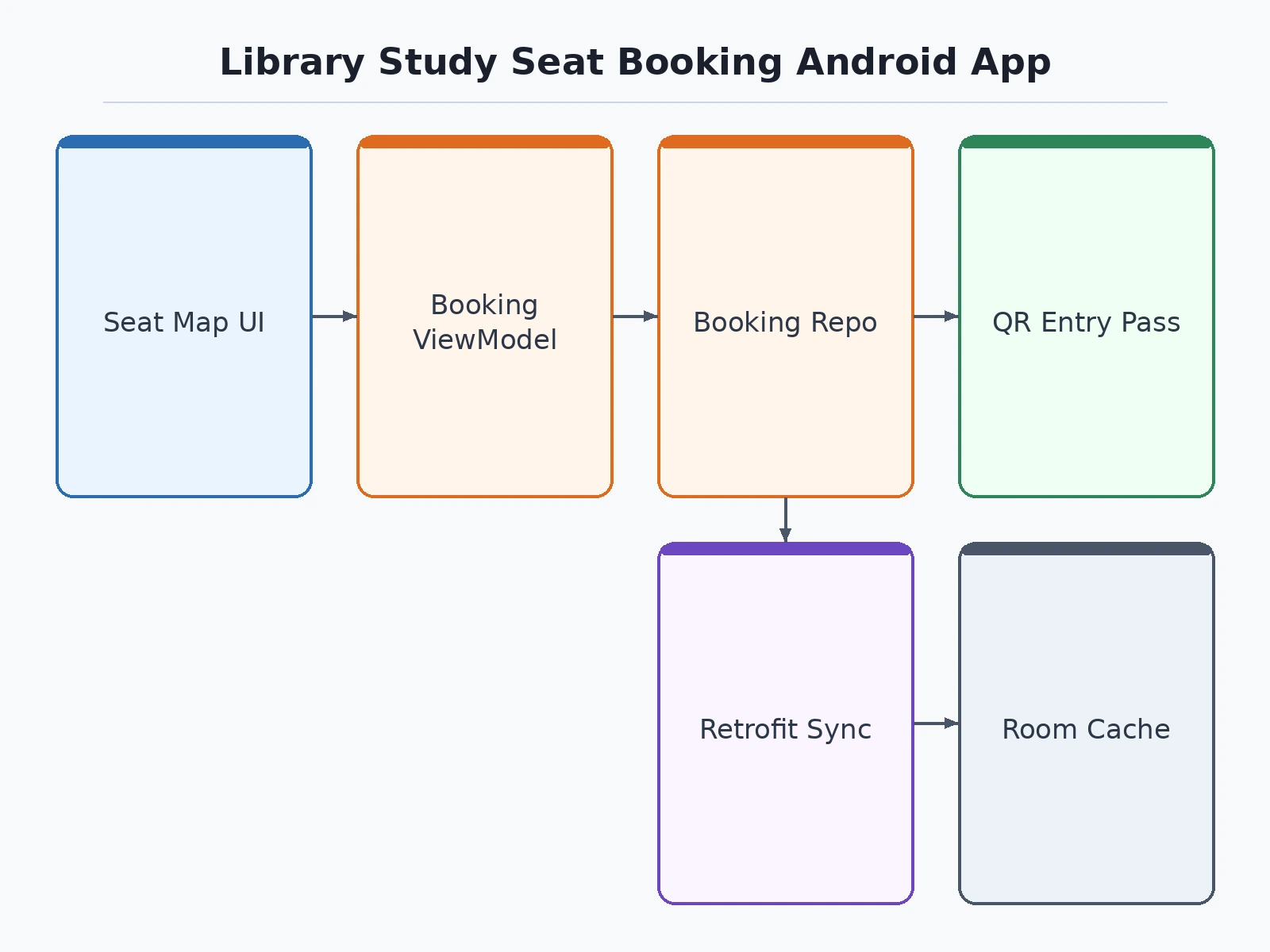
- The seat inventory (floors, zones, seats with coordinates and attributes like power sockets) is modeled in a Room database synced from the library backend.
- The map screen renders seats as SVG elements colored by state; tapping a free seat selects it and opens the slot picker.
- Booking writes a reservation with a 15-minute check-in deadline; a countdown is visible on the entry pass.
- At the gate, the QR pass is scanned (or the booking ID entered); check-in flips the seat to occupied and starts the slot timer.
- A sweeper job releases bookings whose check-in deadline passed, returning those seats to "free" on every client's next sync.
- Cancellation deletes the reservation immediately and pushes the freed seat to the map.
Tech stack:
- Kotlin
- Android Jetpack (MVVM)
- Room (seat + booking cache)
- ZXing (QR generation)
- WorkManager (auto-release sweeper)
- Retrofit (library backend sync)
- Material Design 3
| Parameter | Value |
|---|---|
| Platform | Android 8.0 (API 26)+ (expected) |
| Seat model | Floor → zone → seat hierarchy |
| Booking SLA | 15-min check-in or auto-release |
| Per-student cap | 2 active bookings (configurable) |
| Entry | QR pass + booking ID fallback |
| Sync | Backend sync, offline map cache |
| Size | Approximately 10–14 MB APK (expected) |
| Roles | Student app (+ admin model design) |
Project features
- [Interactive seat map] Per-floor SVG maps with color-coded seats (free/occupied/selected) across zones — silent areas, group zones, window rows.
- [Slot-based booking] Book a seat for defined slots (e.g. now–9 PM, tomorrow AM) with a two-tap flow from map to confirmation.
- [QR entry pass] Each booking generates a scannable entry pass with booking ID, seat, zone and slot for gate verification.
- [Auto-release on no-show] Seats not checked in within 15 minutes of slot start return to the pool automatically — the anti-ghost-booking rule.
- [Booking rules engine] Enforces the library's policies: max 2 active bookings per student ID, zone-specific quiet rules surfaced in context.
- [My bookings timeline] Active, upcoming and past bookings with one-tap cancellation that instantly frees the seat.
- [Offline map cache] Floor maps and the user's own bookings remain viewable without connectivity.
What is included
- Complete Android app source code (Kotlin)
- Seat-map schema + sample floor data
- Booking rules configuration document
- Project report PDF (seat-state machine, concurrency design, QR check-in, sync strategy)
- PPT presentation for final review
- Viva Q&A preparation document (state machines, optimistic concurrency, ZXing, WorkManager)
Limitations & prerequisites
- Real-time seat truth depends on check-in discipline and sync frequency — the 15-minute auto-release bounds staleness but cannot eliminate it.
- The demo backend is a documented sync contract; wiring it to the library's actual student-ID system is a deployment step covered in the report.
- QR scanning at the gate needs the library to operate a scanner (even a second phone) — the app provides the pass side.
- Seat attributes (power socket, window) come from the inventory data; wrong inventory data means wrong labels.
- One library per install in this build; multi-library support is a designed extension.
- Booking disputes (two students, one seat) resolve by booking timestamp — documented in the rules, not arbitrated by the app.
Frequently Asked Questions
What stops people from booking seats and never showing up?
The 15-minute check-in rule: miss it and the seat auto-releases to the pool. This is the core mechanism that keeps the map honest.
How does gate entry work?
Your booking produces a QR entry pass with seat, zone and slot; the gate scanner validates it against active bookings. A booking ID fallback covers dead phone batteries.
Can I book for tomorrow?
Yes — the slot picker offers today and tomorrow slots per the library's booking window policy.
What if the library's Wi-Fi is down?
Your floor maps and existing bookings are cached offline; new bookings queue and confirm when connectivity returns.
How are double bookings prevented?
Reservations are atomic on the backend — the first confirmed booking wins, and the map refreshes to reflect it.
Is this project suitable for a final-year project?
Yes — for Computer Science, IT and mobile computing programs. It is a real systems problem: state machines, concurrency, QR identity and offline sync in one app. Suitable for B.E./B.Tech final-year projects in Computer Science, IT and mobile computing.
Components & software requirements
- Kotlin
- Android Jetpack (MVVM)
- Room (seat + booking cache)
- ZXing (QR generation)
- WorkManager (auto-release sweeper)
- Retrofit (library backend sync)
- Material Design 3
Delivery information
Built-to-order project. Delivery timeline is shared after order confirmation based on current queue.
Support terms
Complete documentation, setup guide, and viva preparation included. Support for setup and explanation provided.
Download free synopsis (PDF)
Enter your name and WhatsApp number — the synopsis PDF downloads immediately. We may send occasional project updates on WhatsApp; no spam.