
More project photos (2)
The problem
Overview:
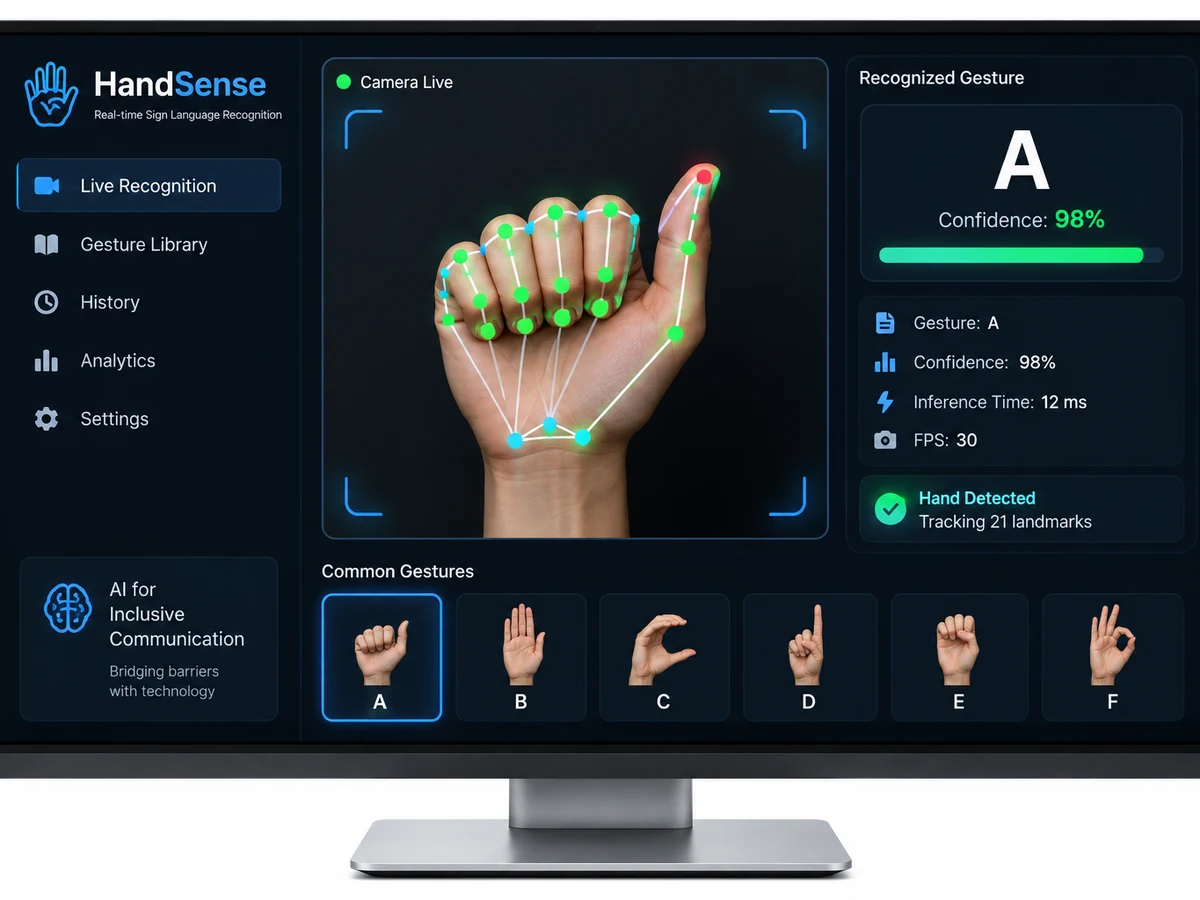
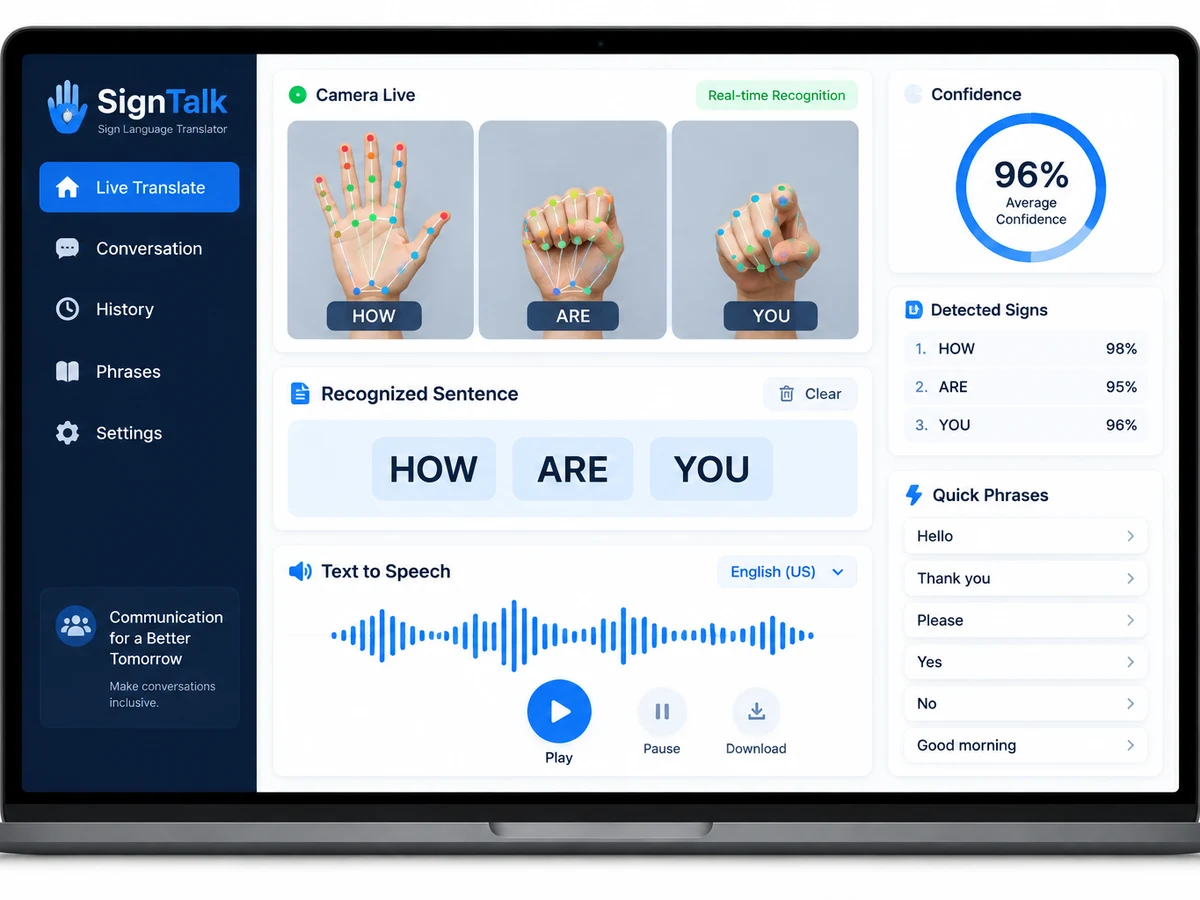
Millions of deaf and hard-of-hearing people rely on sign language, but almost nobody around them understands it — a communication wall this project tears down with a webcam and deep learning. The system tracks 21 hand landmarks per frame with MediaPipe, feeds the landmark sequences into a CNN-LSTM classifier, and converts recognized gestures into on-screen text and spoken audio in real time. Sign language recognition is one of the highest-volume AI project searches in India; one competitor ranks a thin page for it, and this kit beats them with what actually sells — dataset collection tools, a complete report, PPT, and viva prep.
How it works
How it works:
- MediaPipe Hands detects the hand in each webcam frame and extracts 21 normalized 3D landmarks.
- For static signs, the landmark vector feeds a CNN classifier; for dynamic gestures, a 30-frame sequence feeds the LSTM.
- The classifier outputs a probability distribution; predictions above the confidence threshold are accepted.
- Accepted signs append to the sentence builder and are spoken aloud via text-to-speech.
- The dataset tool lets you record new sign samples, retrain the model, and extend the vocabulary — a strong viva talking point.
Project features
Features:
- Real-time hand tracking with MediaPipe — 21 3D landmarks per hand at 30 fps
- CNN-LSTM classifier recognizing static signs (A–Z, 0–9) and dynamic gesture words
- Text output plus text-to-speech audio for two-way communication
- Custom dataset collection tool — record your own signs via webcam with one click
- Sentence builder: chain recognized signs into sentences with auto-spacing
- Confidence thresholding to suppress false triggers between signs
- Works on any laptop webcam — no depth camera or gloves needed
- Training notebook with accuracy curves and confusion matrix for the report
What is included
What's included:
- Complete source code (dataset tool, training notebook, real-time app)
- Pre-trained model on the bundled sign dataset for instant demo
- Project report PDF (synopsis, literature on gesture recognition, methodology, results, conclusion)
- Presentation PPT for review/demo day
- Viva Q&A sheet covering MediaPipe, LSTMs, sequence modeling, and dataset design
- Setup guide (webcam, dependencies, running the live demo)
Limitations & prerequisites
Limitations:
- Recognizes the trained vocabulary (alphabets, digits, common words) — not full continuous sign-language sentences with grammar
- Needs decent lighting and a plain-ish background; heavy occlusion or multiple hands confuse the tracker
- Real-time performance tested on standard laptops; very old machines may drop frames
- Sign languages vary by region (ISL vs ASL); the dataset tool exists precisely so you can record your own
Components & software requirements
Components / Tech stack:
- Python 3.10+
- MediaPipe (hand landmark detection)
- TensorFlow/Keras (CNN-LSTM classifier)
- OpenCV (webcam capture and frame pipeline)
- pyttsx3 / gTTS (text-to-speech)
- NumPy, scikit-learn (preprocessing, metrics)
- Tkinter/Streamlit (demo interface)