
More project photos (3)
The problem
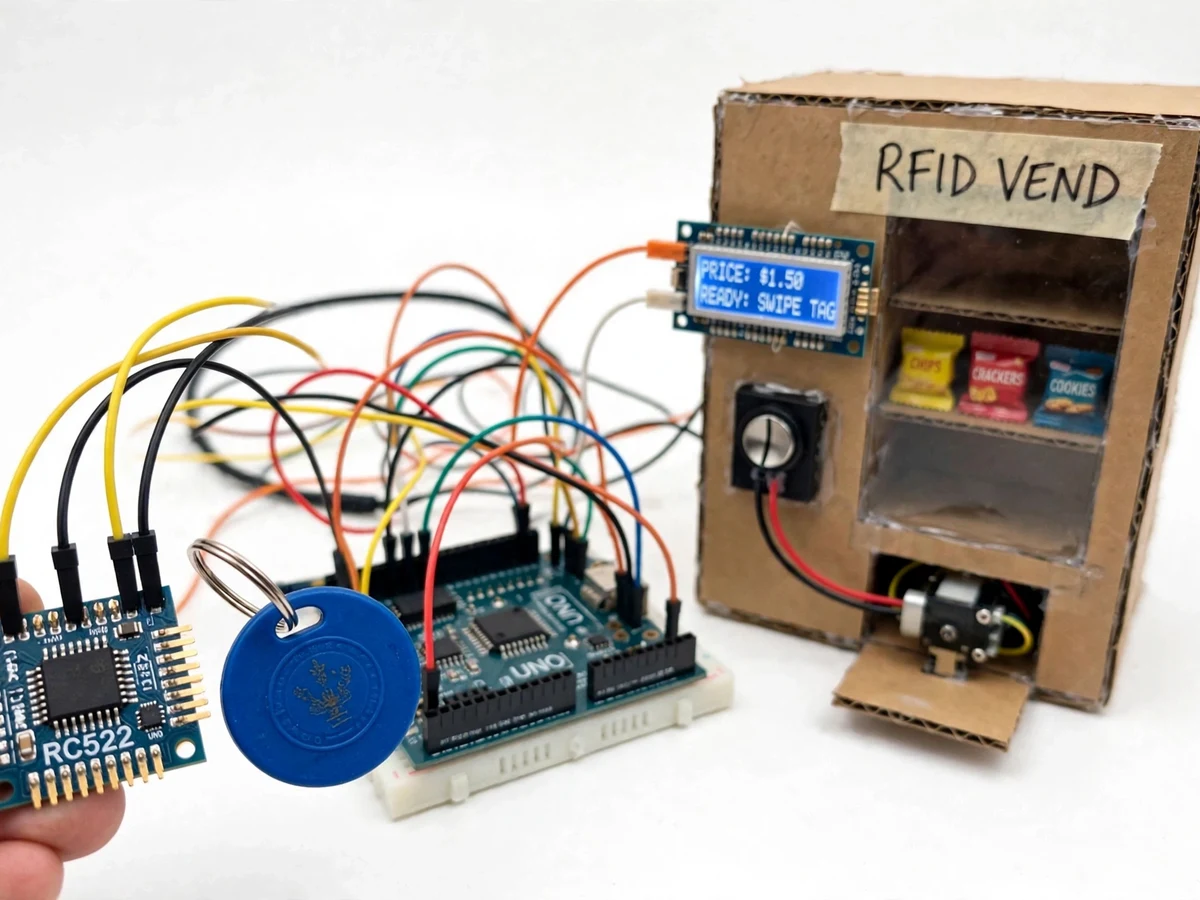
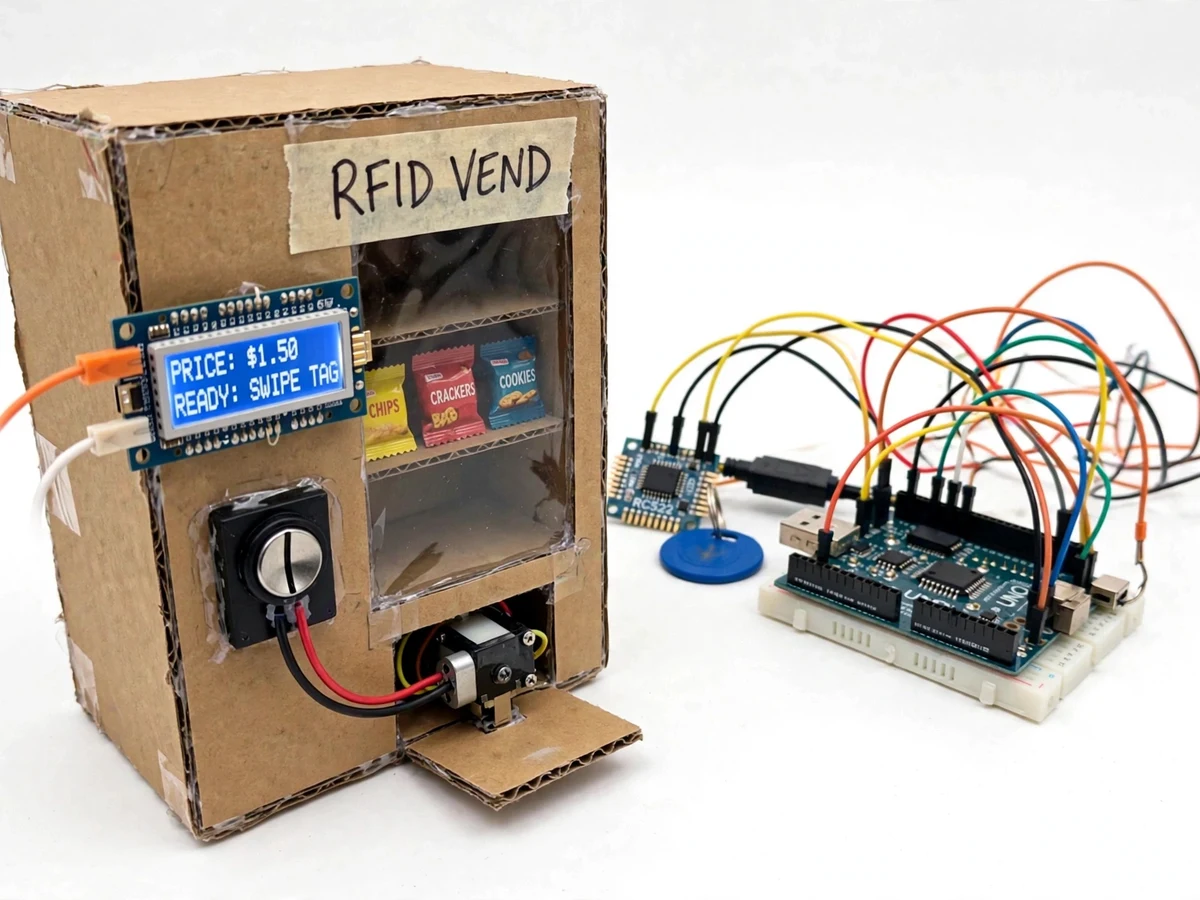
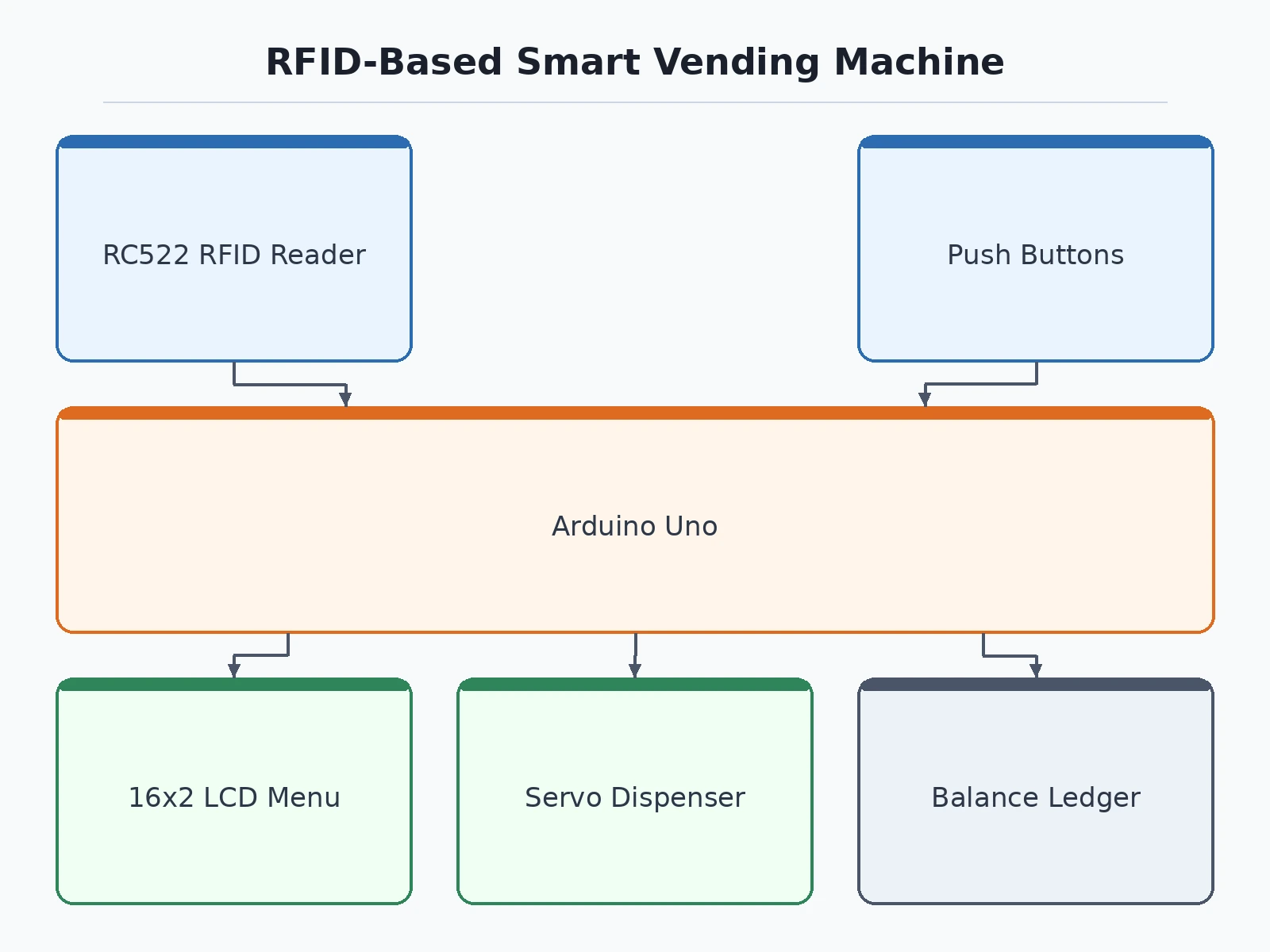
Cashless payment is everywhere, but most student "vending machine" demos are just a motor that spins on a button press — no payment, no inventory, no transaction logic. This project builds the real loop at desk scale: an RC522 RFID reader identifies the buyer, each tag carries a stored balance, the LCD shows a priced menu, and a servo-driven dispenser drops the selected item only after the balance check passes. The Arduino tracks per-tag balances, decrements on purchase, blocks sales on insufficient credit, and supports an admin tag that refills balances and restocks counts. The result demonstrates the complete payment-transaction-actuation chain that real vending machines run, in a form a student can fully explain in a viva.
Taps their RFID tag to identify and presses buttons to select an item.
Follow the working sequence
How it works
- The buyer taps their RFID tag on the RC522 reader; the Arduino looks up the tag's balance and shows it with the priced menu on the LCD.
- The buyer selects an item with the push buttons; the firmware checks the item's stock and the tag's balance.
- If balance and stock both pass, the balance is deducted, the stock count decrements, and the sale is timestamped in the log.
- The servo dispenser actuates for the selected item's slot, dropping the product into the pickup tray; the LCD confirms the purchase.
- On insufficient balance or empty stock, the sale is refused with a specific LCD message and no dispense occurs.
- Tapping the admin tag enters admin mode: refill any user tag's balance or reset stock counts from the button menu.
- The transaction log can be dumped over serial for the sales record included in the report.
Tech stack:
- Arduino Uno (ATmega328P)
- Arduino IDE (C/C++ firmware)
- RC522 RFID reader module (13.56 MHz) + RFID tags/key fobs
- SG90-class servo for the dispenser mechanism
- 16x2 LCD with I2C backpack
- Push buttons for item selection
- Cardboard vending machine model with product slots and pickup tray
- 5 V DC supply
| Parameter | Value |
|---|---|
| Controller | Arduino Uno (ATmega328P), 5 V logic |
| RFID | RC522, 13.56 MHz, read range approximately 3–5 cm |
| Dispenser | Servo-driven flap per item slot (demo: 3 items) |
| Display | 16x2 LCD (I2C): menu, prices, balance, messages |
| Balances | Per-tag stored on-device (EEPROM), admin-refillable |
| Stock | Per-item counts, decremented on dispense |
| Transaction log | Tag ID + item + price + timestamp, serial dump |
| Power | 5 V DC supply |
Project features
- [RFID cashless payment] An RC522 reader identifies each buyer by tag; purchases deduct from the tag's stored balance — no coins or notes involved.
- [Priced LCD menu] The 16x2 LCD shows items with prices and the buyer's current balance, guiding the selection step by step.
- [Servo dispenser] A servo-driven flap/coil mechanism drops the selected product into the pickup tray only after payment is authorized.
- [Per-tag balance tracking] Balances for registered tags are stored on-device; the firmware blocks purchases on insufficient credit with a clear LCD message.
- [Admin tag functions] A master admin tag refills user balances and resets stock counts without reprogramming the Arduino.
- [Stock counting] Each dispense decrements the item's stock count; empty items are marked unavailable on the menu until restocked.
- [Transaction log] Every sale — tag ID, item, price, timestamp — is logged on-device for the sales record in the report.
What is included
- Working prototype: cardboard vending machine with 3 product slots, Arduino, RC522, servo dispenser, LCD, buttons, RFID tags
- Complete Arduino firmware (RFID auth, balance ledger, menu logic, dispenser control, admin mode, logging)
- Tag registration and balance-refill procedure
- Wiring diagram and connection table
- Dispenser calibration guide (servo timing per slot)
- Project report PDF (background, transaction-system design, methodology, working, results)
- PPT presentation for final review
- Viva Q&A preparation document (RFID/SPI, servo control, state-machine design, EEPROM storage)
Limitations & prerequisites
- Demo scale: 3 product slots in a cardboard model — a commercial machine's coil mechanisms and bill/coin handling are outside the scope.
- Tag balances live on the Arduino's EEPROM; losing the board loses the ledger — the report documents this and suggests the cloud extension as future scope.
- RFID read range is approximately 3–5 cm; tags must be tapped close to the reader.
- The dispenser handles light demo packets; heavy or irregular items can jam — the calibration guide covers reliable packet sizing.
- No real payment gateway is involved; balances are play credit managed by the admin tag.
Frequently Asked Questions
How does payment work without coins?
Each RFID tag has a stored balance on the Arduino. Tapping the tag identifies the buyer, the item price is deducted from that balance, and the dispenser runs only after the deduction succeeds.
What stops someone buying with no balance?
The firmware checks the balance before dispensing — insufficient credit shows a "LOW BALANCE" message and no product is released.
How are balances added?
An admin master tag enters admin mode, where the operator selects a user tag and adds credit with the buttons. No reprogramming is needed.
Does it track what was sold?
Yes — every sale logs the tag ID, item, price and timestamp on-device, and the log can be dumped over serial for the report's sales record.
Can it handle more items?
The firmware's item table is configurable; adding slots means more dispenser servos and updating the item count constant.
Is this project suitable for a final-year project?
Yes — for IoT & Embedded programs. It is a complete transaction system: authentication, ledger, menu UI, actuation and logging, all demonstrable on the desk. Suitable for B.E./B.Tech final-year projects in IoT & Embedded.
Components & software requirements
- Arduino Uno (ATmega328P)
- Arduino IDE (C/C++ firmware)
- RC522 RFID reader module (13.56 MHz) + RFID tags/key fobs
- SG90-class servo for the dispenser mechanism
- 16x2 LCD with I2C backpack
- Push buttons for item selection
- Cardboard vending machine model with product slots and pickup tray
- 5 V DC supply
Delivery information
Built-to-order project. Delivery timeline is shared after order confirmation based on current queue.
Support terms
Complete documentation, setup guide, and viva preparation included. Support for setup and explanation provided.
Download free synopsis (PDF)
Enter your name and WhatsApp number — the synopsis PDF downloads immediately. We may send occasional project updates on WhatsApp; no spam.