
More project photos (2)
The problem
An RFID-based smart library book tracking system with an issue-return kiosk replaces the handwritten register and the barcode queue at a library counter with a tap-and-go gate. The kiosk is a physical unit — an ESP32 controller, an MFRC522 RFID reader, a 16x2 LCD, a buzzer and a servo-driven barrier arm — at the library entrance, with a passive RFID tag inside each book and a member card per reader. In most college libraries, issue and return still depend on scanning one barcode at a time or writing entries by hand, so queues build up, entries get skipped, and nobody knows whether a copy is on the shelf or with a student. Books are also carried out unrecorded when the counter is unattended. This project demonstrates a hardware answer: every book and member carries a unique tag identity, the kiosk reads it at once, and the transaction is written to a cloud log the librarian can check from anywhere.
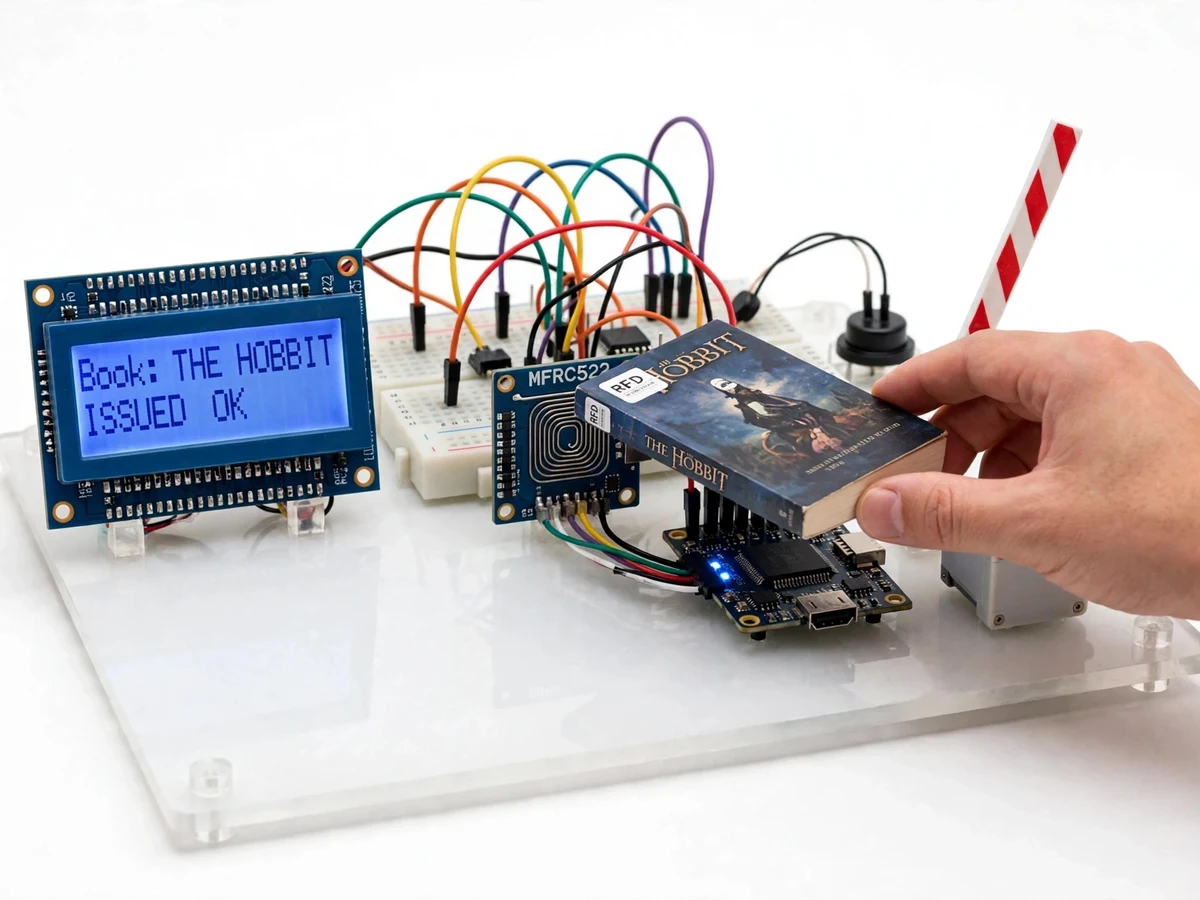
Taps a member card and then a tagged book on the reader.
Follow the working sequence
How it works
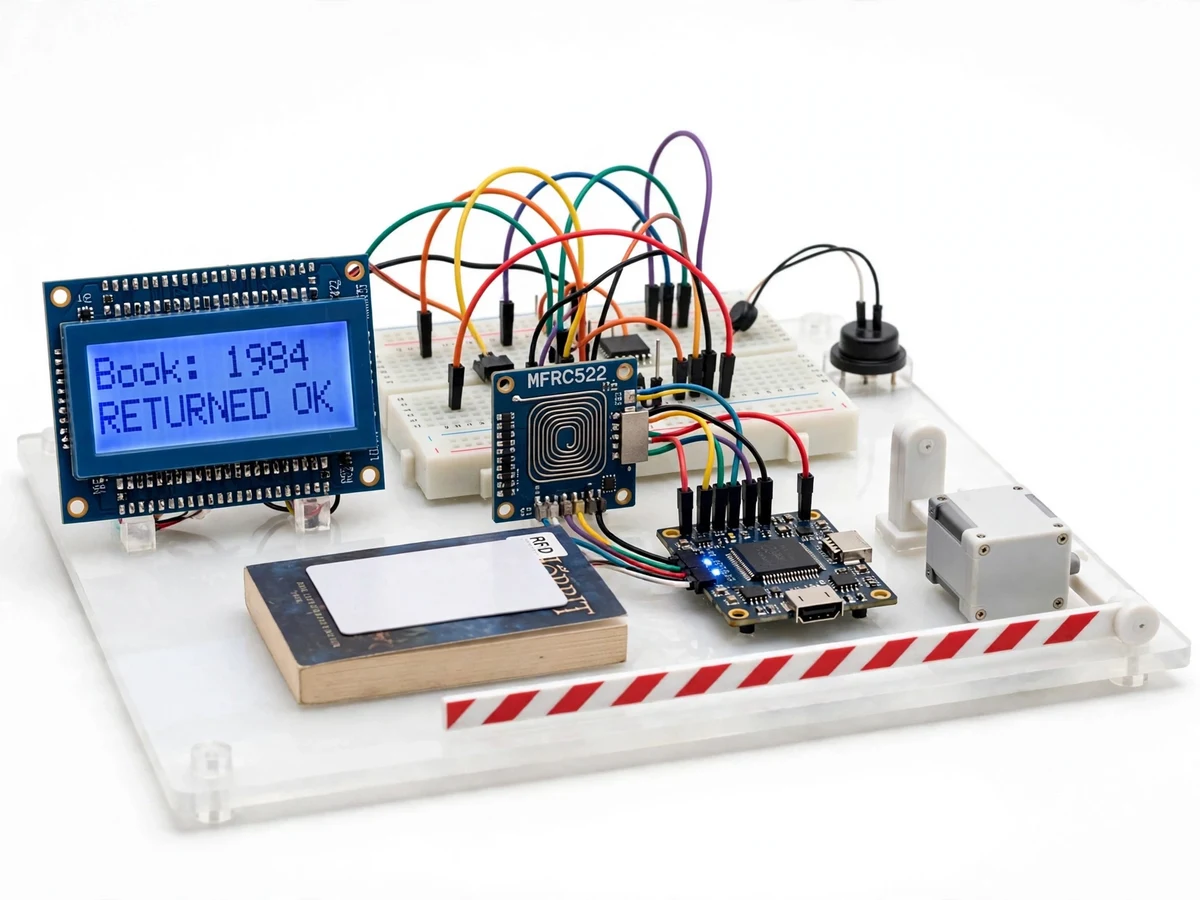
A student walks up to the kiosk with a book and a member card. The student first taps the member card on the MFRC522 reader, which energises the passive tag at 13.56 MHz and reads its 4-byte UID; the ESP32 checks that UID against the registered member list. The student then taps the tagged book, and the reader returns its UID the same way. The ESP32 looks the book up in the Firebase record: available means issue, already out to the same member means return. The servo then lifts the barrier arm, the LCD shows the book title and due date, the buzzer sounds once, and the transaction — member, book, timestamp and direction — is written to the cloud log. An unknown card or book, or a book out to someone else, is refused with a double beep and a message on the LCD, and the arm stays down.
- A passive MIFARE Classic 1K tag is stuck inside each book and a member card is issued to every reader, each carrying a unique 4-byte UID.
- The student taps the member card on the MFRC522 reader; the reader energises the tag at 13.56 MHz and returns its UID to the ESP32 over SPI.
- The ESP32 checks the member UID against the registered member list in Firebase and shows the member name on the 16x2 LCD.
- The student taps the book; the ESP32 looks up the book UID and decides issue or return from its current status in the cloud record.
- On a valid transaction the SG90 servo lifts the barrier arm, the LCD shows the book title and due date, and the buzzer sounds once.
- The transaction is written to the Firebase Realtime Database with member, book, timestamp and direction; an invalid tap is refused with a double beep and the arm stays down.
Tech stack:
- ESP32
- MFRC522 RFID reader module
- MIFARE Classic 1K tags
- Arduino IDE
- Firebase Realtime Database
- SG90 servo motor
- 16x2 LCD with I2C
- C++ · ESP32 firmware
| Parameter | Value |
|---|---|
| Controller | ESP32 (dual-core Xtensa LX6, up to 240 MHz, datasheet) |
| RFID reader | MFRC522 module, 13.56 MHz, ISO/IEC 14443A (datasheet) |
| Tag type | MIFARE Classic 1K passive tags, 4-byte UID (datasheet) |
| Read range | Up to 50 mm typical (datasheet, antenna-dependent) |
| Gate actuator | SG90 servo, approximately 180° rotation (datasheet) |
| Display | 16x2 character LCD with I2C backpack |
| Cloud log | Firebase Realtime Database over Wi-Fi 802.11 b/g/n |
| Power supply | 5 V DC adapter, approximately 2 A (design target) |
| Transaction time | Approximately 2 seconds per tap (design target) |
| Kiosk footprint | Approximately 30 cm × 20 cm base (design target) |
Project features
The kiosk is built around four capabilities that work together at the library gate. Tap-to-issue and tap-to-return let a student complete a transaction by holding a member card and then a book against the reader, with no typing and no barcode aiming. A servo-driven barrier arm opens only for a valid, recorded transaction, so a book cannot leave unlogged. A 16x2 LCD and buzzer give instant feedback — book title, due date, and a short beep for success or a double beep for an error — so the student never has to guess whether the tap registered. Every transaction is also written to a Firebase cloud log with member, book, timestamp and direction, giving the librarian a live issue-return record. Member-card authentication, a 14-day due-date calculation and an offline transaction queue round out the build.
- [Tap-to-issue and tap-to-return] The student taps a member card and then a book on the MFRC522 reader; the ESP32 records an issue if the book is on the shelf, or a return if it is already out, with no typing or barcode aiming.
- [Servo gate control] A small SG90 servo lifts a barrier arm only after a valid transaction is recorded, so a book cannot be carried past the kiosk without being logged.
- [LCD and buzzer feedback] The 16x2 LCD shows the book title, member name and due date after each tap, with a single beep for success and a double beep for an unknown tag or an invalid transaction.
- [Firebase cloud transaction log] Every issue and return is pushed over Wi-Fi to a Firebase Realtime Database record with member, book, timestamp and direction, so the librarian can check live stock from any browser.
- [Member-card authentication] Only cards registered in the Firebase member list can issue books; an unregistered card is rejected on the LCD with an error beep.
- [Due-date calculation] Each issue stamps a due date 14 days ahead (configurable in firmware), shown on the LCD at issue time and stored in the cloud log.
- [Offline transaction queue] If Wi-Fi drops, the ESP32 stores transactions in local memory and syncs them to Firebase automatically when the connection returns.
What is included
- Working kiosk prototype (ESP32, MFRC522 reader, servo gate, LCD, buzzer, tagged sample books and member cards)
- Complete ESP32 firmware source code with comments
- Circuit and wiring documentation with pin mapping
- Component list with part numbers used in the build
- Firebase setup guide for the member, book and transaction records
- Project report PDF (background, RFID theory, methodology, results)
- PPT presentation for final review
- Viva Q&A preparation document (RFID coupling, UID lookup, servo control, cloud logging)
Limitations & prerequisites
- Read range is up to 50 mm typical, so each tag must be held close to and flat against the reader; waving a book past from a distance does not register.
- Only one tag is read at a time: a stack of tagged books detunes the reader antenna and the reads become unreliable, so books are tapped one by one.
- Metal book covers and metal shelving near the reader reduce the read range further.
- Live cloud logging needs Wi-Fi; without it transactions queue locally and sync later, and the librarian cannot see them live.
- Authentication is by UID only, so a cloned MIFARE Classic UID could impersonate a card; this is an academic prototype, not a security-grade access system.
- The servo arm is a light barrier indicator, not a security turnstile; it signals a valid transaction but cannot physically stop a person.
- Firebase free-tier limits apply to the cloud log and are outside the scope of this build.
Frequently Asked Questions
Is this project suitable for a final-year project?
Yes — for Electronics, E&TC, Electrical and Computer Engineering programs, and for IoT-focused teams. It demonstrates embedded C++ on the ESP32, RFID communication at 13.56 MHz, SPI interfacing, servo control, LCD interfacing and Wi-Fi cloud logging in one complete, demonstrable build with a clear problem and measurable behaviour.
Which controller and RFID reader are used, and why?
The ESP32 is the controller because it combines a dual-core processor with built-in Wi-Fi, so one board handles reading, gate control and cloud logging. The MFRC522 is the reader because it is the standard low-cost 13.56 MHz ISO/IEC 14443A module with a mature Arduino library, and it reads the MIFARE Classic tags used on the books.
Does the kiosk work without internet?
Yes, for the gate itself: reading tags, checking the locally cached member and book lists, opening the servo arm and showing results on the LCD all work offline. Only the live Firebase log needs Wi-Fi; when the connection is down, transactions are stored on the ESP32 and synced automatically once it returns.
Can several books be issued in one tap?
No. The reader handles one tag at a time, and a stack of tagged books detunes the reader antenna so reads become unreliable. Each book is tapped individually, which takes approximately 2 seconds per book, and the LCD confirms each one before the next tap.
Can the system be customised for our library rules?
Yes. The due period (14 days by default), the member list, fine reminders and the number of books per member are all configurable in the firmware and the Firebase records. Additional features such as a web dashboard for the librarian, SMS reminders or a second reader at the exit can be developed on request.
Components & software requirements
- ESP32
- MFRC522 RFID reader module
- MIFARE Classic 1K tags
- Arduino IDE
- Firebase Realtime Database
- SG90 servo motor
- 16x2 LCD with I2C
- C++ · ESP32 firmware
Delivery information
Built-to-order project. Delivery timeline is shared after order confirmation based on current queue.
Support terms
Complete documentation, setup guide, and viva preparation included. Support for setup and explanation provided.
Download free synopsis (PDF)
Enter your name and WhatsApp number — the synopsis PDF downloads immediately. We may send occasional project updates on WhatsApp; no spam.