
More project photos (3)
The problem
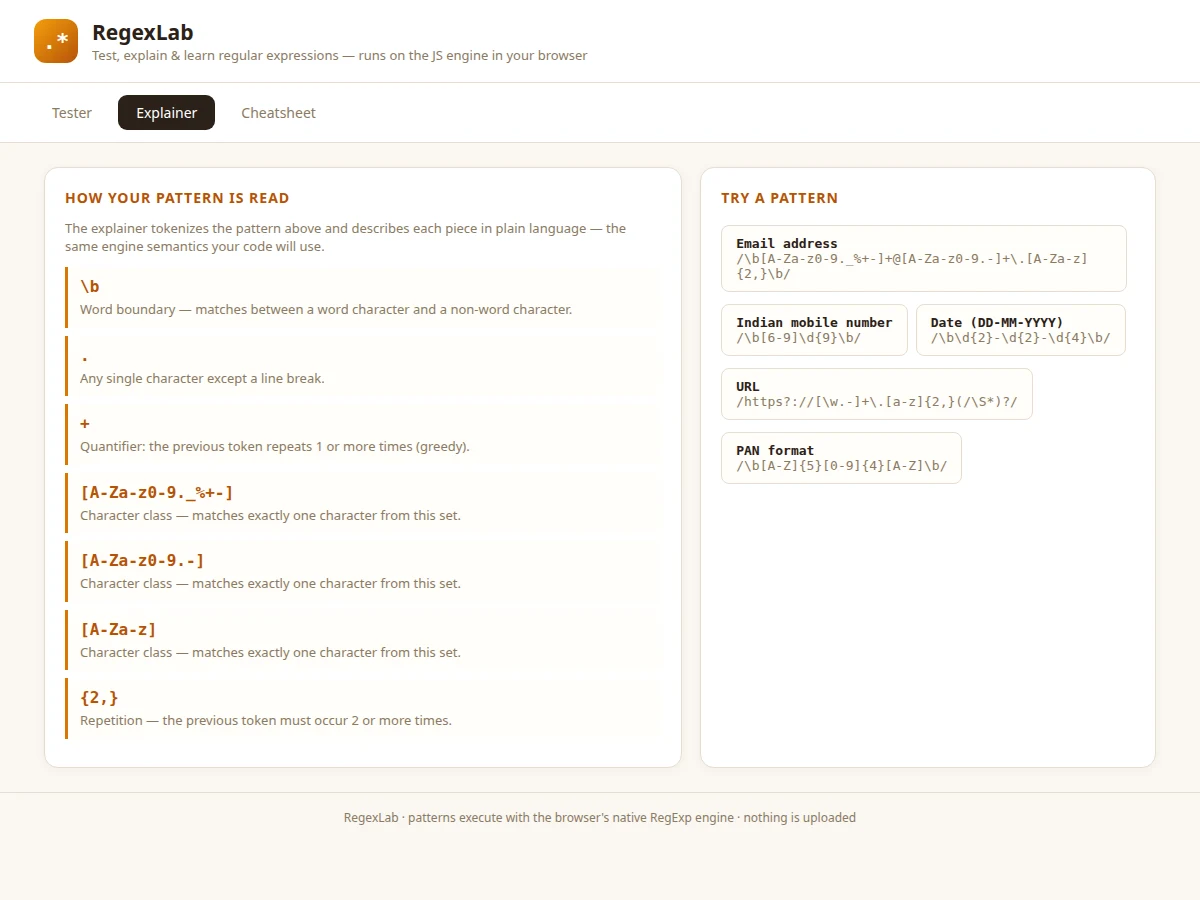
Regular expressions are famously write-only: a pattern that works today is unreadable next week, and students usually copy validation regexes from the web without understanding a single token. That collapses in interviews and vivas, where "explain this pattern" is a standard question. Existing testers show matches but not meaning — they never connect a token like (?=...) to its behavior. RegexLab is a three-pane lab built to teach that connection: a tester with live highlighting and flag toggles, an explainer that tokenizes the user's own pattern and describes each piece in plain language, and a cheatsheet of the tokens exams ask about most. Because patterns execute on the native JavaScript RegExp engine, there is no behavior gap between the playground and the student's code.
Types a pattern and tests it against sample text.
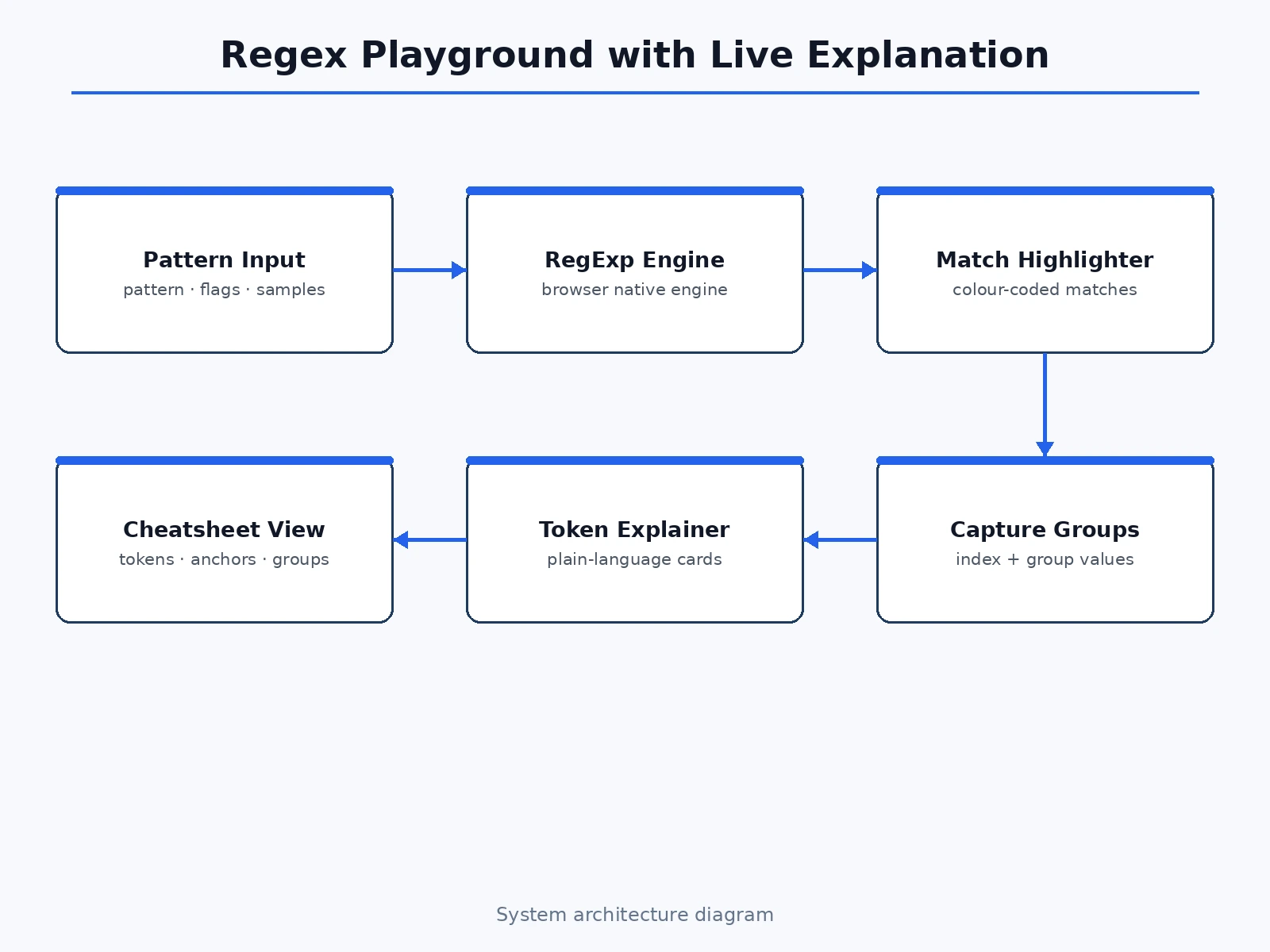
Follow the working sequence
How it works
- Each keystroke recompiles
new RegExp(pattern, flags)inside try/catch; a compile error shows the engine's message in the status line. - On success,
matchAllruns over the test string, producing match objects with indices and group arrays. - The renderer walks the test string, inserting colored
<mark>spans at each match boundary (cycling four highlight colors). - Per-match cards are built showing the match number, string index, full match and every capture group value.
- The explainer scans the pattern source with token recognizers — boundaries, shorthand classes, character classes, {n,m} quantifiers, anchors, alternation and group counting — and renders a description card per construct.
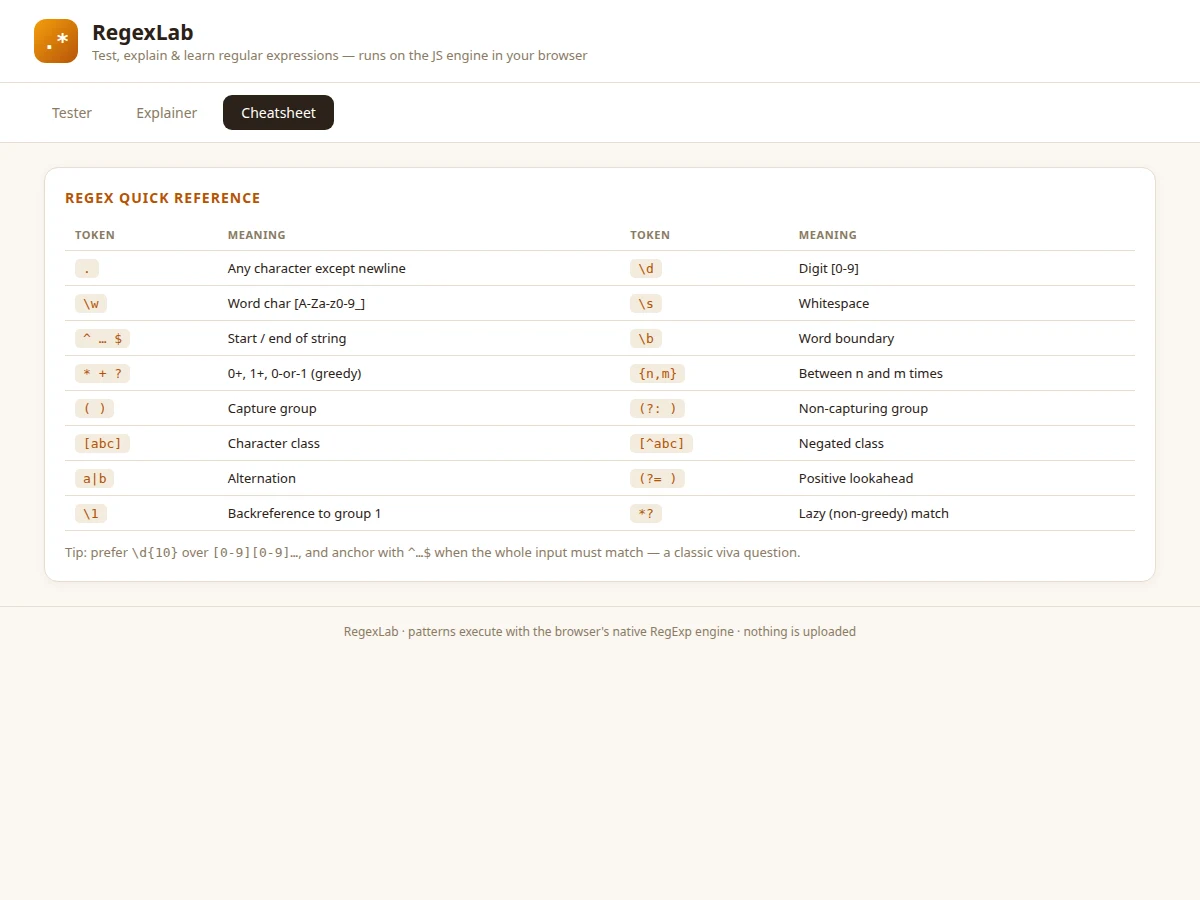
- Sample buttons load curated pattern/text pairs; the cheatsheet view is a static reference table for revision.
Tech stack:
- HTML5, CSS3 (light editorial theme)
- Vanilla JavaScript (no frameworks)
- Native RegExp engine (matchAll, flags g/i/m/s)
- Hand-written pattern tokenizer for the explainer
- No backend, no dependencies — runs offline
| Parameter | Value |
|---|---|
| Regex flags supported | g, i, m, s (4 flags, toggleable) (as shipped) |
| Highlight colors | 4 cycling match colors (as shipped) |
| Sample patterns | 5 curated (email, mobile, date, URL, PAN) (as shipped) |
| Explainer constructs | Boundaries, classes, quantifiers, groups, {n,m}, anchors, alternation (as shipped) |
| Evaluation | Native engine — zero behavior gap vs student code (as shipped) |
| Dependencies | None — zero npm packages (as shipped) |
| File size | Single HTML file, approximately 16 KB (expected) |
| Browser support | Chrome, Edge, Firefox, Safari (current versions, expected) |
Project features
- [Live pattern tester] Patterns compile on every keystroke with g/i/m/s flag toggles; invalid patterns surface the engine's own error message immediately.
- [Color-coded match highlighting] All matches highlighted in the test text (cycling four colors), with a live match count.
- [Capture-group inspection] Every match listed with its string index and each capture group's value — making groups tangible.
- [Plain-language explainer] The pattern is tokenized and each construct (boundaries, classes, quantifiers, groups, {n,m} repetitions) gets a description card in plain language.
- [One-click samples] Five curated pattern/text pairs: email, Indian mobile number, DD-MM-YYYY date, URL and PAN format.
- [Quick-reference cheatsheet] A third view tabling the most-asked tokens: classes, anchors, quantifiers, groups, alternation, lookaheads, backreferences.
- [Zero-setup delivery] One HTML file, no libraries — behavior is identical to the student's own JavaScript.
What is included
- Complete single-file web app (tester, explainer, cheatsheet views)
- Documented tokenizer and rendering code
- Project report PDF (background, regex theory, engine semantics, methodology)
- PPT presentation for final review
- Viva Q&A preparation document (tokens, greediness, groups, anchors, validation practice)
- User guide for running and demonstrating the lab
Limitations & prerequisites
- Explains JavaScript regex flavor only — Python/Java flavors differ in edge cases.
- The explainer covers common constructs; exotic features (lookbehind in detail, atomic groups) get generic descriptions.
- It is a learning lab, not a fuzzer — it does not generate adversarial test strings for a pattern.
- Catastrophic-backtracking warnings are not implemented (listed as future scope).
Frequently Asked Questions
Will patterns behave the same in my own code?
Yes. The lab uses the browser's native RegExp engine directly — the exact engine your JavaScript runs on — so there is no translation layer to disagree.
How does the explainer work?
It scans your pattern for known tokens, character classes, {n,m} repetitions and capture groups, then renders a plain-language card for each construct in pattern order.
Can it validate things like PAN or mobile numbers?
The samples include exactly those: Indian mobile ([6-9] followed by 9 digits), PAN format, email, date and URL — each with matching and non-matching test text.
What if my pattern has an error?
The engine's own error message appears instantly under the pattern bar, so you learn real diagnostics instead of a generic "invalid" flag.
Is this project suitable for a final-year project?
Yes — for Computer Science and IT programs. It demonstrates formal-language concepts, engine semantics, tokenizing, and a genuinely useful developer tool. Suitable for B.E./B.Tech final-year projects in Computer Science and IT.
Components & software requirements
- HTML5, CSS3 (light editorial theme)
- Vanilla JavaScript (no frameworks)
- Native RegExp engine (matchAll, flags g/i/m/s)
- Hand-written pattern tokenizer for the explainer
- No backend, no dependencies — runs offline
Delivery information
Built-to-order project. Delivery timeline is shared after order confirmation based on current queue.
Support terms
Complete documentation, setup guide, and viva preparation included. Support for setup and explanation provided.
Download free synopsis (PDF)
Enter your name and WhatsApp number — the synopsis PDF downloads immediately. We may send occasional project updates on WhatsApp; no spam.