
More project photos (3)
The problem
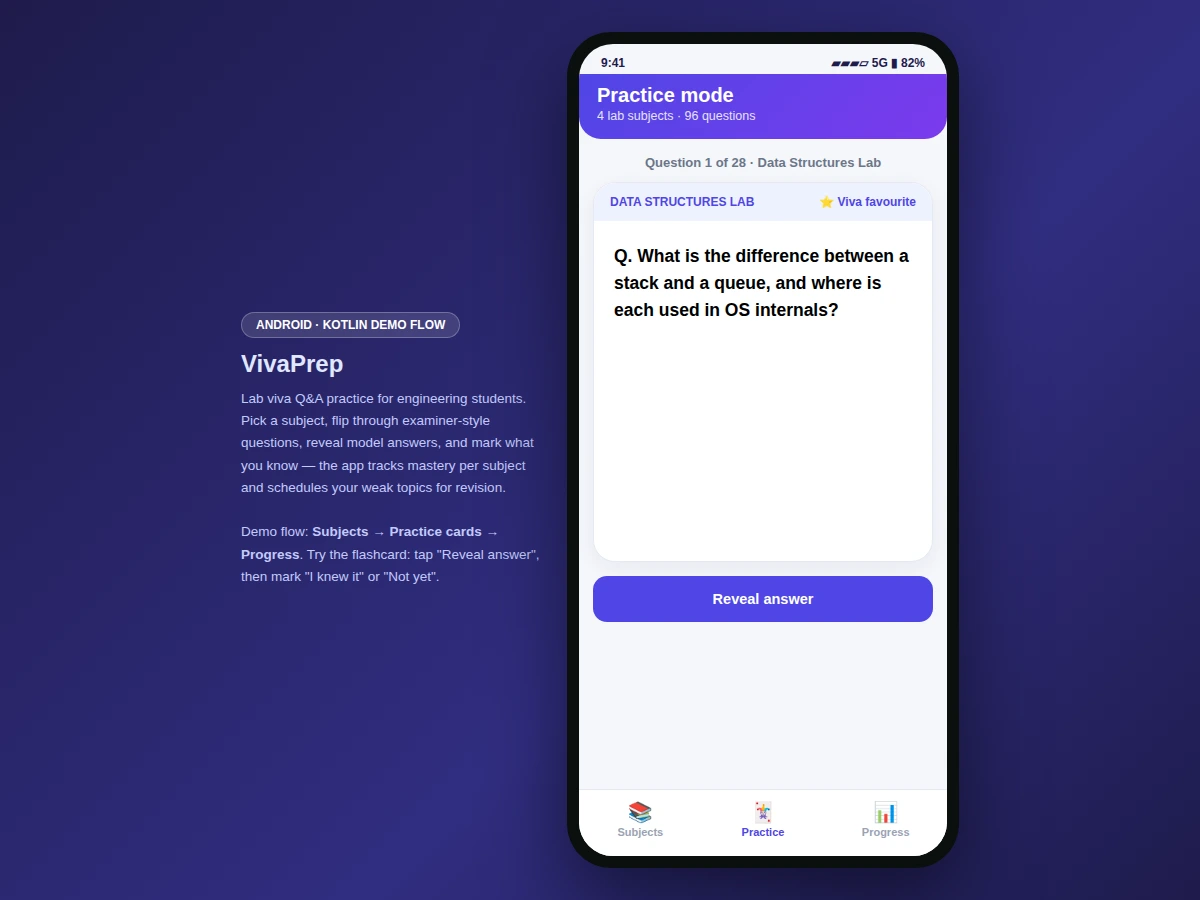
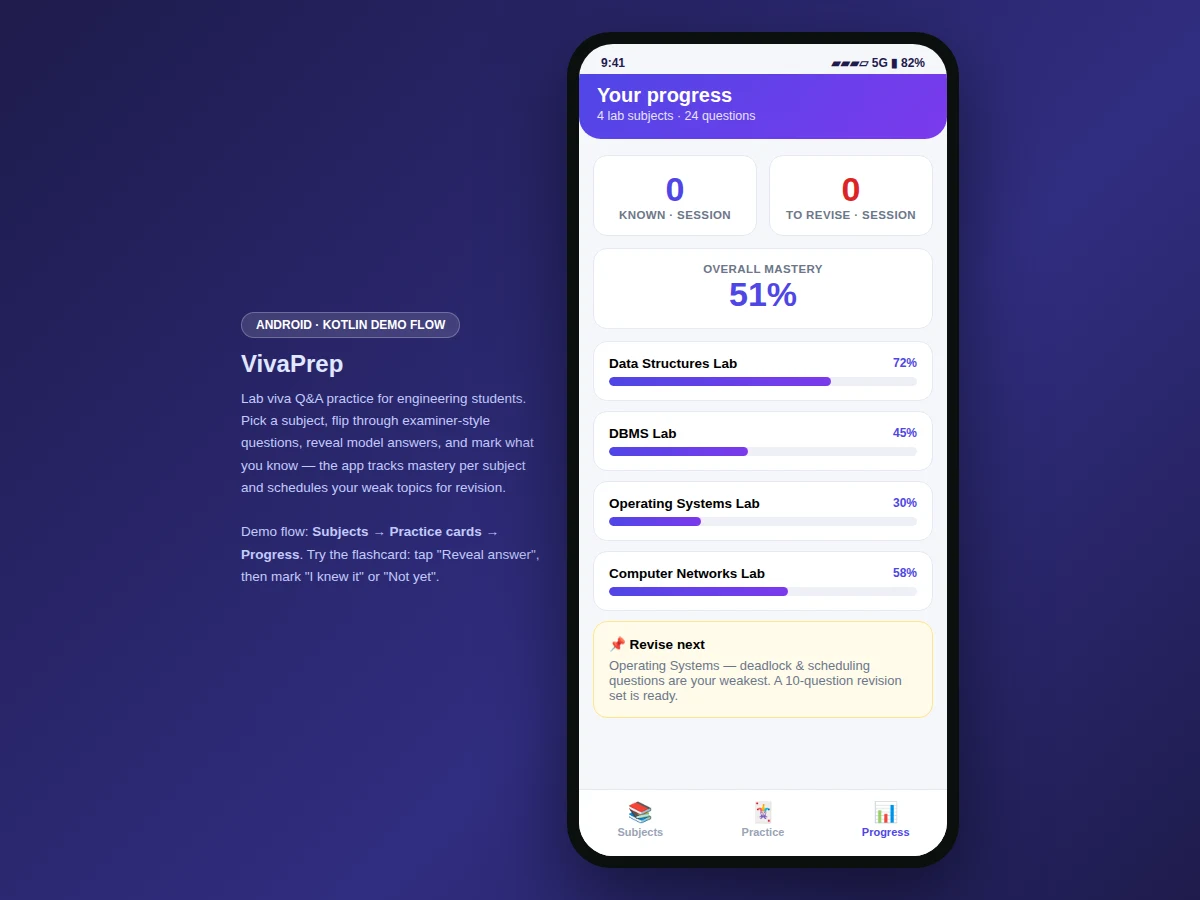
Lab vivas reward breadth and recall under pressure: examiners jump between subjects, probe fundamentals, and mark confidence as much as correctness. Students usually prepare by re-reading lab manuals, which tests recognition, not recall. This project turns preparation into active practice. The app holds examiner-style Q&A cards across four lab subjects — Data Structures, DBMS, Operating Systems and Computer Networks — 96 questions in the demo bank (28 + 24 + 22 + 22). Practice mode shows one question at a time with a "reveal answer" step; the student then self-marks "I knew it" or "Not yet", and the session counters and per-subject mastery bars update. A "revise next" callout identifies the weakest subject and queues it for the next session. It is the difference between reading about viva questions and actually answering them.
Picks a subject, answers aloud, reveals the model answer and self-marks each card.
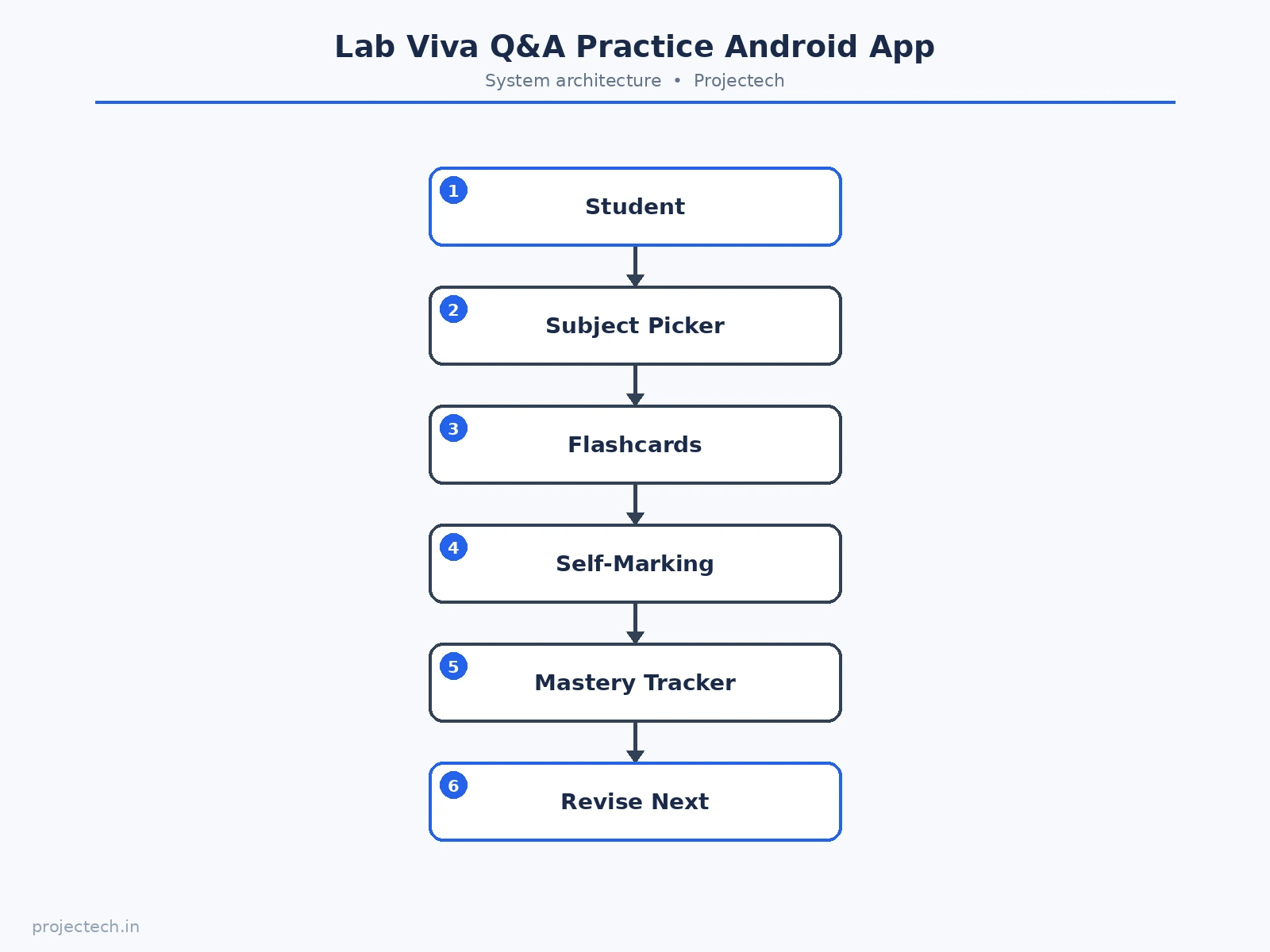
Follow the working sequence
How it works
- The student picks a lab subject and sees its question count, topic coverage and current mastery.
- Practice mode presents flashcards one at a time, starting with high-yield "viva favourite" questions.
- The student attempts the answer aloud, then taps "reveal answer" to compare against the model answer.
- Each card is self-marked "I knew it" or "Not yet"; session counters and mastery update immediately.
- The Progress tab aggregates mastery per subject and flags the weakest one in a "revise next" callout.
- Repeated sessions compound: the student watches weak subjects climb toward full mastery.
Tech stack:
- Kotlin, Android SDK (delivered app)
- Material-style mobile UI components
- Flashcard engine with self-marking state model
- Interactive web prototype of the app flow (HTML/CSS/JS) for demonstration
| Parameter | Value |
|---|---|
| Platform | Android app in Kotlin (design target) |
| Demo screens | 3 (subjects, practice, progress) |
| Lab subjects | 4 (Data Structures, DBMS, OS, Computer Networks) |
| Questions in demo bank | 96 (28 + 24 + 22 + 22 across the four subjects) |
| Card fields | Question, model answer, viva-favourite flag, topic tags |
| Self-marking | "I knew it" / "Not yet" per card |
| Mastery model | Per-subject progress bars, session counters, weakest-subject callout |
| Demo views | Interactive web prototype of the Android flow |
| Data persistence | In-memory session store in the demo; local database in the delivered app (design target) |
| Device support | Android phones (demo prototype runs in any modern browser) |
Project features
- [Subject picker with mastery bars] Four lab subjects with per-subject question counts and mastery progress bars that fill as the student practices.
- [Flashcard practice mode] One question per card with a "viva favourite" tag on high-yield questions, a reveal-answer step, and self-marking ("I knew it" / "Not yet").
- [Session counters] Known and to-revise counts for the current session, plus an overall mastery figure.
- [Weak-subject callout] A "revise next" card that names the weakest subject and suggests a focused revision set.
- [Model answers on every card] Concise examiner-grade answers so students calibrate what a complete response sounds like.
- [Bottom navigation] Subjects, Practice and Progress tabs following standard Android navigation.
What is included
- Complete Android app source code (Kotlin) implementing subjects, flashcards and progress tracking
- Interactive web prototype of the app flow (the demo shown in the screenshots)
- Curated bank of 96 examiner-style viva questions with model answers across four lab subjects
- Project report PDF (background, methodology, architecture, screens, testing notes)
- PPT presentation for final review
- Viva Q&A preparation document (flashcard pedagogy, mastery model, self-assessment design)
Limitations & prerequisites
- The demo bank holds 96 questions; the delivered app's question bank is editable and expandable.
- Self-marking is honest-effort based — the app trusts the student's own assessment.
- The demo prototype keeps session data in memory; the delivered app persists progress locally.
- Mastery percentages in the demo are illustrative starting values, not measured from real sessions.
- No spaced-repetition scheduling engine yet; documented as future scope.
Frequently Asked Questions
What does the app actually do?
It turns lab viva prep into flashcard practice: pick a subject, answer examiner-style questions, reveal model answers, self-mark each card, and track mastery per subject.
How many questions are included?
The demo bank has 96 questions across four lab subjects (28 Data Structures, 24 DBMS, 22 OS, 22 Computer Networks), each with a model answer. The delivered bank is editable and expandable.
How is mastery computed?
Per-subject progress bars track self-marked results across practice sessions; the weakest subject gets a "revise next" callout.
Is the demo a real Android app?
The screenshots show an interactive web prototype of the Android flow. The delivered project is the full Android app in Kotlin; the prototype demonstrates every screen and interaction.
What does the report include?
A background on viva assessment, the app's flashcard and mastery architecture, screen walkthroughs, and testing notes.
Is this project suitable for a final-year project?
Yes — for Computer Science, IT and Android-focused programs. It demonstrates mobile UI design, interaction state modeling, and an education-focused problem. Suitable for B.E./B.Tech final-year projects in Computer Science, IT and Android development.
Components & software requirements
- Kotlin, Android SDK (delivered app)
- Material-style mobile UI components
- Flashcard engine with self-marking state model
- Interactive web prototype of the app flow (HTML/CSS/JS) for demonstration
Delivery information
Built-to-order project. Delivery timeline is shared after order confirmation based on current queue.
Support terms
Complete documentation, setup guide, and viva preparation included. Support for setup and explanation provided.
Download free synopsis (PDF)
Enter your name and WhatsApp number — the synopsis PDF downloads immediately. We may send occasional project updates on WhatsApp; no spam.