
More project photos (2)
The problem
Public and shared taps are touched by hundreds of hands a day, and every touch is a hygiene risk — one more reason touchless fixtures have moved from airports into schools, hostels and hospitals. Commercial sensor taps are expensive and need a plumber; this project builds the same idea as a student retrofit: an infrared hand-detection sensor, an ESP32 controller and a 12 V solenoid valve that opens the water only while hands are present. Because every activation is timed and counted, the controller also reports usage to a Wi-Fi dashboard, turning the build into a water-saving demonstration: water flows only on demand, never left running. It is an honest prototype — a bench-demonstrated retrofit with estimated (not metered) water volumes.
How it works
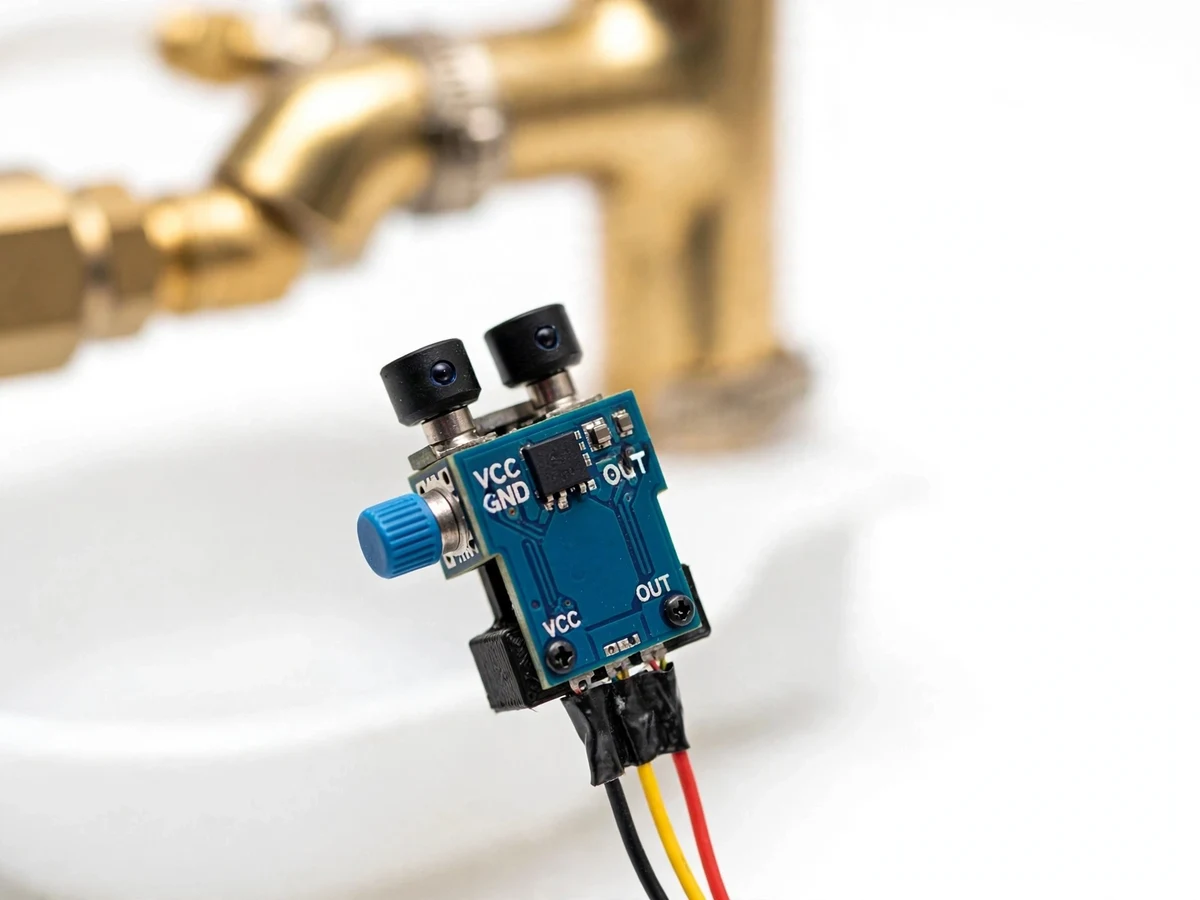
- The IR proximity sensor continuously watches the hand zone under the tap outlet.
- When hands enter the zone, the sensor output goes active and the ESP32 wakes the valve driver.
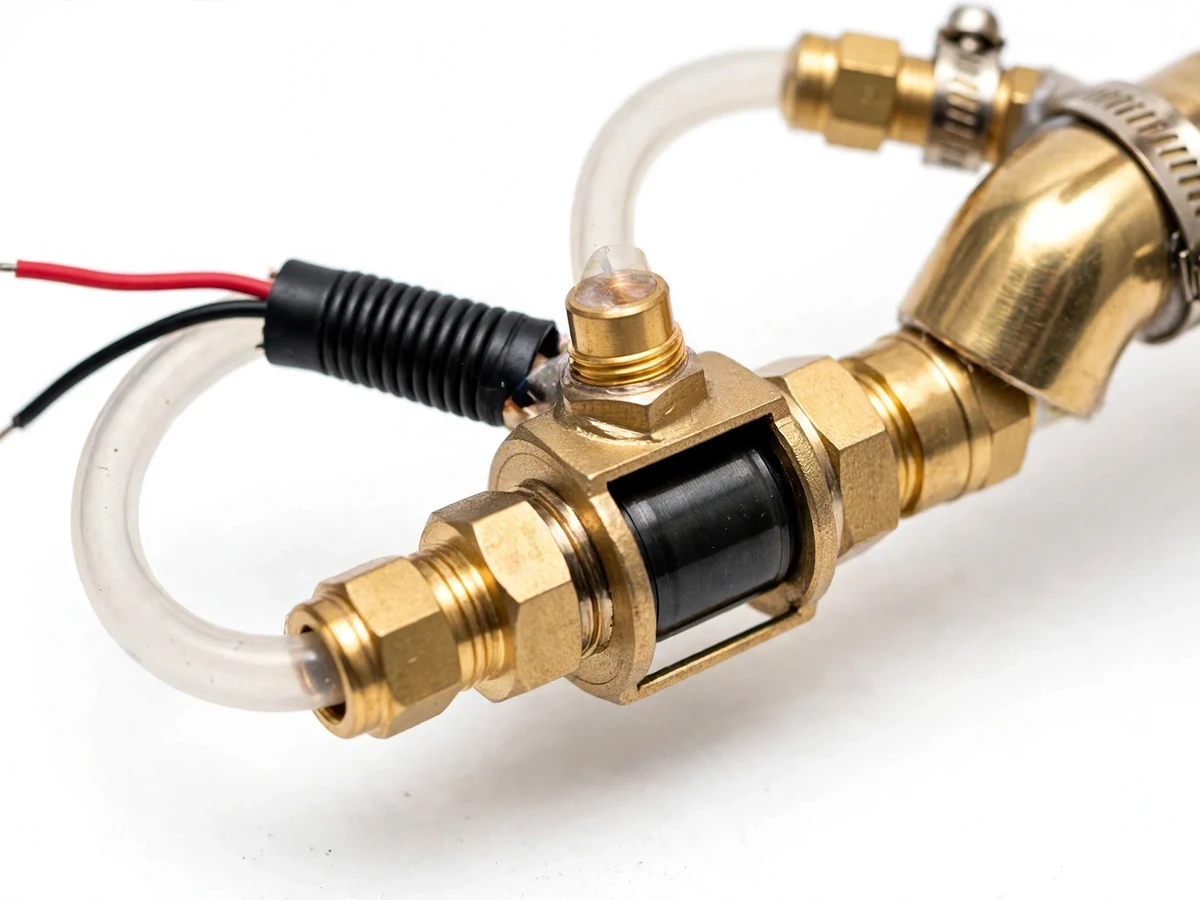
- The relay/MOSFET stage energizes the 12 V solenoid valve, which opens and water flows.
- The ESP32 times the activation; when hands leave the zone, the valve closes immediately.
- If flow reaches the configured safety timeout, the valve closes regardless of the sensor state until the zone clears.
- Each activation's duration is logged and sent over Wi-Fi to the dashboard, which shows counts, total open time and the estimated water volume.
Tech stack:
- ESP32 development module (detection logic, Wi-Fi telemetry)
- IR proximity/obstacle sensor for hand detection
- 12 V DC normally-closed solenoid valve
- Relay/MOSFET driver stage for the valve
- Blynk or local web dashboard (usage counts, water-use estimate)
- 12 V adapter or battery pack power options
- Retrofit plumbing adapters for standard tap inlets
- Splash-resistant prototype housing
| Parameter | Value |
|---|---|
| Detection | IR proximity sensor; range adjustable, design target approximately 5-15 cm |
| Valve | 12 V DC solenoid, normally closed (opens only when energized) |
| Controller | ESP32 development module |
| Flow timing | Configurable max flow per activation; hard safety timeout (design: 60 s) |
| Water-use figure | Estimated from valve-open time at nominal flow — an estimate, not a metered volume |
| Connectivity | Wi-Fi to Blynk or a local web dashboard |
| Power | 12 V DC adapter (mains) or battery pack for portable demo |
| Retrofit | Standard tap inlet threading with documented adapters; tap body unmodified |
| Housing | Splash-resistant prototype enclosure; electronics kept away from direct spray |
| Demo scope | Bench demonstration with tap mock-up; not a certified plumbing product |
Project features
- IR hand detection: An infrared proximity sensor watches the basin zone; detection range and sensitivity are adjustable in firmware for different mounting positions.
- Solenoid valve control: A normally-closed 12 V DC solenoid valve opens the water line only while hands are detected, driven through a relay/MOSFET stage.
- Adjustable flow timing: Maximum continuous flow time and re-trigger behaviour are configurable, so the tap suits handwash, fill and rinse use cases.
- Safety shutoff timeout: A hard timeout stops the flow even if the sensor stays triggered, preventing flooding from a stuck sensor or an object left in the basin.
- Usage counting and dashboard: Every activation is counted and valve-open time is reported over Wi-Fi to a dashboard with daily totals and a water-use estimate.
- Retrofit installation: The valve assembly fits a standard tap inlet with documented adapters — the existing tap body is not modified.
- Low-voltage safe design: Only 12 V DC reaches the wet area; mains stays in the adapter, and the control electronics sit in a splash-resistant housing.
- Battery/mains options: Runs from a 12 V adapter for fixed installation or a battery pack for portable demonstration.
What is included
- Assembled touchless tap controller (sensor, ESP32, valve driver, housing)
- 12 V solenoid valve with retrofit plumbing adapters
- Tap mock-up/demo rig for bench demonstration
- ESP32 firmware source code (detection, timing, safety timeout, Wi-Fi telemetry)
- Wiring diagram and plumbing connection drawing
- Component list with valve and sensor details
- Project report PDF (background, sensor and valve theory, design, test procedure, water-saving estimate)
- PPT presentation for final review
- Viva Q&A preparation document (IR sensing, solenoid valves, ESP32, water estimation, hygiene design)
- Installation and calibration guide
Limitations & prerequisites
- Water volume is estimated from valve-open time at a nominal flow rate, not measured by a flow meter — the dashboard figure is an estimate and is labeled as such.
- Detection range and reliability depend on mounting position, ambient light and the basin material; calibration per installation is needed and documented.
- The solenoid valve needs reasonably clean water; sediment can prevent full closure, so an inlet filter is recommended and documented.
- This is an academic prototype, not a certified plumbing product: it is for demonstration and has not undergone pressure or potable-water certifications.
- The retrofit suits the documented standard inlet sizes; unusual tap threads need custom adapters (available as customization).
- Wi-Fi telemetry is a bonus layer — hand detection and valve control run fully locally on the ESP32 with no network needed.
Frequently Asked Questions
Which sensor detects the hand?
An infrared proximity/obstacle sensor aimed at the basin zone. Its range (design target ~5-15 cm) and sensitivity are adjustable in firmware for the mounting position.
Does it really save water?
It stops the two classic wastes: taps left running and over-long rinses — water flows only while hands are present, plus a safety timeout caps every activation. The dashboard shows the estimated saving versus a timed baseline.
Is the water volume accurate?
It is an estimate computed from valve-open time, not a metered measurement. The report explains the estimation method and its limits openly.
Does it work without Wi-Fi?
Yes. Detection, valve control and the safety timeout all run locally on the ESP32; Wi-Fi only adds the usage dashboard.
Can it fit my college's taps?
The valve assembly targets standard tap inlet sizes with documented adapters and the existing tap is not modified. Unusual threads can be handled as a customization.
What will I receive?
The controller unit, solenoid valve with adapters, demo tap rig, firmware, wiring and plumbing drawings, report PDF, PPT, viva Q&A and the installation guide. Suitable for B.E./B.Tech final-year projects in Electronics, IoT and Embedded Systems.
Components & software requirements
- ESP32 development module (detection logic, Wi-Fi telemetry)
- IR proximity/obstacle sensor for hand detection
- 12 V DC normally-closed solenoid valve
- Relay/MOSFET driver stage for the valve
- Blynk or local web dashboard (usage counts, water-use estimate)
- 12 V adapter or battery pack power options
- Retrofit plumbing adapters for standard tap inlets
- Splash-resistant prototype housing
Delivery information
Built-to-order project. Delivery timeline is shared after order confirmation based on current queue.
Support terms
Complete documentation, setup guide, and viva preparation included. Support for setup and explanation provided.