
More project photos (2)
The problem
Booking a hotel on a phone means juggling filters, room types, taxes and cancellation policies — and the apps that do it well are complex pieces of software: search, listing, detail, checkout and booking management all talking to each other through a local database and a backend API. Most student "app" projects stop at two static screens and a button that goes nowhere, which is exactly what examiners poke at in a viva. This project builds the real thing: an Android hotel-booking app where a user picks a destination and dates, gets a sortable list of hotels with ratings and per-night prices, opens a hotel to compare room types with live "rooms left" counters, and completes a full reservation — guest details, a transparent price breakup with taxes, and a confirmation screen with a booking reference. Bookings persist in an on-device Room database and can be reviewed or cancelled from a My Bookings tab. The app is written in Kotlin with Jetpack Compose and MVVM, so the codebase reads like a production consumer app and gives the student genuinely answerable architecture questions.
Searches stays, compares rooms and completes the three-step checkout.
Follow the working sequence
How it works
- The user selects a destination, check-in/check-out dates and guest count on the search screen; the app queries the hotel repository for matching stays.
- Results render as hotel cards (photo, rating, review count, lowest per-night price) and can be re-sorted by price or rating without a new query.
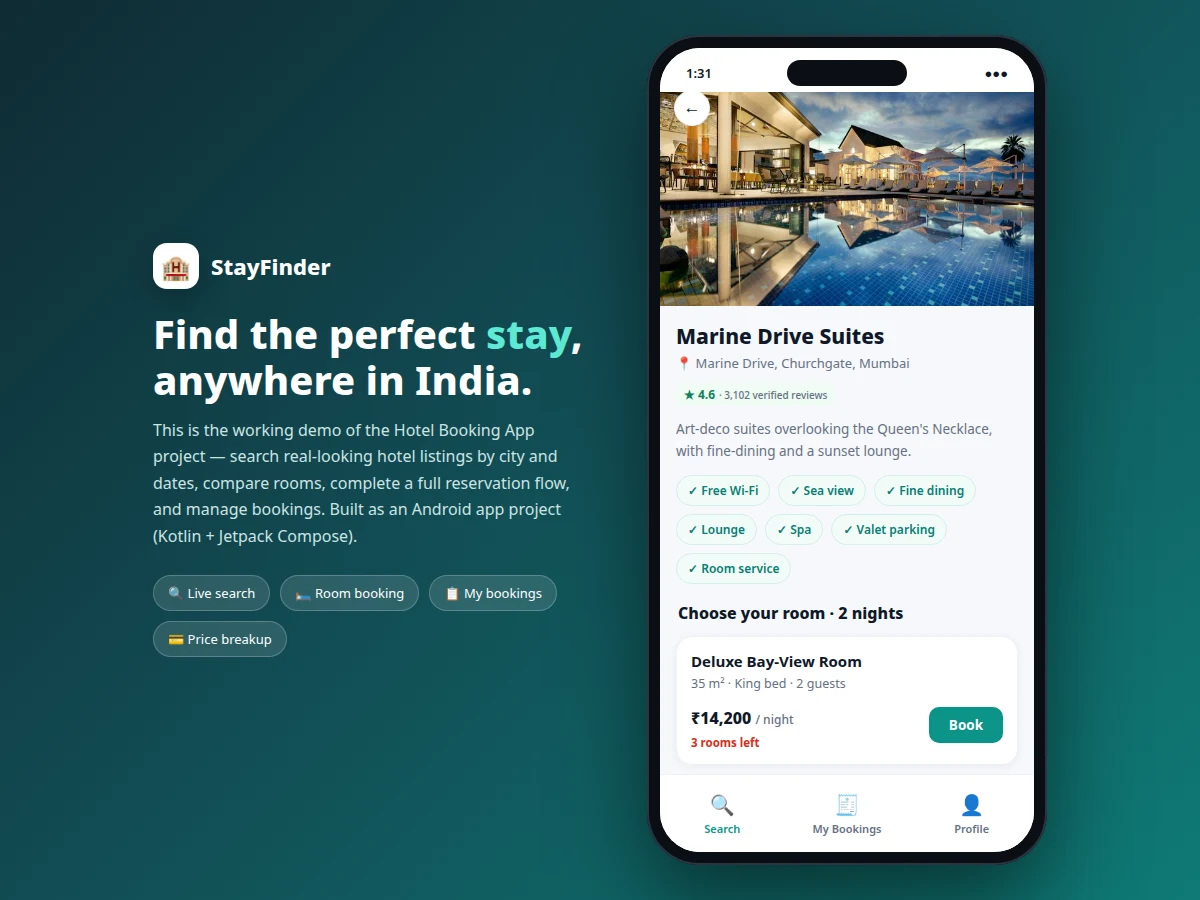
- Tapping a hotel opens its detail screen: the repository returns the hotel's room inventory, and each room type shows price, size, bed configuration and rooms remaining.
- Choosing "Book" starts checkout — step one collects and validates guest name, phone and email.
- Step two shows the price breakup: nightly rate × nights, plus a 12% taxes-and-fees line, with the total payable at the hotel.
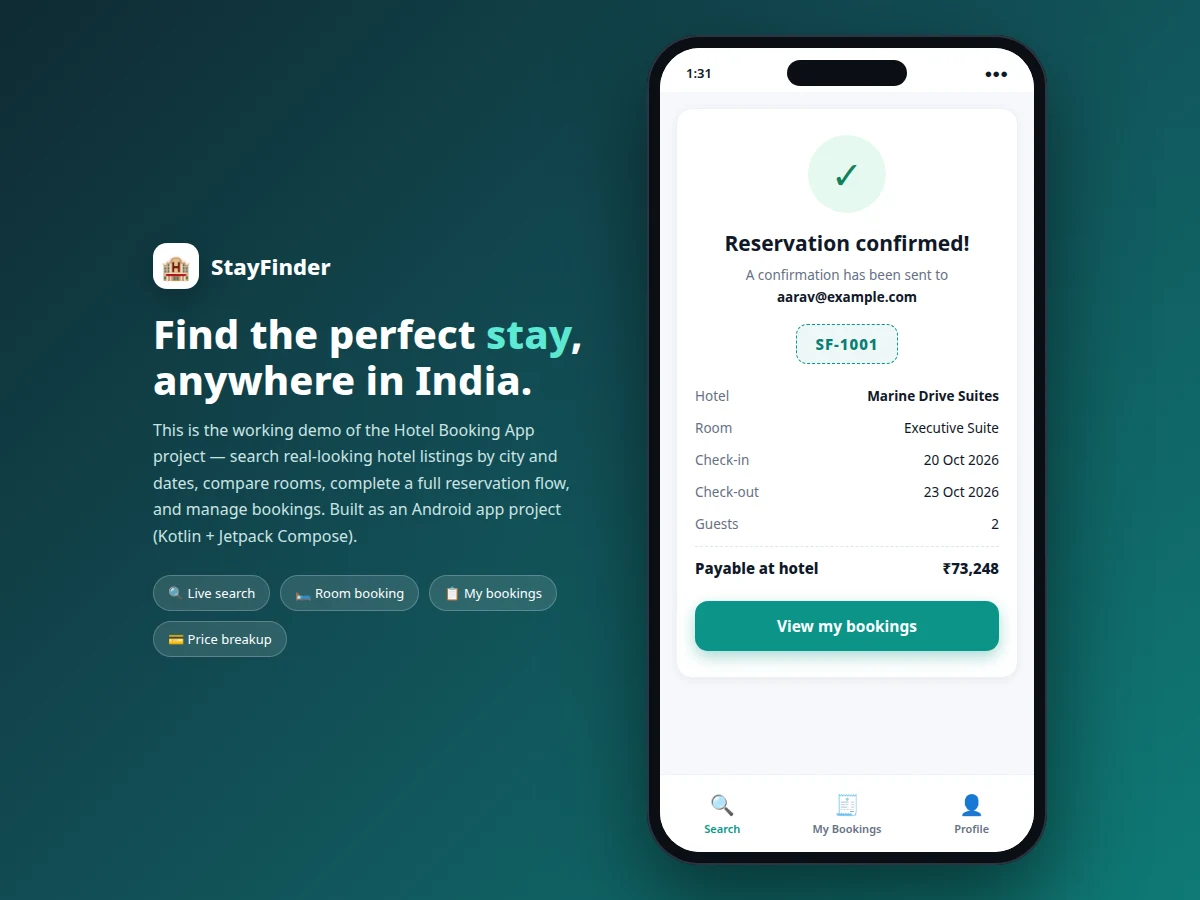
- Confirming generates a booking ID, writes the reservation to the Room database, and shows the confirmation screen; the booking appears under My Bookings.
- From My Bookings the user can cancel a reservation, which updates its status to cancelled in the local database.
Tech stack:
- Kotlin
- Jetpack Compose (Material 3)
- MVVM architecture · ViewModel · StateFlow
- Room Database (local persistence)
- Retrofit · Gson (REST API layer)
- Kotlin Coroutines
- Coil (image loading)
- Android Studio · Gradle
| Parameter | Value |
|---|---|
| Platform | Android 8.0 (API 26) and above (design target) |
| Language | Kotlin (100%) |
| UI toolkit | Jetpack Compose with Material 3 |
| Architecture | MVVM with repository pattern |
| Local storage | Room Database, booking records persist across restarts |
| Network layer | Retrofit with Gson; works against seeded data or a REST backend |
| Seeded catalogue | 6 hotels · 5 cities · 18 room types (starter dataset, expandable) |
| Tax model | 12% taxes and fees on room total (configurable constant) |
| Booking ID format | SF- prefixed sequential reference (e.g. SF-1001) |
| APK size | Approximately 18–25 MB release build (expected) |
| Build tool | Android Studio with Gradle (tested on a recent stable release) |
Project features
- [Hotel search with filters] Search by destination city, check-in/check-out dates and guest count, with sort options for recommended, price (low to high) and rating — the full discover flow of a real booking app.
- [Hotel detail with room comparison] Each hotel shows photos, rating and review count, an amenity list, and its room types side by side — size, bed type, occupancy, per-night price and remaining-room counters.
- [Complete reservation flow] Three-step checkout: guest details with validation, a price breakup (room total plus taxes), then a confirmation screen with a generated booking ID — no dead-end buttons anywhere.
- [On-device booking management] All reservations persist in a Room database; the My Bookings tab lists upcoming and cancelled stays, and cancellations update the list immediately.
- [Seeded hotel catalogue] A realistic starter dataset of hotels across Indian cities (Goa, Pune, Mumbai, Jaipur, Udaipur) with rooms, prices and ratings, loaded through a repository layer that swaps to a live API without UI changes.
- [MVVM + clean architecture] ViewModels, repositories and data sources separated per Android best practice, with Kotlin coroutines for async work — the structure examiners expect to see in the code walkthrough.
- [Material 3 UI] Jetpack Compose screens with a modern travel-app look: search card, hotel cards, bottom navigation, and step indicators in the booking flow. (Optional: dark theme variant can be added on request.)
- [Future scope, not shipped] Live payment gateway integration, real-time room inventory sync, and push-notification price alerts are documented as extensions, not included in the base build.
What is included
- Complete Android Studio project source (Kotlin, Jetpack Compose, MVVM)
- Seeded hotel and room dataset with repository + Retrofit API stubs
- Room database schema, DAO and migration notes
- Signed debug APK for demo on a real device
- Project report PDF (architecture, data flow, database design, API contracts, test cases)
- PPT presentation for final review
- Viva Q&A preparation document (Compose, coroutines, Room, Retrofit, MVVM)
- Setup guide: SDK versions, Gradle sync steps, running on emulator and device
Limitations & prerequisites
- Ships with a seeded catalogue, not live hotel inventory — real-time availability needs a booking-provider API (documented as future scope).
- No payment gateway in the base build; the flow ends at "payable at hotel" with a transparent breakup.
- Room photos in the demo build are bundled sample images; the production path loads them from URLs via Coil.
- Booking IDs are sequential references, not globally unique reservation codes from a backend.
- Minimum supported version is Android 8.0 (API 26); older devices are out of scope.
- The app assumes an internet connection for the API layer; the seeded-data mode works offline.
Frequently Asked Questions
Is this a real working app or just UI screens?
It is a fully working app. Search, hotel listing, room comparison, the three-step reservation flow and booking management all function end to end, with reservations persisted in a Room database. The only deliberate simplification is that the hotel catalogue is seeded data rather than a live provider feed.
Which Android technologies does it use?
Kotlin with Jetpack Compose (Material 3) for the UI, MVVM architecture with ViewModels and StateFlow, Room for local booking storage, Retrofit with Gson for the REST API layer, Kotlin coroutines for background work, and Coil for image loading.
How do bookings work without a backend server?
The base build stores reservations in the on-device Room database, which is enough for a complete demo and viva. The repository layer is written against an interface, so a real REST backend can be plugged in later without touching any screen code — the Retrofit stubs show exactly how.
Can the hotel list and prices be changed?
Yes. Hotels, rooms, prices and ratings live in a seeded dataset module; adding a city or a property is a data change, not a code change. The report documents the schema so the student can extend it confidently.
What can I show in the viva to prove I built it?
The code walkthrough covers the MVVM layers, the Room schema and the Retrofit contracts; the demo covers search → room comparison → price breakup → confirmation → cancellation on a real device; and the report includes test cases for the booking flow. Together they answer the standard "did you build this" questions.
Is this project suitable for a final-year project?
Yes — for Computer Engineering, IT and related programs. It demonstrates mobile UI engineering, local persistence, REST API integration, clean architecture and a complete transactional flow, which maps well to project evaluation rubrics.
Components & software requirements
- Kotlin
- Jetpack Compose (Material 3)
- MVVM architecture · ViewModel · StateFlow
- Room Database (local persistence)
- Retrofit · Gson (REST API layer)
- Kotlin Coroutines
- Coil (image loading)
- Android Studio · Gradle
Delivery information
Built-to-order project. Delivery timeline is shared after order confirmation based on current queue.
Support terms
Complete documentation, setup guide, and viva preparation included. Support for setup and explanation provided.
Download free synopsis (PDF)
Enter your name and email — the synopsis PDF downloads immediately. We may send occasional project updates; no spam, unsubscribe anytime.