
More project photos (2)
The problem
Finding a reliable plumber or electrician is still a word-of-mouth lottery: ask the neighbors, call three numbers, haggle over the visit charge, and hope the person shows up. Aggregator platforms solved this in metros, but their apps are the reference for what good looks like — and a perfect final-year project: a service catalogue, professional profiles with trust signals (ratings, jobs done, experience), transparent upfront pricing, slot scheduling, and booking confirmation. This project builds exactly that as an Android app. The flow is deliberately short: pick a service → compare pros → choose a slot → confirm address → booking ID. Trust is the core design problem, and the UI answers it on every screen: verification cues, job counts, star ratings and "pay after work" messaging. The demo ships with five complete professional profiles across trades and six bookable slots; the API design document specifies the services, pros, slots and bookings endpoints for the production backend.
How it works
- The home screen loads the service catalogue and top-rated professionals from the data layer.
- Tapping a service filters the professional list to that trade, sorted by rating.
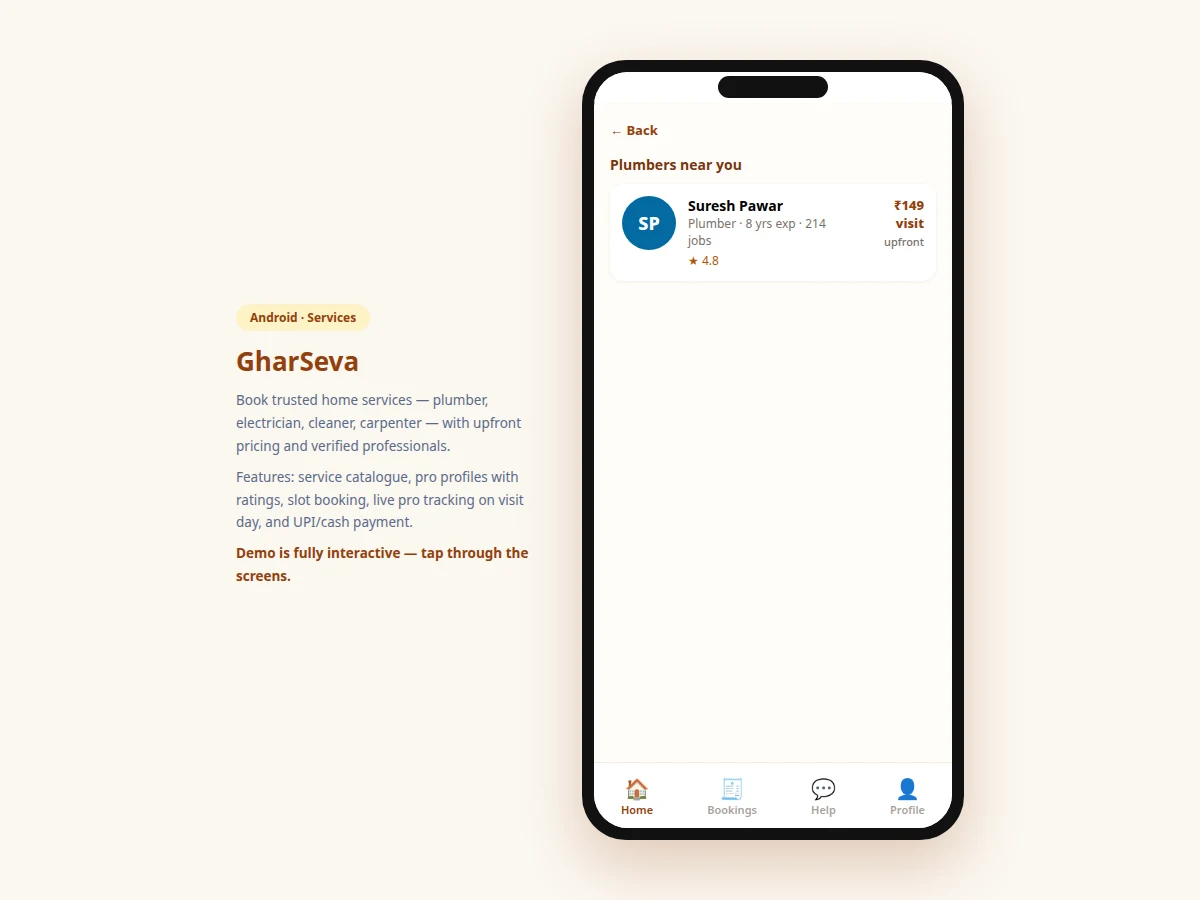
- Each pro card shows the trust signals — rating, jobs done, experience — plus the upfront price.
- Tapping a pro opens booking: profile summary, slot grid, and the saved service address.
- Selecting a slot enables the Confirm button; confirming creates the booking and generates a booking ID.
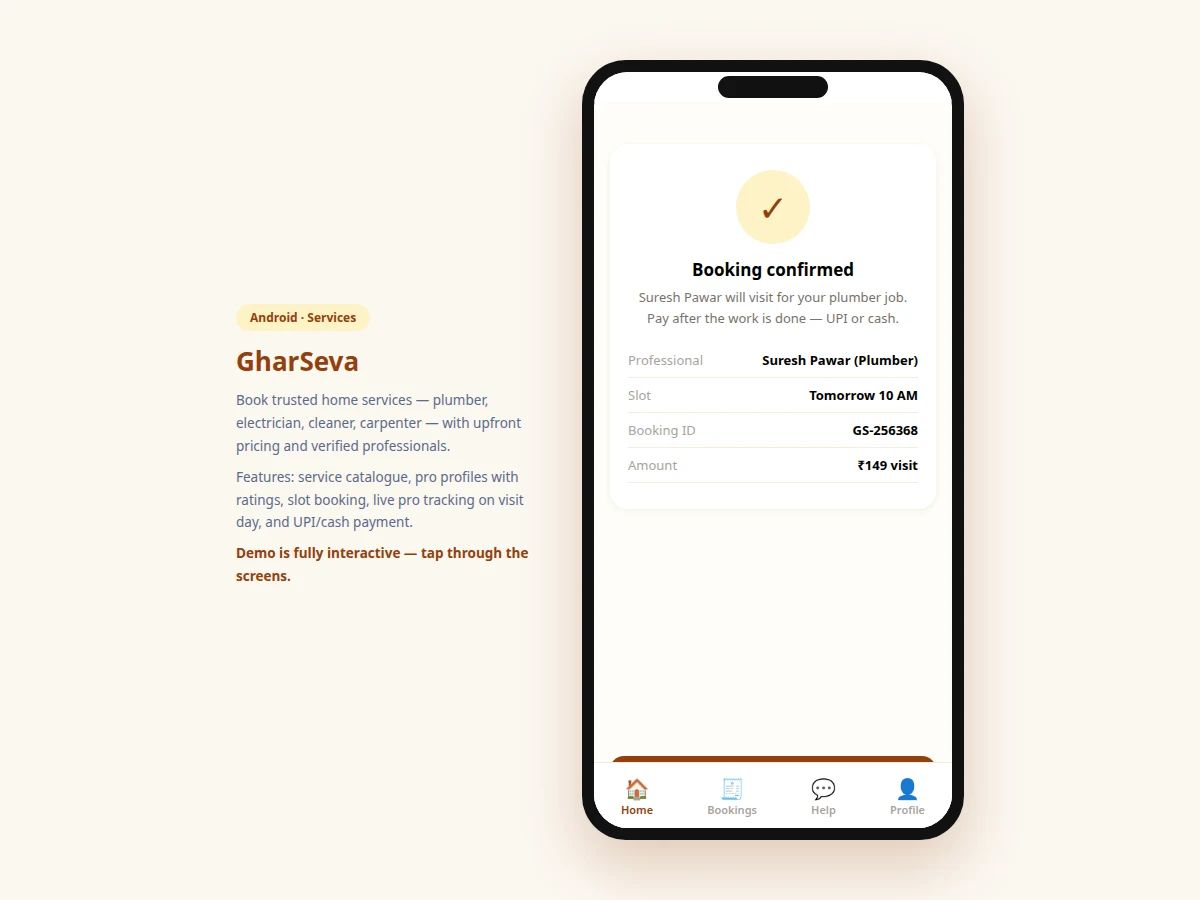
- The confirmation screen shows booking ID, professional, slot and amount, with payment-on-completion terms.
Tech stack:
- Android (Kotlin) — native app target
- MVVM architecture
- REST API design (services, pros, slots, bookings)
- Material Design components
- Push notifications (booking reminders, pro-on-the-way)
| Parameter | Value |
|---|---|
| Screens | 4 (home, pro list, booking, confirmation) |
| Services | 9 (plumber → appliance repair) |
| Demo professionals | 5 verified-style profiles |
| Slots | 6 across 3 days |
| Pricing | Upfront per-service visit charges |
| Payment | Pay after work — UPI/cash (design) |
| Target | Android 8.0 (API 26) and above (design target) |
| Backend | REST API design included; demo runs on local data |
Project features
- [Service catalogue] Nine services with icons — Plumber, Electrician, Cleaning, Carpenter, AC Service, Bathroom, Pest Control, Painter, Appliance — each opening its pro list.
- [Professional profiles] Photo-initial avatar, trade, years of experience, jobs completed, star rating and upfront price on every card.
- [Upfront pricing] Visit charges and service prices stated before booking ("₹149 visit", "₹549 service") — no haggling, no surprises.
- [Slot booking] Six slots across today, tomorrow and the weekend; selecting one enables confirmation.
- [Booking confirmation] Booking ID, professional name, slot and amount on a confirmation screen, with "pay after work — UPI or cash" messaging.
- [Offer banner] Festive promo strip (20% off deep cleaning with code) demonstrating real marketplace UX patterns.
- [Top-rated strip] Home screen surfaces the highest-rated nearby pros for one-tap booking.
What is included
- Complete Android app source code (Kotlin)
- REST API design document (services, pros, slots, bookings)
- App icon and graphic assets
- Project report PDF (background, marketplace trust design, booking flow, methodology)
- PPT presentation for final review
- Viva Q&A preparation document (Android, MVVM, API design, marketplace UX)
Limitations & prerequisites
- The demo runs on local data; real pro onboarding, live slots and actual bookings need the backend, whose API is designed and documented but not hosted.
- Professional verification in production needs real KYC and background checks — the demo shows the trust UI, not a verification pipeline.
- Payment is "pay after work" by design in this version; in-app UPI prepayment is specified as future scope.
- Live "pro on the way" tracking needs the pro-side app and location sharing — documented as companion scope.
- Cancellation and rescheduling flows are specified in the API design but not implemented in the demo screens.
Frequently Asked Questions
How does the app build trust in strangers?
Every pro card answers it: star rating, jobs completed, years of experience, and upfront pricing. Trust signals are the core UX of any services marketplace, and this project treats them as a first-class design problem.
Why "pay after work"?
It removes the biggest adoption barrier — customers don't prepay a stranger. The trade-off (pro no-show risk) is handled in production by the rating system and booking deposits, discussed in the report.
How are slots managed?
Each pro has a slot grid per day; booked slots become unavailable. In production the slot state lives in the backend so two customers can't book the same slot — the API design covers this concurrency.
Can pros manage their own schedules?
Not in this customer-side demo — the pro app (availability, earnings, job acceptance) is documented as the companion build.
What about service quality complaints?
The design includes post-job ratings and a help section; dispute resolution workflows are specified as future operations scope, not demo features.
Is this project suitable for a final-year project?
Yes — for Computer Science, IT and mobile-development programs. It demonstrates marketplace UX, trust design, booking state machines and API design for a business model everyone understands. Suitable for B.E./B.Tech final-year projects in Computer Science, Information Technology and Mobile Application Development.
Components & software requirements
- Android (Kotlin) — native app target
- MVVM architecture
- REST API design (services, pros, slots, bookings)
- Material Design components
- Push notifications (booking reminders, pro-on-the-way)
Delivery information
Built-to-order project. Delivery timeline is shared after order confirmation based on current queue.
Support terms
Complete documentation, setup guide, and viva preparation included. Support for setup and explanation provided.