
More project photos (2)
The problem
On exam mornings, college notice boards crowd with students hunting for their hall and seat number on printed lists, and invigilators manually match identity cards against registers at the door — slow, error-prone and stressful. This project replaces the paper loop with an Android app on both sides of the door. The exam cell publishes a seating plan (exam, date, hall, seat allotment per roll number) once; every student instantly sees their personal schedule with hall and seat, plus a downloadable seating chart. Each paper generates a QR hall ticket encoding the ticket ID, roll number, subject, hall and seat with a checksum. At the entrance the invigilator scans it with the same app and gets an instant verified/not-verified verdict with the student's photo-ready details. The demo includes a full session: three papers, multiple halls, a 36-seat grid and working QR tickets, so the viva can demonstrate the complete publish-to-verify flow on two phones.
How it works
- The administrator creates an exam session: papers with dates and times, halls with seat capacity, and the seat allotment per roll number.
- Publishing the session makes each student's personal schedule (paper, hall, seat) visible in the app.
- For every paper the app generates a QR hall ticket binding ticket ID, roll number, subject, hall and seat with a checksum.
- The student opens the ticket at the hall entrance; the invigilator scans it with the app's verification mode.
- The app decodes the QR, validates the checksum and allotment, and shows a verified verdict with the student's details and seat.
- Invalid, expired or already-scanned tickets are flagged so impersonation and duplicate entry are caught at the door.
Tech stack:
- Kotlin, Android SDK (minSdk 26)
- Jetpack: Room, ViewModel, LiveData
- ZXing (QR generation & scanning)
- Material Design 3 components
- PDF export (Android Print framework)
| Parameter | Value |
|---|---|
| Platform | Android 8.0 (API 26) and above (design target) |
| QR format | QR Code, approximately 200x200 px, checksum-signed payload (design target) |
| Scan-to-verdict | Under 1 second on a mid-range phone (expected) |
| Hall capacity | Tested with 36-seat demo hall; supports 500+ seats per hall (design target) |
| Storage | On-device Room database; session data approximately 200 KB (expected) |
| Offline mode | Full student + verification flow without internet (design target) |
| Demo data | 3 papers, 3 halls, 36-seat chart, scannable tickets (included) |
| Build output | Debug APK for demo + full source |
Project features
- [Student exam schedule] Personal paper list with date, time, hall and allotted seat number, synced from the published seating plan.
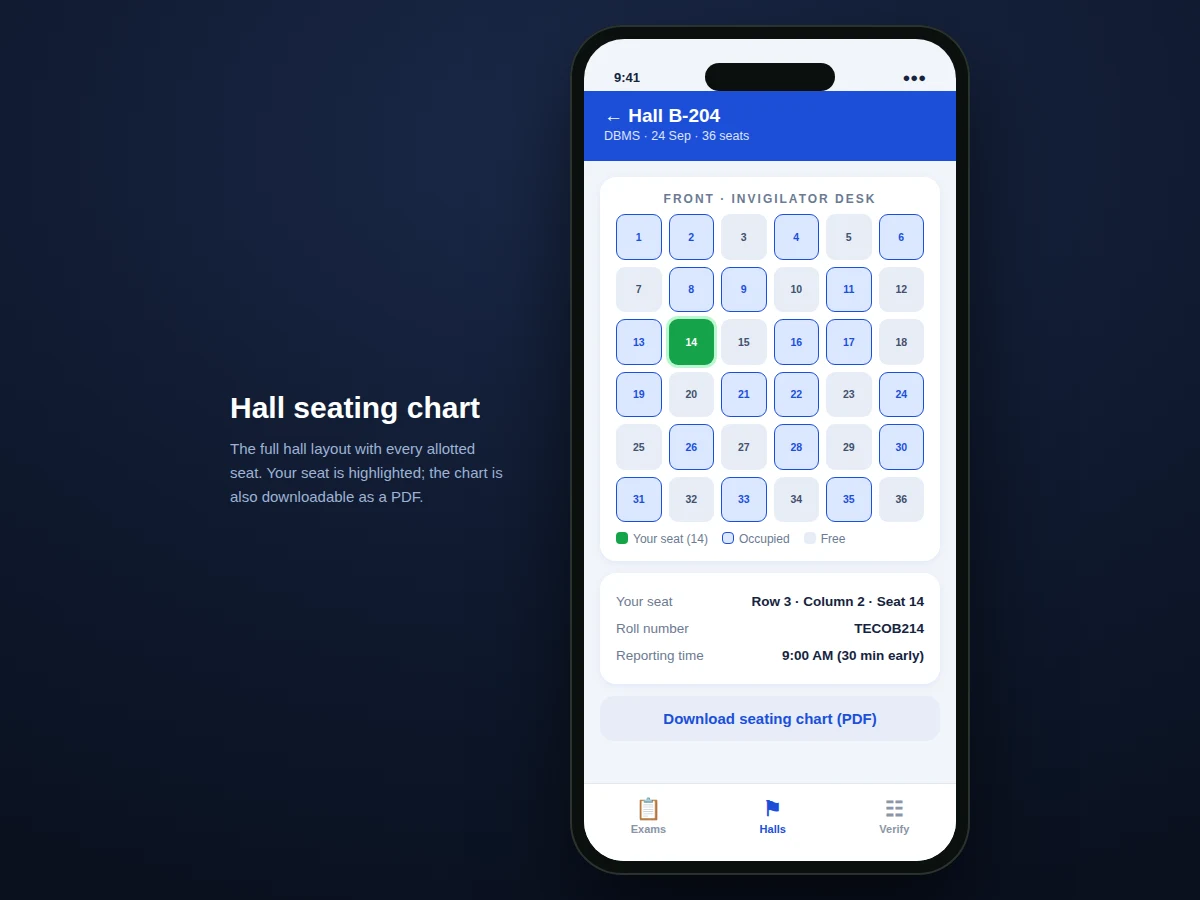
- [Hall seating chart] Visual grid of the allotted hall showing occupied and free seats, with the student's own seat highlighted and a PDF export option.
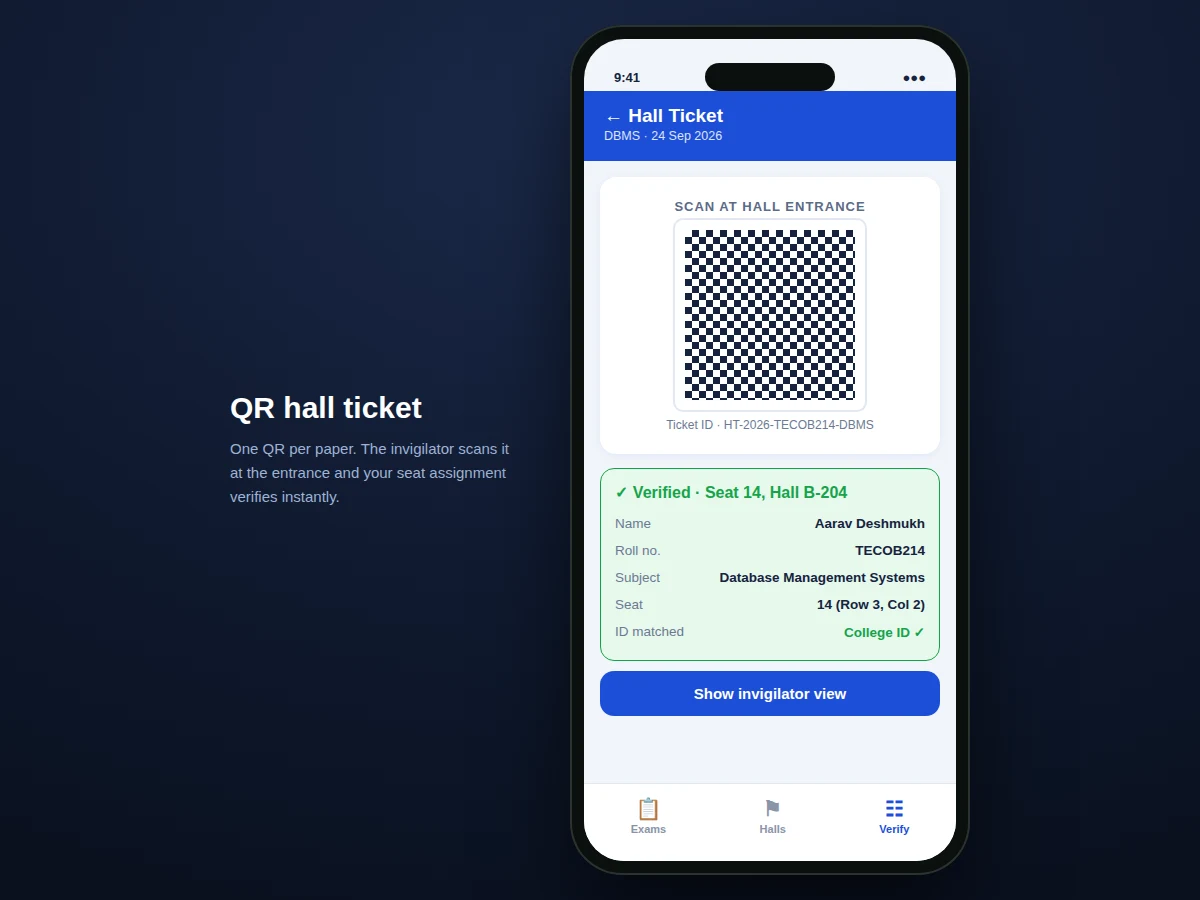
- [QR hall tickets] One signed QR per paper encoding ticket ID, roll number, subject, hall and seat — scannable offline at the entrance.
- [Invigilator verification mode] Scan the QR to get an instant verified verdict with student details; invalid or duplicate scans are flagged.
- [Admin publish flow] Exam cell enters papers, halls and the roll-number-to-seat mapping; publishing pushes the plan to all student devices.
- [Reporting-time guidance] Each paper shows reporting time and hall rules so students arrive prepared.
- [Offline-first design] Seating data and tickets are cached locally; entrance verification works without internet.
What is included
- Complete Android app source code (Kotlin): student, invigilator and admin flows
- Demo APK with a realistic exam session pre-loaded
- Seat-allotment algorithm and data model documentation
- QR ticket format specification (payload fields + checksum)
- Project report PDF (background, architecture, methodology, testing)
- PPT presentation for final review
- Viva Q&A preparation document (QR encoding, Room, offline sync, permissions)
Limitations & prerequisites
- Seat allotment is entered or imported by the administrator — the app does not auto-generate optimal allotments from constraints (listed as future scope).
- QR verification trusts the checksum, not a live server lookup; a stolen phone with a valid ticket would still verify (noted honestly in the report).
- The demo uses sample student data; connecting to a real college ERP needs an API integration per institution.
- Camera-based scanning needs adequate lighting at the entrance; the fallback is manual ticket-ID entry.
- Multi-session (multiple colleges) support is out of scope for the base build.
Frequently Asked Questions
What does the QR code actually contain?
The ticket ID, roll number, subject code, hall, seat number and a checksum computed over those fields. The verifier recomputes the checksum, so a hand-edited QR fails validation.
Does verification need internet?
No. Both the seating data and the checksum logic live on the device, so the entrance scan works in halls with no connectivity.
How does the invigilator mode differ from the student mode?
Same app, role switch: student mode shows schedules, charts and tickets; invigilator mode opens the camera scanner and shows the verified/not-verified verdict with student details.
Can a student screenshot someone else's ticket?
The ticket binds the roll number and the verifier shows the registered student details, so a borrowed screenshot is visible to the invigilator as a mismatch.
What if a seating plan changes after publishing?
The admin republishes; the app marks the old plan superseded and pushes the updated hall/seat to affected students with a notification.
Is this project suitable for a final-year project?
Yes — for Computer Science, IT and mobile-application programs. It combines data modelling, QR systems, role-based UX and offline design in one demonstrable app. Suitable for B.E./B.Tech final-year projects in Computer Science, IT and Mobile Application Development.
Components & software requirements
- Kotlin, Android SDK (minSdk 26)
- Jetpack: Room, ViewModel, LiveData
- ZXing (QR generation & scanning)
- Material Design 3 components
- PDF export (Android Print framework)
Delivery information
Built-to-order project. Delivery timeline is shared after order confirmation based on current queue.
Support terms
Complete documentation, setup guide, and viva preparation included. Support for setup and explanation provided.