
More project photos (2)
The problem
Selling tickets looks simple until the details arrive: organizers juggling spreadsheets double-book seats, paper tickets get forged at the gate, and nobody knows real sales numbers until after the event. Buyers, meanwhile, queue or refresh pages with no guarantee their seats are held while they pay. The core problems are concurrency and trust — two buyers must never own the same seat, a gate scanner must reject a photocopied QR, and the organizer needs live numbers, not estimates. A proper ticketing platform solves all three with seat locking, signed QR e-tickets, payment reconciliation, and real-time dashboards. It is also excellent engineering practice: the booking flow is a genuine transaction with inventory, money, and fraud on the line, which is the kind of system employers expect graduates to have built.
How it works
- An organizer creates an event in the TicketKart dashboard — details, venue, date, seat layout and pricing tiers.
- Attendees browse events, filter by category/date and open an event page.
- The interactive seat map shows available, locked and sold seats; the user selects seats, which are temporarily locked with a countdown timer.
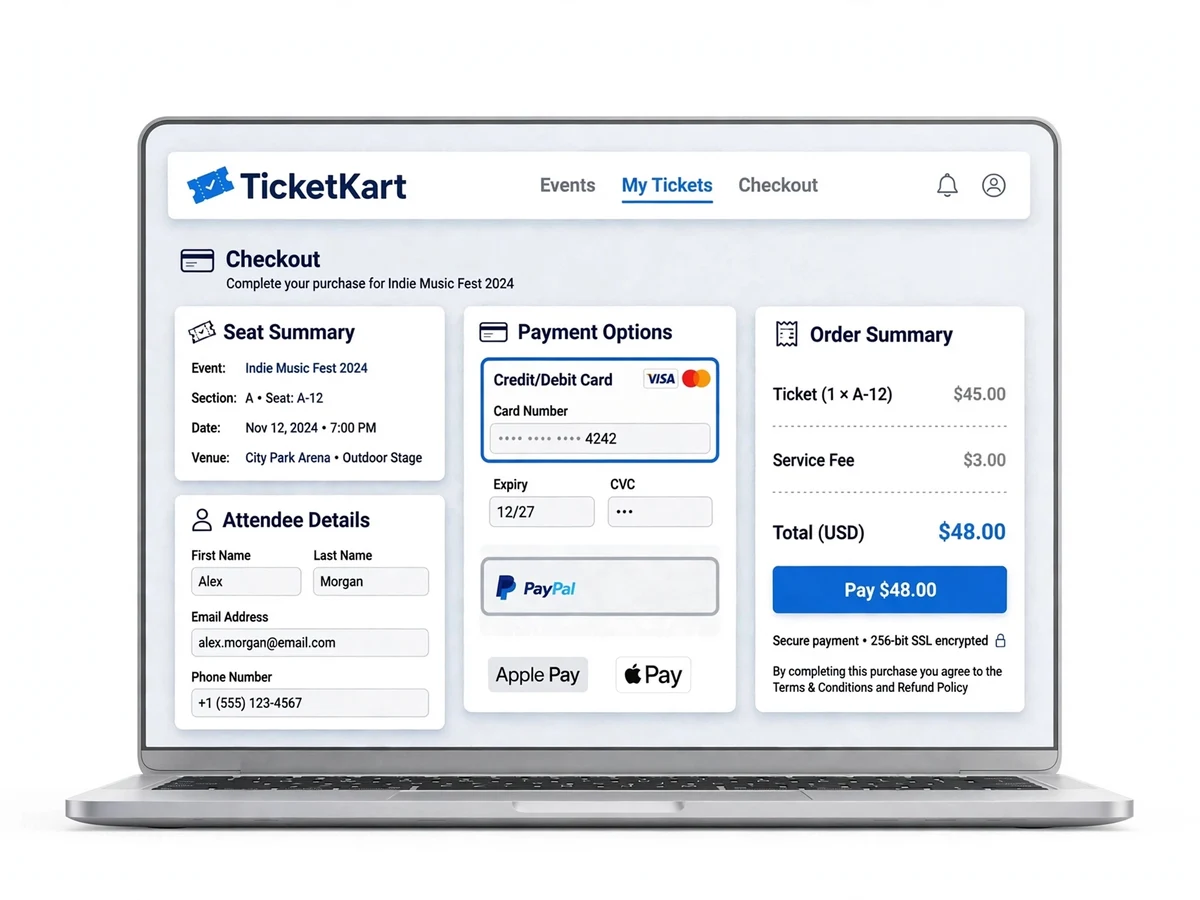
- The checkout collects attendee details and creates a payment order via Razorpay (test mode).
- On payment success, the order is confirmed, seats are marked sold and a unique QR-code e-ticket is generated and emailed.
- At the venue, gate staff scan the QR code; the scanner validates it against the database and marks the ticket as checked in, blocking duplicates.
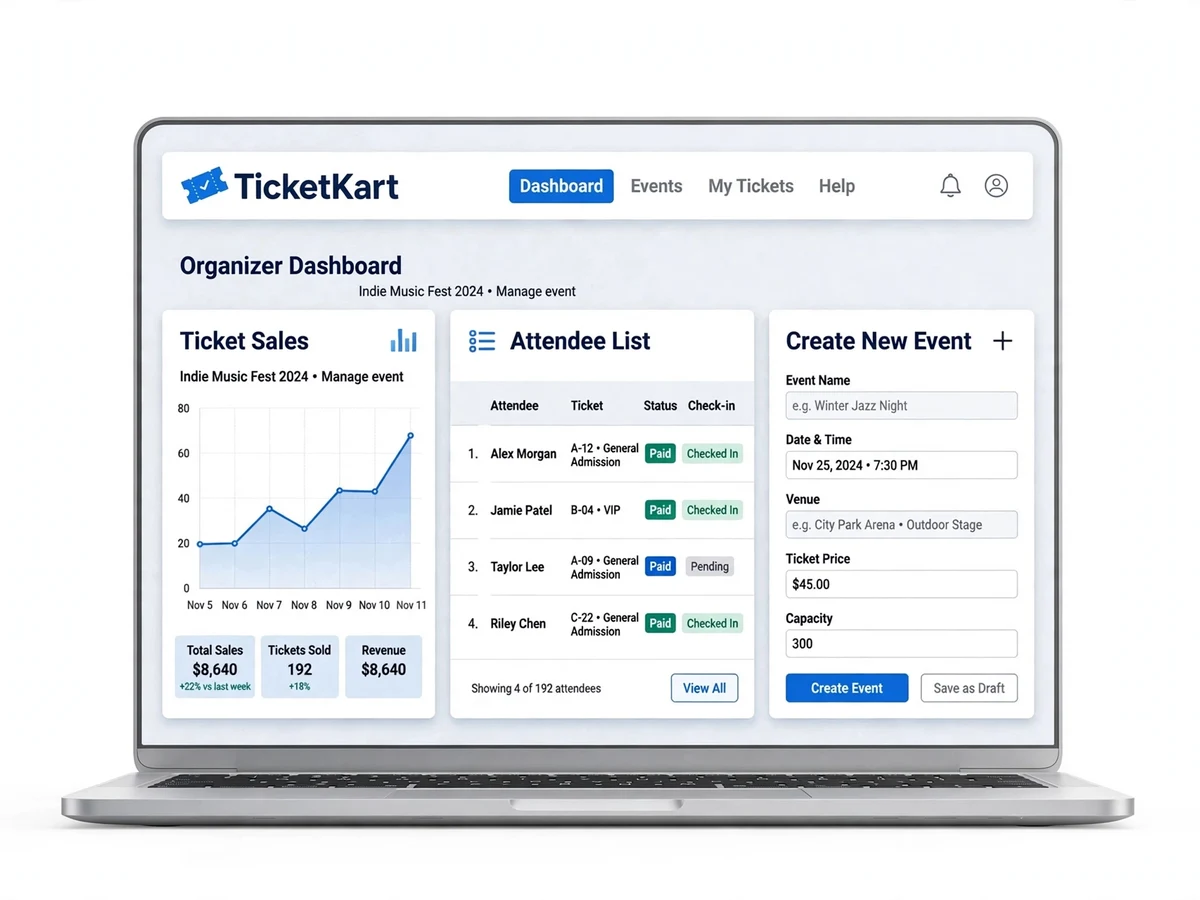
- Organizers watch sales and check-ins live in their dashboard.
Project features
- Event catalog with categories, search, filters and featured listings
- Interactive seat-map selection with sections, rows and pricing tiers
- Booking flow: seat lock with timeout, attendee details, order summary
- Payment integration via Razorpay (test mode) with order reconciliation
- QR-code e-ticket generation and email delivery after successful payment
- QR scanner view for gate staff to validate tickets and prevent reuse
- Organizer dashboard: create/edit events, set ticket tiers, publish listings
- Real-time sales analytics: tickets sold, revenue, occupancy per event
- Attendee list with check-in status export (CSV) for event day management
- User accounts with booking history, ticket re-download and cancellation flow
What is included
- Complete, commented source code (front end, back end, QR scanner view)
- Database scripts (schema + seed events, venues, seats for demo)
- Project report PDF (requirements, ER diagrams, sequence diagrams, payment flow, testing)
- PPT presentation
- Viva Q&A preparation document (seat-locking concurrency, payment reconciliation, JWT, QR design)
- Setup guide (installation, configuration, demo accounts)
FAQs
- Does it process real payments? No — Razorpay runs in test mode, so the full payment flow works end to end without real money. The report documents the steps to switch to live mode with the organizer's own keys.
- How does seat locking prevent double-booking? Selected seats are held with an expiry timer and a database lock; if payment is not completed in time, the seats release automatically.
- How are QR tickets validated at the gate? Each ticket carries a unique signed code. The scanner view checks it against the orders database and marks it checked-in, so reused or forged codes are rejected.
- Can the full flow be demoed? Yes. Seeded events with seat maps let you book seats, pay in test mode, receive the QR ticket by email and scan it with a phone in one flow.
- What happens under heavy concurrent load? Seat locking is application-level and correct for demo-scale traffic; flash-sale volumes would need Redis-backed distributed locks, which the report notes as future work.
Limitations & prerequisites
- Payments run in Razorpay test mode — no real money moves; switching to live mode needs the organizer's own merchant keys.
- Seat locking is application-level; extreme concurrent flash-sale load would need Redis-backed locks, noted as future work.
- QR scanning needs the scanner device online to validate against the database in real time.
- Refund processing in test mode is simulated, not settled with banks.
Components & software requirements
- React (front end) + Node.js/Express or PHP/Laravel (back end) — configurable
- MySQL or MongoDB (events, seats, orders, tickets, users)
- Razorpay test-mode payment gateway integration
- QR code generation (qrcode library) and scanner validation endpoint
- JWT-based authentication for attendees, organizers and admins
- Nodemailer/SMTP for e-ticket email delivery
Specifications
| Parameter | Value |
|---|---|
| User roles | Attendee, organizer, admin |
| Seat locking | Temporary hold with configurable timeout (default 10 min) to prevent double-booking |
| Payment gateway | Razorpay test mode; orders reconciled by payment ID and signature |
| QR tickets | Unique signed code per ticket; scan marks checked-in, blocks reuse |
| Pricing tiers | Multiple tiers per event (e.g. General, Premium, VIP) with per-seat mapping |
| Sales analytics | Tickets sold, revenue, occupancy % per event, updated live |
| Cancellation | Attendee cancellation with refund-status tracking (test mode) |
| Check-in export | CSV attendee list with check-in status for event staff |
| Email delivery | E-ticket PDF/email with QR on every confirmed order |
| Admin controls | Event moderation, organizer verification, dispute view |