
More project photos (2)
The problem
Manual traffic surveys are still the default at many small junctions and campus gates — someone stands with a tally counter for hours, and the data is error-prone and impossible to replay. Cloud-based AI counters solve the counting but need constant connectivity and raise privacy concerns for street footage. This project takes the edge-AI route instead: a Raspberry Pi 4 with a camera module runs a quantized vehicle-detection model locally, counts vehicles crossing a virtual line in each direction, and serves the live counts on a local web page. Because inference never leaves the device, the unit works on a roadside pole with only a power bank and Wi-Fi hotspot, and no video ever needs to be uploaded. The build is honest about edge constraints — model choice, input resolution and frame rate are traded off explicitly so the counter stays real-time on Pi-class hardware.
How it works
- The Pi Camera Module captures 640×480 frames at 10–15 fps, the resolution/framerate trade-off chosen so detection keeps up on the Pi 4 CPU.
- Each frame passes through the quantized YOLOv8n model, which returns bounding boxes with class labels and confidence scores.
- Detections above the confidence threshold are matched to existing tracks by centroid distance, giving each vehicle a persistent ID across frames.
- When a track's centroid crosses the configured counting line, the counter for its class and direction increments and a row is written to SQLite.
- The local dashboard polls the database every 2 seconds and redraws the live counts, annotated feed and hourly chart.
- An export endpoint downloads the raw timestamped log as CSV for offline analysis and report figures.
Tech stack:
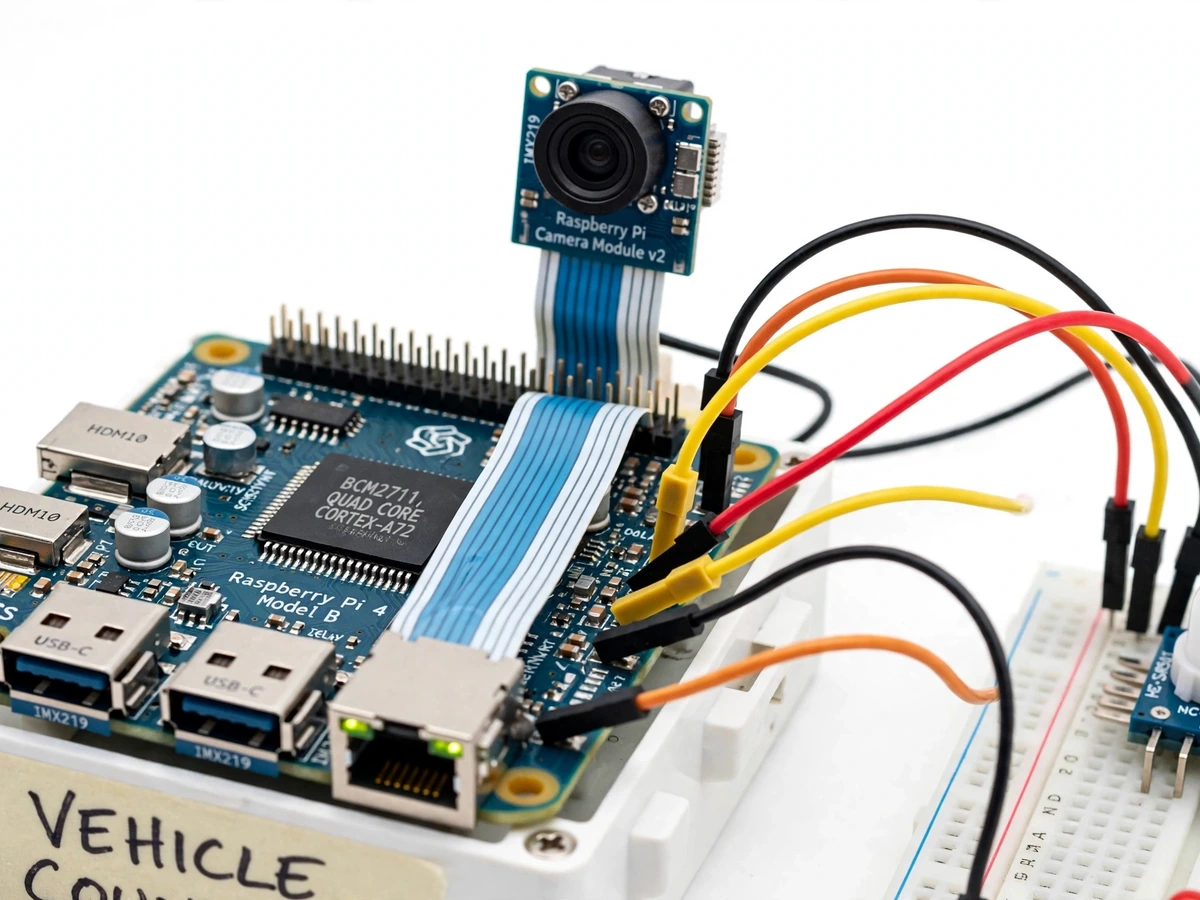
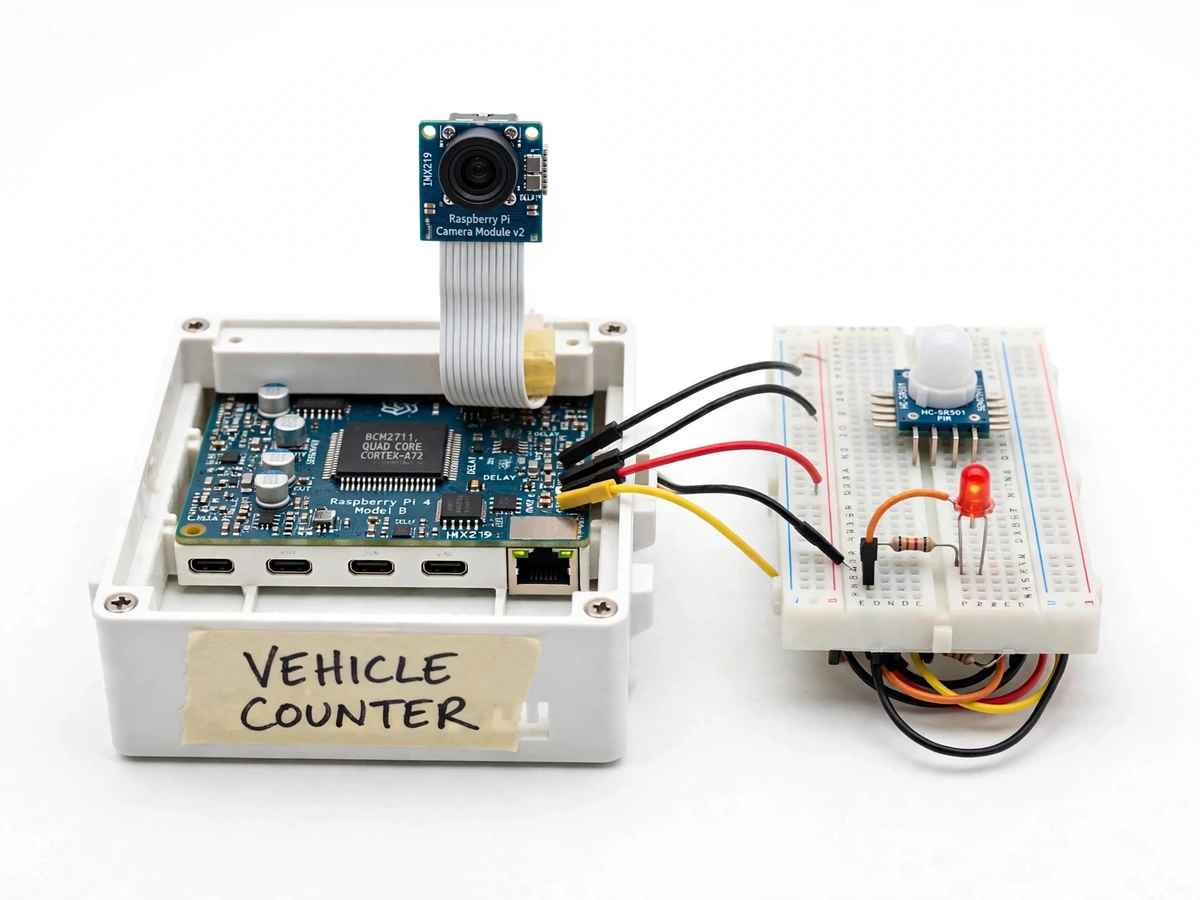
- Raspberry Pi 4 (4 GB) + Pi Camera Module v2
- Python 3, OpenCV, TensorFlow Lite runtime
- YOLOv8n (Ultralytics) exported to quantized TFLite
- SQLite + Flask (local dashboard)
- UA-DETRAC dataset (evaluation reference)
Dataset & model details
- Dataset: UA-DETRAC — real-world traffic video benchmark (Beijing Traffic Management Bureau footage, annotated by the University at Buffalo group); ~140k frames with vehicle bounding boxes across car, bus, van and "others" classes, in varied weather and lighting. Used as the evaluation reference for the counting pipeline.
- Task: Vehicle detection + multi-object tracking + line-crossing counting; input = 640×480 RGB frame, output = per-class directional counts per time window.
- Model: YOLOv8n (nano, ~3.2M parameters) trained on a vehicle-detection dataset, exported with post-training INT8 quantization to TensorFlow Lite; centroid-based tracker for ID persistence across frames.
- Metrics: Detection mAP on the UA-DETRAC-style validation split, counting accuracy (counted vs ground-truth vehicles per clip), and end-to-end FPS on the Pi 4 — reported as design targets in the build notes, with the actual measured figures recorded during the buyer-run calibration procedure. No accuracy is claimed as measured until that run.
| Parameter | Value |
|---|---|
| Controller | Raspberry Pi 4 Model B, 4 GB RAM (design target) |
| Camera | Pi Camera Module v2, 8 MP (NoIR + IR LED optional) |
| Input resolution | 640 × 480 (configurable) |
| Detection model | YOLOv8n, INT8-quantized TFLite, ~3.2M parameters (design target) |
| Frame rate | 10–15 fps on Pi 4 CPU (expected, resolution-dependent) |
| Counting method | Virtual line + centroid tracking, bidirectional |
| Vehicle classes | Car, bus, truck, two-wheeler (design target) |
| Storage | Hourly counts in local SQLite; raw logs as CSV export |
| Power | 5 V / 3 A supply; power-bank operation possible (expected ~4–5 h) |
| Dashboard | Local Flask page, annotated feed + hourly chart |
Project features
- [On-device vehicle detection] YOLOv8n quantized to TensorFlow Lite runs fully offline on the Raspberry Pi 4 — no cloud, no API keys, no internet needed after setup.
- [Direction-aware counting] A virtual counting line with centroid tracking counts vehicles separately per direction, so two-way traffic is measured correctly.
- [Per-class counts] Cars, buses, trucks and two-wheelers are tallied into separate classes, with hourly totals stored in a local SQLite database.
- [Live local dashboard] A lightweight web page on the Pi shows the annotated camera feed, live counts, and a rolling hourly bar chart.
- [CSV export] Timestamped count logs export to CSV for analysis in Excel or Python — ready for a traffic-study chapter in the report.
- [Day/night option] The build supports a NoIR camera with IR illumination for low-light counting, with the trade-offs documented.
- [Power-fail safe logging] Counts are written to the database on every detection event, so a power cut loses at most the current frame.
What is included
- Assembled Raspberry Pi 4 + camera counting unit in enclosure
- Complete firmware (detection, tracking, counting, dashboard)
- Quantized TFLite model file with conversion and evaluation notes
- Wiring diagram and camera-mounting guide
- Project report PDF (edge-AI background, model selection rationale, methodology, calibration procedure, results)
- PPT presentation for final review
- Viva Q&A preparation document (quantization, tracking, mAP, counting accuracy)
Limitations & prerequisites
- Counting accuracy is a design target until the buyer's calibration run — heavy occlusion (bumper-to-bumper traffic) will undercount, and this is stated in the report.
- Night operation needs the NoIR + IR illumination option; the standard camera module performs poorly in near-darkness.
- 10–15 fps is the expected range on Pi 4 CPU at 640×480; higher resolution or a heavier model will drop below real-time.
- The model distinguishes broad vehicle classes, not makes/models or number plates — ANPR is explicitly out of scope.
- Camera placement matters: a high, perpendicular view counts far better than a low oblique one; the mounting guide covers this.
- Not a certified traffic-survey instrument — a prototype for study and demonstration, not for legal traffic counts.
Frequently Asked Questions
Does it need the internet to work?
No. The detection model runs entirely on the Raspberry Pi, and the dashboard is served locally. Internet is only needed during setup (package installs) or if you choose to push data to the cloud yourself.
Which dataset is used?
UA-DETRAC, a real-world traffic video benchmark with ~140k annotated frames across vehicle classes and weather conditions. It is used as the evaluation reference for the detection and counting pipeline.
How accurate is the counting?
Counting accuracy is reported as a design target in the build notes, not a measured claim. The report includes a calibration procedure you run on your own test footage, and the achieved figures are recorded there honestly.
Can it count at night?
With the NoIR camera + IR illumination option, yes, in low light. The standard camera module alone is not reliable in near-darkness, and this limitation is documented.
Can it read number plates?
No — this project counts and classifies vehicles by type. Automatic number-plate recognition is a different pipeline and is explicitly out of scope.
Is this project suitable for a final-year project?
Yes — for AI & Machine Learning, Electronics and IoT programs. It demonstrates model quantization, edge deployment, multi-object tracking and a complete measurement pipeline with honest evaluation. Suitable for B.E./B.Tech final-year projects in AI & Machine Learning, Electronics and IoT & Embedded Systems.
Components & software requirements
- Raspberry Pi 4 (4 GB) + Pi Camera Module v2
- Python 3, OpenCV, TensorFlow Lite runtime
- YOLOv8n (Ultralytics) exported to quantized TFLite
- SQLite + Flask (local dashboard)
- UA-DETRAC dataset (evaluation reference)
Dataset & model details
- Dataset: UA-DETRAC — real-world traffic video benchmark (Beijing Traffic Management Bureau footage, annotated by the University at Buffalo group); ~140k frames with vehicle bounding boxes across car, bus, van and "others" classes, in varied weather and lighting. Used as the evaluation reference for the counting pipeline.
- Task: Vehicle detection + multi-object tracking + line-crossing counting; input = 640×480 RGB frame, output = per-class directional counts per time window.
- Model: YOLOv8n (nano, ~3.2M parameters) trained on a vehicle-detection dataset, exported with post-training INT8 quantization to TensorFlow Lite; centroid-based tracker for ID persistence across frames.
- Metrics: Detection mAP on the UA-DETRAC-style validation split, counting accuracy (counted vs ground-truth vehicles per clip), and end-to-end FPS on the Pi 4 — reported as design targets in the build notes, with the actual measured figures recorded during the buyer-run calibration procedure. No accuracy is claimed as measured until that run.
Delivery information
Built-to-order project. Delivery timeline is shared after order confirmation based on current queue.
Support terms
Complete documentation, setup guide, and viva preparation included. Support for setup and explanation provided.