
More project photos (2)
The problem
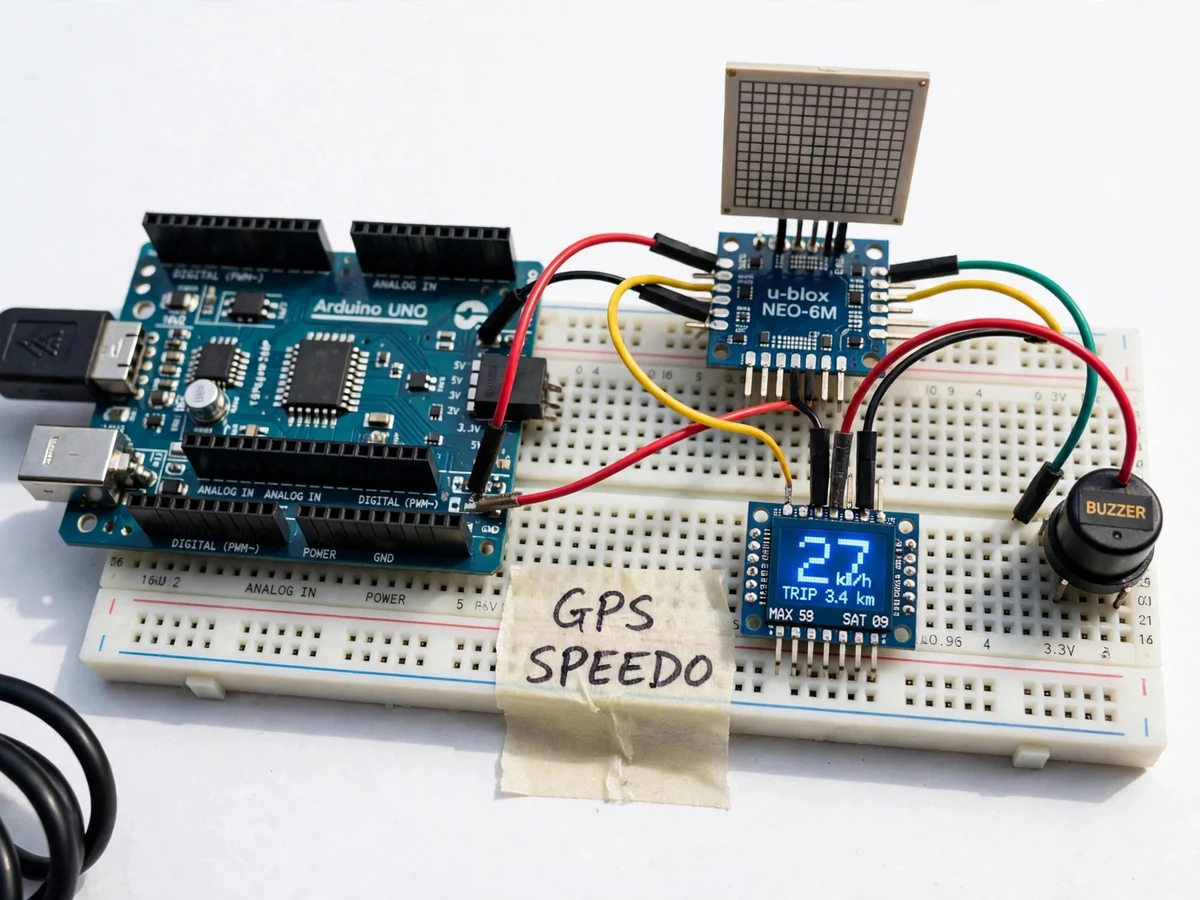
A DIY GPS speedometer with OLED display is a small Arduino-based instrument that measures how fast a bicycle or two-wheeler is moving without touching any wheel or mechanical part. It uses a u-blox NEO-6M GPS module to receive position fixes from GPS satellites, derives speed from the NMEA sentences the module streams, and shows the result on a 0.96-inch OLED screen. Many cycles and two-wheelers have no speedometer at all, and mechanical ones need a wheel sensor, a magnet and calibration for each wheel size. A GPS speedometer avoids all of that: it works on any vehicle, needs no wheel fitting, and also reports maximum speed, trip distance and satellites locked. For a student, the build teaches serial communication, NMEA parsing, unit conversion and display driving. The finished unit runs from a 5 V USB power bank for live outdoor demonstration, though it needs a clear view of the sky and is not certified for legal speed enforcement.
The NEO-6M locks onto at least 4 GPS satellites under open sky.
Follow the working sequence
How it works
The NEO-6M GPS module listens to GPS satellites on the L1 band and, once it has locked onto at least 4 satellites, computes position and speed and streams NMEA 0183 sentences over a serial link at 9600 bits per second. The Arduino Uno reads these sentences, picks out the $GPRMC sentence, and extracts the speed-over-ground field, which the module reports in knots. Firmware multiplies that value by the knots-to-km/h factor 1.852, keeps the highest speed seen since switch-on, and integrates speed over time into trip distance in km. Once every second the Arduino redraws the OLED with current speed in large digits, plus maximum speed, trip distance and satellite count in smaller text. If the current speed is above the limit stored in the firmware, the buzzer sounds until speed falls back below the limit. The whole chain — satellite signal, NMEA sentence, parsed speed, displayed number — runs continuously from a 5 V USB supply.
- The NEO-6M module is powered up outdoors with its ceramic antenna facing the sky and acquires a satellite lock (approximately 27 s from a cold start under open sky, datasheet value).
- The module streams NMEA 0183 sentences over UART at 9600 bits per second to the Arduino Uno.
- The Arduino parses the $GPRMC sentence with the TinyGPS++ library and reads the speed-over-ground field in knots.
- Firmware converts knots to km/h using the factor 1.852, updates the maximum speed, and adds to the trip distance in km.
- The 0.96-inch OLED is redrawn once every second with live speed, maximum speed, trip distance and satellite count.
- If live speed is above the firmware limit (60 km/h by default), the buzzer sounds until speed drops below the limit.
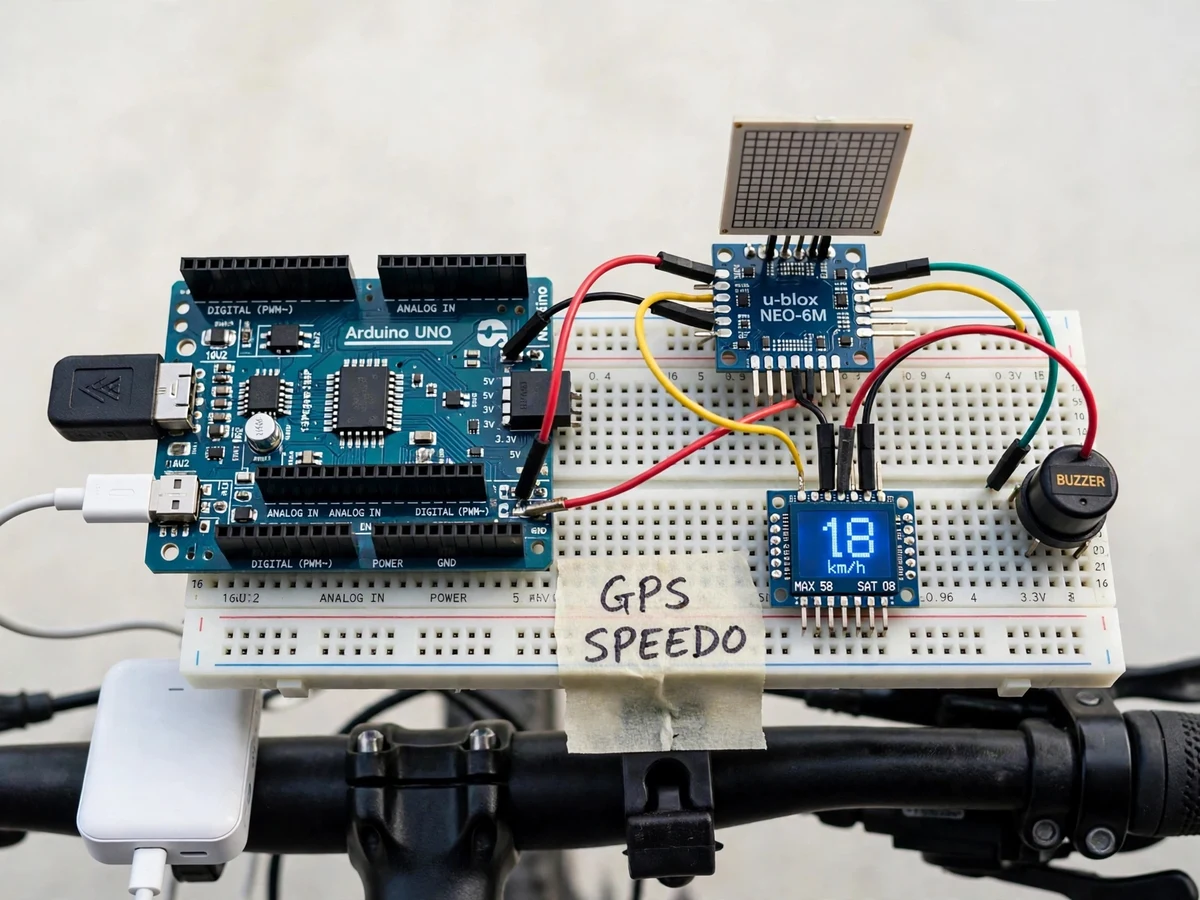
- The unit is powered from a 5 V USB power bank and mounted on the handlebar for the outdoor demo ride.
Tech stack:
- Arduino Uno (ATmega328P)
- u-blox NEO-6M GPS module
- 0.96-inch OLED display · SSD1306
- TinyGPS++ library
- Arduino IDE
- NMEA 0183 protocol
- 5 V USB power bank
- Buzzer module
| Parameter | Value |
|---|---|
| Controller | Arduino Uno (ATmega328P, 16 MHz clock) |
| GPS module | u-blox NEO-6M, 50-channel GPS L1 receiver (datasheet value) |
| Position accuracy | 2.5 m CEP (datasheet value) |
| Velocity accuracy | 0.1 m/s (datasheet value) |
| Tracking sensitivity | -161 dBm (datasheet value) |
| Update rate | 1 Hz default, 5 Hz maximum (datasheet value) |
| Serial link | UART at 9600 bits per second (default) |
| Display | 0.96-inch OLED, 128 × 64 pixels, I2C |
| Speed display | 0–200 km/h (design target, display formatting) |
| Overspeed limit | 60 km/h default, configurable in firmware (design target) |
| Power supply | 5 V USB, approximately 100–150 mA current draw (expected) |
| Cold start time to first fix | Approximately 27 s under open sky (datasheet value) |
| Hot start time to first fix | Approximately 1 s (datasheet value) |
| Operating temperature | -40 °C to +85 °C (datasheet value) |
| Trip distance | Accumulated in km since switch-on; resets on power-off |
| Core components | 6 modules: Arduino Uno, NEO-6M module, OLED display, buzzer, breadboard, USB cable (count) |
Project features
The speedometer's core capabilities are a live speed readout, a trip computer, a satellite-lock indicator and an overspeed buzzer, all shown on one small OLED screen. Live speed is the headline reading: the display updates once every second with the current speed in km/h, taken directly from the GPS fix, so the rider sees speed change in step with the vehicle. The trip computer tracks maximum speed reached and distance covered since switch-on, giving the demo two more numbers to talk about without any extra sensor. The satellite-lock indicator shows how many satellites the NEO-6M is tracking, which tells the rider at a glance whether the reading is trustworthy. Finally, the overspeed buzzer sounds when speed crosses a limit set in the firmware, turning a passive display into an active alert. Together these four capabilities cover sensing, display, memory and alerting in a single compact build.
- [Live speed readout in km/h] The OLED shows current speed in large digits, refreshed once every second from the GPS fix, so the rider reads speed at a glance.
- [Maximum speed memory] The firmware keeps the highest speed reached since switch-on and shows it below the live reading for the whole ride.
- [Trip distance] Distance covered since switch-on is integrated from successive GPS fixes and shown in km on the display.
- [Satellite lock indicator] The display shows how many satellites the NEO-6M is tracking, so a weak fix is visible before the reading is trusted.
- [Overspeed buzzer alert] A buzzer sounds when speed crosses the limit set in the firmware (60 km/h by default) and stops when speed falls back below it.
- [5 V USB power-bank operation] The whole unit runs from a USB power bank or a laptop USB port, with no mains supply and no separate battery pack to wire.
- [Simple 4-wire GPS connection] The NEO-6M connects to the Arduino with 4 wires (VCC, GND, TX, RX), keeping the wiring easy to build and explain.
What is included
- Working assembled prototype (Arduino Uno, NEO-6M GPS module, OLED display, buzzer, breadboard, USB cable)
- Arduino firmware source code with TinyGPS++ parsing, trip computer and overspeed alert
- Wiring diagram and component list
- Project report PDF (background, GPS and NMEA theory, methodology, test procedure)
- PPT presentation for final review
- Viva Q&A preparation document (GPS, NMEA sentences, serial communication, OLED interfacing)
- Demo guidance: outdoor satellite-lock procedure and handlebar mounting notes
Work plan & timeline
Total work plan: approximately 60 hours, split across five phases. Phase 1, wiring and serial test: 10 hours — connecting the NEO-6M to the Arduino and confirming NMEA sentences arrive on the serial monitor. Phase 2, NMEA parsing and speed conversion: 15 hours — parsing the $GPRMC sentence with TinyGPS++ and converting knots to km/h. Phase 3, OLED display and trip computer: 15 hours — drawing live speed, maximum speed, trip distance and satellite count on the 0.96-inch OLED. Phase 4, overspeed buzzer and mounting: 10 hours — adding the buzzer alert and the handlebar mount with USB power-bank supply. Phase 5, outdoor testing, report and viva kit: 10 hours — open-sky lock tests, the project report, PPT and viva Q&A document.
Support
Support covers setup help for the delivered prototype and firmware, a walkthrough of the GPS lock procedure and the OLED readings, and fixes for defects in the delivered code and wiring. Guidance is also provided for adapting the report and presentation to the student's college format and for answering guide questions about GPS, NMEA sentences, serial communication and OLED interfacing. Support does not cover riding the vehicle during the demo, and it does not cover any use of the speedometer for legal speed enforcement.
Limitations & prerequisites
- Needs open sky: the NEO-6M cannot get a satellite lock indoors, under a roof, or under dense tree cover; the first cold-start lock takes approximately 27 s under open sky (datasheet value).
- Not certified for legal speed enforcement: this is an academic prototype with a datasheet position accuracy of 2.5 m CEP; it must not be presented as a calibrated or legally valid speed measuring instrument.
- The u-blox NEO-6M chip has reached end-of-life and u-blox no longer recommends it for new commercial products; breakout boards remain widely available from electronics suppliers, and the NEO-M8N module is the recommended successor for a future revision.
- GPS-only receiver (L1 C/A code): no GLONASS, Galileo or BeiDou support, so satellite availability is lower than on multi-constellation receivers.
- Speed accuracy falls when the satellite lock is weak: under tree cover or between tall buildings the reading can lag or jump; the satellite-count display shows when the fix is thin.
- Trip distance resets when power is removed: the base build has no SD card or battery-backed memory, so trip data is not stored between rides.
- The 0.96-inch OLED is hard to read in direct bright sunlight: the display is best viewed in shade or with a simple hood over it.
Frequently Asked Questions
Is this project suitable for a final-year project?
Yes — this project suits final-year students in Electronics & Telecommunication, Electrical and Computer Engineering, because it combines GPS receiver interfacing, NMEA sentence parsing, serial communication, unit conversion and OLED display driving into one compact build with a clear outdoor demo and datasheet-backed limits to discuss in the viva. The guide can verify every claim on the bench: the GPS lock, the NMEA sentences on the serial monitor, and the speed on the OLED.
Does the speedometer work indoors?
No — the speedometer does not work indoors, because the NEO-6M GPS module must receive signals from at least 4 GPS satellites, and those weak satellite signals do not pass through roofs, concrete ceilings or dense tree cover, so the module cannot compute a position fix or a speed reading inside a building. All testing and demonstration must be done outdoors with a clear view of the sky.
How accurate is the speed reading?
The speed reading comes from the GPS fix, and the NEO-6M datasheet states a velocity accuracy of 0.1 m/s and a horizontal position accuracy of 2.5 m CEP under open sky, so on an open road the displayed speed is close to the vehicle's true speed, but the reading lags and jumps when the satellite lock is weak. No accuracy figure beyond the datasheet values is claimed, and the unit is not certified for legal enforcement.
What power supply does it need?
The speedometer runs from any 5 V USB source, such as a USB power bank or a laptop USB port, and the assembled prototype draws approximately 100–150 mA of current, so a common 10,000 mAh power bank powers it for a full day of outdoor demonstrations. No mains adapter and no separate battery charger are needed.
Can the overspeed limit be changed?
Yes — the overspeed limit is a single constant in the Arduino firmware, set to 60 km/h by default, and changing that one value and re-uploading the code sets a new limit, so the demo can use a lower limit for a bicycle ride or a higher limit for a two-wheeler test. The buzzer sounds only while speed stays above the limit.
Can it be mounted on a two-wheeler?
Yes — the prototype mounts on a bicycle or two-wheeler handlebar with a clamp and runs from a USB power bank, which is how the outdoor demo is done, but the rider should keep the demo to low speeds and quiet roads and never stare at the display while riding. For the viva, the unit can also be demonstrated as a passenger-held device.
Components & software requirements
- Arduino Uno (ATmega328P)
- u-blox NEO-6M GPS module
- 0.96-inch OLED display · SSD1306
- TinyGPS++ library
- Arduino IDE
- NMEA 0183 protocol
- 5 V USB power bank
- Buzzer module
Delivery information
Built-to-order project. Delivery timeline is shared after order confirmation based on current queue.
Support terms
Complete documentation, setup guide, and viva preparation included. Support for setup and explanation provided.
Download free synopsis (PDF)
Enter your name and WhatsApp number — the synopsis PDF downloads immediately. We may send occasional project updates on WhatsApp; no spam.