
More project photos (3)
The problem
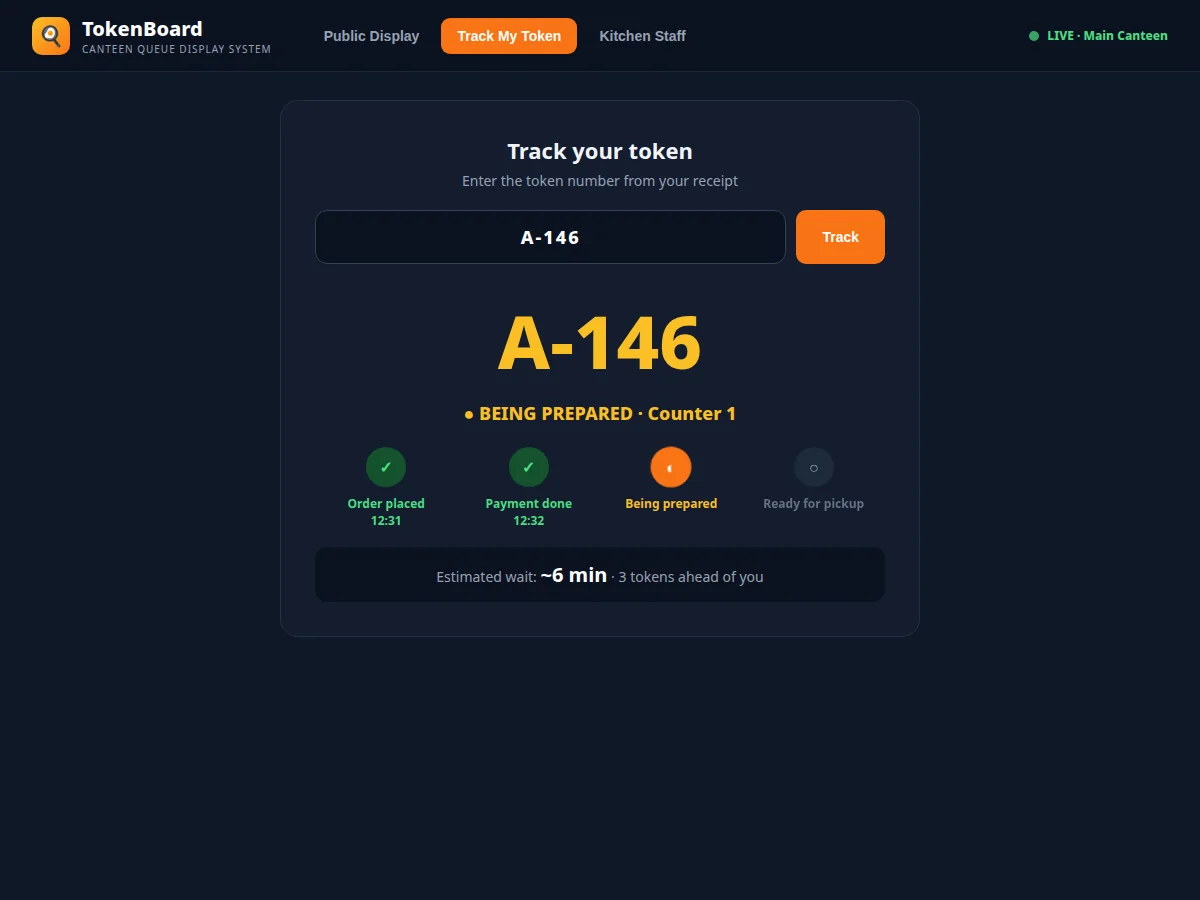
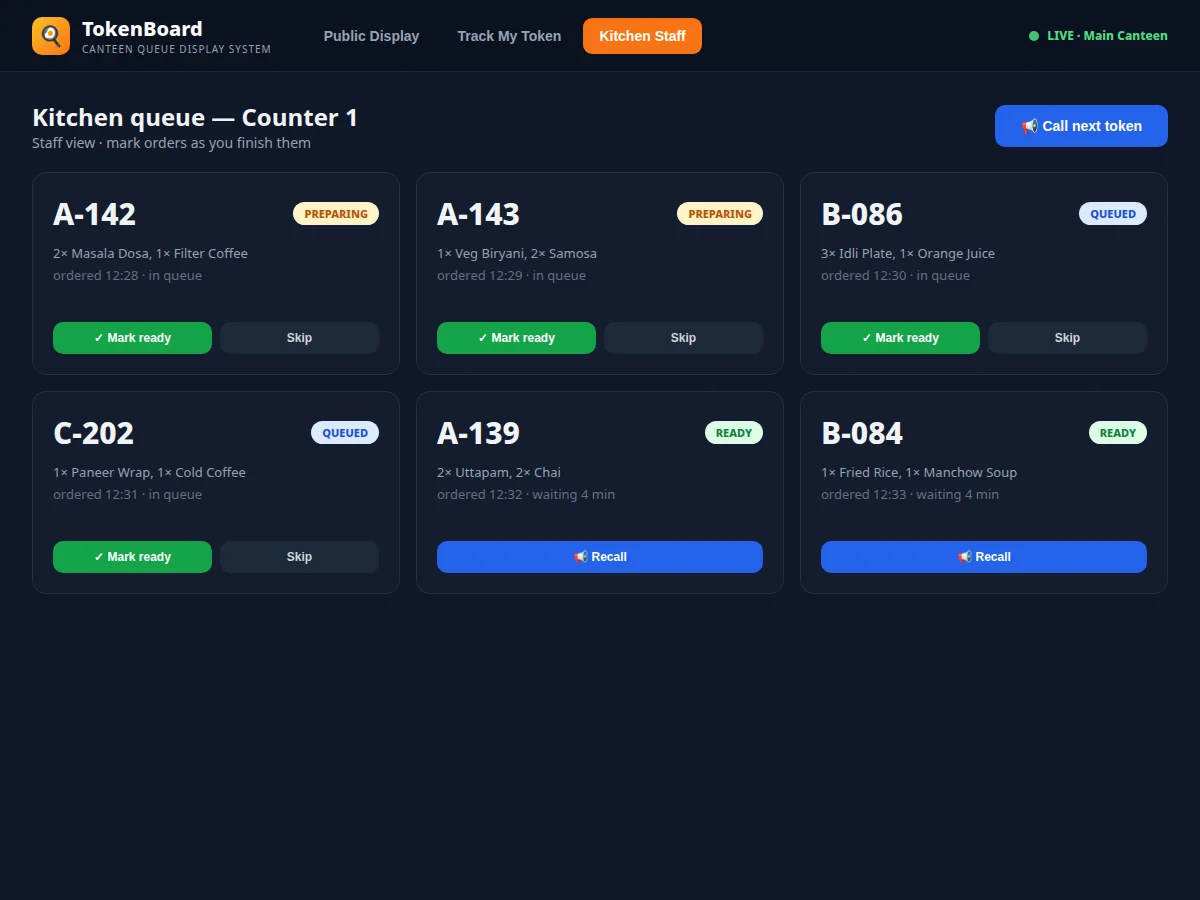
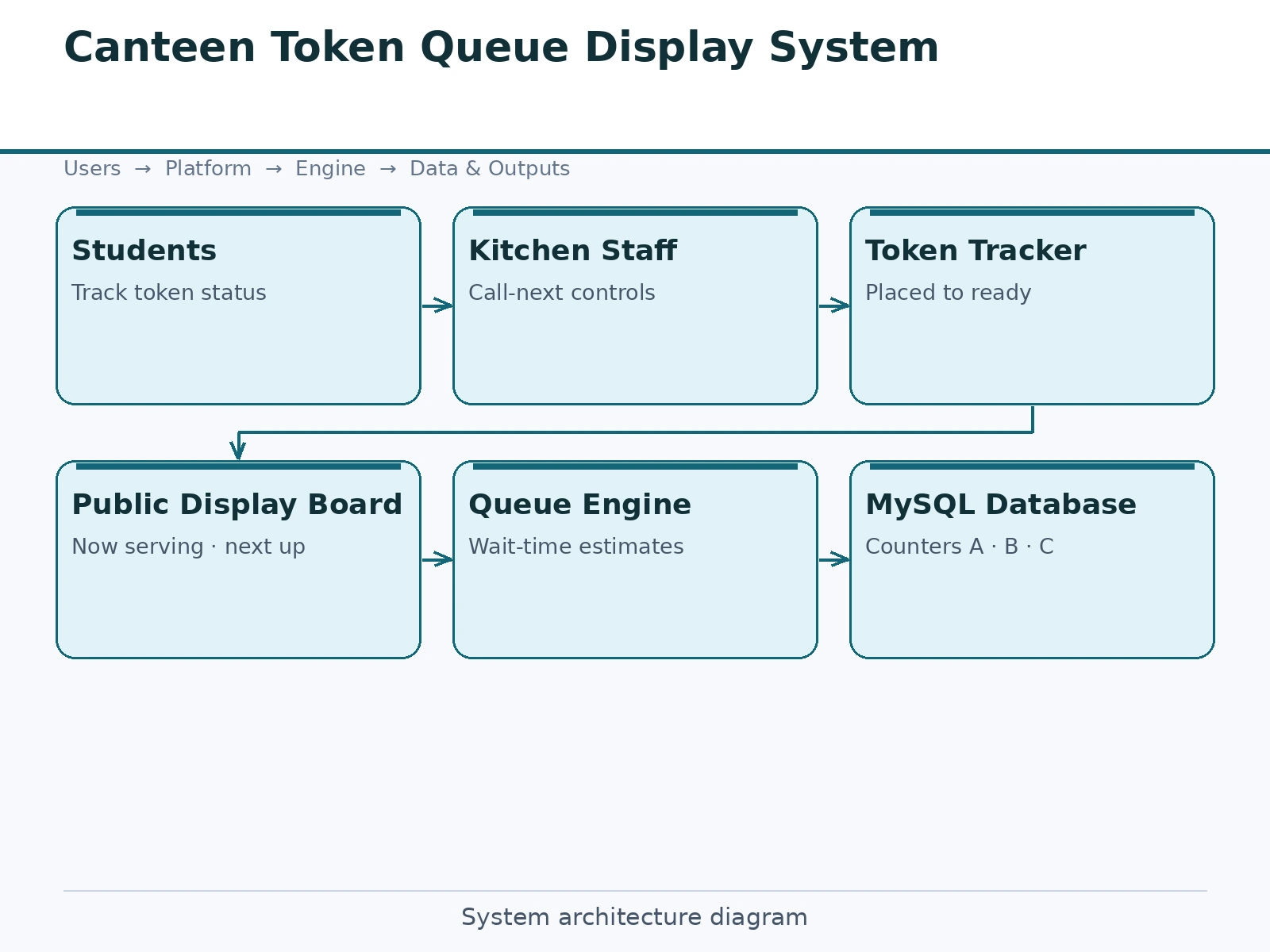
At lunch hour every campus canteen turns into a crowd around the counter — students shouting token numbers, peering over shoulders, and queueing twice: once to order, once to collect. The kitchen has no orderly way to call tokens, so ready food waits while its owner is elsewhere, and nobody knows the real wait time before joining a line. This project is a token queue display system with three coordinated views. The public display board, designed for a TV screen, shows per-counter now-serving tokens in large type, next-up tokens, a scrolling announcement ticker, and ready-for-pickup versus being-prepared lists. Students track their own token on their phones through a four-stage timeline with an estimated wait. Kitchen staff get a working queue per counter with mark-ready, skip and call-next actions that drive the public board in real time. Token states, per-counter sequencing and wait estimates are the core logic; the display layer is deliberately TV-first and high-contrast.
Places an order and tracks the token's stage, tokens ahead and estimated wait.
Follow the working sequence
How it works
- Orders create tokens in the queue with a counter assignment and a token number per series.
- Kitchen staff open the counter queue, see each token's items and elapsed time, and mark tokens ready as food is prepared.
- Marking ready moves the token to the ready-for-pickup list on the public board and highlights it.
- Staff call the next token; the now-serving number advances on the board with the next-up preview.
- Students track their token on their phones — stage timeline, tokens ahead, and estimated wait update from live queue state.
- Announcements posted from the staff view scroll on the board ticker between queue updates.
Tech stack:
- PHP · Laravel (REST API + Blade views)
- MySQL (relational schema with seed data)
- HTML · CSS · JavaScript (responsive + TV display)
- Live board updates (polling; WebSocket upgrade path documented)
- Session authentication
- Role-based access (student, kitchen staff, admin)
- Wait-time estimation logic
- Git
| Parameter | Value |
|---|---|
| Display views | 3 (public board, token tracker, kitchen queue) |
| Token states | Placed → Paid → Preparing → Ready / Skipped |
| Counters | Data-driven, demo ships 3 with A/B/C token series |
| Board refresh | 10-second polling in demo (WebSocket upgrade documented) |
| Tracker input | Token number from receipt |
| Wait estimate | Tokens ahead × measured per-counter throughput |
| Ticker | Staff-managed scrolling announcements |
| Deployment | College intranet server + TV browser for the board |
Project features
- [Public display board] TV-first dark board: per-counter now-serving tokens, next-up list, announcement ticker and ready/preparing token lists.
- [Token tracking] Students enter their token and see a four-stage timeline (placed → paid → preparing → ready) with an estimated wait in minutes.
- [Kitchen queue view] Per-counter cards with the order contents, elapsed time, and mark-ready / skip / recall controls that update the board.
- [Call-next automation] Staff advance the serving token; the board, ready lists and wait estimates recompute from the new state.
- [Wait-time estimation] Estimates derive from tokens ahead and per-counter throughput, shown on both the tracker and the board ticker.
- [Announcement ticker] Scrolling announcements — specials, payment modes, average wait — managed from the staff view.
- [Multi-counter model] Counters are data-driven; token series (A, B, C) map to counters and the board renders each.
What is included
- Complete working web application (display board, tracker, kitchen queue, ticker)
- Database schema with seed data (counters, tokens at every stage, announcements)
- Staff view with call-next, skip and recall controls
- TV-optimized high-contrast display templates
- Project report PDF (SRS, ER diagram, DFD, test cases, screenshots)
- PPT presentation for final review
- Viva Q&A preparation document (queue state machine, wait estimation, display design)
Limitations & prerequisites
- The demo updates the board by polling, not true push; the WebSocket upgrade path is documented but not built.
- Order entry is assumed from the existing billing counter; POS integration is future scope.
- Wait estimates use a simple throughput model — they are estimates, not measured service times from a real canteen.
- The demo has no payment flow; the paid stage is set by the billing counter's confirmation.
- Token numbers, wait times and announcements in the demo are illustrative seed data.
Frequently Asked Questions
How does the board stay in sync with the kitchen?
Kitchen actions (mark-ready, call-next, skip) write to the queue tables; the public board polls for changes and re-renders. The demo polls every 10 seconds, and the report documents the WebSocket upgrade for true push.
What hardware does the display need?
Any TV with a browser pointed at the public display URL — no special signage hardware. The board is a full-screen web page.
How is the wait estimate calculated?
From the number of tokens ahead of yours at your counter multiplied by that counter's recent average tokens-per-minute, recomputed on every queue change.
Can skipped tokens come back?
Yes — staff can recall a skipped token, which returns it to the preparing list and re-announces it on the board.
Does it replace the billing counter?
No. Billing stays as-is; the system starts at token creation and manages everything from kitchen to pickup.
Is this project suitable for a final-year project?
Yes — for Computer Science, IT and Web Development programs. It demonstrates real-time display design, queue state machines, multi-view coordination and estimation logic. Suitable for B.E./B.Tech final-year projects in Computer Science, IT and Web Development.
Components & software requirements
- PHP · Laravel (REST API + Blade views)
- MySQL (relational schema with seed data)
- HTML · CSS · JavaScript (responsive + TV display)
- Live board updates (polling; WebSocket upgrade path documented)
- Session authentication
- Role-based access (student, kitchen staff, admin)
- Wait-time estimation logic
- Git
Delivery information
Built-to-order project. Delivery timeline is shared after order confirmation based on current queue.
Support terms
Complete documentation, setup guide, and viva preparation included. Support for setup and explanation provided.
Download free synopsis (PDF)
Enter your name and WhatsApp number — the synopsis PDF downloads immediately. We may send occasional project updates on WhatsApp; no spam.