
More project photos (2)
The problem
Millions of people with limited upper-body mobility depend on someone else — or a joystick they cannot operate — for every trip across a room. That dependence is the core problem: a conventional powered wheelchair assumes the user can grip and steer, which excludes users with advanced muscular dystrophy, high-level spinal injuries, or severe arthritis. Voice control removes that barrier by turning speech into motion, but it introduces its own risk: a misheard command near stairs or furniture could be dangerous, so the chair must second-guess the user with obstacle sensing and an instant stop. Building this system forces students to solve the real assistive-technology trade-offs — natural input, safety overrides, and graceful fallbacks — on hardware they can test. A working model demonstrates the loop convincingly and gives the project a human purpose that pure robotics demos lack.
How it works
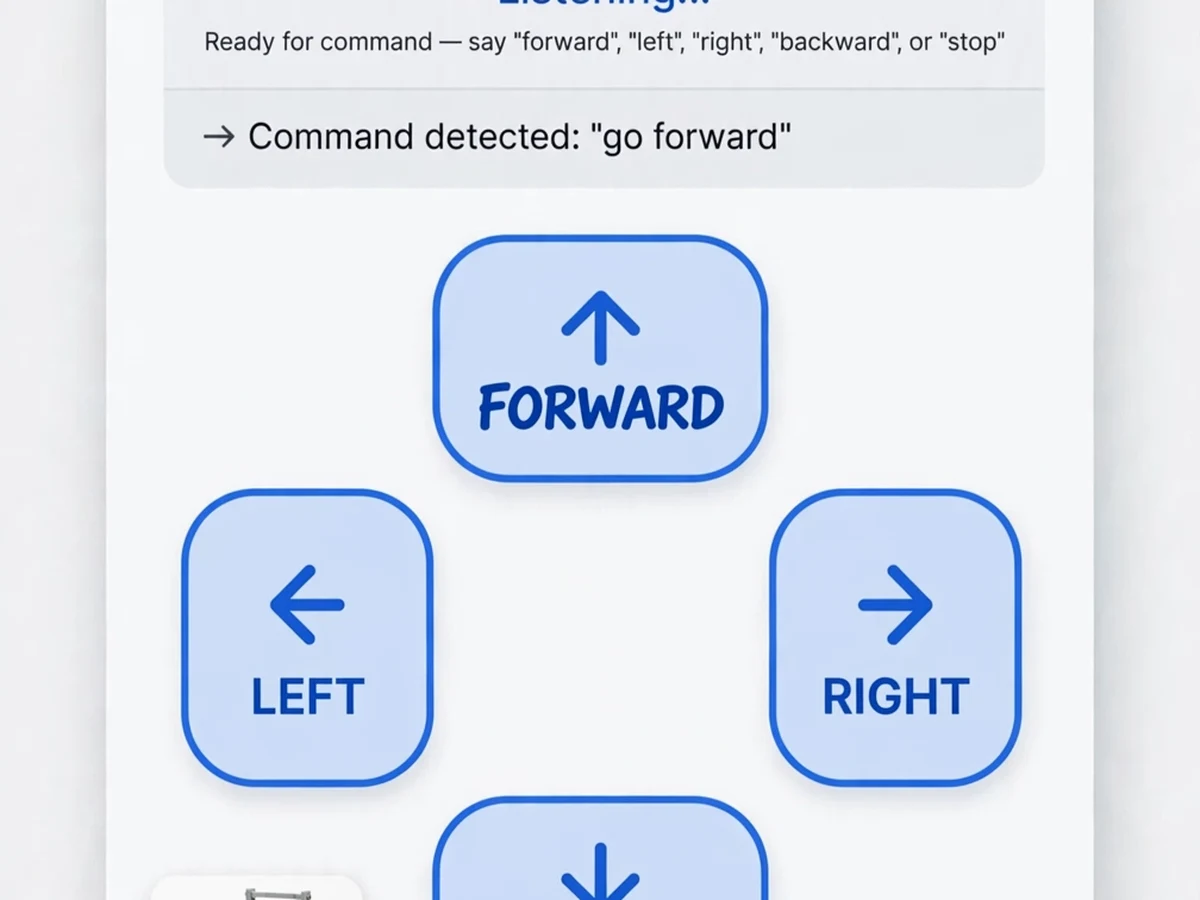
- The user speaks a command ("forward", "left", "stop") into the Android voice app.
- The phone's speech-recognition converts the spoken word to text and matches it against the command set.
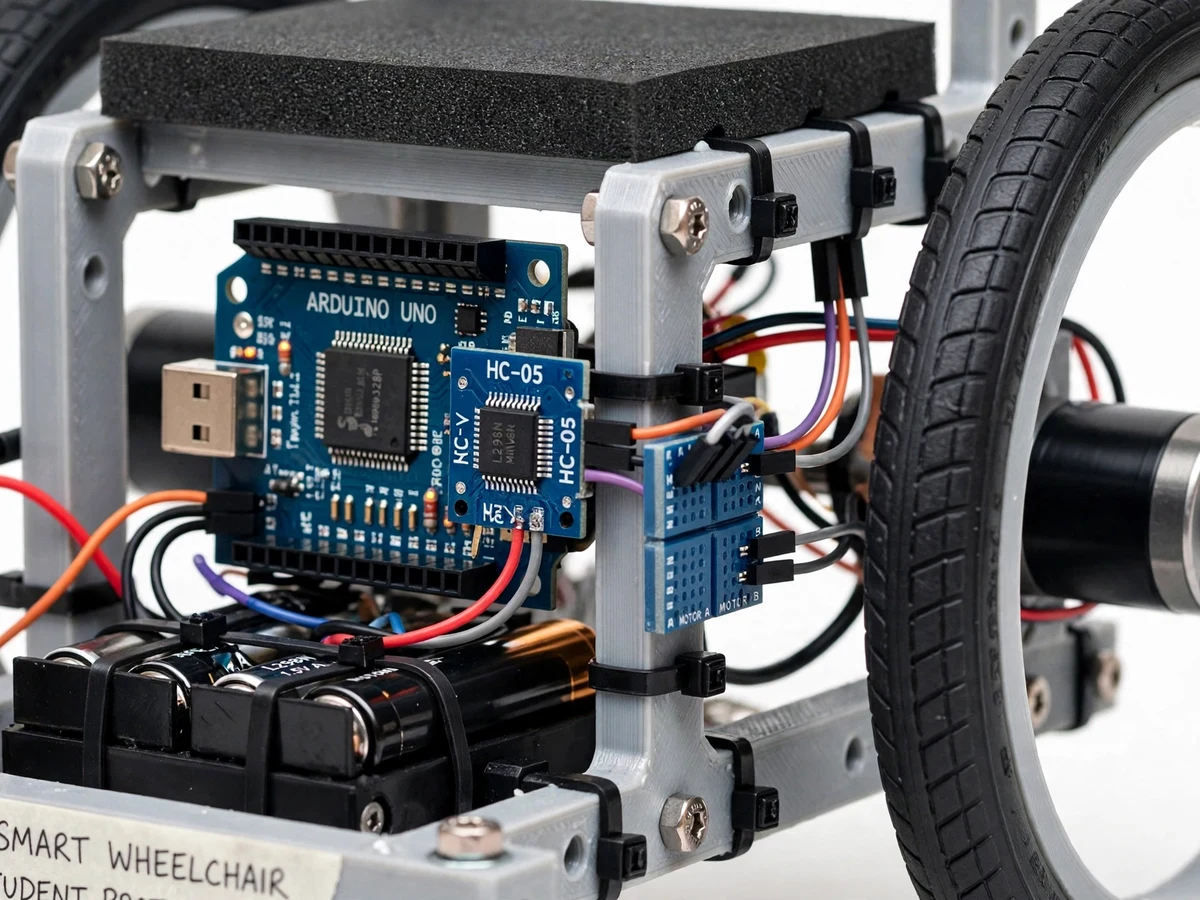
- The matched command is sent as a short code over Bluetooth (HC-05) to the Arduino.
- The Arduino parses the command and drives the left/right DC motors through the motor driver — differential speeds steer the chair.
- Meanwhile, ultrasonic sensors continuously measure the distance to obstacles ahead.
- If an obstacle comes within the safety distance while moving forward, the controller overrides the voice command and halts the chair, sounding the buzzer.
- The joystick fallback or a new voice command resumes motion once the path is clear; the emergency stop cuts motor power instantly in any mode.
Project features
- Voice command driving: forward, backward, left, right and stop via Android app
- Bluetooth (HC-05) wireless link between phone and Arduino controller
- Automatic obstacle avoidance: ultrasonic sensors halt the chair on collision risk
- Joystick fallback control for users who prefer manual driving
- Emergency stop button for instant manual cutoff
- Speed control with smooth start/stop ramping (no jerky motion)
- Buzzer alert when an obstacle triggers the auto-stop
- Battery-level indication so the user knows remaining runtime
- Differential drive steering with geared DC motors for tight turns
- Rechargeable battery pack with onboard charging port
What is included
- Working voice-controlled wheelchair model with motors and sensors
- Arduino firmware (command parsing, motor control, obstacle override)
- Android voice-control app with joystick screen
- Complete wiring diagram and component list
- Project report PDF (assistive-tech survey, system design, safety analysis, conclusion)
- PPT presentation
- Viva Q&A preparation document (speech recognition pipeline, Bluetooth serial, motor drivers, obstacle logic)
FAQs
- How does the voice recognition work? The Android app uses the phone's speech-to-text engine to convert speech into text, matches it against the command list (forward, back, left, right, stop), and sends a short code over Bluetooth. The Arduino only receives the code — no speech processing runs on the microcontroller.
- What happens if a command is misheard? The joystick fallback takes over immediately for manual driving, and the emergency stop button cuts motor power regardless of mode. Voice is one input channel, never the only one.
- How does the obstacle halt work? Ultrasonic sensors measure the distance ahead several times per second. If the chair moves forward and an obstacle enters the safety distance, the controller overrides the drive command, stops the chair and sounds the buzzer until the path clears.
- What is the Bluetooth range? About 10 metres line of sight with the HC-05 module — sufficient, since the phone stays with the rider.
- Can this scale to a full-size wheelchair? The control concept transfers directly, but a full-size build needs higher-torque motors, real brakes, battery management and safety certification. The report discusses the scaling path.
Limitations & prerequisites
- Voice recognition runs on the phone and needs a reasonably quiet environment; heavy background noise reduces accuracy.
- Bluetooth control is limited to about 10 metres and requires pairing.
- Ultrasonic sensors have blind spots very close to the chair and cannot see drop-offs (stairs).
- This is a model-scale demonstration; a full-size wheelchair needs industrial-grade motors, brakes and safety certification.
Components & software requirements
- Arduino UNO (command parsing, motor control, obstacle logic)
- HC-05 Bluetooth module (phone-to-Arduino wireless link)
- L298N / BTS7960 motor driver + geared DC motors (differential drive)
- HC-SR04 ultrasonic sensors (front obstacle detection)
- Android voice-control app (speech-to-text, command buttons)
- 12 V rechargeable battery pack, joystick module, emergency stop switch, buzzer
Specifications
| Parameter | Value |
|---|---|
| Command set | Forward, backward, left, right, stop (+ speed levels) |
| Voice path | Phone speech recognition → Bluetooth → Arduino |
| Bluetooth range | ~10 m line of sight (HC-05, Class 2) |
| Obstacle stop distance | Adjustable, typically 30–50 cm ahead |
| Drive | Differential drive, geared DC motors |
| Speed | Adjustable via app; smooth ramped start/stop |
| Fallback controls | Joystick module + emergency stop button |
| Power | 12 V rechargeable battery; level indicator |
| Safety | Auto-halt on obstacle, buzzer alert, manual override |
| Demo scale | Working wheelchair model (adaptable concept to full size) |