
More project photos (5)
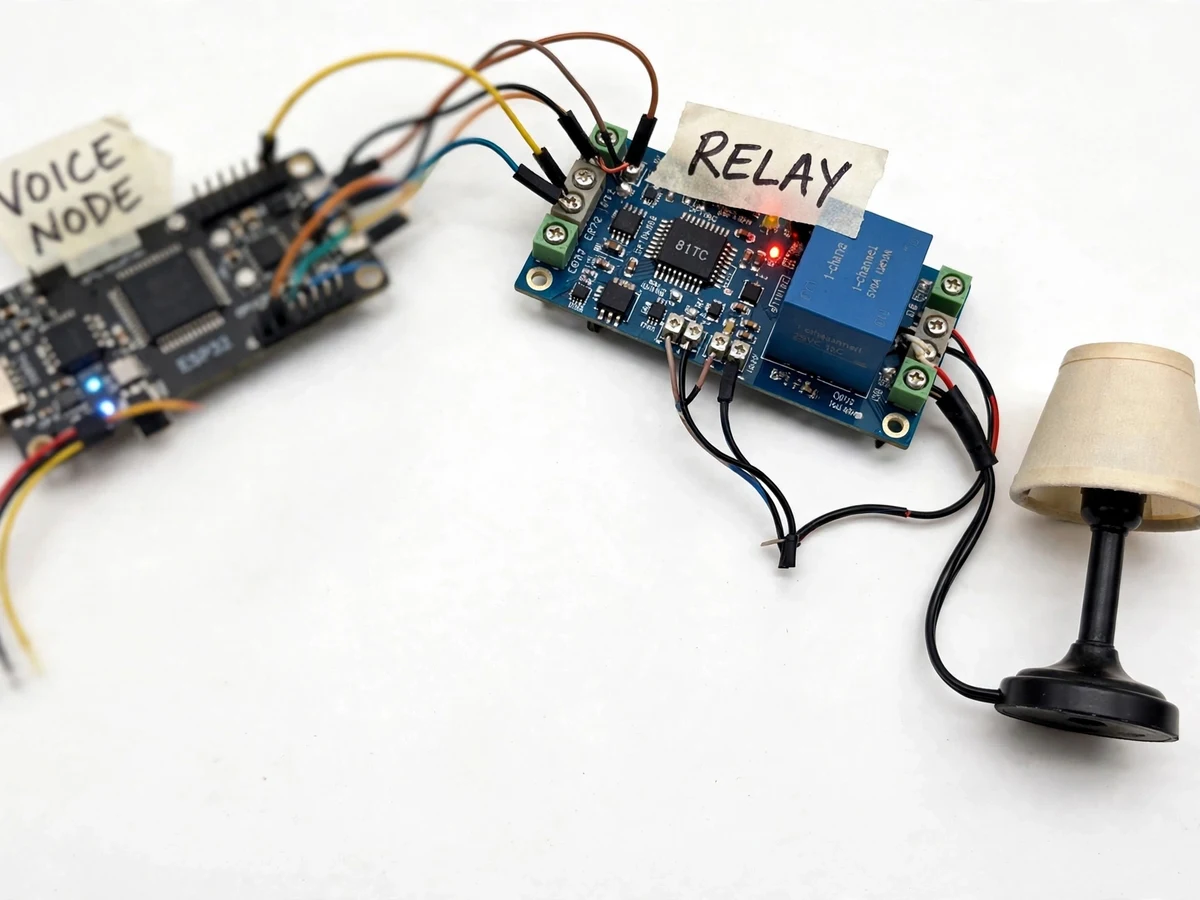
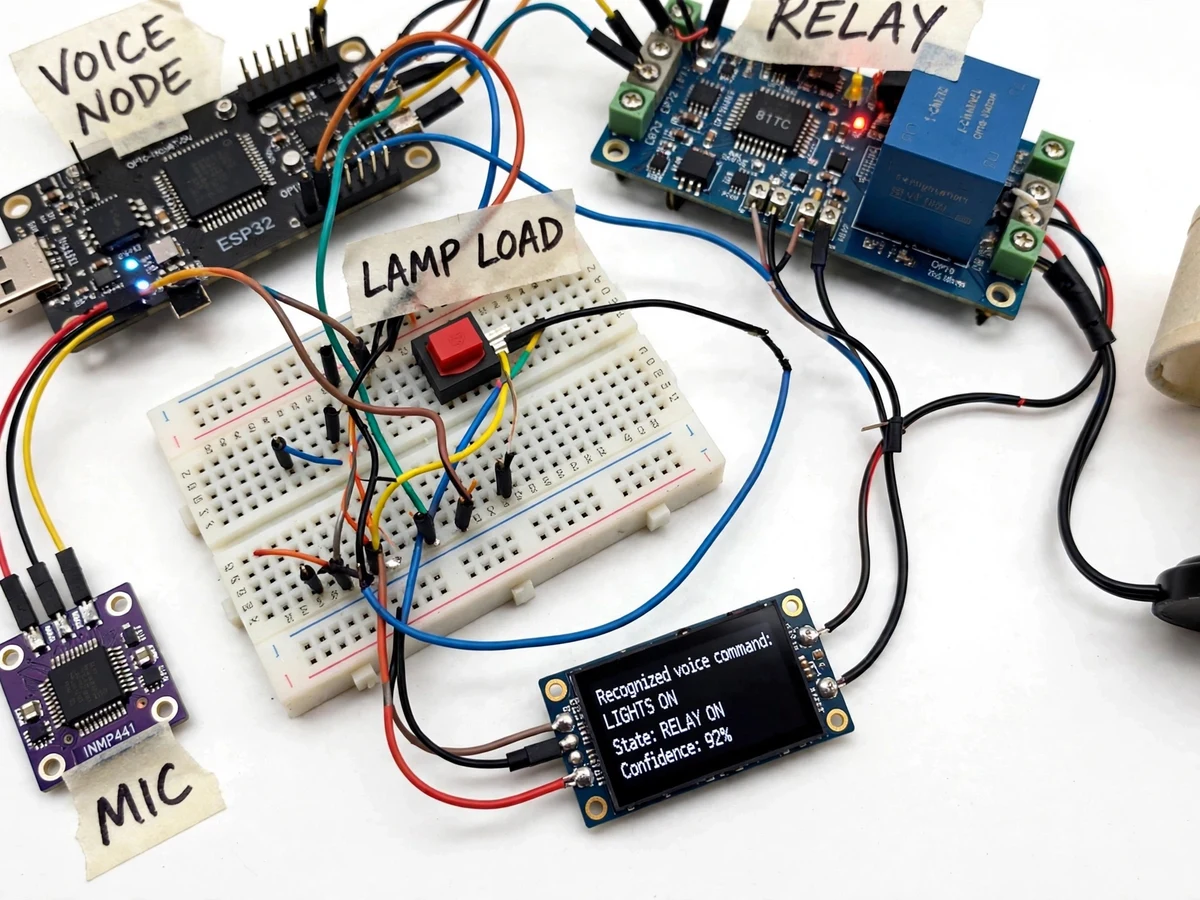
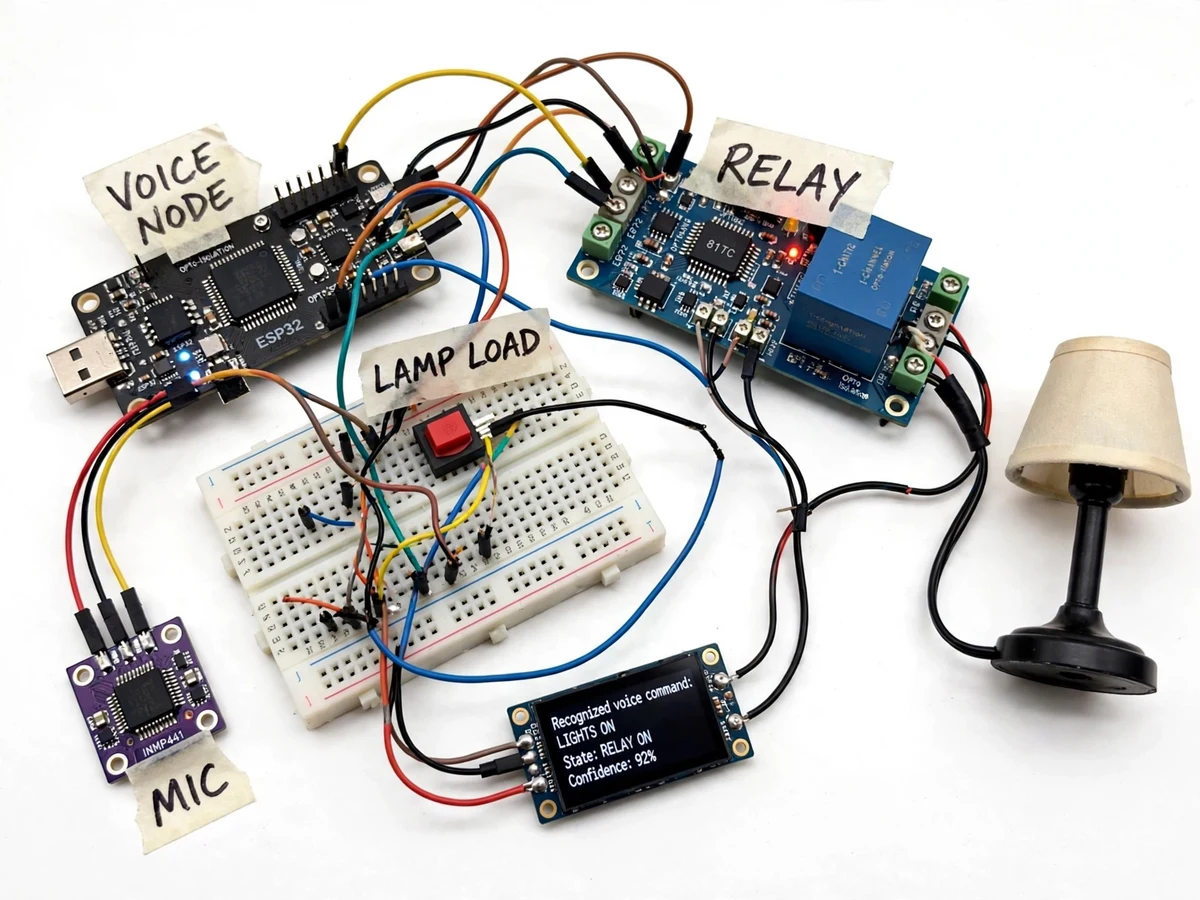

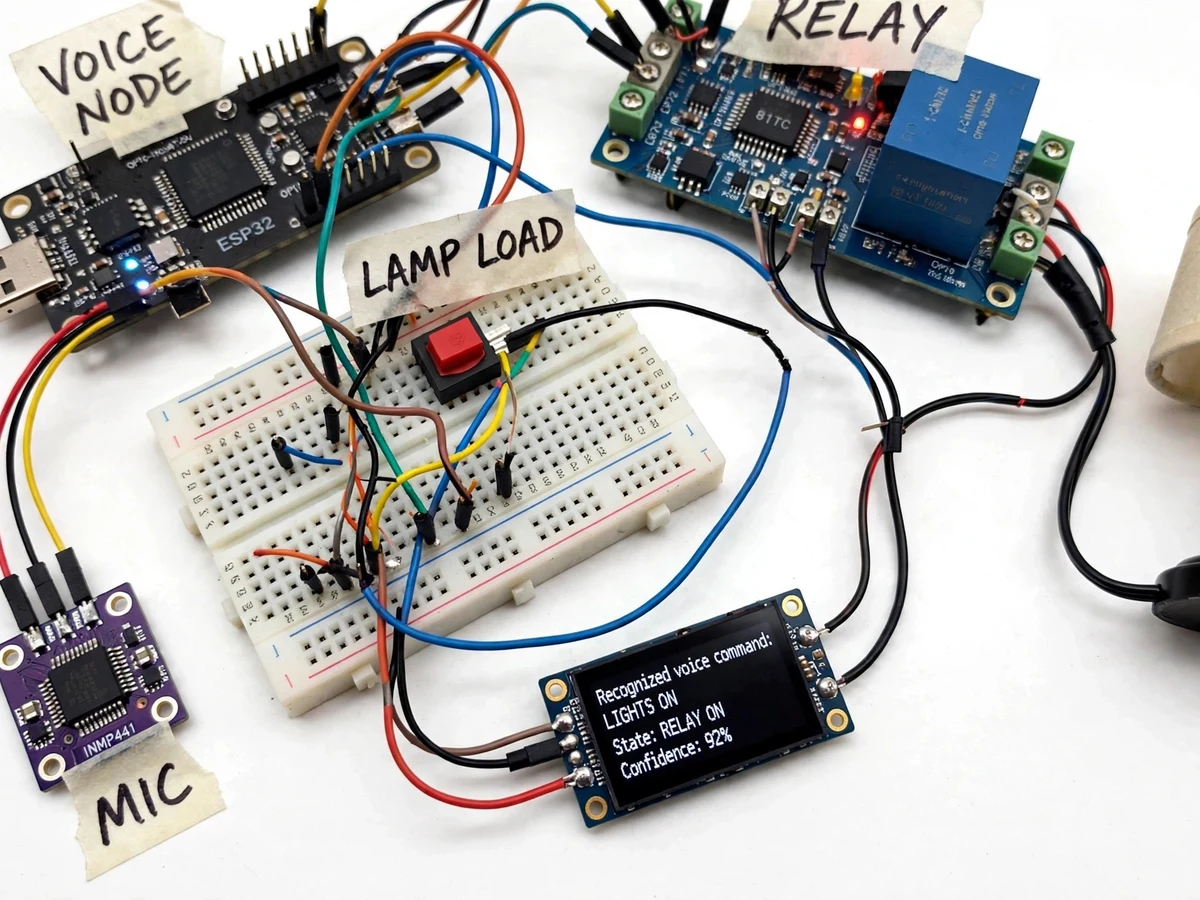
The problem
Voice assistants made "turn on the light" feel ordinary, but the usual implementation streams your voice to a distant server — it needs Wi-Fi, a cloud account, and it keeps listening through someone else's infrastructure. TinyML offers the opposite architecture: the entire speech pipeline runs on a microcontroller sitting next to the switch. This project builds that as a complete appliance-control prototype. An I2S MEMS microphone captures one-second audio windows; on-device preprocessing extracts MFCC features; a depthwise-separable convolutional network (DS-CNN) — the architecture family designed specifically for small-footprint keyword spotting — classifies each window into a command word, "unknown" or silence. On a confident "on" or "off", firmware drives a relay module that switches a real AC demo lamp, with the OLED echoing the recognized command and the new switch state. Training uses the genuine Google Speech Commands dataset of over 100,000 utterances across 35 words, and the report walks through exactly how keyword spotting differs from full speech recognition — and why it fits in kilobytes.
How it works
- An I2S MEMS microphone captures audio continuously; firmware slices it into 1-second windows with overlap for streaming-style detection.
- Each window is preprocessed on-device into MFCC (mel-frequency cepstral coefficient) features — the standard compact speech representation the model was trained on.
- The quantized DS-CNN classifies the window into a command word ("on", "off"), "unknown" or "silence", outputting a probability per class.
- Firmware applies a confidence threshold and a short confirmation rule (the keyword must win across consecutive windows) to reject casual conversation containing the words.
- On a confirmed command, the relay driver switches the AC demo load and the OLED updates to show the recognized word, confidence and new state.
- The model is trained offline on the Speech Commands dataset through the same MFCC pipeline, quantized to int8, and flashed to the board with the firmware.
Tech stack:
- ESP32 / Arduino Nano 33 BLE Sense (microcontroller)
- INMP441 I2S MEMS microphone
- TensorFlow Lite Micro (int8 keyword model)
- Python training pipeline (TensorFlow, MFCC features)
- Google Speech Commands dataset (training data)
- Relay module with opto-isolation + AC demo lamp
- 0.96-inch OLED display, manual override switch
- Arduino IDE / PlatformIO (C/C++ firmware)
Dataset & model details
- Dataset: Google Speech Commands v2 — 105,829 one-second utterances of 35 words recorded by 2,618 speakers, released by the TensorFlow team (Pete Warden, 2018) as the standard keyword-spotting benchmark. Public research dataset.
- Task: Keyword spotting — input = 1-second audio window (as MFCC features), output = probability distribution over the command words ("on", "off"), an "unknown word" class and silence.
- Model: Depthwise-separable CNN (DS-CNN, after Zhang et al. 2017), the architecture family designed for small-footprint keyword spotting (design target ~50k–200k parameters), trained in Python, post-training quantized to int8 and deployed with TensorFlow Lite Micro.
- Metrics: Test accuracy on the Speech Commands evaluation split; accuracy is a design target (approximately 90%+ on the command-word subset) reported from the actual training run in the delivered report — never claimed as measured in advance. On-device command reliability is characterized by the student's own spoken test procedure at a fixed distance.
| Parameter | Value |
|---|---|
| Audio capture | 16 kHz via I2S MEMS microphone (design) |
| Feature | MFCC, 1-second windows with overlap (design) |
| Command vocabulary | "on", "off" (+ "unknown", silence classes) |
| Model size | Under ~200 KB flash after int8 quantization (design target) |
| Inference latency | Real-time per window on-device (expected) |
| Switched load | Relay module, AC demo lamp (mains isolated) |
| Feedback | OLED keyword echo + confidence + state |
| Power | 5 V USB adapter |
Project features
- [Fully offline voice control] Keyword spotting runs entirely on the microcontroller — commands work with no Wi-Fi, no cloud account and no audio ever leaving the room.
- [Real speech training data] The model is trained on the Google Speech Commands dataset: over 100,000 real one-second utterances of 35 words, recorded by thousands of speakers — not synthesized audio.
- [DS-CNN keyword architecture] A depthwise-separable CNN — the architecture family built for small-footprint keyword spotting — keeps the model tiny while separating the command words from "unknown" speech and silence.
- [Real relay-switched load] A relay module switches an actual AC demo lamp (or fan), with opto-isolation on the control side and a manual override switch — this is appliance control, not a serial-monitor demo.
- [Command feedback display] The OLED echoes the recognized keyword, its confidence and the current ON/OFF state, so every voice command has a visible, auditable result.
- [Safety interlocks] Firmware requires a confidence threshold plus a confirmation window before switching, and a hardware kill switch always overrides voice — the report documents the safety reasoning.
- [int8 TinyML deployment] The model is quantized to 8-bit integers with TensorFlow Lite Micro, running keyword inference in real time within the board's memory budget.
What is included
- Assembled voice switch node (microcontroller + microphone + OLED + relay driver)
- Relay module with opto-isolation and AC demo lamp fixture
- Trained int8 keyword-spotting model and the training notebook (Speech Commands pipeline)
- Firmware source with audio capture, MFCC and inference code
- Wiring diagram, mains-safety notes and spoken test procedure
- Project report PDF (theory, dataset, DS-CNN, quantization, results)
- PPT presentation and viva Q&A document
Limitations & prerequisites
- Recognition is tuned for a quiet room at 1–2 metres; heavy background noise, music or multiple simultaneous speakers degrade accuracy — stated honestly, not hidden.
- The vocabulary is fixed to the trained command words; adding new words needs retraining, which the report explains as a procedure.
- Accents and pronunciations far from the dataset's speaker mix may score lower confidence; the threshold procedure lets the student characterize this.
- Accuracy figures are design targets from the training run, reported honestly after training — nothing is claimed as measured before the build.
- Mains wiring is confined to the pre-wired relay/lamp fixture; the student never handles bare mains conductors.
- This is keyword spotting, not conversational speech recognition — it detects fixed commands only.
Frequently Asked Questions
How is this different from a basic keyword-spotting demo?
A bare demo prints detected words to a serial monitor. This project is a complete appliance-control build: relay actuation of a real AC load, opto-isolation, confidence gating, OLED command feedback, a manual override and safety interlocks — the control loop, not just the classifier.
Is the Speech Commands dataset real?
Yes — 105,829 real one-second utterances of 35 words from 2,618 speakers, released by the TensorFlow team as the standard keyword-spotting benchmark. The report cites the dataset paper.
Does it need the internet?
No. Training happens offline on a PC; the deployed board runs inference locally. Commands work with the router unplugged — the report suggests this as a viva demonstration.
What stops it switching when someone just says "on" in conversation?
Two gates: a confidence threshold on the model output, and a confirmation rule requiring the keyword to win across consecutive windows. The tuning procedure shows the student how to set both and measure false triggers.
Can I add my own command words?
The vocabulary is fixed in the shipped model, but the report documents the retraining procedure (dataset subset, training script, quantization) so the student can explain — and optionally attempt — adding words.
Is this project suitable for a final-year project?
Yes — for AI & Machine Learning, Electronics and IoT programs. It combines speech signal processing, CNN design, quantization and a real-world control loop with safety engineering. Suitable for B.E./B.Tech final-year projects in AI & Machine Learning, Electronics / E&TC and IoT & Embedded.
Components & software requirements
- ESP32 / Arduino Nano 33 BLE Sense (microcontroller)
- INMP441 I2S MEMS microphone
- TensorFlow Lite Micro (int8 keyword model)
- Python training pipeline (TensorFlow, MFCC features)
- Google Speech Commands dataset (training data)
- Relay module with opto-isolation + AC demo lamp
- 0.96-inch OLED display, manual override switch
- Arduino IDE / PlatformIO (C/C++ firmware)
Dataset & model details
- Dataset: Google Speech Commands v2 — 105,829 one-second utterances of 35 words recorded by 2,618 speakers, released by the TensorFlow team (Pete Warden, 2018) as the standard keyword-spotting benchmark. Public research dataset.
- Task: Keyword spotting — input = 1-second audio window (as MFCC features), output = probability distribution over the command words ("on", "off"), an "unknown word" class and silence.
- Model: Depthwise-separable CNN (DS-CNN, after Zhang et al. 2017), the architecture family designed for small-footprint keyword spotting (design target ~50k–200k parameters), trained in Python, post-training quantized to int8 and deployed with TensorFlow Lite Micro.
- Metrics: Test accuracy on the Speech Commands evaluation split; accuracy is a design target (approximately 90%+ on the command-word subset) reported from the actual training run in the delivered report — never claimed as measured in advance. On-device command reliability is characterized by the student's own spoken test procedure at a fixed distance.
Delivery information
Built-to-order project. Delivery timeline is shared after order confirmation based on current queue.
Support terms
Complete documentation, setup guide, and viva preparation included. Support for setup and explanation provided.