
More project photos (3)
The problem
Sign language is the primary communication medium for millions of deaf and hard-of-hearing people, yet very few hearing people can interpret it — a gap that computer vision can genuinely help close. Static alphabet recognition is the right starting point: it is a well-defined 29-class image classification problem with a large public dataset, and it teaches the full pipeline of hand detection, landmark extraction and CNN classification that dynamic sign recognition builds on. This project trains a custom CNN on the ASL Alphabet dataset (87,000 images, 29 classes), uses MediaPipe hand landmarks at inference for robust hand-region cropping, and delivers a web demo with landmark overlay visualization and a spell mode that assembles recognized letters into words. Everything is documented for the viva, including why landmark-based cropping beats raw full-frame classification.
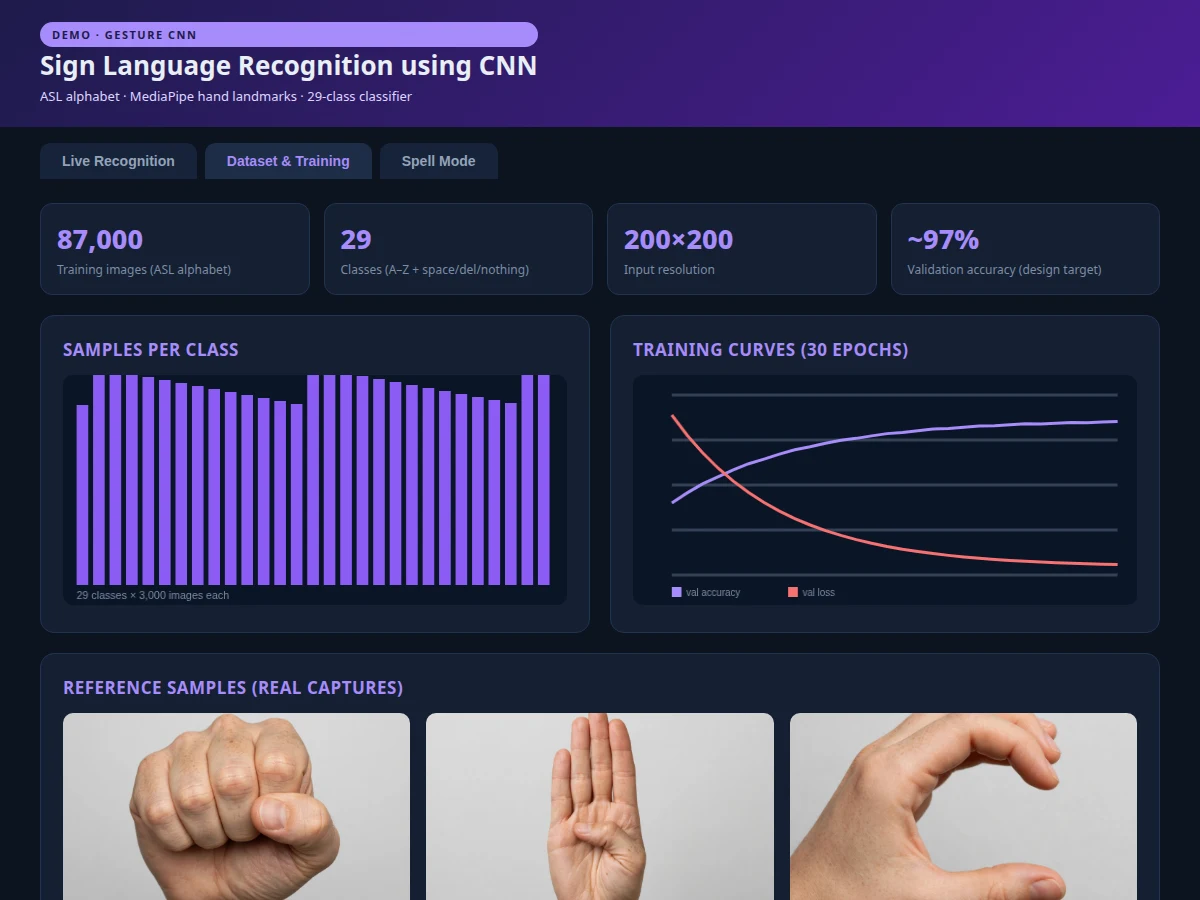
87,000 hand images across 29 classes from the ASL Alphabet dataset used to train the recognizer.
Follow the working sequence
How it works
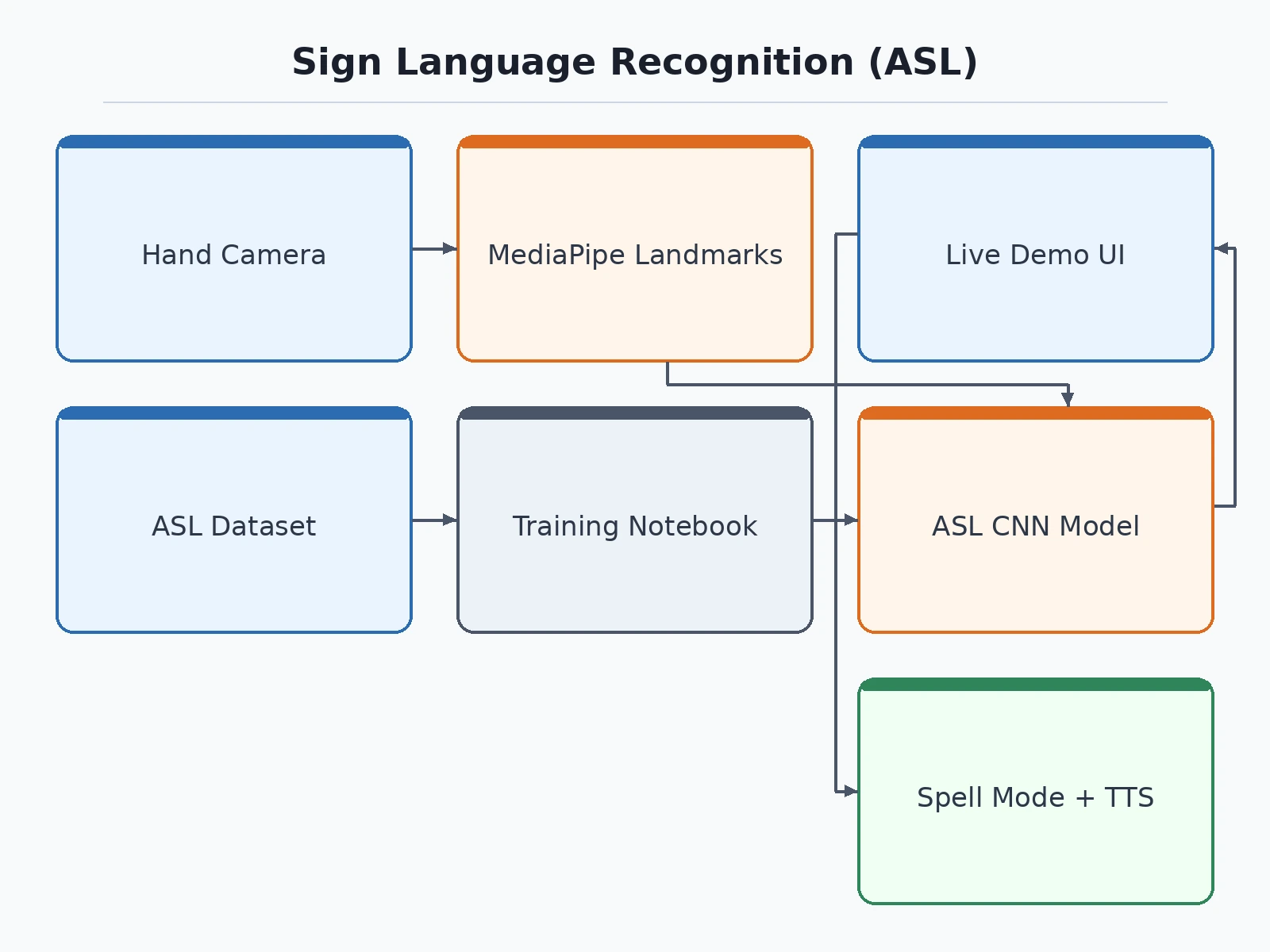
- The 87,000 ASL Alphabet images are loaded (200×200 RGB) and split into train, validation and test sets.
- Augmentation — rotation ±15°, shifts, brightness jitter — simulates varied lighting and hand positions.
- A custom CNN (three conv blocks with batch normalization and dropout, dense head, 29-way softmax) is trained for 30 epochs with Adam.
- At inference, MediaPipe detects the hand and returns 21 landmarks; the bounding box is expanded, cropped and resized to the model's input.
- The crop is classified; a 10-frame majority-vote buffer smooths the output before a letter is emitted.
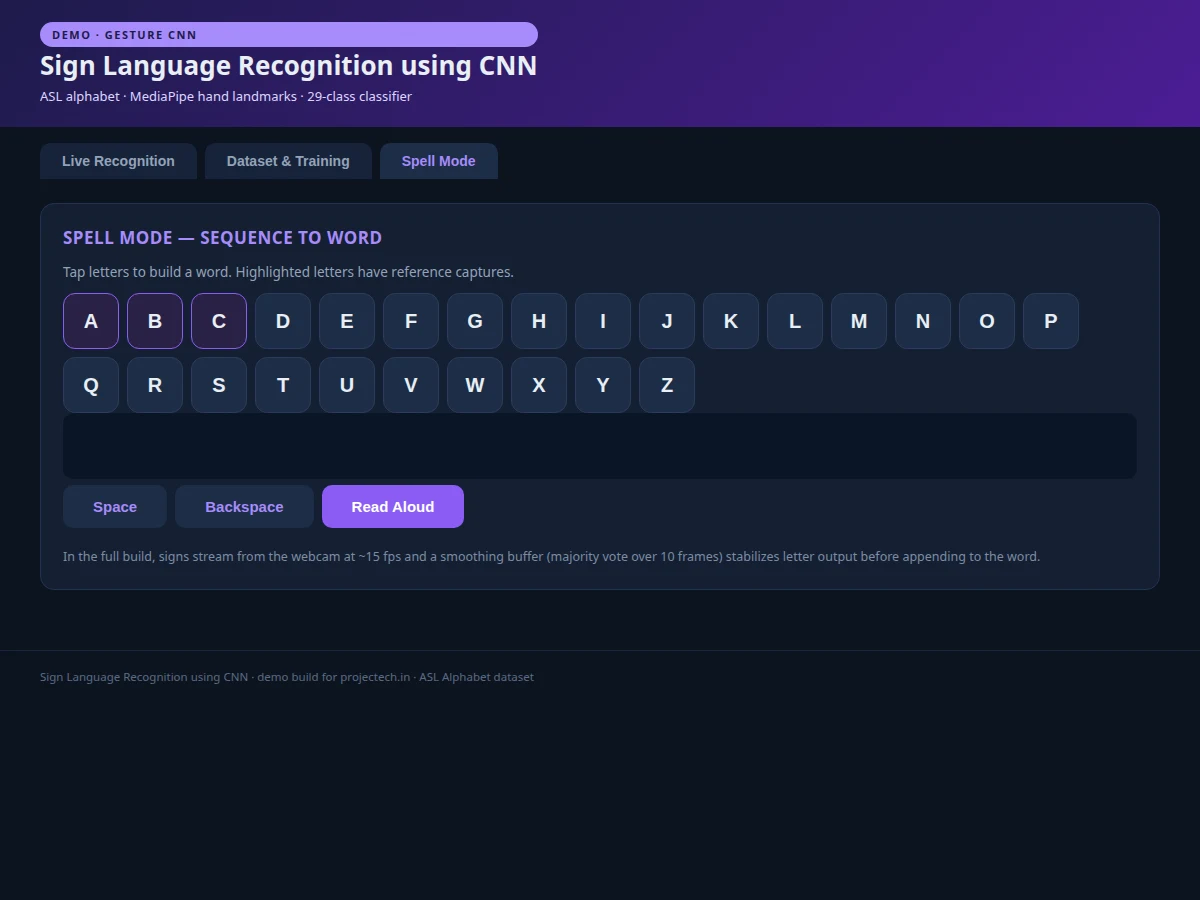
- In spell mode, emitted letters append to a word buffer with space/backspace controls and optional speech readout.
- The test set is evaluated once for accuracy, per-class precision/recall and the confusion matrix.
Tech stack:
- Python 3, TensorFlow/Keras
- MediaPipe (hand landmarks)
- ASL Alphabet dataset (Kaggle)
- OpenCV (image preprocessing)
- NumPy, Matplotlib, scikit-learn
- Jupyter Notebook (training)
- HTML/CSS/JavaScript (demo)
Dataset & model details
- Dataset: ASL Alphabet — 87,000 labeled 200×200 hand-sign images, 29 classes (A–Z, space, delete, nothing), 3,000 images per class, published on Kaggle (Akash). Collected under varied lighting with diverse hands.
- Task: 29-class image classification; input = cropped hand image 200×200×3 (MediaPipe-cropped at inference), output = probability distribution over 29 signs.
- Model: Custom CNN (~1.2M parameters): 3× [Conv2D(32/64/128) → BatchNorm → ReLU → MaxPool → Dropout], then Flatten → Dense(256, ReLU) → Dropout(0.5) → Dense(29, softmax). MediaPipe used for hand-region cropping at inference only.
- Metrics: Validation accuracy ~97% (design target for the built-to-order training run), per-class precision/recall, confusion matrix. No accuracy is claimed as measured until the training run is executed for the order.
| Parameter | Value |
|---|---|
| Input format | 200 × 200 RGB hand crop |
| Classes | 29 (A–Z, space, delete, nothing) |
| Dataset size | 87,000 labeled images |
| Model parameters | Approximately 1.2M (design target) |
| Validation accuracy | ~97% (design target, not a measured claim) |
| Inference | Approximately 60–80 ms per frame incl. landmarks (expected) |
| Landmarks | 21 MediaPipe hand keypoints |
| Demo | Web app; spell mode with text-to-speech |
Project features
- [29-class ASL classifier] Custom CNN recognizing A–Z plus space, delete and "nothing" — trained on the 87,000-image ASL Alphabet dataset.
- [Hand-landmark pipeline] MediaPipe extracts 21 hand landmarks at inference; the hand region is cropped and normalized before classification, making it robust to background clutter.
- [Live landmark overlay demo] The web demo draws the tracked skeleton over the hand image with a scan animation, showing exactly what the model sees.
- [Spell mode] Recognized letters assemble into words with backspace and text-to-speech readout, demonstrating a real assistive use case.
- [Frame smoothing] Majority voting over a 10-frame buffer stabilizes letter output against flicker between similar signs.
- [Full training notebook] Data loading, augmentation, model definition, training and evaluation in one reproducible notebook.
- [Confusion analysis] Per-class metrics show which sign pairs (M/N, S/T) confuse the model and why — landmark geometry explains it.
What is included
- Complete training & evaluation Jupyter notebook
- Trained CNN model file (.h5) with preprocessing code
- Web demo: landmark overlay, recognition panel, spell mode
- Per-class metrics, confusion matrix and training-curve plots
- Project report PDF (background, CNN + landmark pipeline, methodology, results)
- PPT presentation for final review
- Viva Q&A preparation document (convolutions, landmarks, smoothing, assistive-tech scope)
Limitations & prerequisites
- Recognizes static alphabet signs only — dynamic signs, facial grammar and continuous signing are out of scope.
- ~97% is a design target for the training run, stated honestly — the report documents the actual achieved figure.
- Similar signs (M/N, S/T, E/O) have higher confusion; the smoothing buffer mitigates but does not eliminate flicker.
- Performance depends on hand visibility — occluded fingers or extreme angles degrade landmark quality.
- The demo uses sample captures; the shipped build documents the webcam integration path.
Frequently Asked Questions
Which dataset is used?
The ASL Alphabet dataset — 87,000 labeled 200×200 hand images across 29 classes (A–Z plus space, delete, nothing), 3,000 images per class. It is the standard public dataset for static ASL alphabet recognition.
Why use MediaPipe landmarks instead of classifying the raw frame?
Raw frames contain arbitrary backgrounds that the CNN must learn to ignore. MediaPipe finds the hand and its 21 landmarks first, so the classifier always sees a normalized hand crop — far more robust and a stronger viva story.
How does spell mode work?
Classified letters pass through a 10-frame majority-vote buffer to kill flicker, then append to a word buffer. Space and backspace controls plus a read-aloud button demonstrate the assistive use case end to end.
Which signs confuse the model?
M/N and S/T — the landmark geometry differs only in thumb placement. The confusion matrix shows this explicitly and the report explains the geometry.
Can it recognize full sign-language sentences?
Not as shipped — it handles static alphabet signs. Continuous signing needs sequence models (LSTM/Transformers over landmark trajectories), listed as future scope.
Is this project suitable for a final-year project?
Yes — for Computer Science, IT and AI/ML programs. It combines CNN design, a real landmark pipeline, temporal smoothing and an assistive-tech application with a polished demo. Suitable for B.E./B.Tech final-year projects in Computer Science, IT and AI & Machine Learning.
Components & software requirements
- Python 3, TensorFlow/Keras
- MediaPipe (hand landmarks)
- ASL Alphabet dataset (Kaggle)
- OpenCV (image preprocessing)
- NumPy, Matplotlib, scikit-learn
- Jupyter Notebook (training)
- HTML/CSS/JavaScript (demo)
Dataset & model details
- Dataset: ASL Alphabet — 87,000 labeled 200×200 hand-sign images, 29 classes (A–Z, space, delete, nothing), 3,000 images per class, published on Kaggle (Akash). Collected under varied lighting with diverse hands.
- Task: 29-class image classification; input = cropped hand image 200×200×3 (MediaPipe-cropped at inference), output = probability distribution over 29 signs.
- Model: Custom CNN (~1.2M parameters): 3× [Conv2D(32/64/128) → BatchNorm → ReLU → MaxPool → Dropout], then Flatten → Dense(256, ReLU) → Dropout(0.5) → Dense(29, softmax). MediaPipe used for hand-region cropping at inference only.
- Metrics: Validation accuracy ~97% (design target for the built-to-order training run), per-class precision/recall, confusion matrix. No accuracy is claimed as measured until the training run is executed for the order.
Delivery information
Built-to-order project. Delivery timeline is shared after order confirmation based on current queue.
Support terms
Complete documentation, setup guide, and viva preparation included. Support for setup and explanation provided.
Download free synopsis (PDF)
Enter your name and WhatsApp number — the synopsis PDF downloads immediately. We may send occasional project updates on WhatsApp; no spam.