
More project photos (2)
The problem
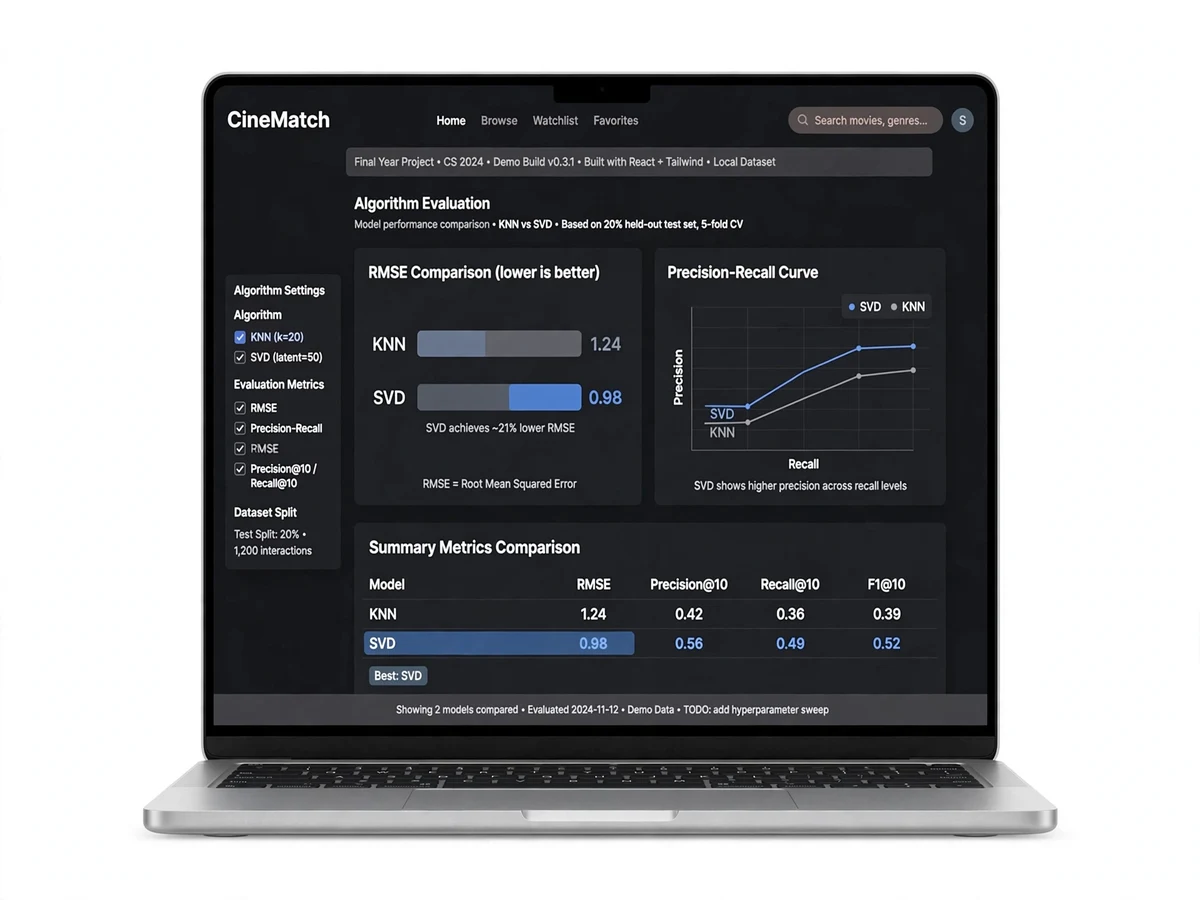
The Movie Recommendation System is a recommender-systems final-year project built on the MovieLens benchmark dataset. It implements the two classic collaborative-filtering approaches — user-based ("users like you enjoyed…") and item-based ("because you watched…") — plus SVD matrix factorization for higher-accuracy rating prediction. All three are evaluated with RMSE and top-N precision, so your report shows a genuine comparative study, not just a demo.
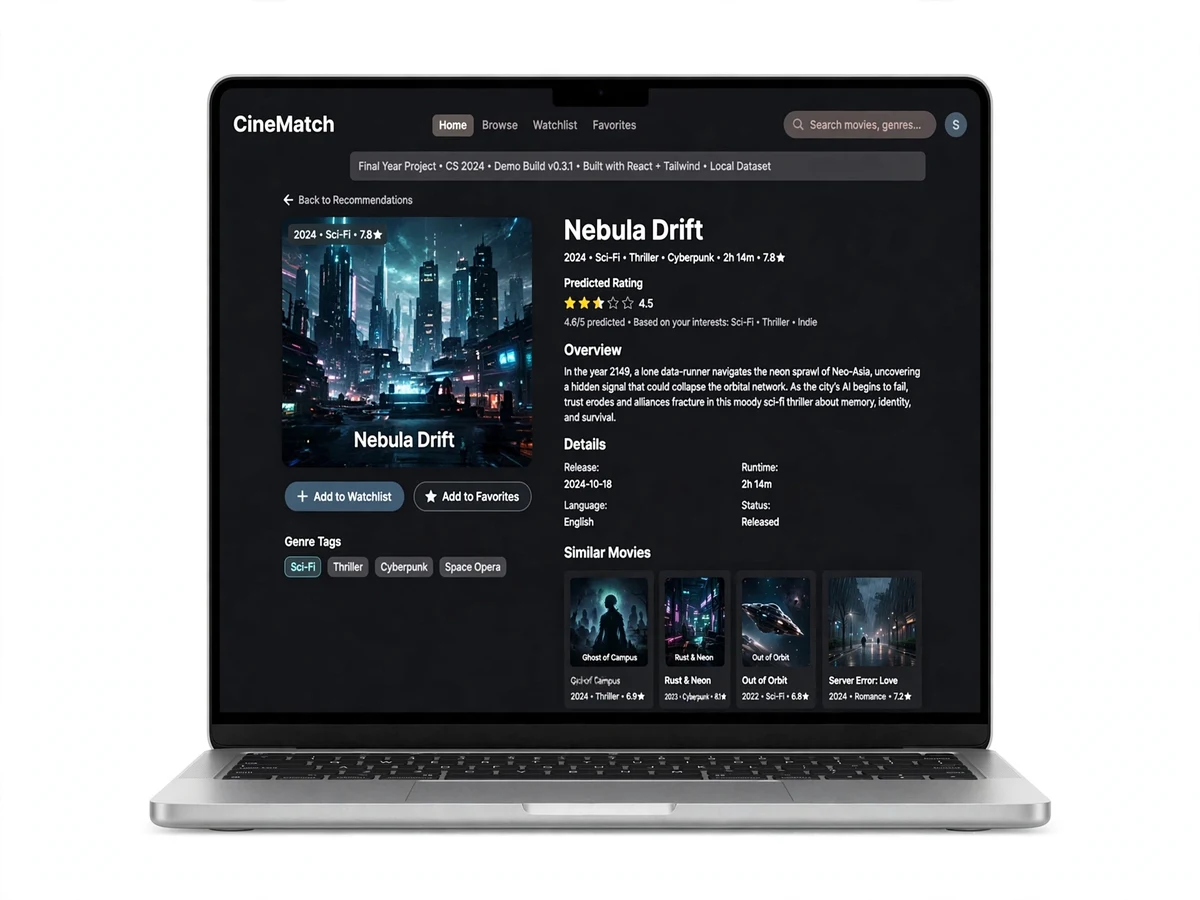
The CineMatch Flask web app wraps the engine in a Netflix-style interface: pick a user profile, get personalized picks with predicted star ratings, browse "because you watched" rows, and see similar-movie explanations for every recommendation. Recommender systems power Netflix, Amazon and YouTube — this project gives you that same algorithmic core with benchmarked numbers to defend in your viva.
This is a built-to-order software project: the trained models, full source code and complete documentation are prepared and delivered for your final-year review.
How it works
- The MovieLens ratings matrix (users × movies) is loaded and split into train/test sets.
- User-based CF finds each user's nearest neighbours by cosine similarity and predicts ratings from neighbours' tastes; item-based CF instead computes movie–movie similarity.
- SVD factorizes the sparse ratings matrix into latent user and item factors (typically 50–100), predicting missing ratings with the lowest RMSE.
- The report documents the evaluation procedure: RMSE for rating accuracy and Precision@K/Recall@K for ranking quality on the held-out test set, to run during your build.
- CineMatch serves the best model through a Netflix-style UI: personalized rows, predicted star ratings and "because you watched" explanations per recommendation.
Project features
- User-based collaborative filtering (cosine/Pearson similarity between users)
- Item-based collaborative filtering ("because you watched" recommendations)
- SVD matrix factorization for accurate rating prediction (surprise library)
- RMSE + Precision@K / Recall@K evaluation across all three methods
- Netflix-style Flask web UI with movie posters, genres and predicted ratings
- Similar-movie explanations ("recommended because you rated X highly")
- Cold-start handling notes and popularity fallback for new users
- MovieLens dataset included (100K ratings; 1M upgrade path documented)
- Search, genre browsing and per-user recommendation profiles
What is included
- Full source code (Python, well-commented, modular)
- Trained SVD model + training/evaluation notebooks
- Project report PDF (synopsis, literature survey, methodology, results, conclusion)
- PPT presentation for final review
- Viva Q&A preparation document (CF methods, SVD, RMSE questions answered)
FAQs
- What is the difference between user-based and item-based collaborative filtering? User-based finds people with similar taste and recommends what they liked; item-based finds movies similar to ones you already rated. The project implements both and compares them — examiners frequently ask exactly this.
- Why is SVD better than basic collaborative filtering? SVD compresses the sparse ratings matrix into latent factors (hidden taste dimensions), which handles sparsity better and typically gives the lowest RMSE. The report shows the per-method numbers so you can prove it.
- What does RMSE actually measure here? Root Mean Square Error between predicted and actual star ratings on the held-out test set — lower means the engine's rating predictions are closer to what users really gave. We also report Precision@K for ranking quality.
- Can I demo this live in my review? Yes — pick a user profile in CineMatch, see personalized picks with predicted ratings instantly, and click any movie for its "because you watched" explanation. It runs on any laptop.
- What is the cold-start problem? New users with no ratings can't be matched by CF, so the app falls back to popular movies until they rate a few titles. The report documents this with the standard mitigation strategies.
- Can this be extended? Yes — hybrid content+collaborative filtering, the MovieLens 1M/25M upgrade, or a real-time "rate movies, get recommendations" flow. Ask us and we will scope it.
Limitations & prerequisites
- Collaborative filtering needs rating history — brand-new users get popularity-based picks (cold-start problem, documented in the report).
- MovieLens 100K is a 1990s dataset; titles are older films (the 1M/25M upgrade path is documented).
- Content-based signals (plot, cast) are not used — pure collaborative filtering by design.
- The demo UI runs locally; production-scale deployment (caching, real-time updates) is out of scope.
Components & software requirements
- Python 3.10, pandas, NumPy, scikit-learn (similarities, metrics)
- surprise (SVD matrix factorization) — 1M-rating upgrade path included
- Flask web app, Jinja templates, Bootstrap-style Netflix UI
- MovieLens dataset (100K ratings, 9K movies) included with loader scripts
Specifications
| Parameter | Value |
|---|---|
| Dataset | MovieLens 100K (100,000 ratings, 943 users, 1,682 movies) |
| Methods | User-based CF, item-based CF, SVD matrix factorization |
| Similarities | Cosine, Pearson correlation |
| Latent factors | 50–100 (SVD, tunable) |
| Evaluation | RMSE on held-out test; Precision@K / Recall@K (K=10) |
| Typical RMSE | SVD ~0.87–0.93 (documented per-method comparison) |
| UI | CineMatch Flask app: profiles, predicted ratings, genre rows |
| Cold start | Popularity-based fallback for new users |