
More project photos (3)
The problem
Every home and small-office network accumulates the same quiet risks: an old NAS still speaking telnet, a camera with factory credentials, a router with SSH open to the LAN, IoT devices with debug ports nobody closed. Professional scanners exist, but they are built for enterprise teams and priced accordingly — and running one teaches little about what's actually happening on the wire. This project turns a Raspberry Pi into a self-contained network auditor for networks you own: host discovery via ARP sweep plus ICMP ping, TCP connect scans of the top 1000 ports per host, banner grabbing to fingerprint services, and a heuristic risk engine that flags plaintext services, known-default credentials and deprecated protocols. The web dashboard presents the device inventory, open-port map, risk distribution and a findings table where every flag carries a concrete recommendation. It is explicitly a surface scanner, not a penetration test: it finds exposed services and matches them against rules — it exploits nothing, and a "low risk" verdict is never proof a device is secure. The authorized-use boundary (scan only networks you own or have written permission to test) is stated on every page, because examiners will ask and the answer must be crisp.
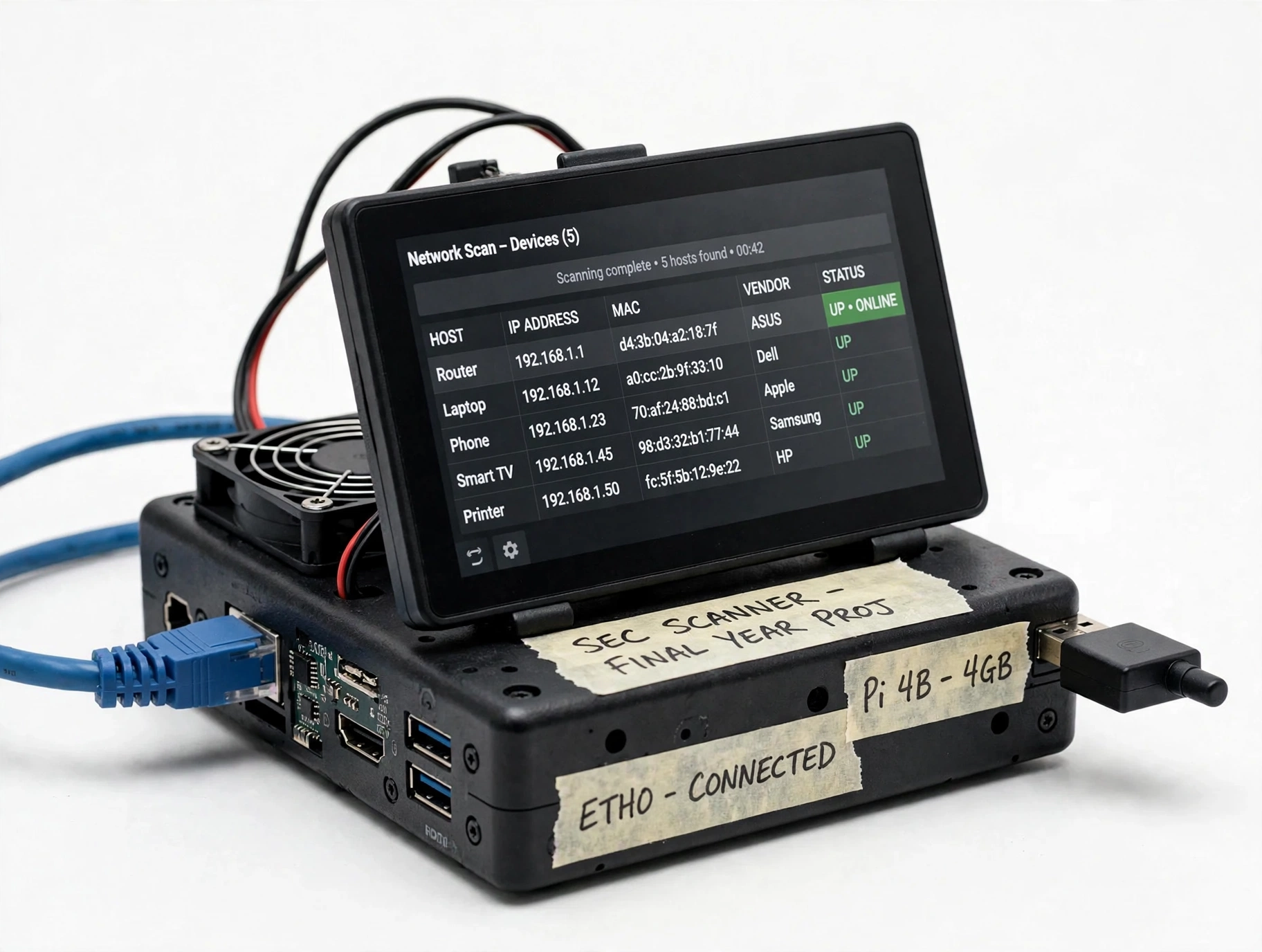
Runs the scanner appliance on Pi OS, attached to the LAN under test.
Follow the working sequence
How it works
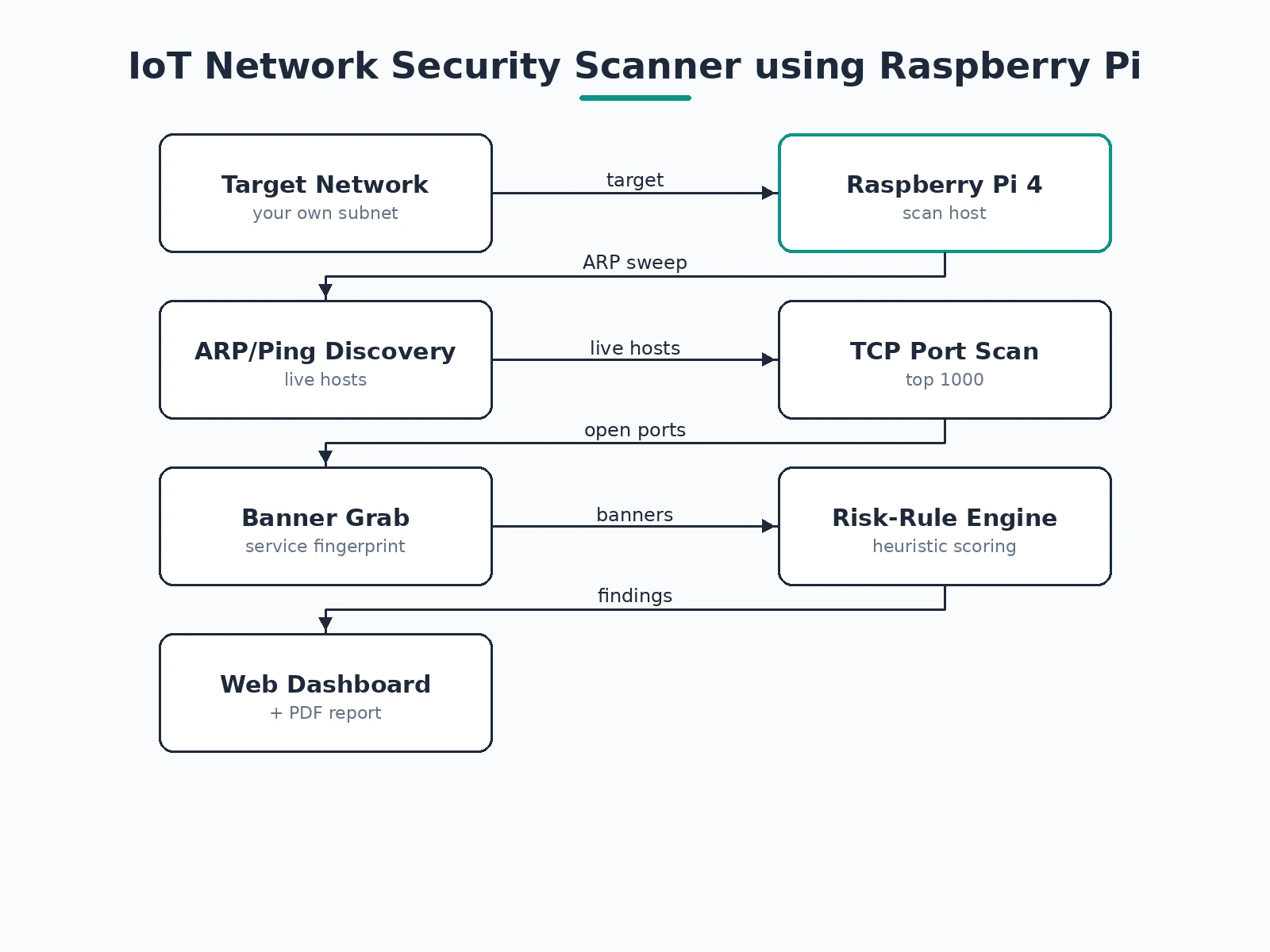
- Discovery: an ARP sweep of all 254 addresses plus ICMP ping confirmation finds live hosts (~5 s); MAC OUIs hint at vendors (ASUS, Raspberry Pi, Apple) for the inventory.
- Port scan: a TCP connect scan walks the top-1000 port list per host with throttling so the scan stays polite on a home LAN.
- Service ID: each open port gets a banner grab — the returned headers and version strings fingerprint the service (web server, SSH, telnet, SMB).
- Risk rules: the engine matches findings against its rule set — plaintext credentials on the wire (telnet), default admin/admin logins, deprecated SMBv1, debug ports on IoT devices, password-auth SSH — and scores severity.
- Everything renders on the dashboard: device inventory, risk distribution, port chart, findings table with recommendations; one click exports the PDF report.
- The report's test procedure has the buyer run the scanner against their own lab network and verify findings against known device configurations — measured on their network, never pre-claimed.
Tech stack:
- Raspberry Pi 4 (scanner appliance, Pi OS image)
- Python scan engine (ARP/ping discovery, TCP connect scan, banner grab)
- Heuristic risk-rule engine (plaintext, default-creds, deprecated-protocol rules)
- Web dashboard (Python backend + HTML/CSS/JS: inventory, charts, findings)
- PDF report export from live scan results
- Scan profiles: quick / standard / thorough
- Single-file HTML/CSS/JS dashboard demo (scan dashboard + findings views)
| Parameter | Value |
|---|---|
| Platform | Raspberry Pi 4, Pi OS |
| Discovery | ARP sweep + ICMP ping, full /24 in ~5 s |
| Port scan | TCP connect scan, top-1000 ports per host (profiles: 100/1000/thorough) |
| Service ID | Banner grab (HTTP headers, SSH strings, etc.) |
| Risk rules | Plaintext services, default credentials, SMBv1, debug ports, SSH password auth |
| Scan time | ~42 s full-subnet standard profile (network-dependent) |
| Dashboard | Device inventory, risk distribution, port chart, findings + recommendations |
| Report | PDF export from the buyer's own scan results |
| Scope | Surface scanner — finds exposure, exploits nothing |
| Authorization | Scan only networks you own or have written permission to test |
Project features
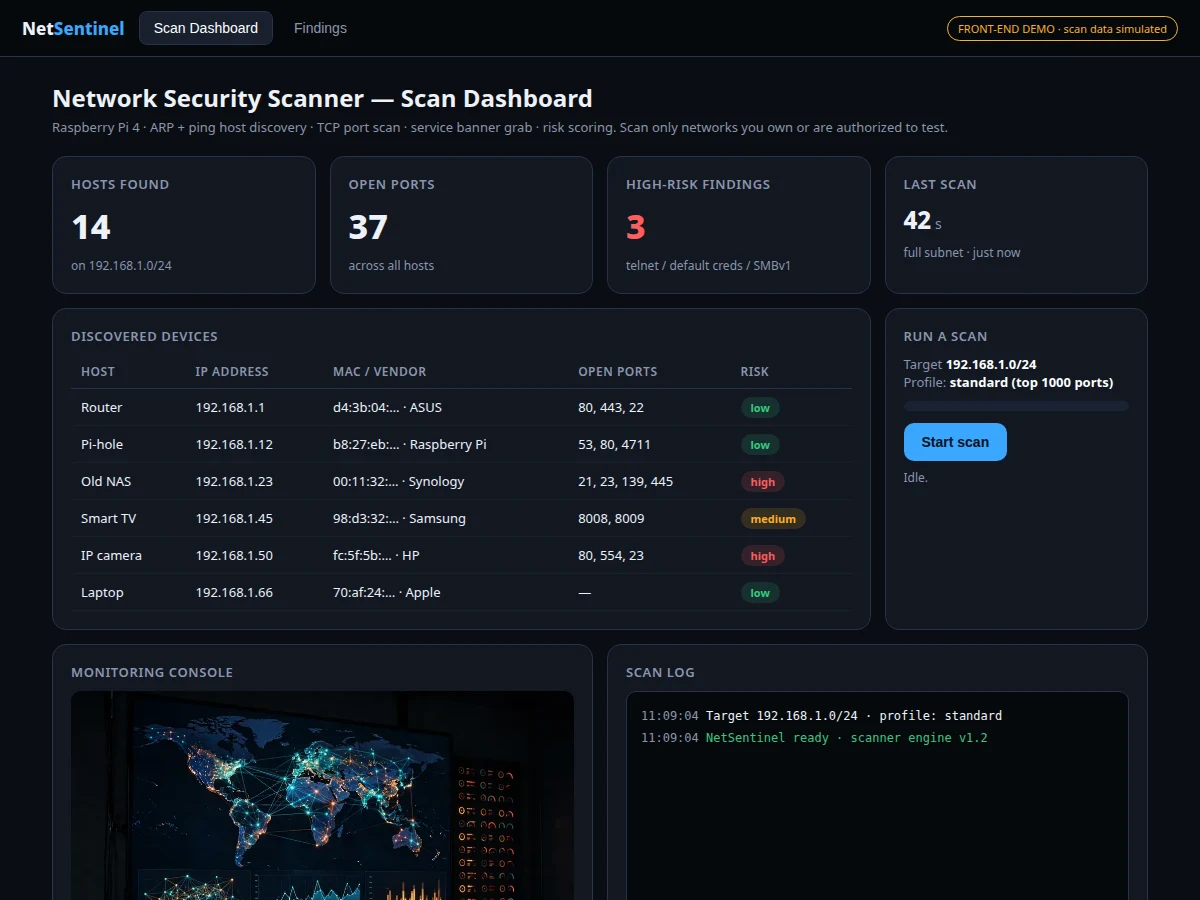
- [Subnet host discovery] ARP sweep plus ICMP ping across the target subnet (e.g. 192.168.1.0/24) finds every live host in seconds and resolves MAC-vendor hints for the device inventory.
- [TCP port scanning] Connect-scan of the top 1000 ports per host, throttled to stay polite on the LAN — the same technique every scanner uses, implemented in readable Python.
- [Service banner grabbing] Open ports get banner-grabbed: HTTP server headers, SSH version strings and similar fingerprints identify what's actually listening, not just that something is.
- [Heuristic risk engine] Findings are scored from open-port exposure, plaintext services (telnet/FTP), known-default credential checks and deprecated protocols (SMBv1) — flags for review, not confirmed vulnerabilities.
- [Findings dashboard] Device table with per-host risk pills, risk-distribution bar, top-open-ports chart and a detailed findings table where each row carries a concrete remediation recommendation.
- [PDF report export] The full inventory, findings and recommendations export to the PDF the buyer submits — generated from the buyer's own scan, never a sample.
- [Scan profiles] Quick (top 100), standard (top 1000) and thorough profiles trade speed against coverage; the dashboard shows elapsed time per phase.
- [Complete build docs] Pi imaging guide, network setup notes, scan-engine walkthrough, risk-rule tuning guide, and the authorized-use statement for the report.
What is included
- Complete Python scan engine (discovery, port scan, banner grab, risk rules)
- Raspberry Pi imaging and setup guide
- Web dashboard (scan dashboard + findings views)
- PDF report export module
- Risk-rule tuning guide (adding rules, adjusting severity)
- Project report PDF (background, scanning theory, system design, test procedure, ethics)
- PPT presentation for final review
- Viva Q&A preparation document (TCP scanning, ARP, banner grabbing, risk scoring, authorized-use ethics)
- Setup guide (imaging, first scan of your own lab network)
Limitations & prerequisites
- This is a surface scanner, not a penetration test: it finds exposed services and matches them against heuristic rules. It does not exploit anything, does not test web applications, and cannot prove a device secure — a "low risk" row means no rule fired, nothing more.
- Findings are heuristic flags for review, not confirmed vulnerabilities; every high-severity row needs human verification before action.
- Scan only networks you own or have written permission to test — unauthorized scanning can be illegal, and the report carries this statement explicitly.
- Full-subnet scans take under a minute on a quiet LAN but longer on congested or large networks; timing depends on the buyer's network.
- Default-credential checks use a small known list and only where the service permits a safe check — it is not a brute-forcer and must never be presented as one.
Frequently Asked Questions
What does the scanner actually do?
Three phases: discovery (ARP sweep + ping finds live hosts), port scanning (TCP connect scan of the top 1000 ports per host), and service identification (banner grabbing fingerprints what's listening). A risk engine then flags plaintext services, default credentials and deprecated protocols.
Is this a hacking tool?
No — it is a defensive auditing tool and a surface scanner. It finds exposed services and matches them against heuristic rules; it exploits nothing, cracks nothing, and brute-forces nothing. The project ships with an explicit authorized-use statement: scan only networks you own or have written permission to test.
How are risks scored?
Heuristically: open-port exposure plus rule matches (telnet = plaintext credentials on the wire, default admin/admin accepted, SMBv1 = deprecated and worm-spreadable, debug ports on IoT gear). Scores are flags for human review, not confirmed vulnerabilities.
What hardware does it need?
A Raspberry Pi 4 with Pi OS, connected to the LAN being audited (wired is best). The scanner image, engine and dashboard are all prepared for the buyer.
What does the PDF report contain?
The device inventory, open-port map, risk distribution, the full findings table with per-row remediation recommendations — all generated from the buyer's own scan run, never sample data.
Is this project suitable for a final-year project?
Yes — for Computer Science, IT and Cybersecurity programs. It demonstrates socket programming, network protocols (ARP/ICMP/TCP), service fingerprinting, risk analysis and security ethics, all strong viva material. Suitable for B.E./B.Tech final-year projects in Computer Science, IT and Cybersecurity.
Components & software requirements
- Raspberry Pi 4 (scanner appliance, Pi OS image)
- Python scan engine (ARP/ping discovery, TCP connect scan, banner grab)
- Heuristic risk-rule engine (plaintext, default-creds, deprecated-protocol rules)
- Web dashboard (Python backend + HTML/CSS/JS: inventory, charts, findings)
- PDF report export from live scan results
- Scan profiles: quick / standard / thorough
- Single-file HTML/CSS/JS dashboard demo (scan dashboard + findings views)
Delivery information
Built-to-order project. Delivery timeline is shared after order confirmation based on current queue.
Support terms
Complete documentation, setup guide, and viva preparation included. Support for setup and explanation provided.
Download free synopsis (PDF)
Enter your name and WhatsApp number — the synopsis PDF downloads immediately. We may send occasional project updates on WhatsApp; no spam.