
More project photos (3)
The problem
Community gardens divide shared land into raised beds that members reserve for a growing season. Allocation is typically managed on paper or in a coordinator's head: which plots are free, who holds which bed, and what everyone is growing. New members can't see availability without asking, and the coordinator fields the same questions every week. A plot reservation system makes the garden visible: an interactive map of all beds color-coded by status, one-click reservation with season fee, and a personal reservations view — the garden's land register, always current. The spatial nature of the problem makes the map itself the interface, which is what makes this project interesting to build and demo.
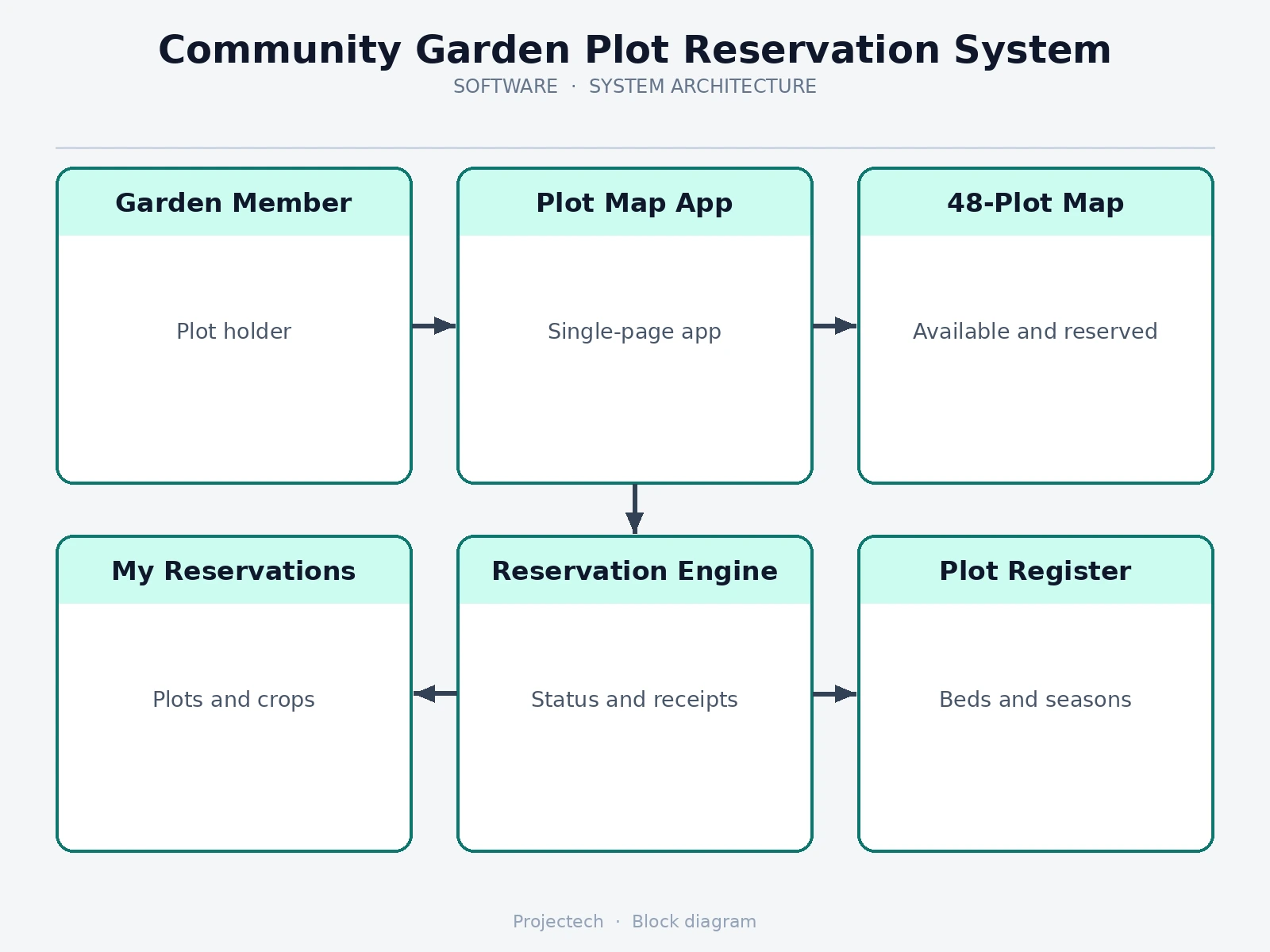
Browses the plot map and reserves beds.
Follow the working sequence
How it works
- The 48-plot dataset is generated with IDs, sizes, sun exposure and a realistic mix of statuses.
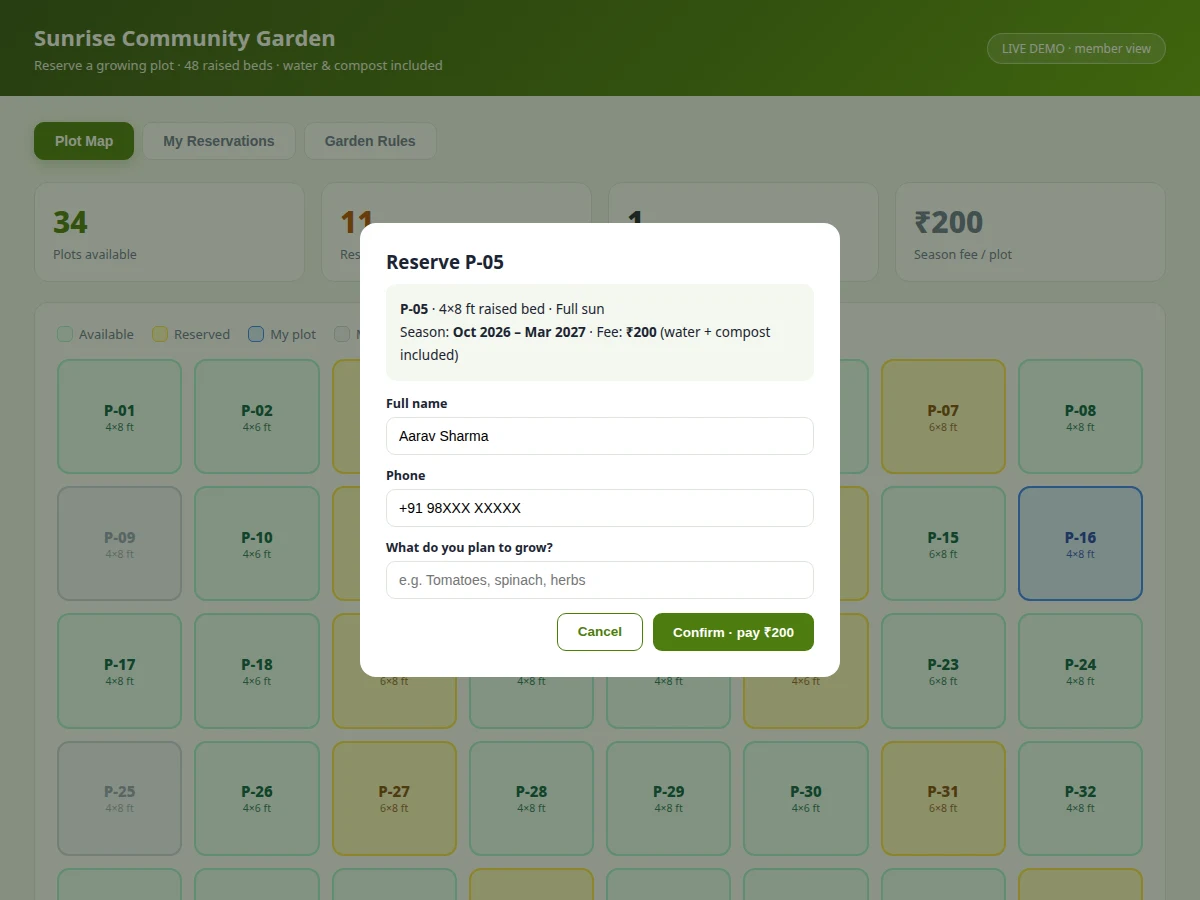
- The map view renders the grid; available beds are green and clickable, reserved amber, maintenance grey, the demo user's bed blue.
- Clicking an available bed opens the reservation modal with that bed's specs, the Oct 2026–Mar 2027 season and the ₹200 fee.
- Confirming with name, phone and intended crops flips the plot to "mine" and appends a personal reservation record.
- The availability stats, grid colors and reservations table all re-render from the single plot store.
- Reserved beds show their holder on hover; maintenance beds are never clickable.
- The rules and season-calendar views give members the reference content coordinators otherwise repeat verbally.
Tech stack:
- HTML5, CSS3, JavaScript (ES6)
- Single-file app — runs fully offline
- CSS-grid spatial map rendering
- Single-store state management
- Modal reservation workflow
| Parameter | Value |
|---|---|
| Application type | Reservation system with spatial map UI |
| Demo delivery | Single HTML file, runs offline in any modern browser |
| Plot count | 48 raised beds |
| Status states | 4 (available / reserved / mine / maintenance) |
| Plot attributes | ID, size, sun exposure, holder |
| Season | Oct 2026 – Mar 2027 (design context) |
| Season fee | ₹200 per plot (design target) |
Project features
- [Interactive 48-plot map] Raised beds as a clickable grid with hover tooltips — the garden's layout made browsable.
- [Four status states] Available, reserved, your plot and maintenance — each with its own color, instantly readable.
- [Per-plot attributes] Size (4×8 ft, 4×6 ft, 6×8 ft) and sun exposure (full sun / partial shade) shown before you commit.
- [One-click reservation] Details modal with season, fee and bed specs; confirmation flips the plot status and issues a receipt toast.
- [Live availability stats] Available, reserved and "my plots" counts plus the season fee, recomputed on every change.
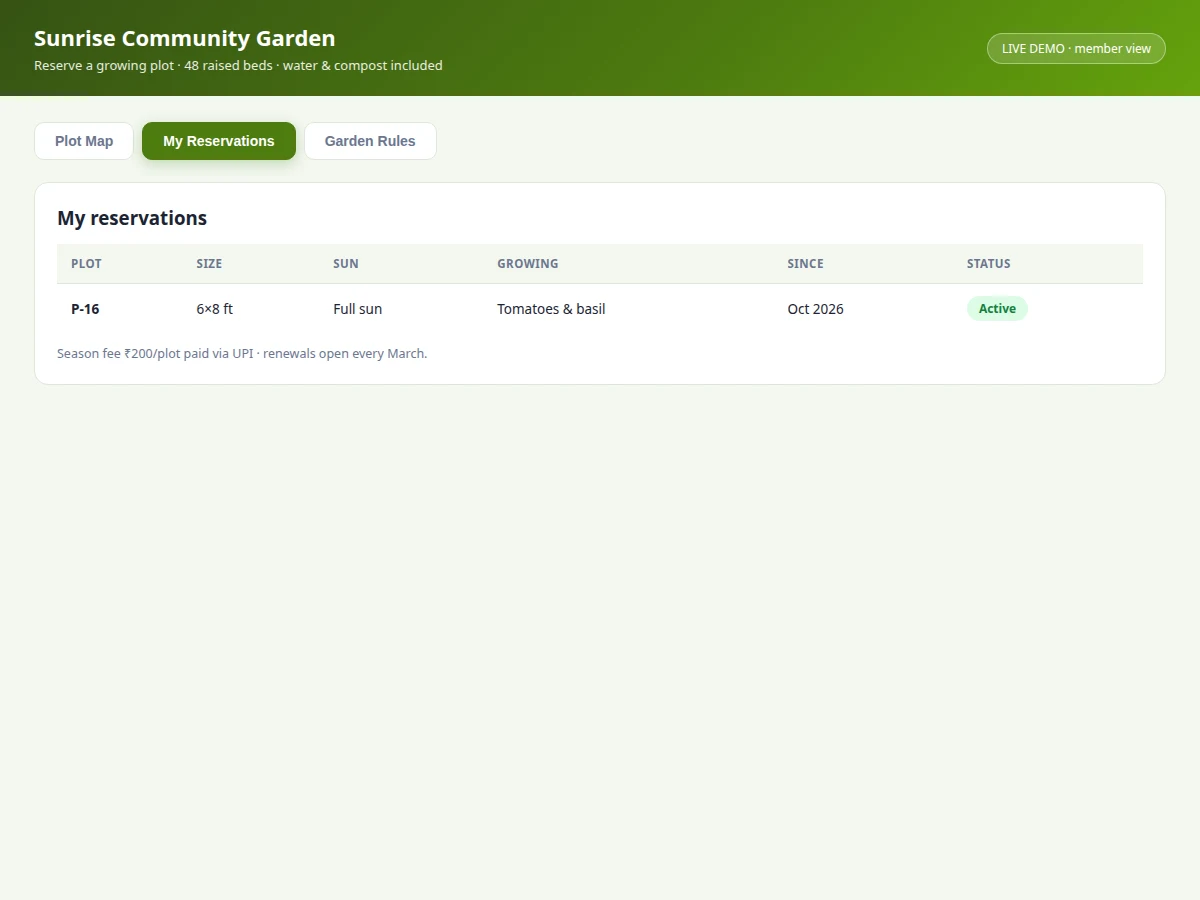
- [My reservations view] Holdings table with plot, size, sun, crops growing and season — the member's garden record.
- [Rules & season calendar] Plot rules (one per household, organic-only, watering hours) and the Oct–Mar growing calendar as built-in reference.
What is included
- Working community garden plot reservation web app
- Complete source code with comments
- Project report PDF (background, allocation problem, map-UI design, screens)
- PPT presentation for final review
- Viva Q&A preparation document (web concepts, state design, spatial UI)
Limitations & prerequisites
- The demo keeps data in memory; a production version needs a backend so reservations persist and double-booking is impossible across devices.
- No online payment — the ₹200 season fee is acknowledged in the flow, not collected.
- One plot per household is a stated rule, not an enforced constraint in the demo.
- No waitlist for fully-booked seasons; allocation is first-come in the demo.
- The map is schematic, not to scale with the real garden's geometry.
- Photo uploads, growing diaries and neglect-flagging are future scope.
Frequently Asked Questions
How does the map stay accurate?
Every view derives from one plot array — reserving a bed updates the grid, the stats and the reservations table together, so the map can't drift from the records.
What prevents double-booking?
In the demo, only available beds are clickable and status flips immediately on confirmation. True concurrency safety needs the documented backend with atomic reservation.
Can the garden have different plot counts?
Yes — the grid is generated from the dataset, so 24, 48 or 96 beds render the same way; the report documents the configuration point.
How are seasons handled?
The demo fixes the Oct–Mar season as context; season rollover with renewal reminders is designed and listed as future scope.
Is this only for community gardens?
The pattern fits any reservable spatial resource — the report notes farm plots, market stalls and exhibition booths as direct adaptations.
Is this project suitable for a final-year project?
Yes — for Computer Science, IT and Web Development programs. It demonstrates spatial UI design, state management and a complete reservation workflow. Suitable for B.E./B.Tech final-year projects in Computer Science, IT and Web Development.
Components & software requirements
- HTML5, CSS3, JavaScript (ES6)
- Single-file app — runs fully offline
- CSS-grid spatial map rendering
- Single-store state management
- Modal reservation workflow
Delivery information
Built-to-order project. Delivery timeline is shared after order confirmation based on current queue.
Support terms
Complete documentation, setup guide, and viva preparation included. Support for setup and explanation provided.
Download free synopsis (PDF)
Enter your name and WhatsApp number — the synopsis PDF downloads immediately. We may send occasional project updates on WhatsApp; no spam.