
More project photos (2)
The problem
Wedding services are high-value, high-anxiety purchases made through scattered WhatsApp chats and Instagram DMs: prices are negotiated opaquely, availability is confirmed manually, and advances are paid with no recourse if a vendor cancels. Vendors, meanwhile, depend on seasonal referrals and lose enquiries to slow responses. A vertical marketplace fixes both sides with structure — verified profiles, transparent package pricing, genuine date availability, and a booking flow that protects the advance. This project builds that marketplace as a complete web application: couples browse by category and city, compare packages side by side, check a vendor's calendar before enquiring, and move through enquiry, quote, advance, event and review stages in one place.
How it works
- Vendors onboard with document verification and build storefronts: category, packages with fixed inclusions and prices, portfolio photos, service areas.
- A couple searches by city and category, applying budget, rating and availability filters to the ranked listing.
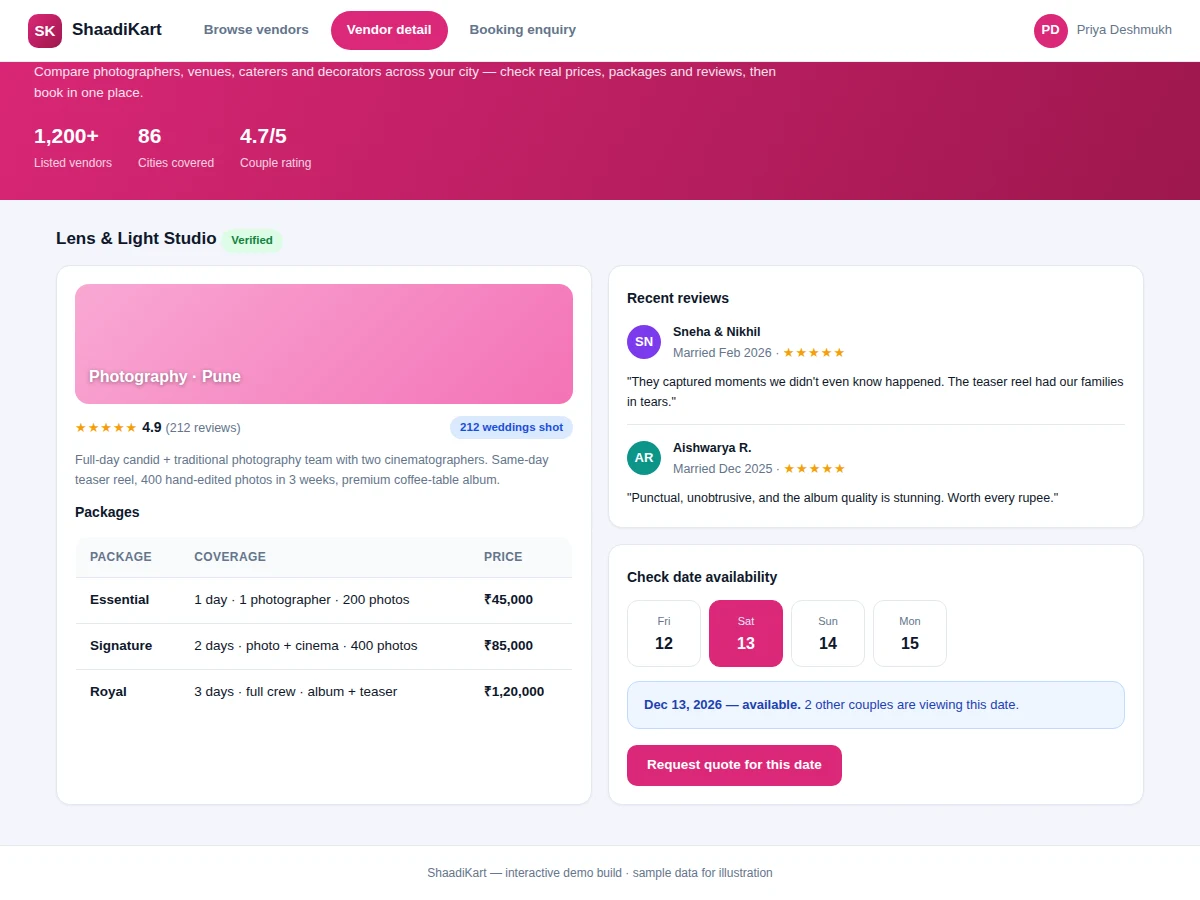
- The vendor page shows the availability calendar; picking a date opens an enquiry thread with event details.
- The vendor responds with a formal quote inside the platform; the couple accepts or negotiates.
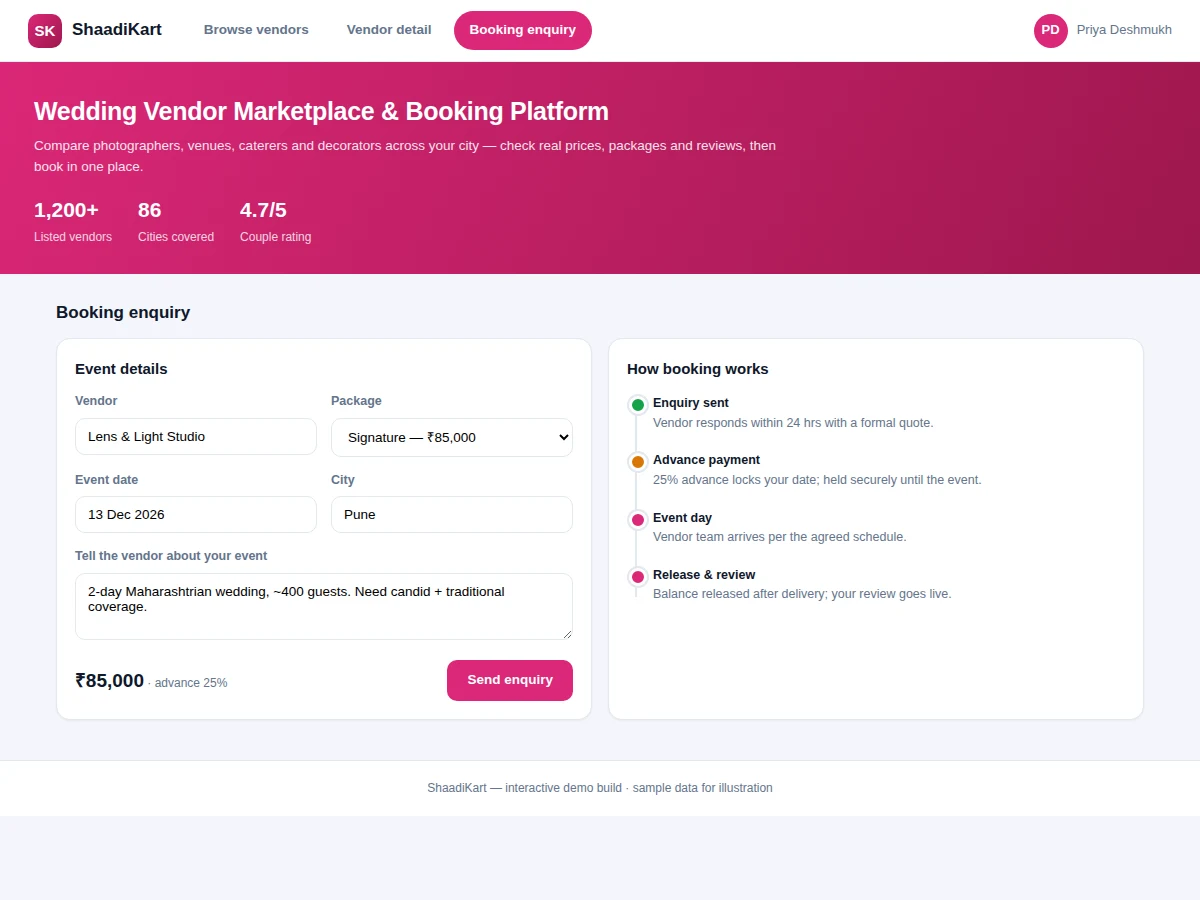
- Accepting creates a booking with a 25% advance captured and held until the event is confirmed complete.
- After the event, the balance workflow completes and the couple posts a verified review that future couples see.
Tech stack:
- Python (Django) or Node.js (Express) REST backend
- PostgreSQL/MySQL plus object storage for portfolios
- HTML5, CSS3, JavaScript responsive frontend
- Payment gateway (Razorpay/Stripe) for advance capture
- Email/SMS notifications for enquiries and quotes
- Admin panel for verification and dispute moderation
| Parameter | Value |
|---|---|
| Vendor categories | 6 (photo, venue, catering, decor, makeup, music) |
| Advance model | 25% at booking, released after event (escrow pattern) |
| Review gating | Only completed bookings can review |
| Availability | Per-date blocking per vendor |
| Quote turnaround | Tracked; feeds vendor response-rate score |
| Search filters | Category, city, budget, rating, availability |
| Demo data | 40+ seeded vendor profiles (sample) |
Project features
- [Two-sided marketplace] Couple-facing search and booking plus vendor storefronts with portfolios, packages and verification badges.
- [Faceted search] Filter by category, city, budget band, rating and availability; ranking blends rating, response rate and verification.
- [Date-availability calendars] Vendors block dates; couples only enquire for genuinely open ones.
- [Staged booking flow] Enquiry, formal quote, 25% advance, event completion, balance and verified review.
- [Protected advances] Advances are captured at booking and released to the vendor after event confirmation.
- [Verified reviews] Only completed bookings can leave reviews, keeping ratings trustworthy.
- [Vendor dashboard] Enquiry inbox, quote builder, calendar management and earnings view.
What is included
- Complete marketplace application (couple, vendor and admin modules)
- Database schema with seeded vendor listings and packages
- Payment-gateway wiring for advance capture and release
- Availability-calendar and review-gating logic
- Project report PDF (marketplace design, trust mechanisms, schema)
- PPT presentation for final review
- Viva Q&A preparation document (two-sided platforms, escrow, ranking)
Limitations & prerequisites
- Real money movement needs a live payment-gateway account and KYC, arranged at deployment.
- Vendor verification in the demo is admin-approved sample data; production needs a document-check process.
- The escrow pattern is modeled in application logic, not a licensed escrow service.
- Portfolios are sample images; vendors upload their own work at onboarding.
- Dispute resolution tooling is admin-assisted, not an automated arbitration system.
Frequently Asked Questions
How is this different from a generic classifieds site?
It is built for the wedding transaction: package pricing instead of vague listings, per-date availability, a staged booking flow with protected advances, and reviews gated on completed bookings — none of which classifieds handle.
How do advances stay safe?
The advance is captured at booking and held until the event is confirmed complete, then released to the vendor. If the vendor cancels, the release never happens and the couple is refunded per policy.
Can vendors manage their own calendars?
Yes — vendors block booked dates and set blackout periods, so couples never enquire for unavailable dates.
What stops fake reviews?
The review form unlocks only for the couple on a completed booking, one review per booking, so ratings reflect real events.
Is this project suitable for a final-year project?
Yes — for Computer Science, IT and Web Development programs. It demonstrates two-sided marketplace design, payment integration, trust mechanisms and search ranking. Suitable for B.E./B.Tech final-year projects in Computer Science, IT and Web Development.
Components & software requirements
- Python (Django) or Node.js (Express) REST backend
- PostgreSQL/MySQL plus object storage for portfolios
- HTML5, CSS3, JavaScript responsive frontend
- Payment gateway (Razorpay/Stripe) for advance capture
- Email/SMS notifications for enquiries and quotes
- Admin panel for verification and dispute moderation
Delivery information
Built-to-order project. Delivery timeline is shared after order confirmation based on current queue.
Support terms
Complete documentation, setup guide, and viva preparation included. Support for setup and explanation provided.